Key Takeaways
- No real hardware wallet company will ever ask for your recovery phrase. Any website, letter, email, or pop-up that requests those words is a scam, regardless of how professional it looks.
- Judging a site by how it looks does not work anymore. Modern phishing pages copy branding, use valid HTTPS certificates, and sometimes appear as paid search ads above the real result.
- The reliable defence is process, not instinct. Type the official domain manually or use a saved bookmark, verify the address bar before you click anything, and never treat a link, QR code, or search ad as a starting point.
Why Fake Hardware Wallet Websites Exist
A hardware wallet keeps your private keys on a device that never exposes them to the internet. That design is strong enough that attackers have largely stopped trying to break the hardware. They attack the person using it instead.
Almost every fake hardware wallet website wants one thing: your recovery phrase, also called a seed phrase. Anyone holding those 12 or 24 words can rebuild your private keys elsewhere and move your funds. The hardware becomes irrelevant, and crypto transactions cannot be reversed the way a bank transfer can.
The One Rule That Beats Every Fake Site
One rule covers every variation of this attack:
A recovery phrase is only ever entered on the hardware wallet device itself, during setup or recovery. Never on a website. Never in an app. Never in a browser. Never on a phone keypad.
Ledger and Trezor have both stated publicly that they will never ask customers to submit, upload, scan, or type a recovery phrase. If a page asks for it, you already have your answer.
Know the Real Domains
Most phishing pages fail on the address bar. The problem is that many users never memorised the correct address.
| Brand | Official website |
|---|---|
| Ledger | ledger.com |
| Trezor | trezor.io |
| BitBox | bitbox.swiss |
| Coldcard | coldcard.com |
| OneKey | onekey.so |
Treat this as a starting point, not a substitute for your own verification, since domains change and published lists go out of date. Confirm the address through the brand's official social accounts, printed documentation, or public code repositories, then bookmark it and use only that bookmark.
Ten Warning Signs of a Fake Hardware Wallet Website
| # | Warning sign | Risk level |
|---|---|---|
| 1 | The page asks for your recovery phrase | Certain scam |
| 2 | The domain is not an exact character match | Very high |
| 3 | You arrived through a sponsored search ad | High |
| 4 | The page uses a deadline or threat | High |
| 5 | The site is hosted on a free page builder | High |
| 6 | The site offers a web based wallet "login" | Very high |
| 7 | Download links point to an unrelated domain | High |
| 8 | You arrived by scanning a QR code | High |
| 9 | Device prices are far below normal | Medium |
| 10 | Support, docs, and company pages are thin or broken | Medium |
1. The page asks for your recovery phrase
This is the only signal you need. Fake pages dress the request up as a "wallet verification," "authentication check," or "firmware migration." The wording changes constantly. The request never becomes legitimate.
2. The domain is not an exact character match
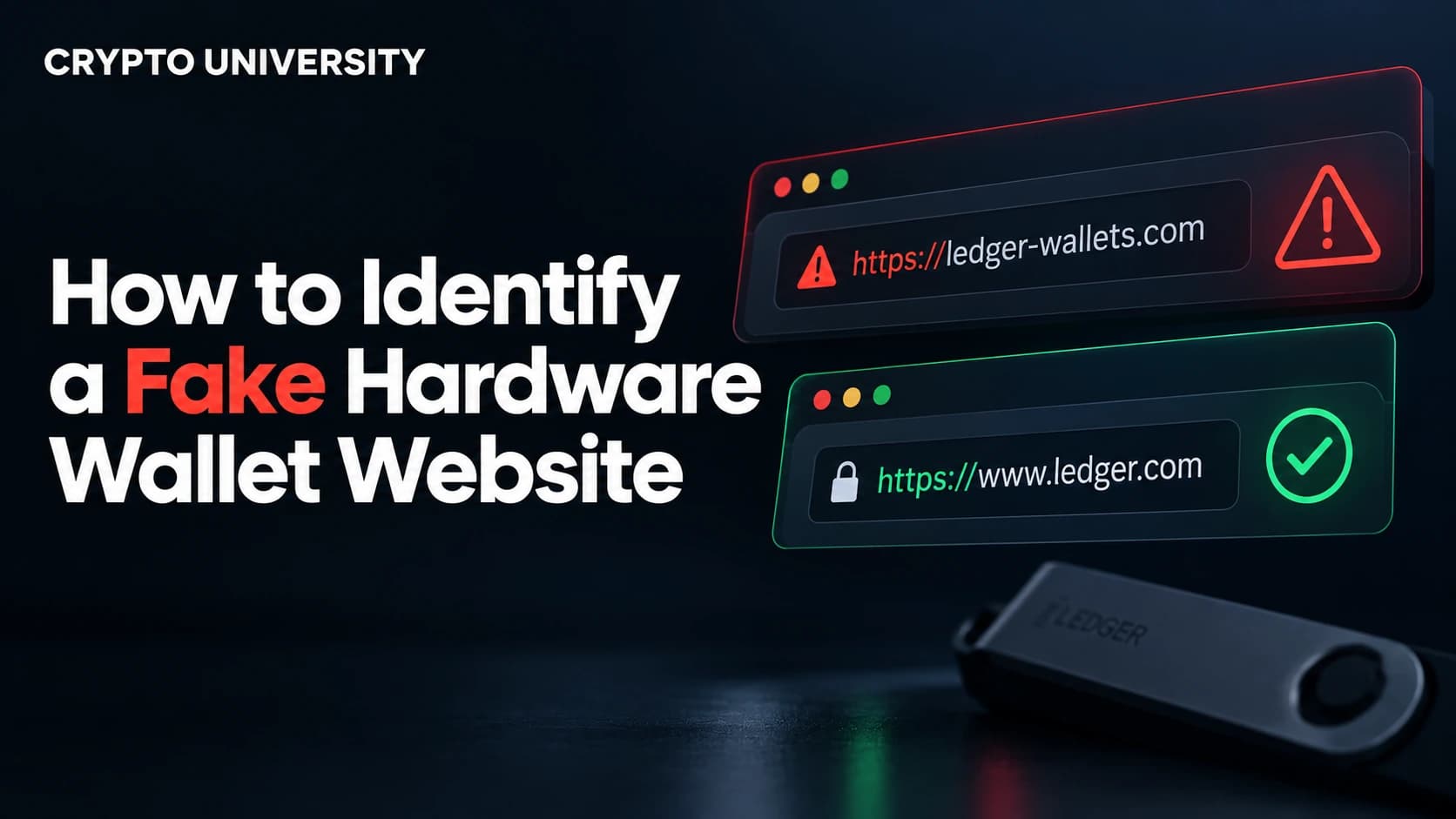
Read the address bar from left to right and stop at the first forward slash. Everything before it is the real domain. Attackers register names that read correctly at a glance: an extra letter, a hyphen inside the brand name, a different country extension, or the brand pushed into a subdomain of something else.
The brand name must sit immediately before the top level domain. In ledger.com it does. In ledger.secure-check.xyz it does not, because the real domain there is secure-check.xyz. Watch also for punycode, where a character from another alphabet imitates a Latin letter. Browsers usually show these as a string beginning with xn--, which is always a reason to leave.
3. You arrived through a sponsored search ad
Paid results sit above organic ones and are routinely bought by scammers. In August 2026, crypto users reported sponsored Google results for searches such as "Ledger Wallet," including one page labelled as an official Ledger property. Search engines remove these when reported, usually after the campaign has run. Treat the ad block at the top of a search page as untrusted.
4. The page uses a deadline or threat
Real vendors do not disable your device, freeze your funds, or lock your wallet on a schedule. Your funds sit on a blockchain, controlled by your keys, not by the company's servers.
Phishing pages lean on urgency because it stops people from checking. A widely reported campaign in early 2026 mailed letters to Ledger and Trezor owners on branded letterhead, demanding a "mandatory Authentication Check" before a fixed date. The letters were fake. The deadline was the tell.
5. The site is hosted on a free page builder
Some fraudulent pages are built on free website builders, so the visible address partly belongs to a large, trusted technology company. The URL looks reassuring while the content is attacker controlled. A genuine brand runs its product and download pages on its own domain.
6. The site offers a web based wallet "login"
There is no normal web login that gives access to assets held by a hardware wallet. If a page offers to "restore," "unlock," or "sync" your wallet in the browser and then presents a word entry grid, it is a harvesting form. Companion software such as Ledger Live or Trezor Suite is downloaded and run locally, not accessed through a web account.
7. Download links point to an unrelated domain
Check where a download button leads before clicking. Hover on desktop, or long press on mobile, and read the destination. Companion apps distributed through file lockers, forums, third party mirrors, or shortened links should be assumed tampered with. Fake installers have been used to log keystrokes and to swap destination addresses during copy and paste.
8. You arrived by scanning a QR code
QR codes hide their destination by design, which is why phishing campaigns favour them. Do not scan codes printed in unsolicited letters, packed inside boxes from unofficial sellers, or sent in direct messages. Type the address yourself.
9. Device prices are far below normal
Storefronts advertising heavy discounts on new hardware wallets are often fake shops that ship nothing, or sellers of counterfeit devices. A normal looking price proves nothing either. A counterfeit Ledger Nano S Plus documented in April 2026 was sold through a large marketplace at a price matching the official store.
10. Support, docs, and company pages are thin or broken
Phishing sites are built to be disposable. Click into the areas scammers rarely bother to complete: support articles, developer documentation, legal and company information, and the blog archive. Dead links, placeholder text, or a site with only one working page are strong indicators.
Why HTTPS and the Padlock Prove Nothing
Older advice tells you to check for the padlock icon. Basic certificates are free and automated, so most phishing sites now have valid HTTPS.
| What the padlock means | What it does not mean |
|---|---|
| Your connection is encrypted | The website is honest |
| Data is not readable in transit | The company is who it claims to be |
| The certificate matches the domain shown | The domain is the correct one |
Encryption delivers your recovery phrase to an attacker just as efficiently as it protects anything else. Read the domain, not the padlock.
A Five Step Verification Routine
Use this every time, so judgement is never required in the moment.
- Start from a bookmark. Save the official domain once, from a verified source, and reach the site only through that link.
- Read the address bar first. Confirm the brand name sits directly before the top level domain, with no extra words, hyphens, or characters.
- Ignore unsolicited contact. Letters, emails, calls, and messages should never be your route to a website. Navigate independently and check the vendor's official security notice page.
- Download only from the official domain. Verify the link destination before clicking, and use published checksums or signatures where available.
- Confirm on the device screen. Your hardware wallet's display is the source of truth. Check that addresses and transaction details on the device match what the computer shows.
If You Have Already Entered Your Recovery Phrase
Speed matters, because drainer scripts often move funds within minutes.
- Set up a new wallet with a completely new recovery phrase, ideally on a different device you trust.
- Move any remaining assets to it immediately, starting with the highest value holdings.
- Treat the exposed phrase as permanently burned. Never reuse or restore it.
- Report the phishing site to the vendor's official abuse address and to your national cybercrime body.
- Expect a follow up "recovery service" offering to retrieve your funds for a fee. That is a second scam.
Fake Websites Are Part of a Larger Pattern
Phishing pages rarely operate alone. The counterfeit device operation reported in April 2026 combined a tampered device, a cloned website, a QR redirect chain, and a fake companion app into one pipeline. It worked only because the buyer never used the genuine software.
Ledger's built in cryptographic Genuine Check did identify that counterfeit, but only when run through the real application downloaded from the official domain. Manufacturer authenticity tools work. They cannot help you if a fake website has already replaced the software you run them in.
Frequently Asked Questions
Can a fake website steal my crypto if I do not enter my recovery phrase? It cannot take your keys from the device itself, but it can still cause loss in other ways. A malicious page can prompt you to sign a transaction or a token approval that transfers your assets. Always read what your hardware wallet screen is asking you to approve before you confirm.
Is a website safe if it has a padlock and a valid certificate? No. Certificates confirm that the connection is encrypted and that it matches the domain in the address bar. They say nothing about whether that domain belongs to the real company.
Are the top results in Google always the official site? No. Sponsored placements at the top of search results have repeatedly been used to promote phishing pages that impersonate hardware wallet brands. Use a bookmark or type the domain manually instead.
Should I buy a hardware wallet from a marketplace or auction site? Manufacturers advise buying from their official store or a listed authorised reseller. Devices from unverified sellers may be counterfeit or tampered with. On arrival, a genuine device should be uninitialised, with no pre set PIN and no recovery phrase supplied in the box.
What if the letter or email came with my real name and address on it? Personalisation does not indicate authenticity. Hardware wallet vendors have suffered customer data breaches in the past, and leaked names and addresses can be reused in later phishing campaigns.
Five Related Terms
- Recovery phrase (seed phrase): the ordered list of 12 or 24 words that can regenerate every private key in a wallet.
- Typosquatting: registering domains that closely resemble a real brand's address in order to catch misdirected traffic.
- Malvertising: buying legitimate advertising placements, including search ads, to distribute links to malicious pages.
- Punycode: an encoding that allows non Latin characters in domains, sometimes exploited to create visually identical fake addresses.
- Supply chain attack: compromising a product before it reaches the buyer, such as selling a counterfeit or pre configured device.
Sources
- Trezor, "Common scams and phishing affecting Trezor users," trezor.io/learn
- Ledger, "Best Practices To Securely Buy Your Ledger Signer," ledger.com/academy
- BleepingComputer reporting on the 2026 Ledger and Trezor postal phishing campaign, as summarised by BitcoinNews and CCN
- Cybersecurity News, "Fake Ledger Hardware Wallets on Chinese Marketplaces Steal Crypto Seeds and PINs," April 2026
- Kaspersky, "Phishing scam targeting Ledger wallet owners," kaspersky.com blog
Further Reading
- Ledger's official phishing campaign status page, which lists active impersonation campaigns as they are identified.
- SlowMist, "Beginner's Guide to Web3 Security: Common Hardware Wallet Pitfalls," covering counterfeit devices, fake firmware prompts, and phishing sites.
- Trezor Blog, "Essential tips for safeguarding your hardware wallet purchase," including packaging and tamper inspection guidance.
- How to Identify Fake Browser Wallet Extensions: /guides/how-to-identify-fake-browser-wallet-extensions
Disclaimer: This article is educational and is not financial, legal or investment advice. Regulatory rules and register locations change, so verify details with the relevant authority before acting.
Not sure which problem you have?
Use the Fixing Crypto Mistakes hub to identify the transaction, wallet, network, or exchange issue before taking another action.
OPEN TROUBLESHOOTING HUB