Key Takeaways
- Official app stores are not a guarantee of safety. Security researchers have repeatedly found fake wallet add-ons living inside the Chrome, Edge, and Firefox stores, sometimes ranking high in search results before removal.
- The strongest check is the publisher and the extension ID, not the name or the icon. Names, logos, screenshots, and review counts can all be copied or bought. A store listing URL published by the wallet team itself cannot.
- An extension that asks for your seed phrase outside of a normal setup flow is the end of the conversation. Uninstall it, move funds from a clean device, and treat the wallet as permanently compromised.
Introduction
A browser wallet extension sits in a powerful position. It can read and change the pages you visit, it holds the keys that sign your transactions, and most people install one in under a minute without reading anything on the listing page. That combination has made wallet extensions one of the most attractive targets in crypto.
Attackers rarely try to break the cryptography. They copy the wallet interface instead, publish it in an official store, and wait for someone to type a recovery phrase into it. This guide explains how those fakes are built, the specific signals that expose them, and a repeatable checklist you can run before you click install.
Why Fake Wallet Extensions Keep Appearing in Official Stores
Store review is automated first and manual second. Reviewers check the code that is submitted, not the code that arrives in a future update, and not the publisher who owns the listing six months later. That gap is where most of these campaigns live.
Three real cases show the pattern clearly.
In August 2025, Koi Security documented a campaign it named GreedyBear, which placed more than 150 malicious extensions on the Firefox add-ons store while imitating MetaMask, TronLink, Exodus, and Rabby Wallet. Losses were reported at over one million dollars based on victim reports, which is an estimate rather than an audited figure. It followed an earlier wave of roughly 40 fake wallet add-ons.
In November 2025, security firm Socket described a Chrome extension called "Safery: Ethereum Wallet" that captured recovery phrases and hid them inside blockchain traffic. It encoded each seed phrase into synthetic Sui addresses and sent microtransactions of 0.000001 SUI to them, so no obvious data ever left the browser over the network. It was reportedly ranking near the top of Chrome Web Store results for "Ethereum wallet" while still live.
In August 2026, researchers disclosed two more waves covering Firefox, Chrome, and Edge. Reported counts vary slightly between write ups, but the core finding was consistent: several established extensions with large install bases were bought through an ownership transfer marketplace and then turned malicious in a routine update, delivered through the official store update channel.
How Fake Wallet Extensions Are Built
| Tactic | What it looks like | Why it works |
|---|---|---|
| Extension hollowing | A harmless tool such as a link cleaner is published, collects reviews, then is renamed and re-skinned as a wallet | The listing keeps its old review history and age, so it looks established |
| Ownership transfer | An existing extension with real users is purchased, then a malicious update is pushed | Users update automatically and security tools trust the store channel |
| Search ranking abuse | Generic names, keyword stuffed descriptions, and clusters of five star reviews | Many users install the first result rather than the correct one |
| Interface hijacking | Real sites load normally, but "Connect Wallet" and "Swap" buttons are rewired | Nothing looks wrong until funds leave the wallet |
| Covert exfiltration | Seed data encoded into blockchain transactions or DNS style traffic | Avoids the obvious network calls that scanners look for |
Warning Signs You Can Check in Under Two Minutes
| Signal | Healthy listing | Suspicious listing |
|---|---|---|
| Publisher | A verified domain owned by the wallet project | A free email address or an unrelated domain |
| Install base | Hundreds of thousands to millions for a major wallet | A few hundred or a few thousand for a "major" brand |
| Review pattern | Mixed ratings written over years | A burst of short five star reviews in one period |
| Listing age | Long history with steady updates | Created recently, or renamed from something unrelated |
| Description | Specific features, real support links | Generic security language and vague promises |
| Permissions | Matches what a wallet needs | Requests far beyond wallet functions |
| Setup flow | Asks for a phrase only when you choose to import | Asks for a phrase to "verify", "sync", or "activate" |
The last row matters most. No legitimate wallet asks for a recovery phrase to unlock support, validate an account, or fix an error.
The Verification Checklist
Step 1: Start at the wallet's own website, never at the store search bar. Type the official domain by hand, then use the download link on that page. This single habit defeats most impersonation attempts, because you never have to judge which of ten similar listings is real.
Step 2: Compare the extension ID. Every Chrome and Edge extension has a fixed 32 character ID in its store URL and in the browser's extension details page. It cannot be spoofed by a copycat listing.
| Wallet | Official Chrome extension ID |
|---|---|
| MetaMask | nkbihfbeogaeaoehlefnkodbefgpgknn |
| Phantom | bfnaelmomeimhlpmgjnjophhpkkoljpa |
Treat this table as an example of the method rather than a complete list. For any other wallet, take the ID from the download link on the project's official site or its documentation, then confirm it matches what your browser shows at chrome://extensions with developer mode enabled.
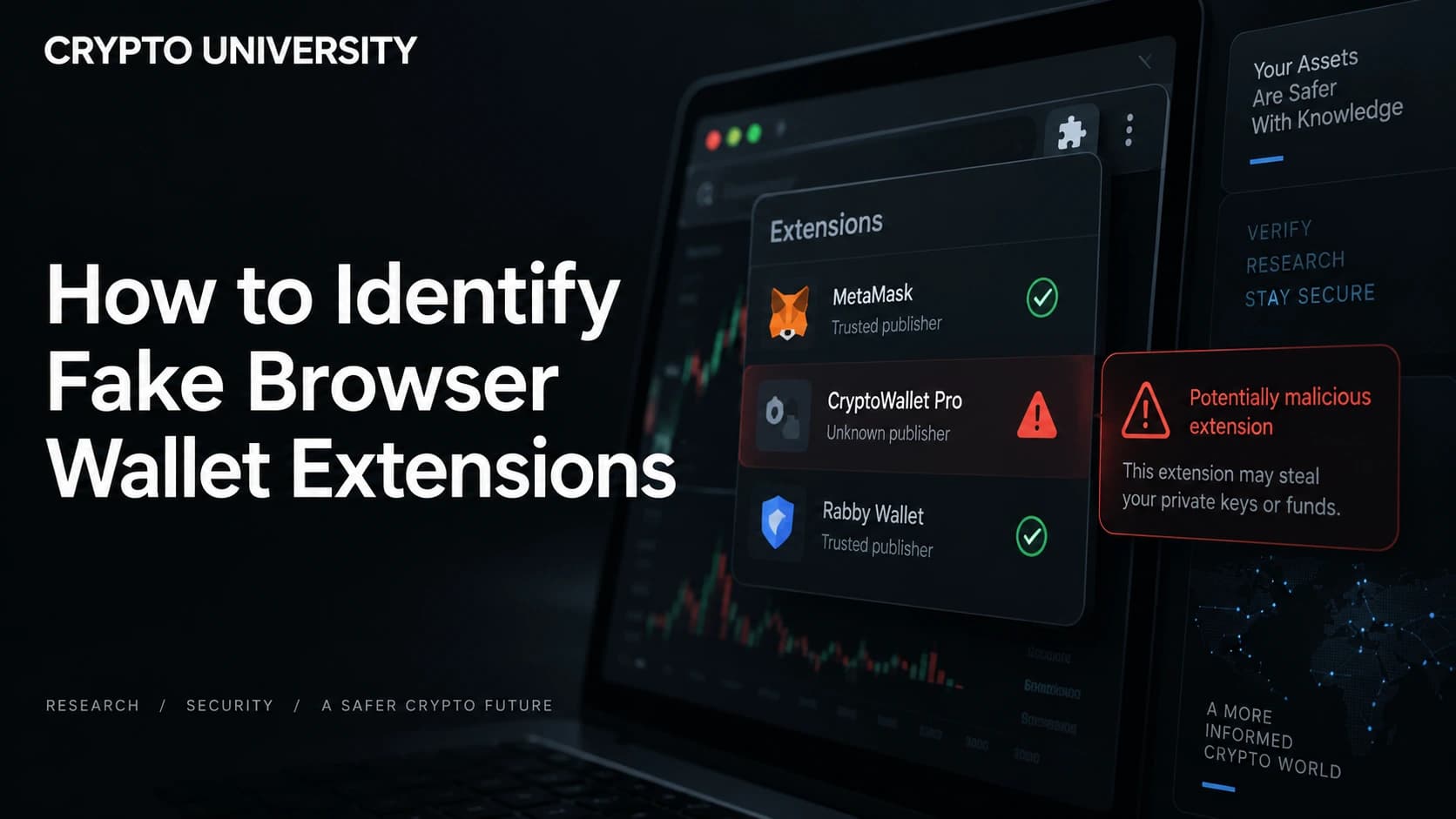
Step 3: Read the publisher line, not the extension name. Chrome shows the publisher under the title, and Firefox shows the author on the add-on page. A real wallet publishes under a verified domain. An impersonator usually cannot, which is why so many fakes publish under a personal email address.
Step 4: Treat badges as weak evidence. Google's Established Publisher badge means the developer verified their identity and has a clean policy record, and Google has said the badge applies to roughly three quarters of the store. The Featured badge reflects design and best practice review. Neither badge is a security audit, and neither can be purchased, but neither proves an extension is safe.
Step 5: Review the permissions before installing. A wallet needs to inject a script into web pages and talk to network endpoints. It does not need to read your browsing history or manage your downloads.
| Permission | Normal for a wallet? | Note |
|---|---|---|
| Read and change data on sites you visit | Yes | Required to inject the wallet provider into pages |
| Storage | Yes | Holds encrypted local wallet data |
| Notifications | Sometimes | Used for transaction alerts |
| Browsing history | No | No wallet function requires this |
| Downloads or file management | No | Common in credential stealers |
| Access to all your tabs plus request modification | Rarely | Can be used to strip page security headers |
Step 6: Check the update behavior after install. If an extension suddenly changes its name, icon, or requested permissions, that is a strong signal of hollowing or an ownership change. Browsers disable extensions that request new permissions until you approve them. Read that prompt instead of clicking through it.
Step 7: Test with an empty wallet first. Create a fresh wallet with no funds, use it once, and only then import anything of value. A drainer usually reveals itself on the first real interaction.
If You Think You Already Installed a Fake
Speed matters more than diagnosis here. Once a recovery phrase has been typed into a malicious extension, the phrase is compromised permanently and the funds are usually unrecoverable after the fact.
- Move assets first, clean up second. From a different, clean device, create a brand new wallet with a new recovery phrase and transfer everything out of the exposed addresses on every chain.
- Remove the extension and run a malware scan on the affected machine.
- Revoke token approvals granted from the exposed addresses, using a reputable approval checker.
- Rotate exchange credentials. These campaigns commonly harvest exchange sessions and passwords alongside wallet data.
- Report the listing to the browser store, and to national fraud reporting bodies where relevant.
Never reuse the compromised recovery phrase, even after the extension is gone.
Habits That Reduce Long Term Risk
- Use a hardware wallet for meaningful balances. Even a compromised browser cannot extract keys held on a hardware device, although you must still read what you sign on the device screen.
- Keep a separate browser profile for crypto, with only the wallet installed and no unrelated extensions.
- Install fewer extensions overall. Every add-on is an update channel someone else controls.
- Re-audit your extension list quarterly. Remove anything you no longer use.
- Bookmark official wallet and application URLs so search results never decide where you go.
The core lesson from every campaign in this guide is the same. The store listing is a marketing page, not a security certificate. Verification takes two minutes and belongs to you.
Frequently Asked Questions
Is it safer to install a wallet from the store or from the project website? Use the project website as the starting point, then follow its link into the store. That way you still get automatic updates from the official channel, but the project decides which listing you land on rather than a search algorithm.
Can a fake extension steal funds if I never type my recovery phrase? Yes. Some malicious extensions do not ask for a phrase at all. They wait for a normal transaction and rewrite the destination address or the approval request, which is why reading transaction details before signing still matters.
Does a high number of installs and good reviews mean an extension is safe? No. Install counts and reviews have been inflated with fake accounts, and in several documented cases extensions with genuine large user bases were bought and later weaponized through an update.
Do these attacks only affect Chrome? No. Documented campaigns have targeted Firefox, Chrome, and Edge stores. Any browser with an add-on marketplace faces the same review gap.
Are hardware wallets immune to fake extensions? They remove the risk of key extraction, but not the risk of signing a malicious transaction. Fake extensions have also displayed fake hardware wallet setup pages that ask users to enter a recovery phrase into a website.
Related Terms
- Seed phrase (recovery phrase): The list of words that recreates a wallet's private keys.
- Wallet drainer: Malicious code designed to transfer an entire balance in one operation.
- Extension hollowing: Publishing a harmless add-on, then replacing its contents with malicious code after it gains trust.
- Token approval: Permission granted to a smart contract to spend tokens from your address.
- Supply chain attack: Compromising a trusted distribution channel rather than the end user directly.
Sources
- Socket, "Malicious Chrome Extension Exfiltrates Seed Phrases", November 2025: https://socket.dev/blog/malicious-chrome-extension-exfiltrates-seed-phrases
- The Hacker News, "GreedyBear Steals $1M in Crypto Using 150+ Malicious Firefox Wallet Extensions", August 2025: https://thehackernews.com/2025/08/greedybear-steals-1m-in-crypto-using.html
- BleepingComputer, "Chrome Web Store extensions caught stealing crypto, browser data", August 2026: https://www.bleepingcomputer.com/news/security/chrome-web-store-extensions-caught-stealing-crypto-browser-data/
- Google Chrome Developers, "Discovery on the Chrome Web Store": https://developer.chrome.com/docs/webstore/discovery
- Google, "Find great extensions with new Chrome Web Store badges": https://blog.google/products-and-platforms/products/chrome/find-great-extensions-new-chrome-web-store-badges/
Further Reading
- BleepingComputer, "Wave of 150 crypto-draining extensions hits Firefox add-on store": https://www.bleepingcomputer.com/news/security/wave-of-150-crypto-draining-extensions-hits-firefox-add-on-store/
- Security Affairs, "Chrome extension Safery steals Ethereum wallet seed phrases": https://securityaffairs.com/184585/malware/chrome-extension-safery-steals-ethereum-wallet-seed-phrases.html
- MetaMask Help Center, "How to find and manage your MetaMask Extension on Chrome and Firefox": https://support.metamask.io/configure/wallet/how-to-find-and-manage-your-metamask-extension-on-chrome-and-firefox/
- How to Spot a Fake Hardware Wallet Sent in the Mail: https://how-to-spot-fake-hardware-wallet-sent-in-mail
Disclaimer: This article is educational and is not financial, legal or investment advice. Regulatory rules and register locations change, so verify details with the relevant authority before acting.
Not sure which problem you have?
Use the Fixing Crypto Mistakes hub to identify the transaction, wallet, network, or exchange issue before taking another action.
OPEN TROUBLESHOOTING HUB