Key Takeaways
- Every token movement on a public blockchain is recorded permanently, so anyone can review a token's full transfer history for free using a block explorer.
- You need two things before you start: the correct contract address and the correct network. Getting either one wrong is the most common beginner mistake.
- Transfer history can be faked in appearance. Zero-value transfers and lookalike token contracts are used to trick people into copying the wrong address.
What a Token Transfer History Actually Is
A token transfer history is the list of times a token moved from one address to another. On most networks, a token is not a coin sitting in your wallet. It is a balance recorded inside a smart contract. When someone sends the token, the contract updates two balances and publishes a record called a transfer event.
Block explorers read those events, decode them, and present them as a readable list with a time, a sender, a receiver, and an amount.
Two points matter for beginners:
- Transfer history is not trading history. A swap on a decentralized exchange shows up as several transfers between the trader, a router contract, and a liquidity pool. One trade can create three or more rows.
- Transfer history is public but pseudonymous. You see addresses, not names. Labels such as exchange names are added by the explorer, not by the blockchain.
What You Need Before You Start
| Item | Why it matters | Where to find it |
|---|---|---|
| Contract address | Identifies the exact token. Many tokens share the same name and symbol. | Project documentation, CoinGecko, CoinMarketCap, the project's official site |
| Network | The same token often exists on several chains with different addresses. | The same sources as above, usually listed next to the address |
| Wallet address | Needed only if you want one holder's history rather than the whole token | Your wallet app or the address you are researching |
| Transaction hash | Useful for checking one specific transfer | Your wallet history or the exchange withdrawal receipt |
Always copy the contract address from a source you trust, not from a social post or an advertisement.
Step 1: Open the Right Block Explorer
Each network has its own explorer. Pick the one that matches the chain your token lives on.
| Network | Common explorer | Notes |
|---|---|---|
| Ethereum and most EVM chains | Etherscan and its family of sites | Covers 60 or more chains under one account and API key |
| Solana | Solscan, Solana Explorer, SolanaFM | Uses mint addresses and token accounts instead of one balance per wallet |
| BNB Chain | BscScan | Same layout as Etherscan |
| Tron | Tronscan | Common for TRC-20 stablecoin transfers |
| Bitcoin | Mempool.space, Blockstream Explorer | Bitcoin has no native tokens, so look for Runes or BRC-20 support |
Open source explorers such as Blockscout cover many smaller chains and layer 2 networks.
Step 2: Check the History for the Whole Token
Paste the contract address into the explorer search bar and open the token page. On most explorers you will see a set of tabs.
| Tab | What it shows |
|---|---|
| Transfers | Every transfer of the token, newest first |
| Holders | Addresses ranked by balance, useful for spotting concentration |
| Info | Supply, decimals, official links |
| Contract | The source code, if the team verified it |
| Analytics | Charts for transfer counts, holders, and activity over time |
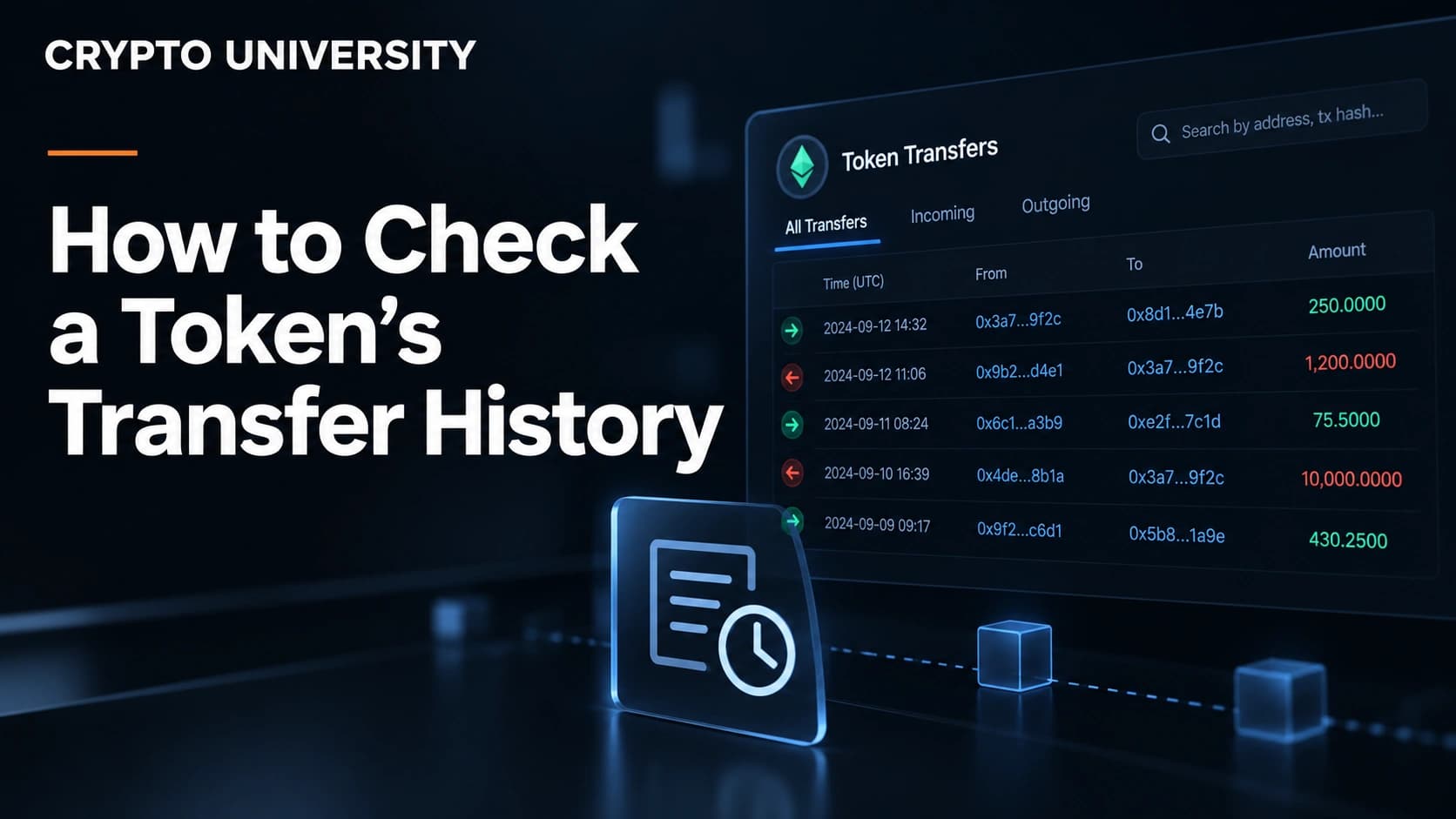
The Transfers tab is the main view. Each row usually shows the transaction hash, the age or timestamp, the sender, the receiver, and the amount. Solscan presents the same idea with parsed transfer events on the token details page.
Step 3: Check the History for One Wallet
If you care about a single holder rather than the whole token, search the wallet address instead.
- Paste the address into the explorer search bar.
- Open the token transfers section. On Etherscan style explorers this is usually labelled Token Transfers or ERC-20. On Solscan it is the Transfers tab of the account page.
- Filter by the token you care about, using the token dropdown or the filter box.
- Set a date or block range if the address is busy.
- Read the direction column, which tells you whether the address sent or received.
Step 4: Read a Single Transfer Correctly
Click any transaction hash to open the transfer detail page. These are the fields worth understanding.
| Field | What it means |
|---|---|
| Status | Success or failed. A failed transaction still costs gas and moves nothing |
| Block and timestamp | When the network confirmed it |
| From and To | The sending and receiving addresses, sometimes with an exchange label |
| Token transferred | The token name, symbol, and amount |
| Value | The native coin sent, which is often zero for token transfers |
| Transaction fee | The network cost paid by the sender |
| Logs | The raw events, useful for advanced checks |
Note that amounts are stored as whole numbers and converted using the token's decimals. A stablecoin with six decimals stores 1 unit as 1000000. Explorers do the conversion for you, but raw data from an API does not.
Step 5: Export or Query the Data
For accounting, research, or reporting, the browser view is rarely enough.
CSV export. Etherscan style explorers offer a Download CSV Export option on address pages, where you pick a transaction type and a date range. Solscan offers CSV export on the Transfers, DeFi Activities, and Balance Changes tabs. Exports are capped, so split long histories into smaller date ranges.
APIs. For repeatable work, use an API. The Etherscan API moved to version 2 in 2025, where one key serves many chains and you choose the network with a chainid parameter. The token transfer endpoint looks like this:
https://api.etherscan.io/v2/api
  ?chainid=1
  &module=account
  &action=tokentx
  &contractaddress=YOUR_TOKEN_ADDRESS
  &address=YOUR_WALLET_ADDRESS
  &sort=asc
  &apikey=YOUR_KEY
Solscan, Moralis, Covalent, Alchemy, and Helius provide similar endpoints. Free tiers usually limit request rates and how far back you can query.
Step 6: Go Beyond the Explorer When You Need Context
| Tool | Best for | Cost |
|---|---|---|
| Dune | Custom queries and dashboards over indexed chain data | Free tier available |
| Bubblemaps | Visual clusters showing how holder wallets connect | Free tier available |
| Arkham | Entity labels and fund flow tracing across wallets | Free tier available |
| Nansen | Labelled wallet analytics for professional research | Paid |
| DeBank and Zerion | Simple portfolio views across chains | Free |
Labels from these tools are educated guesses produced by companies, not facts recorded on the blockchain. Treat them as leads to verify, not conclusions.
Common Traps to Avoid
- Fake tokens with real names. Anyone can deploy a contract called USDT. Always match the contract address, never the symbol.
- Zero-value transfers. Attackers use a token contract to write a harmless looking entry into your history from an address that resembles one you use. This is called address poisoning. Explorers now hide many of these by default.
- Never copy an address from your transfer history. Copy it from the counterparty directly, or from a saved contact.
- Bridged and wrapped versions. The same asset on another chain is a different contract with its own separate history.
- Exchange addresses. A deposit into an exchange usually ends the visible trail, because exchanges pool customer funds.
- Contract interactions. Transfers to a router, pool, or staking contract are normal activity, not necessarily a sale.
Quick Checklist
- Confirm the contract address from an official source.
- Confirm the network.
- Open the matching explorer and search the address.
- Use the Transfers tab, then filter by token and date.
- Open one transaction to confirm status, direction, and amount.
- Export to CSV or query the API for larger studies.
- Ignore zero-value and unknown token entries.
Frequently Asked Questions
Can token transfer history be deleted? No. Confirmed records stay on the chain permanently. An explorer can hide or relabel an entry in its interface, but it cannot erase the underlying data.
Why does my wallet show a different history than the explorer? Wallets filter for readability and often hide spam tokens, failed transactions, and zero-value transfers. The explorer shows the raw record.
Can anyone see my token transfers? Yes, on public blockchains. Anyone who knows your address can view every transfer linked to it, which is why address reuse reduces privacy.
How do I check the history of a token on Solana? Search the mint address on Solscan and open the Transfers tab. For a wallet, search the wallet address and use the Transfers or Balance Changes tab, since Solana holds balances in separate token accounts.
How far back does transfer history go? To the first transfer after the contract was deployed. Some explorers index only from a certain start date, so very old data may need an API or an archive node.
Related Terms
- Transfer event: the log a token contract publishes when a balance moves.
- Contract address: the unique on-chain identifier of a token.
- Token decimals: the divisor that converts the stored number into a readable amount.
- Address poisoning: a scam that plants a lookalike address in your history.
- Block explorer: a website that indexes and decodes blockchain data.
Sources
- Etherscan Information Center, "Address Poisoning Attacks"
- Etherscan Documentation, "V2 Migration"
- Solscan Information Center, "Exploring Token Details Page"
- Solscan Information Center, "How to Export CSV Transaction History"
- Revoke.cash Learn, "What Is Address Poisoning?" ## Further Reading
- Etherscan API documentation, for multichain token transfer queries
- Solscan Information Center, on account pages and balance history
- Bubblemaps blog, on visual holder and fund flow analysis
This article is educational and factual. It is not financial advice and contains no price predictions. Figures cited from third party tools are point in time estimates that change continuously.
Not sure which problem you have?
Use the Fixing Crypto Mistakes hub to identify the transaction, wallet, network, or exchange issue before taking another action.
OPEN TROUBLESHOOTING HUB