Key Takeaways
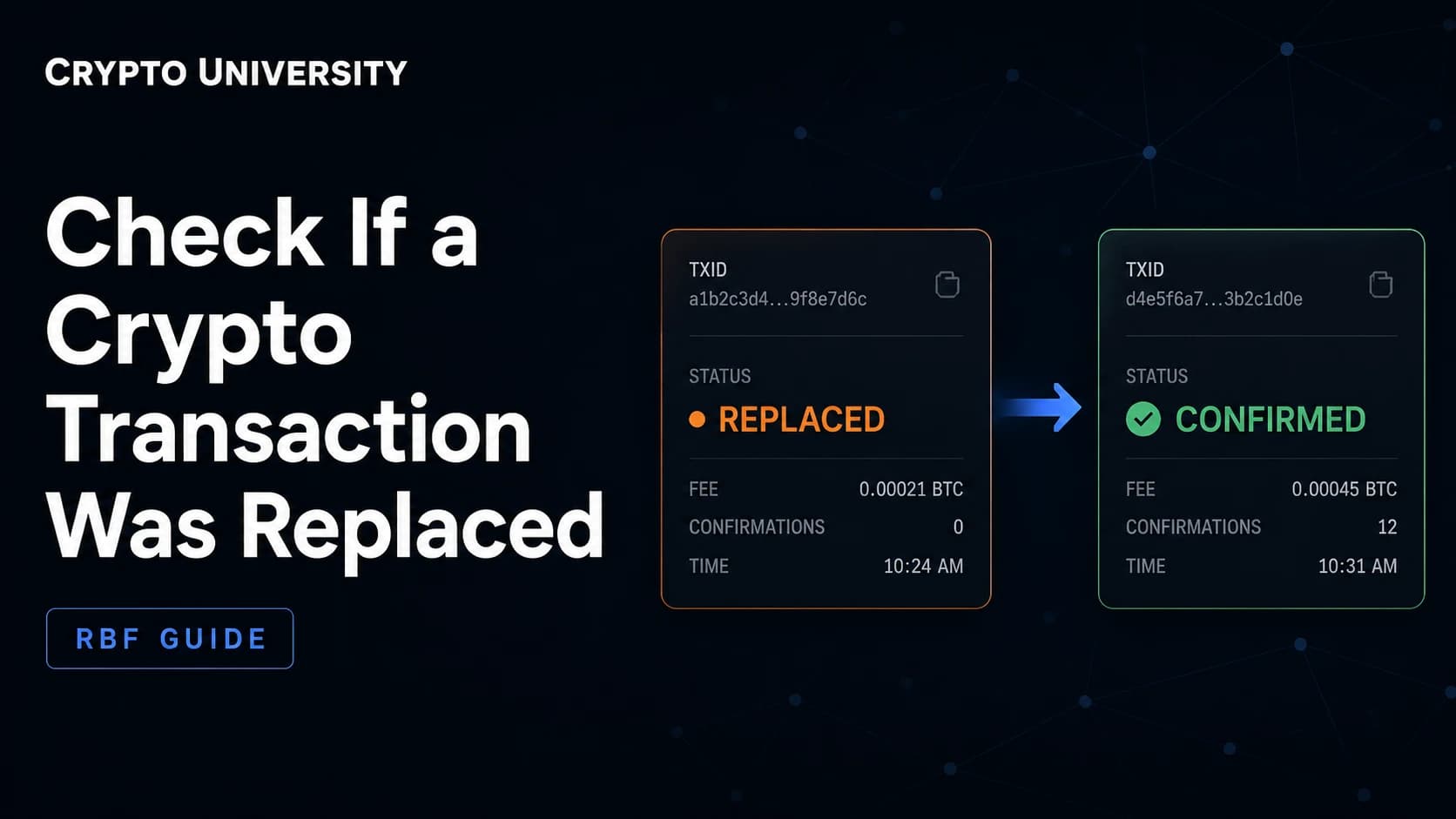
- A replaced transaction is not lost or stolen. It is a version of your payment that was cancelled in the waiting area of the network and swapped for a newer version with a different transaction ID.
- The most reliable way to confirm a replacement is to look at the inputs. If a confirmed transaction spends the same coins as your original but has a different ID, your original was replaced.
- Replacement history is not stored on the blockchain itself. Explorers and wallets show it from their own memory of pending transactions, so different tools can disagree.
What "Replaced" Actually Means
When you send crypto, the transaction does not go straight into a block. It first sits in a holding area called the mempool, where nodes keep unconfirmed transactions until a miner or validator includes one in a block.
While a transaction is still in that holding area, it can be swapped out. The sender broadcasts a new version of the same payment, usually with a higher fee, and nodes drop the old version in favour of the new one. The old version now has a status that many tools describe as replaced.
Two things confuse beginners here:
- The transaction ID changes. The replacement is a different transaction with a different ID, even if it pays the same person the same amount.
- The old ID never confirms. Searching for it on an explorer may return nothing at all, because nodes have no obligation to remember transactions that were discarded.
A replacement is not the same as a failed or reversed payment. In most cases, one of the versions confirms normally and the money arrives.
Why Transactions Get Replaced
| Reason | What happened | Who triggered it |
|---|---|---|
| Fee bump | The original fee was too low, so a higher fee version was sent | You or your wallet |
| Cancel attempt | A replacement was sent back to your own address to void the payment | You |
| Wallet automation | Exchange or custodial software automatically rebroadcasts at a higher fee | The service |
| Batching | An exchange merged your withdrawal into a larger consolidated transaction | The service |
| Malicious replacement | Someone spent the same coins to a different destination before confirmation | The sender, not you |
The last row matters if you are the receiver rather than the sender. Accepting an unconfirmed payment as final always carries this risk.
The Bitcoin Case: Replace by Fee
Bitcoin's replacement rules are known as Replace by Fee, or RBF. The rules were formalised in BIP 125, and Bitcoin Core has supported opt-in replacement since version 0.12.0.
Originally, a transaction had to signal that it was replaceable by setting a sequence number below the maximum value on at least one input. Wallets often show this as an "RBF enabled" flag.
That default changed. In Bitcoin Core 28.0, released in October 2024, the -mempoolfullrbf setting was switched from off to on. Nodes running default settings will now consider replacements even for transactions that never signalled replaceability. In practice this means you should not assume a transaction is safe from replacement just because the RBF flag is missing.
Bitcoin Core 31.0, released in April 2026, rebuilt the mempool around a design called cluster mempool. Replacement validation now only accepts a swap if the resulting mempool is measurably better for miners. For a simple standalone transaction, the replacement still needs both a higher total fee and a higher fee rate.
Step by Step: Check on a Block Explorer
This is the fastest method and needs no software.
- Open a mempool-aware explorer. Explorers that watch pending transactions, such as mempool.space, track replacement history. Explorers that only index confirmed blocks usually cannot help you.
- Paste your original transaction ID. If it confirmed, you are done and nothing was replaced.
- Look for a replacement notice. The transaction page will show that this version replaced an earlier one, or that it was itself replaced, along with the chain of versions and their fee rates.
- Follow the newest version in the chain. That is the transaction that is likely to confirm.
- Check the destination address. Open the newest version and confirm the outputs still pay the address you expected.
Developers can query this directly. The endpoint GET /api/v1/tx/:txid/rbf returns the replacement tree for a transaction, and GET /api/v1/replacements lists pending transactions that are part of a replacement chain.
Keep one limitation in mind. An explorer can only report what its own node observed, and it discards that memory after a period. An old transaction ID may simply return "not found" rather than a clear replacement label.
Step by Step: Check in Your Wallet
Most modern wallets label this for you, but the wording varies.
| Wallet type | What to look for |
|---|---|
| Self-custody desktop wallets | A "replaced", "conflicted", or "double spent" tag on the old entry, and a linked newer entry |
| Mobile wallets | Often only show the surviving version, with the old one silently removed from history |
| Exchange withdrawals | Support pages usually list the final transaction ID; the ID emailed to you at first may no longer exist |
If you run Bitcoin Core, the wallet exposes this in the gettransaction call:
replaced_by_txidshows the ID that replaced this transaction.replaces_txidshows the ID this transaction replaced.walletconflictslists conflicting transaction IDs the wallet knows about.bip125-replaceablereturns yes, no, or unknown, describing whether the transaction signals replaceability.
One documented catch: the first two fields are only populated when your own wallet performed the replacement. If someone else replaced a transaction you were receiving, those fields stay empty.
The Definitive Check: Follow the Inputs
Labels can be missing or wrong. The underlying rule cannot be. On Bitcoin, a specific coin, called an unspent output, can only be spent once. If it has been spent by a confirmed transaction, any other transaction claiming that same coin is permanently invalid.
To verify a replacement without relying on any label:
- Open your original transaction and note the inputs it spends. Each input points to a previous transaction ID and an output number.
- Look up that source transaction on an explorer.
- Check whether the output in question is marked as spent, and by which transaction ID.
- Compare that ID to your original.
If the spending ID is different from your original ID, your transaction was replaced or otherwise superseded. If the outputs and amounts in that new transaction match what you expected, the payment went through under a new ID.
Ethereum and Other EVM Chains
EVM chains do not use RBF. Replacement works through the account nonce, which is a counter of how many transactions an address has sent. Two transactions from the same address with the same nonce cannot both confirm. Whichever one gets included first invalidates the other.
Explorers describe the discarded one with a status such as "dropped and replaced". Common causes include a manual speed up, a cancel action in the wallet, or software resending with the same nonce.
To check an EVM transaction:
- Paste the hash into an explorer. A status of dropped, or a replaced label, tells you directly.
- If the hash returns nothing, open the sending address and look at its transaction list.
- Find the transaction that used the same nonce. That is the version that settled.
- Programmatically, a call to
eth_getTransactionByHashreturning null for a hash you broadcast is a strong hint the transaction was dropped or replaced.
| Bitcoin | Ethereum and EVM | |
|---|---|---|
| Replacement key | Shared inputs (same coins) | Same sender and same nonce |
| Common label | Replaced via RBF | Dropped and replaced |
| Old ID after replacement | Usually unavailable | Often still viewable with a dropped status |
| Node rule | Replacement must improve fees for miners | Replacement must exceed the gas price by a client margin |
What to Do Next
If you are the sender: track the newest version and wait for confirmation. Do not resend the payment as a fresh transaction, because both versions could eventually confirm if they do not share inputs.
If you are the receiver: treat unconfirmed payments as provisional. Wait for at least one confirmation before releasing goods, and more for large amounts. Replacement is a normal network feature, not an exploit, and zero-confirmation acceptance is a business decision with known risk.
If the funds seem missing: check your wallet balance rather than the transaction ID. A replaced transaction that never confirmed does not move funds, and the fee is not charged.
FAQ
Does a replaced transaction cost me two fees? No. Only the version that confirms pays a fee. The discarded version never enters a block, so no fee is deducted for it.
Can I check whether a transaction was replaced after it confirmed? Not always. Replacement history lives in node memory, not in the blockchain, so it fades over time. The input check described above still works, because spent outputs are permanent.
Why does my transaction ID return "not found"? Because the transaction was discarded from the mempool and never made it into a block. Search the sending address or, on Bitcoin, trace the inputs to locate the surviving version.
Is a replacement the same as a double spend? Technically they use the same mechanism, but intent differs. A fee bump pays the same recipient. A malicious double spend redirects the funds. Comparing the outputs of the two versions tells you which happened.
Can I stop my transactions from being replaced? Not reliably. Since full replacement became the default in Bitcoin Core 28.0, most nodes will consider a replacement regardless of signalling. The practical protection is waiting for confirmations.
Related Terms
- Mempool: the holding area where nodes keep unconfirmed transactions.
- Replace by Fee (RBF): the Bitcoin policy allowing an unconfirmed transaction to be swapped for a higher paying version.
- Nonce: the per address transaction counter used on EVM chains to order and replace transactions.
- Unspent transaction output (UTXO): a specific coin on Bitcoin that can be spent only once.
- Child Pays For Parent (CPFP): an alternative to replacement where a new transaction spending the stuck output pays a high fee to pull the parent in.
Sources
- Bitcoin Core, release notes for version 28.0 (October 2024), full replacement default change.
- Bitcoin Core, release notes for version 31.0 (April 2026), cluster mempool and replacement validation.
- Bitcoin Core RPC documentation,
gettransactionwallet call fields. - Bitcoin Improvement Proposal 125, opt-in full replace by fee signalling.
- The Mempool Open Source Project, REST API documentation and FAQ on replacement tracking.
- Etherscan Information Center, articles on dropped and replaced transactions.
More Reading
- Bitcoin Core documentation on mempool replacement policy, for the exact rules a node applies before accepting a replacement.
- The Mempool Open Source Project API reference, for developers who want to automate replacement tracking.
- Etherscan Information Center guides on pending, dropped, and replaced transactions, for the EVM equivalent of this workflow.
Disclaimer: This article is educational content. It is not financial, investment, tax, or legal advice. Network behaviour, fees, and explorer interfaces change over time, so verify current details against official documentation before relying on them.
Not sure which problem you have?
Use the Fixing Crypto Mistakes hub to identify the transaction, wallet, network, or exchange issue before taking another action.
OPEN TROUBLESHOOTING HUB