Key Takeaways
Most people stored their backup close to the device or with other important papers. Start with the hardware wallet box, your safe, document folders, and old notebooks before you widen the search.
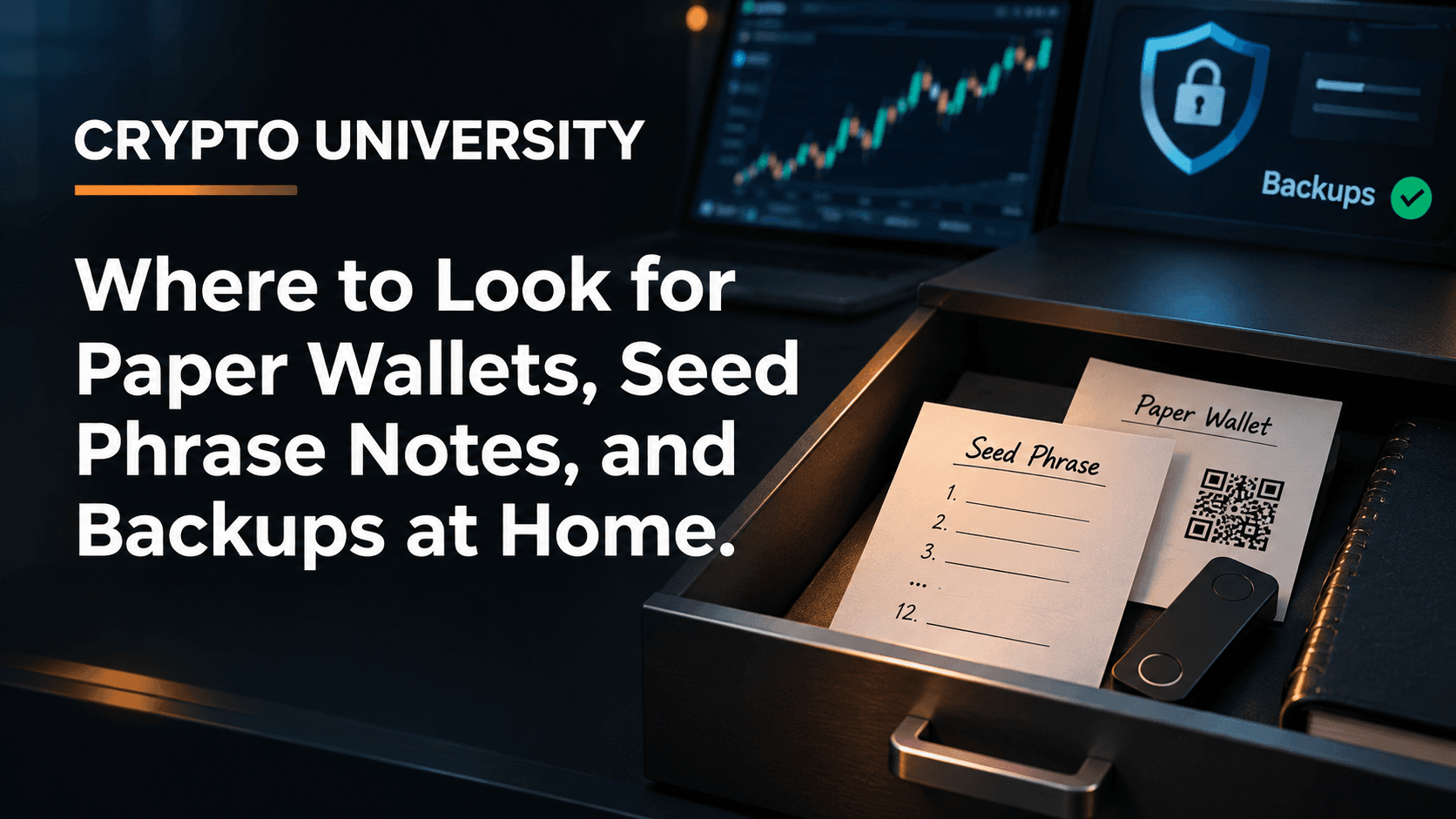
Know what you are looking for. A seed phrase is usually 12 or 24 plain English words in a numbered list. A paper wallet usually shows two QR codes and a long string of letters and numbers.
When you find it, keep it offline. Do not photograph it, type it into a website, or share it with anyone who offers to help. Anyone who sees the words or the private key can take the funds.
Why a Home Search Is Worth It
A lost seed phrase feels like a dead end, but in most cases the backup was never destroyed. It was put somewhere "safe" and then forgotten. Years later, the hardware wallet is in a drawer, the app has been deleted, and nobody remembers which notebook or folder got the words.
A calm, organized search of your own home finds more backups than any paid service. This guide shows you what each type of backup looks like, where people tend to hide them, and what to do once you find one.
Step 1: Know What a Backup Looks Like
People often walk past their own backup because they do not recognize it. Use this table as a reference.
Backup type | What it usually looks like | Common source |
|---|---|---|
Seed phrase (recovery phrase) | 12, 18, or 24 ordinary words, often numbered, written by hand | Hardware wallets, mobile and desktop wallets |
Ledger recovery sheet | A small printed card with numbered boxes from 1 to 24 | Ledger device boxes |
Other branded recovery cards | A card or booklet with numbered lines, sometimes in an envelope | Trezor, other hardware wallets |
Paper wallet | A printed page with two QR codes, a public address, and a private key | Websites like bitaddress.org, 2011 to 2016 era |
Shortened phrase | Words written as only their first four letters, such as "aban" or "leop" | Metal plates, personal shorthand |
Metal backup | Steel plate or capsule with stamped letters or tiles | Cryptosteel, Billfodl, similar products |
Digital copy | A text file, photo, or saved PDF | Phones, laptops, USB drives |
A useful detail: seed phrase words come from the standard BIP39 list of 2,048 words, and the first four letters of every word are unique. So a scrap of paper with short four-letter fragments in a numbered column may be a complete backup. If you find a list of words and are unsure, compare a few against the official BIP39 English wordlist on an offline copy.
Step 2: Start With the Most Likely Places
Work from the highest probability spots outward. Tick each one off as you go so you do not repeat yourself.
The original device box
Hardware wallets ship with blank recovery cards. Ledger, for example, includes recovery sheets with numbered spaces for the 24 words. Many people filled in one card and left it, or a spare filled card, inside the box. Check:
The box itself, under any cardboard insert
The envelope of paper leaflets
The user manual pages
Any pouch or sleeve that came with the device
Safes and lockboxes
A home safe is the most common choice for a seed phrase. Look inside envelopes, between documents, and in any small inner drawer. Remember that many home safes are rated to protect paper, often marketed as UL Class 350, which keeps the inside below about 350 degrees F (177 degrees C) for the rated time. That rating is for paper, not for electronics. A USB drive stored in the same safe may not have survived a fire even if a paper note did.
Important document folders
People often filed the backup with things they consider permanent:
Passports, birth certificates, and marriage papers
Wills, deeds, and insurance policies
Tax files from the year you bought the crypto
Bank and brokerage statements
Notebooks, journals, and planners
Flip every page, including the inside covers and the last pages. Look for numbered lists of words, a column of four-letter fragments, or a page labeled with a wallet name. Also check old diaries, school notebooks, and recipe books, which people sometimes chose because nobody else would open them.
Step 3: Widen the Search
If the obvious spots come up empty, move to the less obvious ones.
Area | What to check |
|---|---|
Desk and office | Drawers, under drawer trays, taped under the desk, inside printer paper packs |
Bookshelves | Between pages of books, especially ones about money, tech, or Bitcoin |
Bedroom | Jewelry boxes, sock drawers, inside shoe boxes, under the mattress |
Wardrobe | Coat pockets, bags, suitcases, and storage boxes |
Kitchen | Recipe folders, inside cookbooks, behind the fridge magnet papers |
Garage, attic, basement | Moving boxes, old electronics boxes, filing crates |
Picture frames | Behind the backing of framed photos or certificates |
Wallets and purses | Old wallets, card holders, and travel document pouches |
Off-site spots | Safe deposit box, a parent's home, a trusted friend, your office |
Think back to the time you set up the wallet. Where were you living? Who did you trust? Did you split the words into two halves and store them in different places? A short memory exercise can save hours of searching.
Step 4: Look for Printed PDFs and Paper Wallets
Paper wallets were popular in the early years of Bitcoin. The Bitcoin wiki describes them as an outdated method that was common between 2011 and 2016, so if you bought Bitcoin in that period, this is worth checking.
A typical paper wallet has:
A public address and its QR code, used to receive funds
A private key and its QR code, used to spend funds
Often a fold-over design that hides the private key
Some generators also let you save the wallet as a PDF before printing. That means there may be a copy in places like:
Your old Downloads or Documents folder
Email sent to yourself with an attachment
Cloud storage folders such as Google Drive, Dropbox, or iCloud
Printer history or a scanner's saved files
Search your devices for file names containing words like "wallet", "bitcoin", "paper", "seed", "backup", or "recovery". Also search for ".pdf" files created in the year you were most active in crypto.
Step 5: Check USB Drives and Other Storage
Many people saved a text file, photo, or PDF of their backup on a USB stick. Gather every drive you can find:
USB flash drives in drawers, key rings, and laptop bags
SD cards from cameras and old phones
External hard drives used for photo or system backups
Old phones and tablets, including their photo galleries
For each drive, follow these safety steps:
Use a computer you trust. Ideally one that is clean and offline.
Copy before you open. Make a backup copy of the whole drive first, since old drives can fail.
Search by name and type. Look for .txt, .pdf, .jpg, .png, and wallet files.
Check hidden folders. Turn on "show hidden files" in your operating system.
Do not upload anything. Never send a found file to a cloud service or website to "check" it.
What to Do When You Find It
What you found | Sensible next step |
|---|---|
A full seed phrase | Restore it in a trusted, official wallet app or hardware wallet on a clean device |
A partial seed phrase | Keep searching for the rest, and write down which positions you have |
A paper wallet | Check the public address balance on a block explorer, then sweep the funds into a wallet with a fresh seed phrase |
A digital file of the phrase | Restore the wallet, move the funds to a new wallet, then delete the old copies |
Something you are unsure about | Store it safely and compare against the BIP39 wordlist offline |
For paper wallets, wallets like Electrum offer a "sweep" option that moves the whole balance to a new address. Sweeping is usually preferred over importing, because it empties the old key and leaves nothing behind on an address that may have been exposed.
Safety Rules While You Search
Never type a seed phrase into a website. Real wallets only ask for it inside the official app or device.
Avoid photos. A picture of your backup can sync to the cloud without you noticing.
Beware of recovery offers. The FTC and CFTC warn that recovery scams target people who have lost crypto. Treat anyone who contacts you offering help as a red flag.
Keep it private. Search alone or only with people you fully trust.
Create a better backup afterward. Once restored, write down a clean copy and store it somewhere you will remember.
FAQ
Can I recover my wallet without the seed phrase? Sometimes. If the original device or app still works and you know its PIN or password, you may be able to view the phrase in the settings or move funds directly. Without the phrase, the device, or a wallet file, recovery is usually not possible.
What if I only find some of the words? Write down which word positions you have. Missing one word out of 12 or 24 can sometimes be worked out with open-source tools, but missing several words is very difficult. Keep searching before trying anything else.
Is a paper wallet the same as a seed phrase? No. A seed phrase is a list of words that can restore a whole wallet. A paper wallet usually holds a single private key and address, shown as text and QR codes.
Does a fireproof safe protect a USB drive? Not always. Many home safes are rated to protect paper, which tolerates much higher heat than electronics. Media needs a lower rated class, such as UL Class 125.
Should I pay a company to find my seed phrase? Be very careful. No company can recover a phrase you never wrote down. Be wary of anyone who contacts you first or asks for your words.
Related Terms
Seed Phrase: A list of 12 to 24 words that can restore a self-custody wallet and all of its keys.
Paper Wallet: A printed document holding a crypto address and its private key, usually shown as text and QR codes.
Cold Storage: Keeping crypto keys on a device or medium that is not connected to the internet.
Disclaimer
This article is for educational purposes only and is not financial, legal, or technical recovery advice. Wallet features and backup formats can change. Always follow the official documentation of the wallet or device you used.
Sources
The official BIP39 English wordlist lists all 2,048 seed phrase words.
Blockplate explains why the first four letters of each BIP39 word are unique.
Ledger's recovery sheet glossary page describes the numbered card included with every device.
The Bitcoin wiki paper wallet page covers paper wallets and their popularity from 2011 to 2016.
Safe and Vault Store explains UL Class 350 and Class 125 fire ratings.
Bitcoin Electrum shows how to sweep private keys in Electrum.
The CFTC advisory on recovery frauds describes how scammers target past victims.
Need deeper training?
Join our structured modules with live examples and expert checklists for effective implementation.
JOIN THE ACADEMY