Key Takeaways
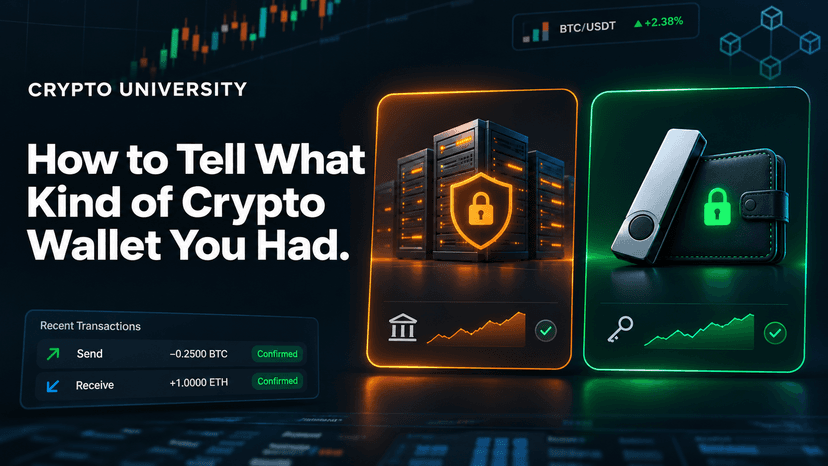
The key question is who held the private keys. If a company held them, your wallet was custodial. If you were given a seed phrase to write down, it was almost certainly self-custody.
How you logged in tells you a lot. An email, password, and ID check usually point to a custodial account. A list of 12 or 24 words or a physical device points to self-custody.
The wallet type decides how you get access back. Custodial accounts are recovered through the company's support process. Self-custody wallets can only be restored with your seed phrase or backup file.
Why the Type of Wallet Matters
Many people come back to crypto after years away and cannot remember where their coins are. Before you can recover anything, you need to answer one question: was your wallet custodial or self-custody?
The answer changes everything about recovery.
With a custodial wallet, a company such as an exchange held the private keys for you. You get access back by proving who you are to that company.
With a self-custody wallet (also called non-custodial), you held the keys yourself. No company can reset it for you. Only your seed phrase, private key, or wallet backup file can restore it.
As Ripple's learning center points out, this is a separate question from "hot or cold." Custodial vs. self-custody is about who controls the keys. Hot vs. cold is about whether the keys are stored online or offline. A wallet can be self-custody and hot, like a phone app, or self-custody and cold, like a hardware device.
The Quick Test: Five Questions
Answer these questions as honestly as you can. Most people can identify their wallet type within a few minutes.
Question | If yes, it was likely... |
|---|---|
Did you sign up with an email and password? | Custodial |
Did you upload an ID or selfie to verify your identity? | Custodial |
Were you shown 12 or 24 words and told to write them down? | Self-custody |
Did you use a small physical device that plugged into a computer or phone? | Self-custody (hardware wallet) |
Did you buy crypto with a bank card inside the same app and never move it anywhere? | Custodial |
If your answers point in different directions, that is normal. Many people used both types. A common pattern is buying on an exchange (custodial) and then sending coins to a personal wallet (self-custody).
Signs You Had a Custodial Wallet
A custodial wallet usually feels like a bank or brokerage account. Here are the clearest signs.
You logged in with an email and password
Exchanges and payment apps use normal account logins. You might also have used two-factor authentication through a text message or an authenticator app.
You went through identity checks
Regulated platforms ask for a government ID, proof of address, or a selfie. This process is called KYC (know your customer). Tangem's comparison of wallet types notes that KYC is typically required for custodial services.
You were never shown a seed phrase
This is one of the strongest clues. A custodial exchange does not give you a recovery phrase for your account, because the company manages the keys on its side.
You received emails, statements, or tax forms
Custodial platforms send trade confirmations, monthly statements, and in some countries tax forms. If your inbox has these, you had an account with that company.
Common custodial platforms
Type | Examples |
|---|---|
Crypto exchanges | Coinbase (main app), Kraken, Binance, Gemini, Bitstamp, Crypto.com app |
Payment and trading apps | PayPal, Cash App, Robinhood, Revolut |
Closed or bankrupt platforms | Mt. Gox, FTX, Celsius, Voyager, BlockFi |
Signs You Had a Self-Custody Wallet
A self-custody wallet feels more like a personal tool than an account. Here is what to look for.
You wrote down a recovery phrase
Almost every modern self-custody wallet creates a seed phrase of 12 or 24 words during setup and asks you to back it up. If you remember writing words on paper or a metal card, you had a self-custody wallet.
There was no "forgot password" option that worked through email
Self-custody wallet apps often use a password or PIN only to unlock the app on that device. If you lose the device, the password alone does not bring the wallet back. The seed phrase does.
You owned a hardware device
Devices from brands such as Ledger, Trezor, or Tangem are self-custody wallets. Look for order confirmation emails or shipping records if you are not sure.
You had a wallet file on a computer
Older Bitcoin users often ran desktop software such as Bitcoin Core, Electrum, or MultiBit. These stored keys in a file on your computer, such as wallet.dat for Bitcoin Core.
Common self-custody wallets
Type | Examples |
|---|---|
Mobile and browser wallets | MetaMask, Trust Wallet, Exodus, Phantom, Coinbase Wallet |
Desktop wallets | Bitcoin Core, Electrum, older MultiBit installs |
Hardware wallets | Ledger, Trezor, Tangem, Keystone |
Paper wallets | A printed sheet with a private key or QR code |
Watch Out for Confusing Brand Names
Some companies offer both types under very similar names. This is where many people get confused.
Brand | Custodial product | Self-custody product |
|---|---|---|
Coinbase | The main Coinbase exchange app and website | Coinbase Wallet, a separate app (branded as the Base app for part of 2025 and 2026) |
The Blockchain.com account for buying and trading | The Blockchain.com DeFi wallet | |
The Crypto.com main app | Crypto.com Onchain (formerly DeFi Wallet) | |
Binance | The Binance exchange account | Binance Wallet (Web3 wallet) inside the app, with its own keys |
Coinbase's own help center explains that the exchange acts as a custodian that manages private keys for you, while its wallet app is self-custody. A guide from Ryder adds a simple way to tell them apart: the exchange never shows you a seed phrase, while the wallet app creates a 12-word phrase at setup.
Tip: Open the app if you still have it. If it shows a "Recovery phrase," "Secret phrase," or "Backup" section, you are almost certainly in a self-custody wallet.
Step by Step: Figure Out What You Had
If you still cannot remember, work through these steps in order.
Search your email. Look for exchange names, "verify your email," "welcome to," "withdrawal," and "deposit." Exchange emails point to custodial accounts.
Check your bank and card statements. Payments to an exchange or app show where you bought crypto.
Look at your old phones and computers. Note any wallet apps installed, and look for wallet files.
Search your home for written words. Check notebooks, safes, drawers, and documents for lists of 12 or 24 words.
Check for a hardware device. Look for small USB-style devices or cards, along with their recovery sheets.
Look up any public address you find. Paste it into a block explorer to see if funds are still there. An address alone shows the balance but does not give you control.
What to Do Once You Know
If it was... | How to regain access | What you will need |
|---|---|---|
Custodial, platform still active | Use the official "Forgot password" or account recovery page | Email access, phone, ID documents |
Custodial, platform closed | Check the official bankruptcy or claims website | Account email, proof of identity, claim forms |
Self-custody, you have the seed phrase | Restore the wallet in a trusted app or device | The full seed phrase in the correct order, and any extra passphrase |
Self-custody, you have a wallet file | Open the file in the matching wallet software | The file and its password |
Self-custody, no backup at all | Recovery is usually not possible | Keep searching for backups |
Safety Rules
Never type your seed phrase into a website or share it with "support." No real company will ask for it.
Type official website addresses yourself. Fake recovery pages often appear in search results.
Ignore anyone who contacts you offering to recover your crypto. These offers are a common scam.
Restore on a clean, updated device. Malware can steal a seed phrase as you type it.
FAQ
How do I know if my crypto wallet is custodial? If you logged in with an email and password, verified your ID, and were never shown a seed phrase, your wallet was most likely custodial. Exchanges and payment apps are the most common examples.
Is Coinbase a custodial or self-custody wallet? The main Coinbase exchange app is custodial. Coinbase Wallet is a separate self-custody app that gives you a recovery phrase. Many people have used both.
Is MetaMask custodial? No. MetaMask is a self-custody wallet. You control the keys, and the secret recovery phrase is the only way to restore your wallet on a new device.
Can I recover a self-custody wallet without the seed phrase? Usually not. If you still have the original device or a wallet backup file and its password, you may be able to open it. Without any backup, no company can reset it for you.
Can I have both types of wallets at once? Yes. Many people buy crypto on an exchange, which is custodial, and move some of it to a personal wallet, which is self-custody.
Related Terms
Custodial Wallet: A wallet where a third party, such as an exchange, holds the private keys on your behalf.
Self-Custody Wallet: A wallet where you alone hold the private keys and are responsible for keeping the backup safe.
Seed Phrase: A list of 12 to 24 words that can restore a self-custody wallet and give full control over its funds.
Disclaimer
This article is for educational purposes only and is not financial, legal, or tax advice. Wallet features and recovery processes differ by provider and can change. Always follow the official instructions of the service you used.
Sources
Ripple's guide to custodial and non-custodial wallets explains why custody and hot or cold storage are separate questions.
Coinbase's help article on the difference between Coinbase and its wallet describes the exchange as a custodian and the wallet as self-custody.
Ryder's explainer on whether Coinbase Wallet is self-custody notes that only the wallet app creates a seed phrase.
Tangem's custodial vs. non-custodial comparison covers key control, recovery, and KYC differences.
Blockstream's article on how custodial and non-custodial wallets differ explains the responsibility that comes with self-custody.
TokenTax's Coinbase vs. Coinbase Wallet guide notes the wallet's naming history.