Key Takeaways
A wallet holds keys, not coins. Your balance stays on the blockchain, so the real task is finding the key material that controls it, or proving no balance exists.
Records answer two questions in order. First, which platform or software you used. Second, which address the funds ended up at. Confirm the balance on a block explorer before spending days on recovery.
Most "lost" wallets are locked, not gone. A forgotten password, the wrong derivation path, or an unopened old device explains far more cases than permanent loss. Never share a seed phrase, and treat any unsolicited recovery offer as fraud.
What Finding an Old Wallet Actually Means
Coins never sit inside a wallet. Balances live on a public ledger, and a wallet only holds the private keys that can move them. So your search has two questions.
Where did the coins go? That is an address on a blockchain, and anyone can look it up.
Where are the keys now? They may exist as a seed phrase on paper, a wallet file on an old drive, an app on a phone in a drawer, or an account at a company that held the keys for you.
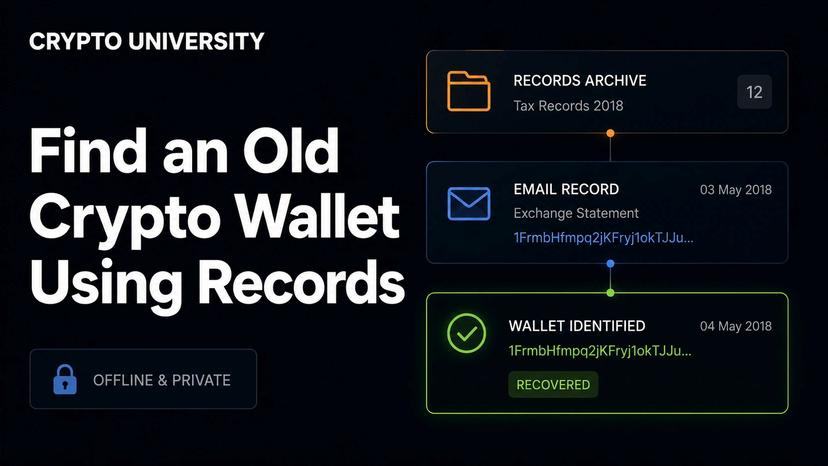
Old records help with both: a billing email names the exchange, a withdrawal confirmation shows the destination address, and an old laptop may hold the wallet file. Work through them before reaching for recovery software.
Step 1: Build a Records Inventory
Start by listing what still exists. Each type of record proves something different.
Record you may still have | What it can tell you |
|---|---|
Emails from an exchange or wallet provider | Which platform you used and roughly when |
Withdrawal or send confirmations | A transaction ID and often the destination address |
Bank card or transfer statements | The date and the company you paid |
Photos or scans of a paper backup | Seed words, an address, or a wallet name |
Old phones, laptops, USB sticks, drives | The wallet file, app, or browser profile |
Password manager entries | Wallet passwords, exchange logins, a timeline |
Browser history and bookmarks | Which web wallet or software you used |
App Store or Google Play history | Which mobile wallet you installed |
Old tax filings and spreadsheets | Addresses, amounts, and dates you recorded |
Bitcoin ATM receipts | The address the machine sent funds to |
Write down every date you find. A rough timeline shows which software versions and address formats were in use.
Step 2: Work Out Which Wallet or Platform You Used
Search your email archive instead of relying on memory. Include spam, archive, and deleted folders, and search every address you used at the time. Useful search terms:
Names of exchanges and brokers you might have joined
wallet, backup, recovery phrase, seed, private key
withdrawal, confirmation, deposit, receipt
verify your account, welcome to, password reset
bitcoin, ethereum, or the ticker of any coin you bought
Also check old cloud backups on iCloud, Google Drive, or Dropbox, where wallet backups were often saved.
Step 3: Confirm There Is Something to Recover
If any record contains an address, look it up on a public block explorer before doing anything else. Explorers are read only and need no login, keys, or personal information.
What you see | What it means | Next step |
|---|---|---|
A balance appears | Recovery is worth the effort | Note the chain and address format |
Zero balance, outgoing transactions | The funds were moved | Follow the transaction to the next address, which may be an exchange deposit address |
No transactions at all | Never funded, or wrong address or network | Check the same address on other chains it could exist on |
If a record contains an extended public key (starting with xpub, ypub, or zpub), you can load it into a watch-only wallet to see a whole account's balance without exposing any private key. Only use trusted software, because an xpub reveals every address in that account.
Step 4: Search Your Devices for Wallet Files
Most desktop wallets store data in predictable locations.
Wallet software | File to look for | Default location |
|---|---|---|
Bitcoin Core | wallet.dat (newer versions use a wallets subfolder) | Windows: %APPDATA%\Bitcoin\ ; macOS: ~/Library/Application Support/Bitcoin/ ; Linux: ~/.bitcoin/ |
Electrum | default_wallet, usually no extension | Windows: %APPDATA%\Electrum\wallets ; macOS and Linux: ~/.electrum/wallets |
MetaMask extension | Encrypted vault in the browser profile | Chrome and Brave: Local Extension Settings folder of the profile |
MultiBit Classic | .wallet file plus a key-backup folder | Wherever installed, often Documents |
Ethereum keystore | UTC JSON keystore file | Data folder of the wallet that created it |
If the drive was reformatted or files were deleted, stop using it. New data overwrites deleted files. Where the amount matters, image the whole drive and search the copy.
Search by pattern as well as name. Look for wallet.dat, *.wallet, default_wallet, keystore, and JSON files created around the dates in your timeline.
Step 5: Wrong Paths and Forgotten Passwords
Two situations explain most failed recoveries.
The wallet restores but shows zero
This is usually a derivation path mismatch, not a lost wallet. The same seed produces different addresses depending on the standard the wallet uses.
Standard | Bitcoin path | Address starts with | Address type |
|---|---|---|---|
BIP44 | m/44'/0'/0' | 1 | Legacy |
BIP49 | m/49'/0'/0' | 3 | Wrapped SegWit |
BIP84 | m/84'/0'/0' | bc1q | Native SegWit |
BIP86 | m/86'/0'/0' | bc1p | Taproot |
If your old wallet used addresses starting with 1 and your new wallet defaults to native SegWit, the balance shows zero even though the seed is correct. Restoring in a wallet that lets you set the path manually fixes most of these cases.
Explore Fixing Crypto Mistakes
The file exists but the password fails
BTCRecover is a free, open source command line tool for this situation. It supports Bitcoin Core, Electrum, MultiBit, Blockchain.com, BIP39 seeds and passphrases, and Ethereum keystore files. Its offline extract mode lets you test passwords without exposing private keys. It works best when you remember most of the password or seed. Download it only from its official repository, and only use it on wallets you own.
Step 6: If It Was an Exchange Account
Custodial accounts work differently, because the company holds the keys.
Situation | What to do | Realistic outcome |
|---|---|---|
Exchange still operating | Use the official recovery flow and verify your identity | Usually recoverable |
Acquired or rebranded | Contact the successor company | Often recoverable, sometimes slow |
Collapsed or bankrupt | Check for a court-supervised claims process and its deadline | Partial recovery at best |
Company vanished | Report to your national fraud or cybercrime body | Recovery is unlikely |
For an estate, exchanges have a separate deceased-account process that requires legal documents. Self-custody wallets cannot be unlocked by anyone without the seed phrase or wallet file.
Safety Rules for Every Step
Never type a seed phrase into a website, form, chat window, or support agent's screen share. No legitimate company will ask for it.
Work offline on a machine not connected to the internet where practical.
Treat unsolicited help as fraud. The FBI has repeatedly warned about fake recovery services and fictitious law firms that target people who have already lost funds.
Verify every download. Fake versions of recovery tools and cloned websites are common.
Move funds after recovery. If a seed was ever typed into a computer you do not fully trust, send the balance to a newly generated wallet.
When to Stop Looking
If the address has never held funds, the drive has been overwritten many times, or the seed existed only on a lost device, no technical step remains and no service can bring the keys back. Accepting that early protects you from the second loss recovery scams are built to cause.
FAQ
Can I find an old wallet if I only remember the exchange I used?
Often yes, if the exchange still operates. Use its account recovery process with the email you had at the time. If you withdrew to a personal wallet, the withdrawal emails will contain the destination address.
Does a zero balance mean my coins are gone?
Not necessarily. Zero with no transactions usually means the wrong address, account, or chain. Zero with an outgoing transaction means the funds moved, and the explorer shows where.
Is it safe to check my seed phrase with an online tool?
No. Test derivation paths only inside wallet software you installed yourself, ideally offline. Checking an address on a block explorer is safe.
Are paid crypto recovery services worth using?
Some legitimate forensic and legal firms exist, but the category is heavily targeted by fraud. Warning signs include unsolicited contact, guaranteed results, upfront fees, and requests for your seed phrase.
How long does wallet recovery take?
Anything from minutes to never. A seed restore with the correct path takes minutes. A password search can take days or fail. Exchange account recovery usually takes weeks.
Related Terms
Seed Phrase: A list of 12 or 24 words that can regenerate every key in a wallet.
Derivation Path: The route through a wallet's key tree that decides which addresses a seed produces.
Block Explorer: A public search tool for reading blockchain data such as addresses, balances, and transactions.
Disclaimer
This article is for educational purposes only and is not financial, legal, or security advice. Wallet file locations and recovery processes can change between software versions. Never share your seed phrase or private keys with anyone.
Sources
Bitcoin Core's data directory documentation lists default wallet file locations.
The Electrum FAQ covers wallet files and seeds.
MetaMask Support explains vault recovery from the browser profile.
The BTCRecover documentation lists supported wallets and offline extract scripts.
The FBI's PSA on fictitious law firms and its 2025 update warn about fake recovery services.
CoinGeek reports on FBI San Diego seizing crypto recovery websites.
walletsrecovery.org keeps a community reference of derivation paths by wallet.