Key Takeaways
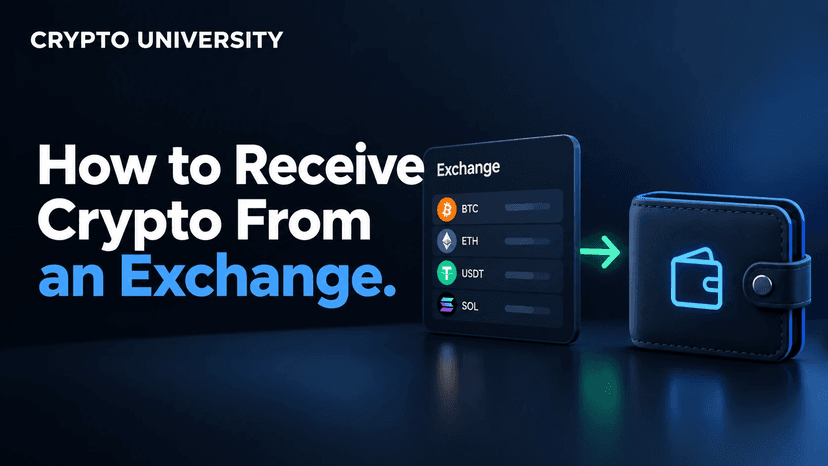
Receiving crypto from an exchange means making a withdrawal. You copy a receive address from your own wallet, paste it into the exchange's Withdraw screen, and the exchange sends the funds on a blockchain network you choose.
The network you pick on the exchange must match your wallet. Choosing the wrong network is one of the most common and costly withdrawal mistakes, so check it before you confirm.
Expect security and compliance checks. Two-factor codes, address whitelists, holds on new addresses, and Travel Rule address verification are now normal parts of withdrawing on most major exchanges.
What It Means to Receive Crypto From an Exchange
When you buy crypto on a centralized exchange, the exchange usually holds the private keys for you. Your account shows a balance, but the coins sit in wallets the platform controls. This is called custodial storage.
To receive that crypto in a wallet you control, you start a withdrawal on the exchange. The exchange then broadcasts a blockchain transaction from its wallet to your address. From your side, it is a normal incoming transfer. From the exchange's side, it is an outgoing payment that passes through its security and compliance systems first.
People do this to hold crypto in self-custody, to use it in another app, or to reduce exposure to a single platform. This guide covers the most common case: withdrawing from an exchange account to your own wallet.
Before You Start: Checklist
Item | Why it matters | Where to check |
A wallet that supports the asset and network | Not every wallet supports every coin or chain | Wallet's supported assets list |
Your wallet's receive address | This is where the exchange will send the funds | Wallet "Receive" screen |
Two-factor authentication (2FA) set up | Most exchanges require it to withdraw | Exchange security settings |
Completed identity checks | Many exchanges limit withdrawals until verification is done | Exchange account or profile page |
Withdrawal fee and minimum | Small amounts may be blocked or mostly eaten by fees | Exchange Withdraw screen |
A small amount of the network's fee token | Needed later to move tokens out of your wallet, such as ETH for USDT on Ethereum | Your wallet balance |
How to Withdraw Crypto From an Exchange: Step by Step
Step 1: Get the Receive Address From Your Wallet
Open your wallet, tap Receive, and select the asset and network. Copy the address or keep the QR code ready. If you use a hardware wallet, confirm that the address on the device screen matches the one in the app.
Always take the address from your wallet's Receive screen, not from your transaction history. Our guide on finding the correct address before receiving crypto covers address formats in more detail.
Step 2: Open the Withdraw Screen on the Exchange
Go to your assets or wallet page on the exchange, choose the coin, and select Withdraw. Some apps call it Send or Transfer out. If the exchange offers a choice between sending to a crypto address and sending to another user of the same platform, choose the crypto address option.
Step 3: Paste the Address
Paste your wallet address. Then compare at least the first and last six characters with the address in your wallet. Clipboard malware and lookalike addresses both exist, so a quick visual check is worth the time.
Step 4: Select the Matching Network
This is the most important step. Many exchanges let you withdraw the same asset on several blockchains. The network you choose must be one your wallet supports, and it must match the network of the address you copied.
Network names are not always written the same way across apps. Match the underlying blockchain, not just the label. For example, "ERC20" usually means Ethereum, and "TRC20" usually means TRON.
Step 5: Add a Memo or Tag Only if Required
Some assets, such as XRP and Stellar, use a memo or destination tag when sending to exchanges. When withdrawing to your own self-custody wallet, a tag is usually not needed. If your wallet shows one, include it.
Step 6: Enter the Amount and Review the Fee
Enter the amount and read the fee the exchange displays. Check the amount you will actually receive after fees.
Step 7: Complete the Security Checks
Confirm with your 2FA code, email link, SMS code, or passkey, depending on your settings. Some exchanges may also ask questions about the destination, covered below.
Step 8: Send a Small Test First
For a new wallet or a larger amount, send a small test withdrawal first. Hardware wallet maker Trezor recommends withdrawing the exchange's minimum amount as a test, then sending the rest once it appears in your wallet.
Choosing the Right Network
Asset | Networks exchanges often offer | What to check |
Bitcoin (BTC) | Bitcoin mainnet; some platforms also offer Lightning | Most wallets accept Bitcoin mainnet; Lightning needs a Lightning-capable wallet and an invoice |
Ether (ETH) | Ethereum mainnet and layer 2 networks such as Arbitrum, Optimism, or Base | Your wallet must have that network added to show the balance |
USDT | Ethereum (ERC-20), TRON (TRC-20), and others | Same token name, different chains; pick the one your wallet uses |
USDC | Ethereum, Solana, Base, and others | Solana addresses look different from Ethereum addresses |
XRP | XRP Ledger | Tags matter mainly when sending to exchanges, not to personal wallets |
A useful detail: Ethereum-style (EVM) networks share the same address format. That means an Ethereum address will look valid on Arbitrum or BNB Smart Chain too. The exchange cannot always warn you if you pick the wrong EVM network, so the choice is on you.
Fees and Minimums Explained
A withdrawal usually involves two kinds of cost:
Cost | Who sets it | What to know |
Exchange withdrawal fee | The exchange | Often a fixed amount per asset and network; it can differ from the live network fee |
Network fee (gas) | The blockchain's fee market | Many exchanges include it in their withdrawal fee rather than charging it separately |
Minimum withdrawal | The exchange | Amounts below the minimum cannot be sent on that network |
Fees for the same asset can vary widely by network, and exchanges update them, so always read the fee shown at the time you withdraw.
Security Checks You May Meet
Feature | What it does | Why it exists |
Two-factor authentication | Asks for a second code before sending | Stops someone with only your password from withdrawing |
Email or app confirmation | Requires you to approve the withdrawal by link or push | Adds a second channel of approval |
Address whitelist or address book | Lets you withdraw only to saved, approved addresses | Limits damage if your account is accessed |
New address confirmation | Some exchanges, such as Kraken, ask you to confirm a newly added address | Stops silent address changes |
Temporary withdrawal holds | Pauses withdrawals after password, 2FA, or address changes, or on new accounts | Gives you time to notice unauthorized changes |
Plan ahead if you need funds at a specific time, since these holds can last a day or more on some platforms.
The Travel Rule and Address Verification
The Travel Rule comes from FATF Recommendation 16. It requires regulated crypto service providers to collect and share certain sender and recipient details for transfers. The obligation sits with the providers, not with individual wallet users.
For you, it mostly shows up as extra questions during withdrawal:
You may be asked whether the destination is another exchange or a self-hosted wallet.
You may be asked to prove you control a self-hosted wallet, for example by signing a message with it.
Your withdrawal may show a status such as "awaiting wallet verification" until this is done.
Rules differ by region. Under the EU Transfer of Funds Regulation, regulated platforms must verify ownership of a self-hosted wallet when a transfer is 1,000 EUR or more. In Australia, Travel Rule requirements took effect on 1 July 2026. In the United States, FinCEN applies its existing Travel Rule to crypto transfers between providers of $3,000 or more. Check your own exchange's help pages for the current process.
Tracking Your Withdrawal
Exchange status | What it usually means |
Processing or under review | The exchange is running its checks; nothing is on-chain yet |
Sent or completed | The exchange broadcast the transaction and should show a transaction hash (TXID) |
Confirmed in your wallet | The blockchain recorded it and your wallet displays the balance |
Copy the TXID from the exchange's withdrawal history and paste it into a block explorer for that network. This shows whether the transaction is pending or confirmed, and to which address it went.
Troubleshooting Common Problems
Problem | Likely cause | What to try |
Withdrawal stuck in "processing" | Compliance review, security hold, or exchange-side delay | Check email and app notifications; contact official support |
Exchange says "completed," wallet shows nothing | Wallet is on a different network, or the token is not displayed | Check the TXID on an explorer; add the network or import the token |
Withdrawal button greyed out | Security hold, unverified account, or network suspended for maintenance | Check the asset page for notices and your account status |
Funds sent on the wrong network | Network mismatch | Recovery depends on the wallet and chain; EVM wallets may see funds after adding the network |
Common Mistakes to Avoid
Copying an address from your transaction history, where address poisoning scams plant lookalike addresses.
Picking the cheapest network without checking that your wallet supports it.
Trusting "support" contacts in direct messages. Real exchange support will never ask for your recovery phrase.
FAQ
How long does it take to receive crypto from an exchange?
It depends on the exchange's internal checks and the network. Some withdrawals arrive in minutes, while security holds or manual reviews can add hours or more.
Why does the exchange charge more than the network fee?
Exchanges set their own withdrawal fees, which often cover network costs plus operating costs. The fee is usually shown before you confirm.
Do I need to verify my wallet to withdraw?
It depends on your country, the amount, and the exchange. Many regulated platforms now ask you to confirm whether the address is yours and, in some cases, to prove control of it.
Can I cancel a withdrawal?
Sometimes, while it is still processing on the exchange. Once the transaction is broadcast to the blockchain, it generally cannot be reversed.
Is it safer to keep crypto on an exchange or in my own wallet?
Each has trade-offs. Exchanges handle key security for you but hold custody, while self-custody gives you control and full responsibility for your recovery phrase.
Related Terms
Custodial Wallet: A wallet where a third party, such as an exchange, holds the private keys on your behalf.
Withdrawal Whitelist: An exchange security setting that only allows withdrawals to addresses you have saved and approved in advance.
Travel Rule: A rule based on FATF Recommendation 16 that requires crypto service providers to share sender and recipient information for certain transfers.
Disclaimer
This article is for educational purposes only and is not financial, legal, or tax advice. Crypto transfers are usually irreversible, and wallet and exchange rules change over time, so always check the current requirements of the platforms you use before sending funds.
Sources
More Reading