Key Takeaways
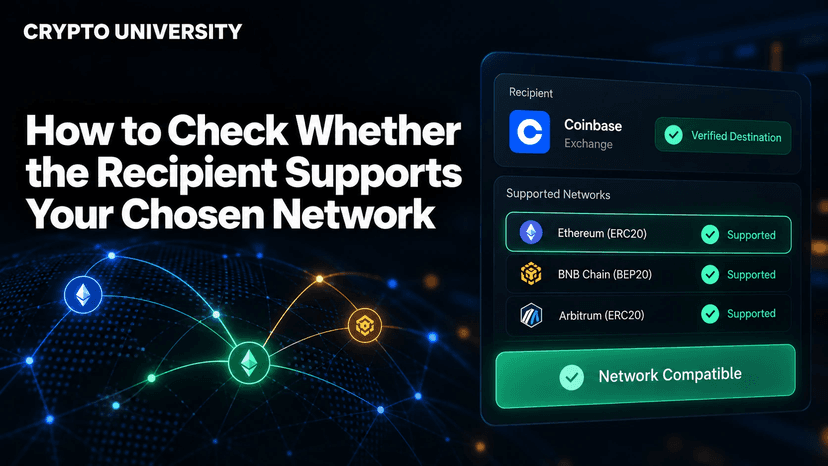
The receiver's list is the only list that matters. A network is safe to use only if the receiving wallet, exchange, or app says it supports that exact asset on that exact network.
A valid address does not prove support. Many networks share the same 0x address format, so your wallet can accept an address the receiver never monitors on that chain.
Support can change. Exchanges pause networks for maintenance, add new ones, and retire old ones, so check at the time you send, not from memory.
Why This Check Matters
When you send crypto, you pick two things: the asset (for example USDT) and the network (for example TRON or Ethereum). The receiver must support both, together. Supporting USDT is not the same as supporting USDT on every chain.
Exchanges are direct about the risk. Coinbase warns that funds sent to an unsupported network may be permanently lost. Revolut gives concrete examples, such as USDT sent over BNB Smart Chain or ETH sent over Base, where a user might lose their crypto because those combinations are not supported for deposits.
The good news is that checking support takes a minute or two. This guide shows you where to look for each type of recipient.
Who Is the Recipient? Where to Check
The right place to check depends on who controls the receiving address.
Recipient type | Where to confirm network support | What to look for |
Centralized exchange | The Deposit page for that coin, plus the help center | The network dropdown shown after you pick the coin |
Self-custody wallet (yours) | Wallet settings, network list, or the receive screen | Whether the network is listed or can be added |
Another person | Ask them directly, in writing | Asset name, network name, and address together |
Merchant or payment app | The checkout page or payment instructions | The exact network named on the invoice |
DeFi app or bridge | The app's official docs and interface | Supported chains and token contract addresses |
How to Check on an Exchange Deposit Page
Many failed deposits involve exchanges, so this is the most important check to learn.
Step 1: Open the Deposit Page for the Exact Coin
Log in to the receiving exchange through its official app or website. Go to Deposit (sometimes under Wallet or Assets) and select the coin you plan to send.
Step 2: Read the Network List
After you select the coin, the exchange shows a network dropdown. This list is the exchange's official statement of what it supports for that coin. If your network is not on it, do not send on that network.
Coinbase notes that deposits from any supported network go into the same balance. For example, ETH received on a supported network lands in your single ETH balance. Unsupported networks are a different story and may not be credited at all.
Step 3: Select the Network, Then Copy the Address
Choose the network first. The exchange then shows the deposit address for that network. Some exchanges use different addresses for different networks, so always copy the address after you select the network, not before.
Step 4: Check for Status Warnings
Look for messages such as "deposits suspended," "under maintenance," or "network congested." Exchanges pause specific networks for upgrades. Binance.US, for example, has announced maintenance windows where deposits and withdrawals on named networks were paused while trading continued. A network that appears in the list but shows a pause notice is not ready to receive right now.
Step 5: Note the Extra Requirements
On the same page, look for:
Memo or tag: Some assets, such as XRP, XLM, and ATOM, often need a memo or tag on exchanges so the deposit reaches the right account.
Minimum deposit: Amounts below the stated minimum may not be credited.
Confirmations required: This tells you roughly how long the deposit should take to appear.
Regional limits: Coinbase notes that multichain options are not available in New York, where only Ethereum may appear for some assets. Your account region can change what you see.
How to Check a Self-Custody Wallet
If you are sending to your own wallet, you control the address, but the wallet app still needs to support the network so you can see and move the funds.
Wallet situation | How to check | Notes |
Multi-chain software wallet | Open the network or chain selector | Many EVM networks can be added manually or from a built-in list |
Hardware wallet | Check the companion app's supported coins list | Some networks need a specific app installed on the device |
Single-chain wallet | Read the wallet's official website | A Bitcoin-only wallet cannot receive tokens on other chains |
Exchange-hosted wallet | Treat it like an exchange | Use the deposit page network list |
A useful fact for EVM networks: the same private key controls the same 0x address on Ethereum, BNB Smart Chain, Arbitrum, Base, Polygon, and other EVM chains. This is why tokens sent to your own wallet on an unexpected EVM network are often recoverable by adding that network. This does not apply to exchange addresses, where the exchange decides what it credits.
How to Check When Sending to a Person
When the receiver is a friend, client, or business contact, you cannot see their wallet settings. Ask them to confirm three things, ideally in writing:
The asset: for example, "USDC."
The network: for example, "Base" or "Solana." Avoid vague answers like "the normal one."
The address for that network: copied fresh from their wallet or deposit page.
If they are not sure, ask them to open their deposit or receive screen and read you the network name shown there. A clear written confirmation also helps if something goes wrong later.
Check the Token Version, Not Just the Network
Some networks carry more than one version of the same stablecoin:
Native tokens are issued directly by the stablecoin company on that chain. Circle publishes official USDC contract addresses for each supported blockchain.
Bridged tokens are created by locking tokens on one chain and minting a stand-in on another. They often carry a label such as USDC.e.
An exchange that supports native USDC on a network may not credit a bridged version, even though the network name matches. If the deposit page lists a contract address, compare it with the one in your wallet. They should match exactly.
Red Flags That the Network May Not Be Supported
Red flag | What it may mean | What to do |
Your network is missing from the dropdown | The receiver does not support it | Choose a listed network or do not send |
The receiver says "any network works" | They may not know | Ask them to check their receive screen |
A deposit or maintenance warning is shown | The network is paused | Wait until the notice is removed |
The token label differs (USDC vs USDC.e) | Possibly a bridged version | Compare contract addresses |
Old saved address from months ago | Support may have changed | Get a fresh address and recheck |
Send a Small Test First
Even after all checks, a test transaction is the safest final step for a new destination or a large amount:
Send a small amount that is still above the receiver's minimum deposit.
Wait for it to arrive and be credited.
Confirm the receiver can see it in their balance.
Send the remaining amount using the same asset, network, and address.
The test costs an extra fee, but it turns an assumption into a confirmed fact.
Quick Pre-Send Checklist
Check | Done when |
Asset matches | The receiver expects this exact token |
Network is listed | It appears on the receiver's deposit or receive screen |
Network is active | No suspension or maintenance notice is shown |
Address is fresh | Copied after selecting the network |
Memo or tag | Included if required |
Contract address | Matches for tokens with native and bridged versions |
Test sent | A small transfer arrived for new destinations |
FAQ
How do I know which networks an exchange supports for a coin?
Open the exchange's Deposit page, select the coin, and read the network dropdown. That list shows the networks it supports for that coin at that moment.
If my wallet accepts the address, does that mean the network is supported?
No. Many networks share the same 0x address format. Your wallet only checks that the address looks valid, not whether the receiver watches that network.
Can network support change over time?
Yes. Exchanges add networks, pause them for maintenance, and remove them. Stablecoin issuers can also end support for older chains, so check each time you send.
What should I do if the receiver supports the coin but not my network?
Send on a network both sides support. If your funds are only on an unsupported network, you may need to move them to a supported one first, which can involve extra fees.
Is a test transaction always necessary?
It is not required, but it is a widely recommended habit for new addresses and large amounts, because it confirms support before the full amount is at risk.
Related Terms
Deposit Address: A blockchain address an exchange or wallet gives you to receive a specific asset on a specific network.
EVM Compatible: A blockchain that runs the Ethereum Virtual Machine and uses the same 0x address format as Ethereum.
Bridged Token: A token represented on another blockchain through a bridge rather than issued natively on that chain.
Disclaimer
This article is for educational purposes only and is not financial, legal, or tax advice. Crypto transfers are usually irreversible, and wallet and exchange rules change over time, so always check the current requirements of the platforms you use before sending funds.
Sources
More Reading