What Is Solscan?
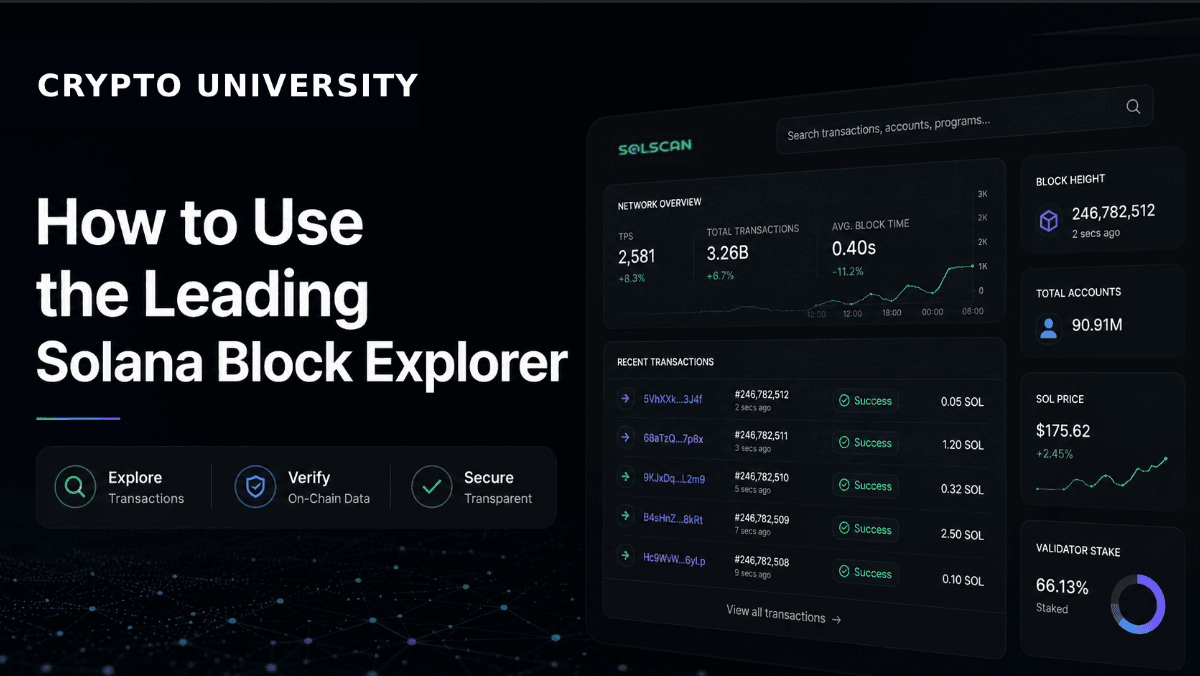
Solscan is a block explorer for the Solana blockchain. A block explorer is a search engine for on-chain data. It takes the raw ledger, which is not human readable in its native form, and turns it into pages you can read: transactions, wallet balances, token supplies, program activity, and validator performance.
Solscan launched in 2021 and was acquired by Etherscan in early 2024. Its interface deliberately resembles Etherscan, which is why users coming from Ethereum tend to find it familiar. It is widely treated as the default general purpose explorer for Solana, though it is not the only option.
Solscan does not custody funds, execute trades, or hold your keys. It is a read only window onto public data. Anything you look up on Solscan is already public, and anyone else can look up the same information.
Supported Network
Solscan is a single chain explorer. It covers Solana only, and does not index Ethereum, Bitcoin, or other Layer 1 networks.
Coverage | Status |
|---|---|
Solana Mainnet Beta | Fully supported, the default view |
Solana Devnet | Supported in the web explorer via the cluster selector |
Solana Testnet | Limited and inconsistent, use the official Solana Explorer instead |
Other blockchains | Not supported |
Pro API coverage | Mainnet only, per Solscan documentation |
If you work across several chains, you will need a different explorer for each. Etherscan for Ethereum, Basescan for Base, and so on.
Main Features
Transaction lookup and decoding
Paste a transaction signature and Solscan shows the status, block, timestamp, fee paid, signers, and the instructions that ran. It labels common program calls so you can see, for example, that a transaction was a swap on a known decentralised exchange rather than an unlabelled program invocation.
Account and wallet pages
Every Solana address gets a page listing its SOL balance, SPL token holdings, NFT holdings, staking accounts, and full transfer history with filters. This is the most common everyday use of the tool.
Token pages
Token pages show supply, mint authority, freeze authority, holder count, and a holder distribution list. The mint and freeze authority fields matter: a token whose mint authority is still active can have more supply created.
NFT and collection views
Collection pages aggregate items, ownership, and recorded trading activity, which is useful for verifying that an NFT belongs to the collection it claims to.
Network and validator data
Solscan publishes live transactions per second, block production, priority fee levels, stake distribution, and validator uptime and commission. Stakers use these pages to research validators before delegating.
Analytics dashboards
Aggregated views cover network activity, stablecoin flows, and protocol level data. These are reporting tools, not trading signals.
Pro API
A commercial API exposes account, token, NFT, transaction, DeFi activity, block, and market endpoints for developers who need programmatic access rather than a browser.
Set Up Guides
Solscan requires no account for normal browsing. An account is only needed for API keys and saved watchlists.
Guide 1: Check whether a transaction went through
Copy the transaction signature from your wallet. On Solana this is a long base58 string, not an 0x hash.
Go to solscan.io and paste it into the search bar.
Read the Result field. "Success" means the transaction was finalised. "Fail" means it was included in a block but the instruction reverted, and you still paid the fee.
Scroll to Token Balance Change to confirm what actually moved and in which direction.
If the signature returns nothing at all, the transaction was likely dropped before inclusion. Dropped transactions are common on Solana during congestion and do not cost you anything.
Guide 2: Inspect a token before interacting with it
Search the token mint address. Do not search by ticker, because tickers are not unique and can be copied.
Check the Mint Authority field. If it is not null, new supply can still be created.
Check the Freeze Authority field. If it is active, an issuer can freeze token accounts.
Open the Holders tab and look at concentration. A small number of wallets holding most of the supply is a structural risk factor worth knowing about.
This is a research process, not a verdict. Solscan reports what is on the chain. It does not tell you whether a project is legitimate.
Guide 3: Get a Pro API key
Create an account at solscan.io using an email address and password.
Open the Resources section and select API Plans.
Choose a plan and billing period, then complete checkout. Card payment runs through Stripe.
Once payment is confirmed, go to your profile and open API Management to copy your key.
Pass the key in the request header. Endpoints sit under the pro-api.solscan.io domain.
Where Solscan Falls Short
Solscan is a strong default, not a universal answer. Its instruction level parsing is generally considered shallower than specialist tools when you are debugging complex inner instruction stacks or working with compressed NFTs. Developers commonly pair it with SolanaFM, Helius, or the official Solana Explorer for those jobs.
Address labels are also a convenience, not a guarantee. An unlabelled address is not automatically suspicious, and a labelled one is not automatically safe.
Rating
4.5 / 5
Rated on breadth of data, ease of use for beginners, and reliability. Points deducted for shallower deep level transaction parsing than specialist explorers and for API pricing that is not fully transparent without an account.
Pros and Cons
Pros | Cons |
|---|---|
Broadest general purpose coverage on Solana in one interface, from wallets to validators | Instruction level decoding is less detailed than specialist developer explorers |
Free to use with no account required, and a familiar Etherscan style layout | Solana only, so multi chain users need additional tools |
Clear token pages showing mint and freeze authority, which supports basic due diligence | Higher API tiers and custom plans require contacting sales, which complicates planning |
Fees
The web explorer is free. Solscan charges for API access, not for looking things up in a browser.
Item | Cost |
|---|---|
Web explorer | Free, no account required |
Free with reduced rate limits and endpoint coverage | |
Pro API Lite plan | Reported at 49 USD per month for 20 million compute units |
Higher Pro tiers | Priced per plan, some require contacting Solscan directly |
Refunds | Not offered once an API purchase is completed |
Solana network fees | Paid to the network, not to Solscan |
Pricing figures above are widely reported and were accurate at the time of writing. API pricing changes frequently, so confirm current plans on the official API page before budgeting.
Related Terms
Block explorer: a web tool that makes blockchain data readable and searchable.
Transaction signature: Solana’s identifier for a transaction, equivalent to a transaction hash on Ethereum.
SPL token: the standard token format on Solana, comparable to ERC-20 on Ethereum.
Mint authority: the address permitted to create additional supply of a token.
Freeze authority: the address permitted to freeze token accounts.
Validator: a node that produces and votes on blocks, and the entity you delegate stake to.
Priority fee: an optional extra fee paid to improve a transaction’s chance of inclusion during congestion.
Compute unit: the unit Solana uses to measure computational work, also used by Solscan to meter API usage.
Frequently Asked Questions
Is Solscan free?
Yes. The web explorer is free and does not require an account. Only the Pro API is paid.
Is Solscan safe to use?
Solscan is a read only tool that displays public data. It never asks for your seed phrase or private key. No legitimate block explorer will. Always reach it by typing the address yourself rather than following links from social media, because explorers are a common target for phishing clones.
Does Solscan work with other blockchains?
No. Solscan covers Solana only. Its parent company Etherscan operates separate explorers for other networks.
Why can I not find my transaction on Solscan?
The most likely reason is that the transaction was dropped before being included in a block, which happens during periods of congestion. A dropped transaction is not recorded on chain and costs nothing. Check your wallet history and try again.
What is the difference between Solscan and the official Solana Explorer?
The official Solana Explorer is maintained by the Solana Foundation and stays closest to raw protocol behaviour. Solscan adds analytics, labelling, token dashboards, and NFT views on top. Many users treat the official explorer as the plain truth check and Solscan as the daily research tool.
Can Solscan tell me if a token is a scam?
No. Solscan reports on chain facts such as supply, authorities, and holder distribution. Interpreting those facts is up to you, and no single data point proves intent either way.
Official Link
Visit Solscan: https://solscan.io
API plans: https://solscan.io/apis
Documentation: https://docs.solscan.io
Disclaimer: This content is for educational and informational purposes only and is not financial advice. Nothing here is a recommendation to buy or sell any asset or use any platform. Do your own research and manage your risk.
Revoke.cash: How to Check and Revoke Token Approvals to Protect Your Wallet
Chainlist: How to Find Chain IDs and Add EVM Networks to Your Wallet
Bubblemaps Review: How to Read Token Holder Bubble Maps
DEX Screener Explained: How to Track DEX Pairs, Liquidity & Prices
Birdeye Explained: A Practical Guide to Multichain Token and Wallet Analytics