Beginners often feel overwhelmed by charts that move quickly. Indicators simplify the noise by highlighting patterns that have historically repeated. They do not predict the future with certainty, but they can make decision-making more structured when used with other tools and risk management.
The Nitros Bull Crypto Indicator is one such tool. Developed by Crypto University and available as a paid script on TradingView, it is designed to deliver clear, real-time signals across multiple markets.
What Is the Nitros Bull Crypto Indicator?
The Nitros Bull Indicator (sometimes called Nitro Bull or NB Optimus Prime2 in tutorials) is a custom technical analysis tool. It combines trend analysis and momentum signals to generate straightforward buy and sell alerts.
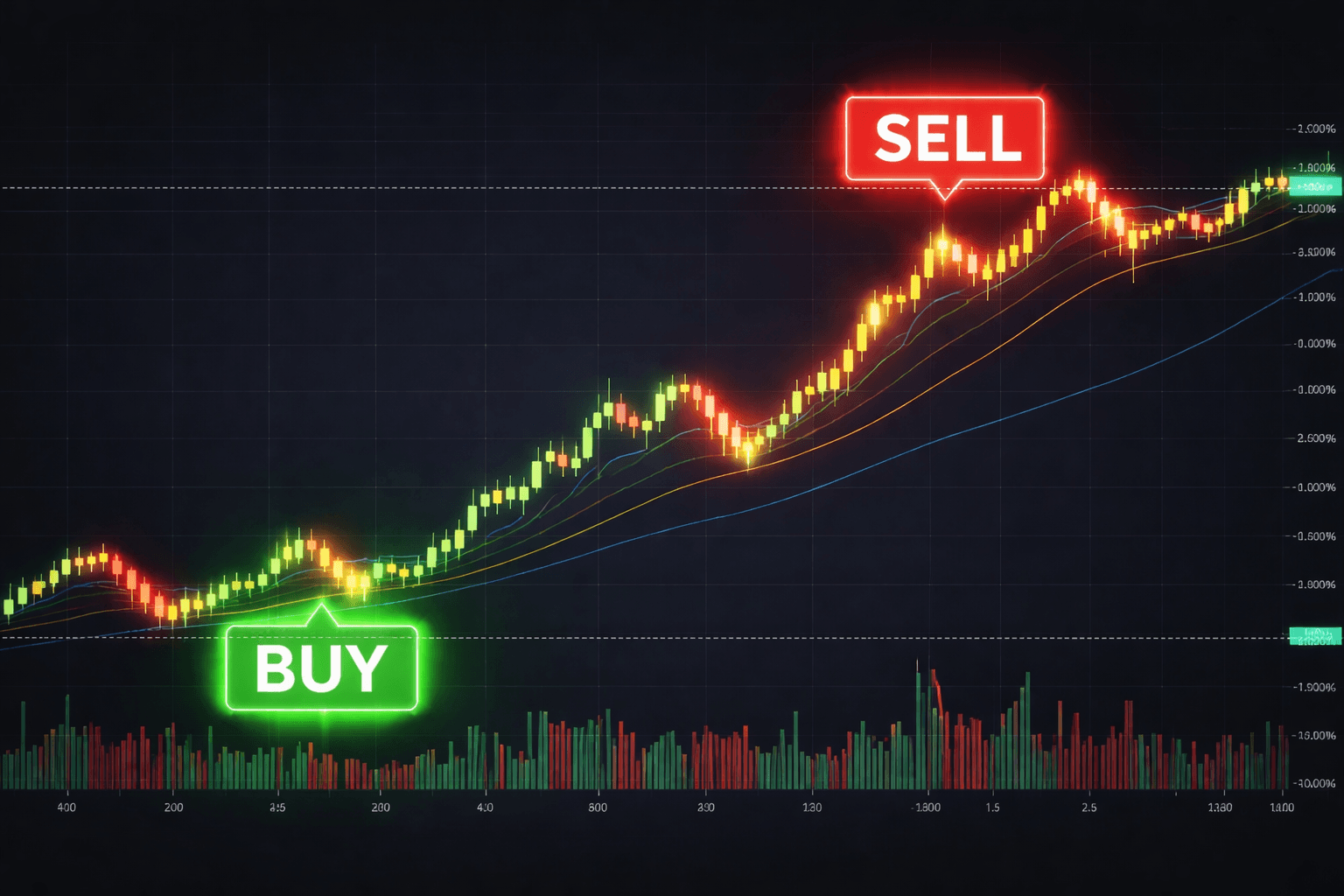
BULL = Buy alert (suggests potential upward momentum)
BEAR = Sell alert (suggests potential downward momentum or reversal)
It works on any cryptocurrency, stock, or forex pair and updates in real time as new price data arrives. Unlike some indicators that repaint (change past signals), public tutorials from Crypto University emphasize that the core alerts are intended to be used once a candle closes.
The indicator also draws dynamic support and resistance lines and uses color coding—such as fully green elements for strong upward momentum—to help users see areas where price may pause, accelerate, or reverse.
How the Nitros Bull Indicator Works: The Core Mechanics
At its simplest, the indicator processes live price data through built-in logic that measures:
Trend direction – whether price is generally moving up, down, or sideways.
Momentum strength – how quickly price is changing and whether buying or selling pressure is increasing.
Key levels – automatic support (price floors where buying may increase) and resistance (price ceilings where selling may increase).
When the internal calculations align for a potential opportunity, the indicator displays a clear BULL or BEAR label on the chart. Supporting visuals include colored candle overlays or background shading and horizontal lines that update automatically.
Public demonstrations show green lines marking support zones at the bottom of moves and corresponding resistance lines higher up. Fully green candle coloring often highlights periods of strong buying interest. These elements do not require manual drawing; the indicator generates them automatically.
Because it runs in real time on TradingView, the signals appear the moment the required conditions are met on the selected timeframe.
Step-by-Step: How Beginners Can Start Using the Nitros Bull Indicator
Set up a TradingView account
Create a free TradingView account at tradingview.com. A paid TradingView subscription is not required to use custom indicators, but it unlocks more charts and alerts.Access the indicator
The Nitros Bull Indicator is a paid product from Crypto University. Once purchased, it appears in your TradingView “Indicators” list under the community or invited scripts section.Add it to your chart
Open any chart (Bitcoin, Ethereum, a stock, or forex pair).
Click the “Indicators” button at the top.
Search for “Nitros Bull” or the exact script name provided after purchase.
Apply it. The BULL/BEAR labels, support/resistance lines, and color elements will appear automatically.
Choose your timeframe
Beginners often start with the 15-minute or 1-hour chart for swing trades, or the 5-minute chart for shorter intraday moves. The indicator works on any timeframe, but signals tend to be more reliable when confirmed across multiple timeframes (for example, a BULL signal on the 1-hour chart that also aligns on the 4-hour chart).Read the signals
A BULL alert appears near or at the end of a potential downtrend or pullback.
A BEAR alert appears near or at the end of a potential uptrend or rally.
Check the support and resistance lines for context. Price often reacts at these levels.
Set alerts (optional)
TradingView lets you create price or indicator alerts so you receive notifications when a new BULL or BEAR signal prints.
Best Practices for Beginners
Combine with other analysis. Use the Nitros Bull signals alongside basic price action (candlestick patterns) and volume. Never rely on a single indicator.
Practice on a demo account. Test the indicator on historical charts or a paper-trading account before using real capital.
Apply risk management. Many users set stop-loss orders below recent support (for long positions) or above resistance (for short positions). Position size should be small enough that a single trade cannot significantly harm your account.
Avoid over-trading. Not every BULL or BEAR signal needs to be taken. Focus on high-probability setups where the signal aligns with the overall market trend.
Review past performance. Look back at previous signals on the same asset to understand how the indicator behaved in different market conditions (trending, ranging, or volatile).
Important Limitations to Understand
No indicator is perfect. Markets can change rapidly due to news, economic data, or sudden shifts in sentiment. The Nitros Bull Indicator, like all technical tools, is based on historical patterns and does not guarantee future results. Signals can occasionally produce false positives, especially in sideways or low-volume markets.
It is a black-box tool—users see the output (signals and lines) but not the exact proprietary formula. This is normal for paid indicators. Always treat it as one data point among many.
FAQ
Q: What does a BULL alert actually mean?
A: It indicates the indicator has detected conditions consistent with strengthening upward momentum. It does not guarantee price will rise; it suggests a potential buying opportunity worth further analysis.
Q: Can I use the Nitros Bull Indicator on mobile?
A: Yes. TradingView’s mobile app supports custom indicators, although chart readability is better on desktop for detailed analysis.
Q: Does the indicator work only for crypto?
A: No. It functions on any symbol available on TradingView, including stocks, forex pairs, commodities, and indices.
Q: Is the Nitros Bull Indicator free?
A: No. It is a paid product created and sold by Crypto University.
Q: Do I need advanced trading knowledge to use it?
A: No. The alerts are designed to be beginner-friendly, but understanding basic chart reading and risk management will improve your results.
Pros
Clear, visual signals – BULL and BEAR alerts plus color-coded momentum and automatic support/resistance lines reduce guesswork for new traders.
Multi-market compatibility – Works in real time across crypto, stocks, and forex, giving users one consistent tool for different portfolios.
Real-time updates – Signals appear instantly on TradingView, supporting both short-term and swing trading styles.
Cons
Proprietary nature – The exact calculation method is not public, so users must trust the developer’s logic without full transparency.
Not a standalone solution – False signals can occur; it performs best when combined with other forms of analysis and strict risk rules.
Paid access – Requires purchase, which may not suit absolute beginners testing free tools first.
Disclaimer: This content is for educational and informational purposes only and is not financial advice. Nothing here is a recommendation to buy or sell any asset or use any platform. Do your own research and manage your risk.