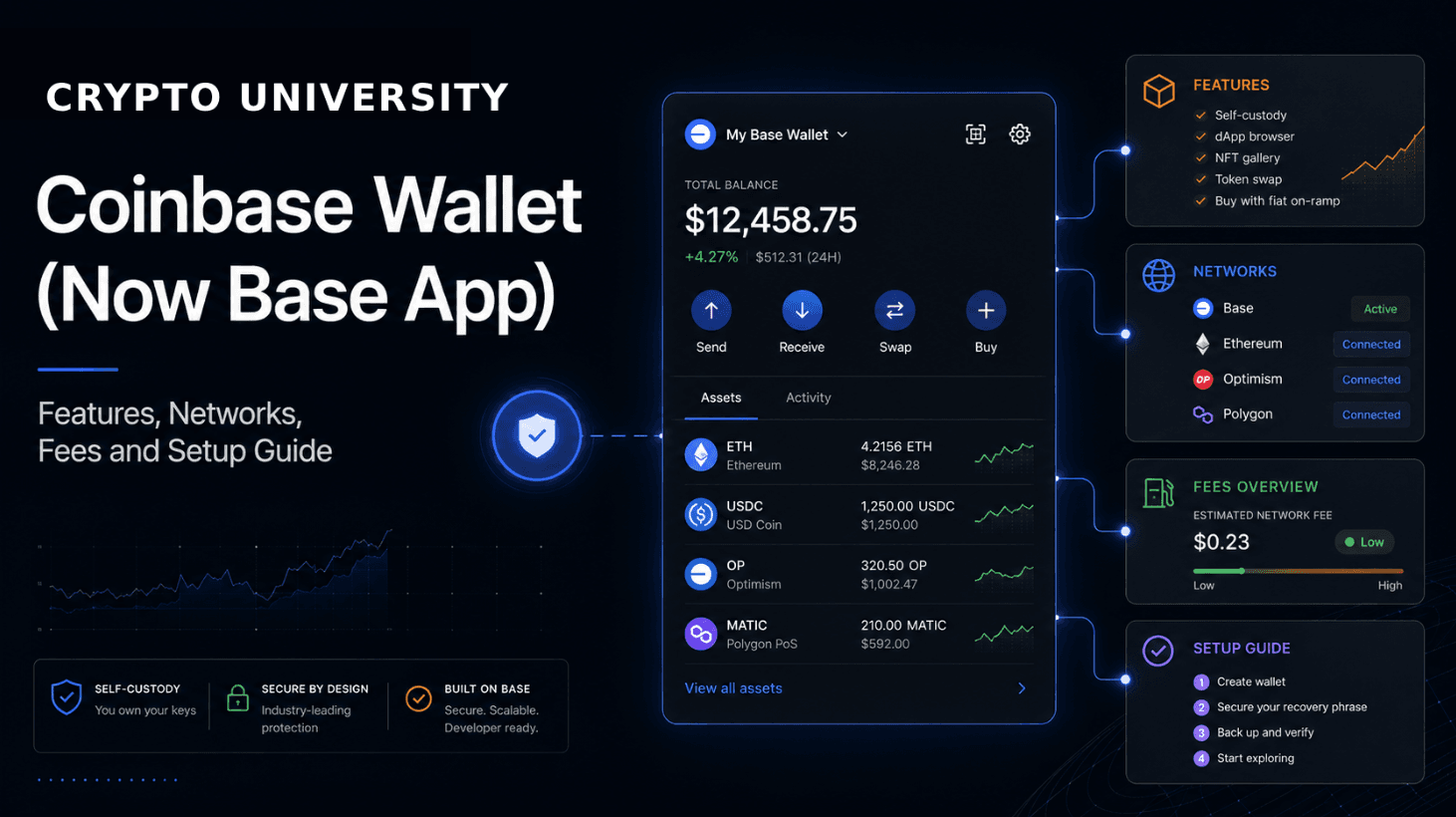
Coinbase Wallet is a self custody crypto wallet built by Coinbase. Self custody means the private keys that control the funds are held on the user device, not by a company. That is the core difference between this product and a Coinbase exchange account, where Coinbase holds the assets.
One naming point matters before anything else. In July 2025 Coinbase rebranded the wallet as the Base app, named after Base, the Ethereum layer 2 network Coinbase launched in 2023. Coinbase support documentation now describes the app as having two experiences: the current Base mode and a legacy Coinbase Wallet mode. Most people still search for the original name, so this guide uses both.
Coinbase Wallet Compared With a Coinbase Account
These are separate products and the distinction is the single most important thing for a beginner to understand.
Coinbase account (exchange): Coinbase holds the keys. If access is lost, Coinbase support can help recover the account.
Coinbase Wallet (Base app): The user holds the keys through a recovery phrase or passkey. Nobody at Coinbase can restore the funds. There are no chargebacks and no reversals.
A Coinbase account is not required to use the wallet, although linking one makes funding easier.
Supported Networks
Network coverage is one of the wallet's strongest points for a mainstream product. According to Coinbase support documentation, support differs slightly between the two modes.
Network | Base mode | Legacy Coinbase Wallet mode |
|---|---|---|
Ethereum and EVM compatible networks | Yes | Yes |
Solana | Yes | Yes |
Bitcoin | Yes | Yes |
Dogecoin | No | Yes |
Litecoin | No | Yes |
Preconfigured EVM compatible networks include Arbitrum, Avalanche C-Chain, Base, BNB Chain, Gnosis Chain, Fantom Opera, Optimism, Polygon and Zora. Other EVM networks can be added manually.
The app supports thousands of assets, including all ERC-20 tokens, assets on EVM compatible networks, and stablecoins such as USDC. Bitcoin and Dogecoin use different addresses from the main Ethereum address, which is a common source of confusion. Support for BCH, ETC, XLM and XRP ended in February 2023.
In app conversions through decentralised exchanges are available on Base, BNB, Ethereum, Avalanche, Polygon, Optimism, Arbitrum and Solana. Storage support is broader than swap support, so an asset can sit in the wallet without being swappable inside the app.
Main Features
Self custody key management. A 12 word recovery phrase in the classic flow, with passkey based sign in available in newer setups.
dApp connections. An in app browser on mobile and standard connection support on desktop for lending markets, exchanges, NFT marketplaces and games.
Built in swaps. Trades are routed through decentralised exchange aggregators that compare prices across liquidity sources.
NFT support. Storing, viewing and listing NFTs on supported networks.
Coinbase account linking. Optional linking for moving assets between the exchange and the wallet. These transfers still happen on chain.
Hardware wallet pairing. Ledger devices can be connected through the browser extension, though not through mobile.
Shared address across devices. The extension and the mobile app can use the same wallet.
Set Up Guides
Mobile app
Download the app Coinbase Wallet only from the official site or the official listing in the App Store or Google Play. Fake wallet apps are a common attack. (Always download wallet software from the official domain. Verify the URL character by character before installing anything or entering a recovery phrase.)
Choose to create a new wallet or import an existing one using a recovery phrase.
If a recovery phrase is generated, write it down on paper and store it offline. Do not screenshot it and do not store it in a notes app or messaging thread.
Set a device lock such as biometrics or a passcode inside the app.
Fund the wallet with a small test amount first, and confirm the network matches on both the sending and receiving side.
Confirm the test transaction arrived before sending a larger amount.
Browser extension
Install the extension from the official Coinbase download page rather than from a search result or an advert.
Create a new wallet or import an existing recovery phrase.
Set a strong password for the extension. This unlocks the wallet on that browser and does not replace the recovery phrase.
Connect to a decentralised application and read every signature request before approving it.
Connecting a Ledger device
Open the browser extension and choose to connect a hardware wallet.
Plug in and unlock the Ledger, then open the relevant app on the device.
Approve the connection, then approve each transaction on the Ledger screen itself. Mobile does not support this pairing.
Fees
The wallet itself is free. Costs appear at the point of transacting, and they come from more than one place.
Cost | What to expect |
|---|---|
App download and account creation | Free. There is no subscription fee for the wallet itself. |
Network fees (gas) | Paid to the network, not to Coinbase. Varies by chain and congestion. Base and other layer 2 networks are usually far cheaper than Ethereum mainnet. |
In app swaps | Coinbase documentation states a fee of up to 1% on swaps, charged by the app. |
DEX aggregator fee | Swaps are routed through third party aggregators that may add their own fee. It is reflected in the amount of the destination token received. |
Transfers to and from a Coinbase account | These are on chain transactions and incur standard network fees. |
Buying crypto with card or bank | Handled by third party payment providers, each with its own pricing. |
Fee structures change. Check the official Coinbase help pages before assuming any figure is current.
Security Basics
The recovery phrase is the wallet. Anyone who reads it controls the funds permanently, and no support team can undo that. Biometrics and passwords protect against someone picking up the device. They do not protect against a leaked recovery phrase.
Two habits reduce most beginner losses. First, treat unsolicited support messages as fraudulent by default, because the Coinbase brand attracts a high volume of impersonation. Second, separate accounts by purpose. Keep long term holdings in an account that rarely touches applications, and use a second account for minting, testing and DeFi. If an approval goes wrong, the damage is limited to the smaller account.
Rating
4.1 out of 5
A capable and well supported wallet with unusually broad network coverage and a smooth path from exchange to self custody. Points are deducted for swap pricing that is uncompetitive for active users, and for a product structure that has become harder to explain since the Base rebrand. Long term holders should still consider a hardware wallet.
Pros and Cons
Pros | Cons |
|---|---|
Wide network coverage in one app, including Ethereum and EVM chains, Solana and Bitcoin, plus a browser extension that shares the same wallet. | Swap costs can be high. A fee of up to 1% plus an aggregator fee plus gas adds up quickly for small or frequent trades. |
Low friction onboarding for people already using Coinbase, since a linked account makes funding a self custody wallet simpler. | The product has several overlapping setups. Base mode, legacy Coinbase Wallet mode, seed phrases and passkeys make it harder to reason about than a simple seed only wallet. |
Practical security options, including biometric and password locks, optional encrypted backup, and Ledger support through the extension. | It is a hot wallet. Keys sit on an internet connected device, which is a weaker setup for long term storage than a dedicated hardware wallet. |
Frequently Asked Questions
Is Coinbase Wallet the same as Coinbase?
No. Coinbase is a custodial exchange where the company holds the keys. Coinbase Wallet, now the Base app, is a self custody wallet where the user holds the keys. A Coinbase account is not required to use it.
Why is Coinbase Wallet now called Base?
Coinbase rebranded the app in July 2025 around Base, its Ethereum layer 2 network. The underlying self custody model did not change, and support documentation still refers to a legacy Coinbase Wallet mode.
Can Coinbase recover my wallet if I lose my recovery phrase?
No. That is the defining trade off of self custody. A lost recovery phrase with no backup means permanent loss of access.
Does Coinbase Wallet support Bitcoin?
Yes. Bitcoin is supported in both modes, and it uses a different address from the Ethereum address in the same wallet. Swap support for Bitcoin is more limited than for EVM assets.
Is it free to use?
The app is free to download and there is no subscription. Users still pay network fees, and swaps carry a fee of up to 1% plus any aggregator fee.
Is a hot wallet safe enough for large holdings?
A hot wallet keeps keys on an internet connected device, which is a larger attack surface than a hardware wallet. Many users keep spending funds in a hot wallet and long term holdings on hardware. This is general information, not financial advice.
Related Terms
Self custody, private key, seed phrase, passkey wallet, hot wallet, cold wallet, hardware wallet, layer 2, EVM compatibility, gas fee, stablecoin, NFT.
Disclaimer: This content is for educational and informational purposes only and is not financial advice. Nothing here is a recommendation to buy or sell any asset or use any platform. Do your own research and manage your risk.
Revoke.cash: How to Check and Revoke Token Approvals to Protect Your Wallet
Chainlist: How to Find Chain IDs and Add EVM Networks to Your Wallet
Cryptocurrency Payment Gateways for Beginners: BTCPay Server Explained
DEX Screener Explained: How to Track DEX Pairs, Liquidity & Prices
Birdeye Explained: A Practical Guide to Multichain Token and Wallet Analytics