Key Takeaways
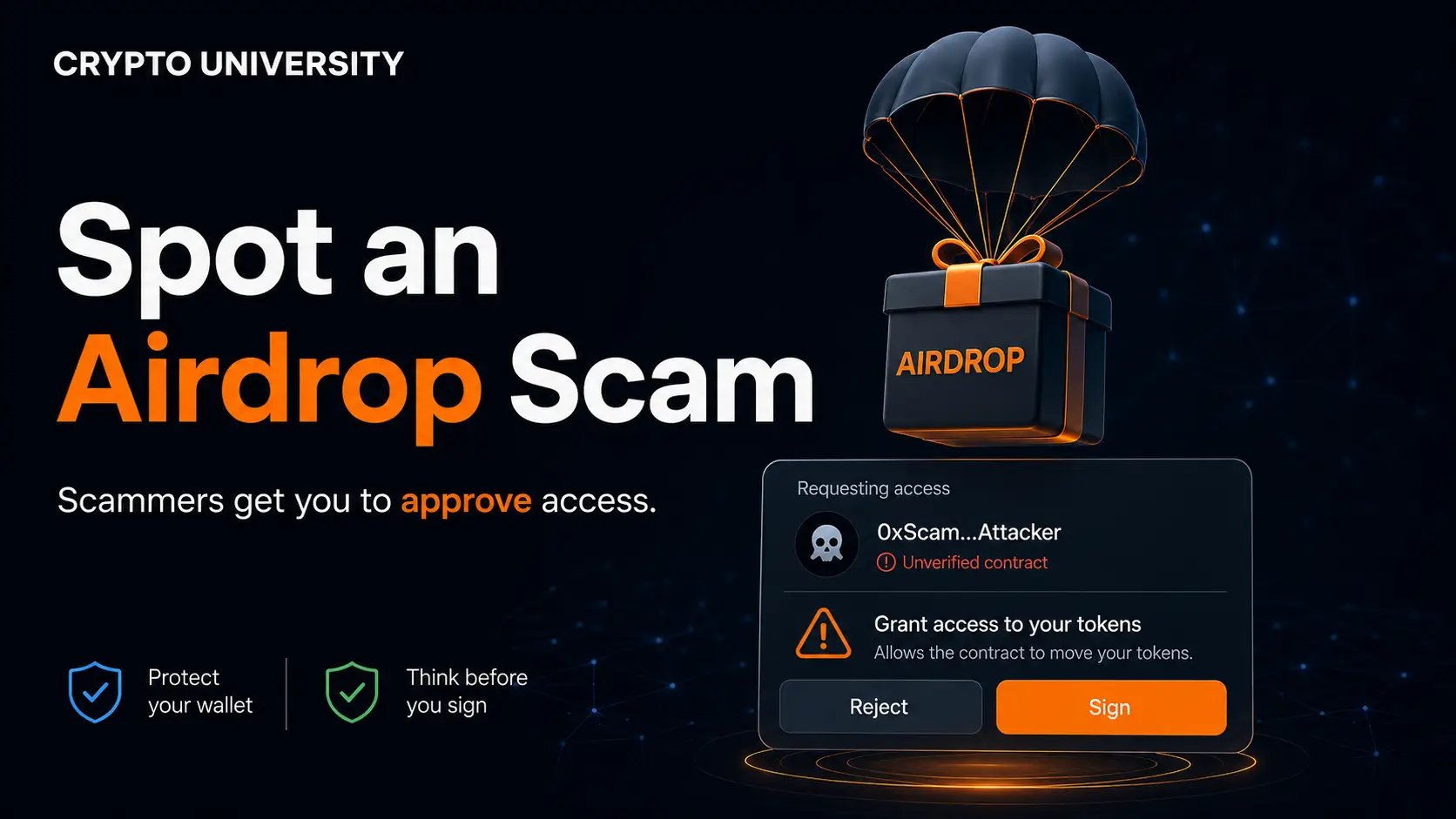
- Most airdrop scams never ask for your seed phrase. They trick you into signing a transaction that hands an attacker permission to move your tokens, which means the theft is technically something you authorised.
- Verification should always come before connection. Legitimate projects let you check eligibility by pasting your public wallet address. If a site demands a wallet connection just to see whether you qualify, treat that as a warning sign.
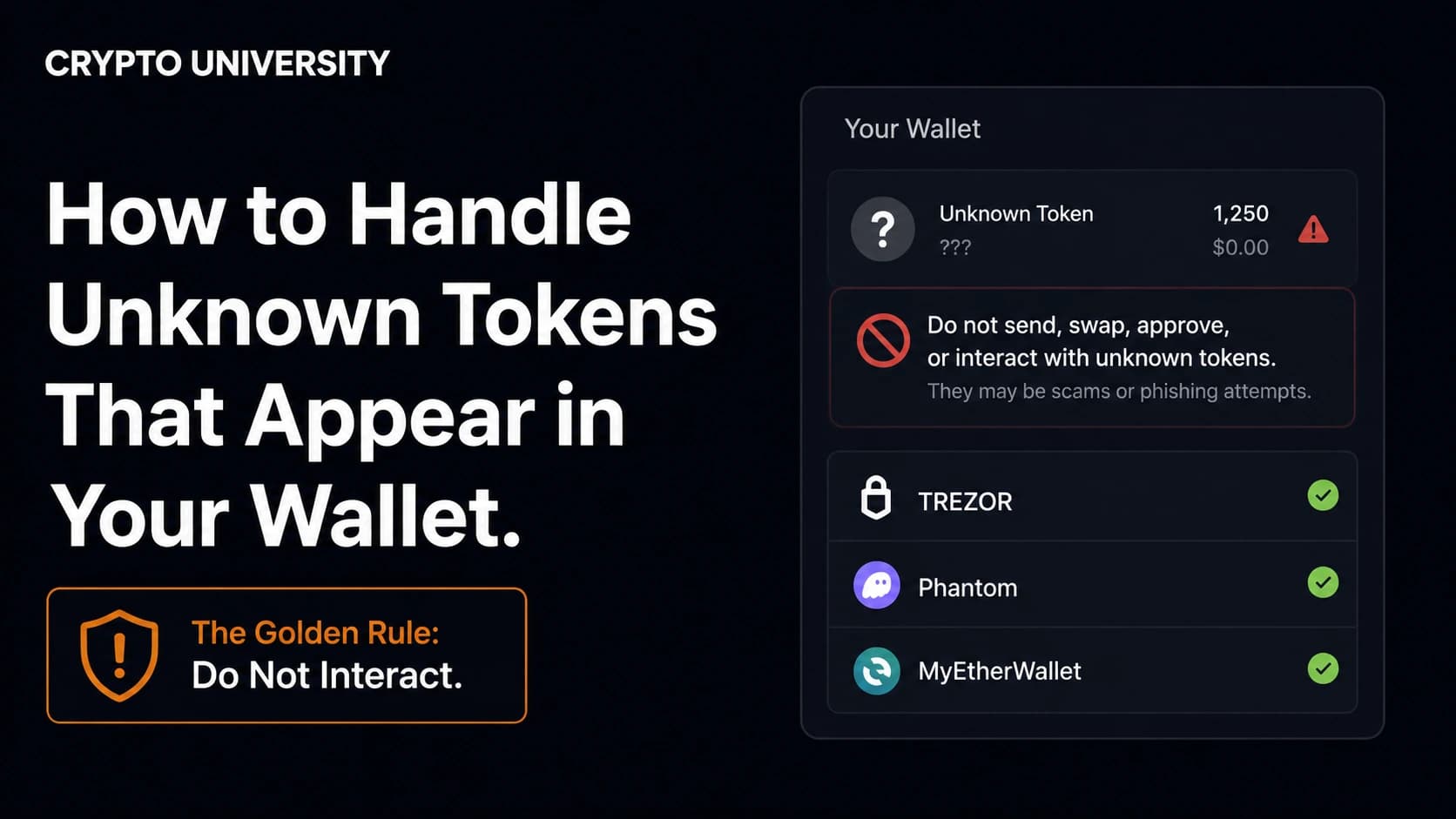
- Unsolicited tokens are bait, not gifts. Tokens that appear in your wallet carrying a website name, a warning message, or a claim instruction are one of the most common entry points for wallet theft.
What an Airdrop Actually Is
An airdrop is a distribution of free tokens to a group of wallet addresses. Projects use airdrops to reward early users, decentralise ownership, or attract attention before a launch. Airdrops are a normal part of the crypto industry, and many of them are legitimate.
There are two basic formats, and they carry very different risk profiles.
| Type | How it works | Main risk |
|---|---|---|
| Automatic (push) airdrop | Tokens arrive in your wallet with no action needed | Low. The main concern is unwanted tokens used as phishing bait |
| Claim-based airdrop | You visit a website, connect a wallet, and sign a transaction to receive tokens | High. This is where nearly all airdrop scams operate |
The lesson here is simple. The dangerous moment is not receiving tokens. It is the act of connecting a wallet and approving a transaction on a website you have not verified.
Why Airdrops Attract Scammers
Airdrops create a predictable window in which large numbers of people are actively searching for a claim link, feeling time pressure, and expecting to sign an unfamiliar transaction. That is close to ideal conditions for a phishing operation.
The scale is well documented, though the figures below are estimates from blockchain analytics firms rather than complete totals.
| Metric | 2024 | 2025 |
|---|---|---|
| Wallet drainer phishing losses (Scam Sniffer, EVM chains) | Approximately $494 million | Approximately $83.85 million |
| Affected wallets | More than 332,000 | 106,106 |
| Largest single recorded drainer loss | $55.4 million | $6.5 million |
Wallet drainer losses fell sharply in 2025, which is genuine progress. But the wider picture is less comforting. Chainalysis estimated that around $17 billion was lost to crypto scams and fraud overall in 2025, with impersonation scams growing more than 1,400 percent year over year. Attackers have shifted away from breaking code and towards manipulating people.
How an Airdrop Scam Works, Step by Step
Understanding the mechanics makes the red flags obvious.
Step 1: The lure. You encounter a claim link. It might come from a direct message, a reply beneath a genuine project announcement, a paid search advertisement, or a token that simply appeared in your wallet with a URL in its name.
Step 2: The lookalike site. The page is often a pixel-accurate clone of the real one. The domain is usually one character off, or uses a different extension. A countdown timer is frequently added to discourage careful checking.
Step 3: The connection. You connect your wallet. On its own this does not move funds, but it tells the attacker exactly what you hold, so the site can target your most valuable assets.
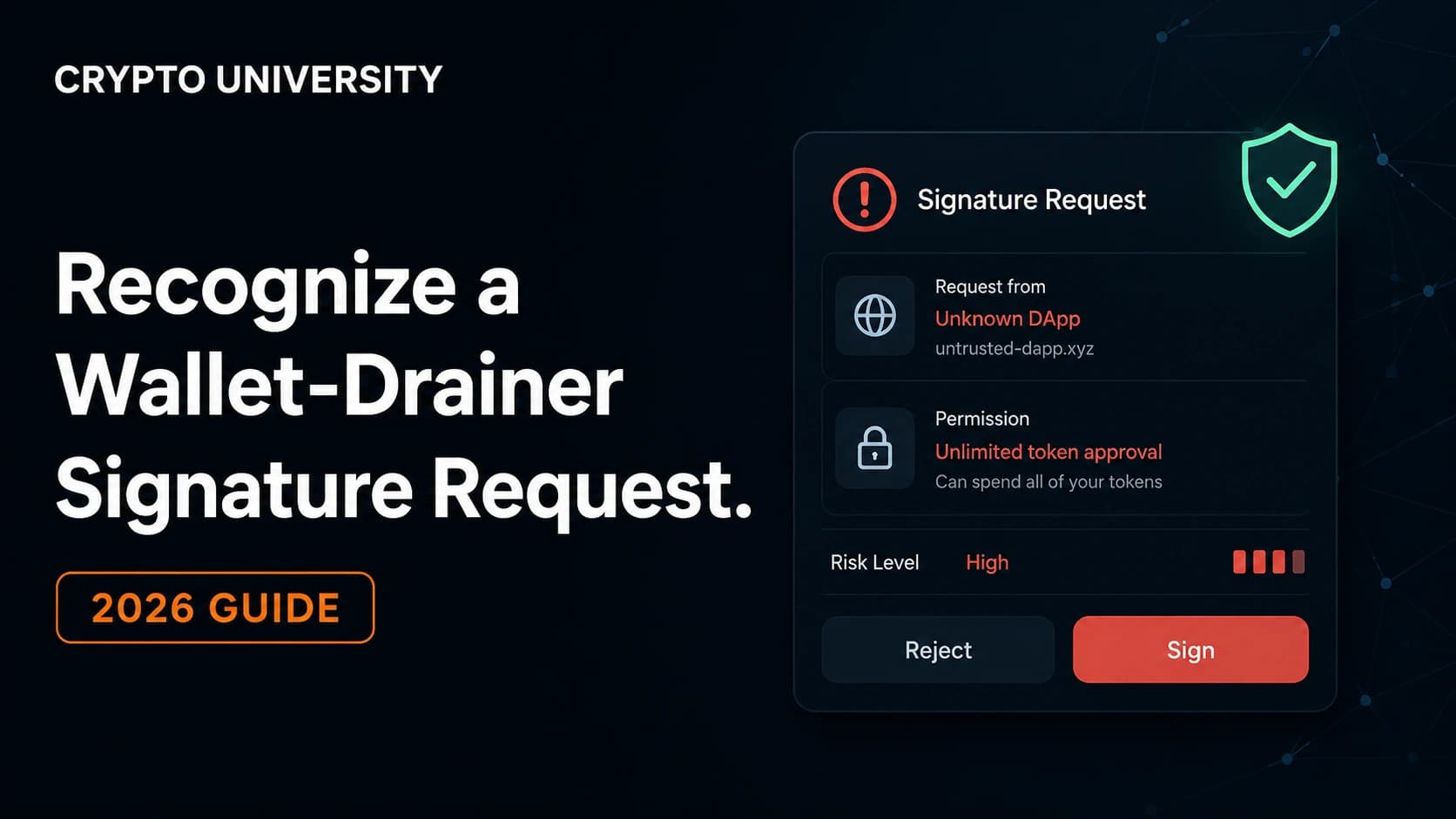
Step 4: The signature. This is the theft. Instead of a claim, the site asks you to sign an approval that grants a contract permission to spend your tokens. Common forms include approve, setApprovalForAll for NFTs, and Permit or Permit2 signatures. Permit-style signatures are particularly dangerous because they are gasless and often display as harmless text rather than a transaction. Scam Sniffer found that Permit and Permit2 approvals accounted for 38 percent of losses in incidents above $1 million during 2025.
Step 5: The drain. Once permission is granted, the attacker moves the assets. There is no reversal mechanism and no customer service line.
Common Types of Airdrop Scam
| Scam type | What it looks like | The tell |
|---|---|---|
| Fake claim site | A cloned airdrop page reached via ad, DM, or reply | Domain is misspelled or newly registered |
| Dusting and token messaging | An unknown token arrives carrying a message or URL | You never interacted with the project |
| Authority impersonation | A token or message claiming to be from a government agency or exchange | Agencies do not contact people through blockchain tokens |
| Address poisoning | A fake transaction plants a lookalike address in your history | The address matches only at the start and end |
| Fake support agent | Someone replies offering to help you claim | Real support does not message first |
| Advance fee request | You must send crypto to unlock a larger allocation | Genuine airdrops never require an upfront payment |
| Malicious extension or app | A fake wallet tool installed from an unofficial source | Publisher name or download count does not match |
Ten Red Flags to Check Before You Claim
| # | Red flag | Why it matters |
|---|---|---|
| 1 | The site requires a wallet connection to check eligibility | Eligibility checks only need a public address |
| 2 | The link arrived unsolicited | Announcements come through official channels, not DMs |
| 3 | The domain is slightly wrong | One swapped letter or a different extension is the classic clone signal |
| 4 | A countdown timer creates urgency | Pressure exists to stop you verifying |
| 5 | You are asked for a seed phrase or private key | No legitimate service ever needs this |
| 6 | You must pay a fee to unlock tokens | Real claims cost only network gas, paid to the network |
| 7 | The signature request is unreadable | Blind signing is how most drains succeed |
| 8 | The token contract is unverified on a block explorer | Legitimate launches publish verified contracts |
| 9 | You are asked for personal identity documents | Data harvesting, or a setup for a later scam |
| 10 | The project has no history you can independently confirm | Absence of a footprint is itself a signal |
How to Verify an Airdrop Safely
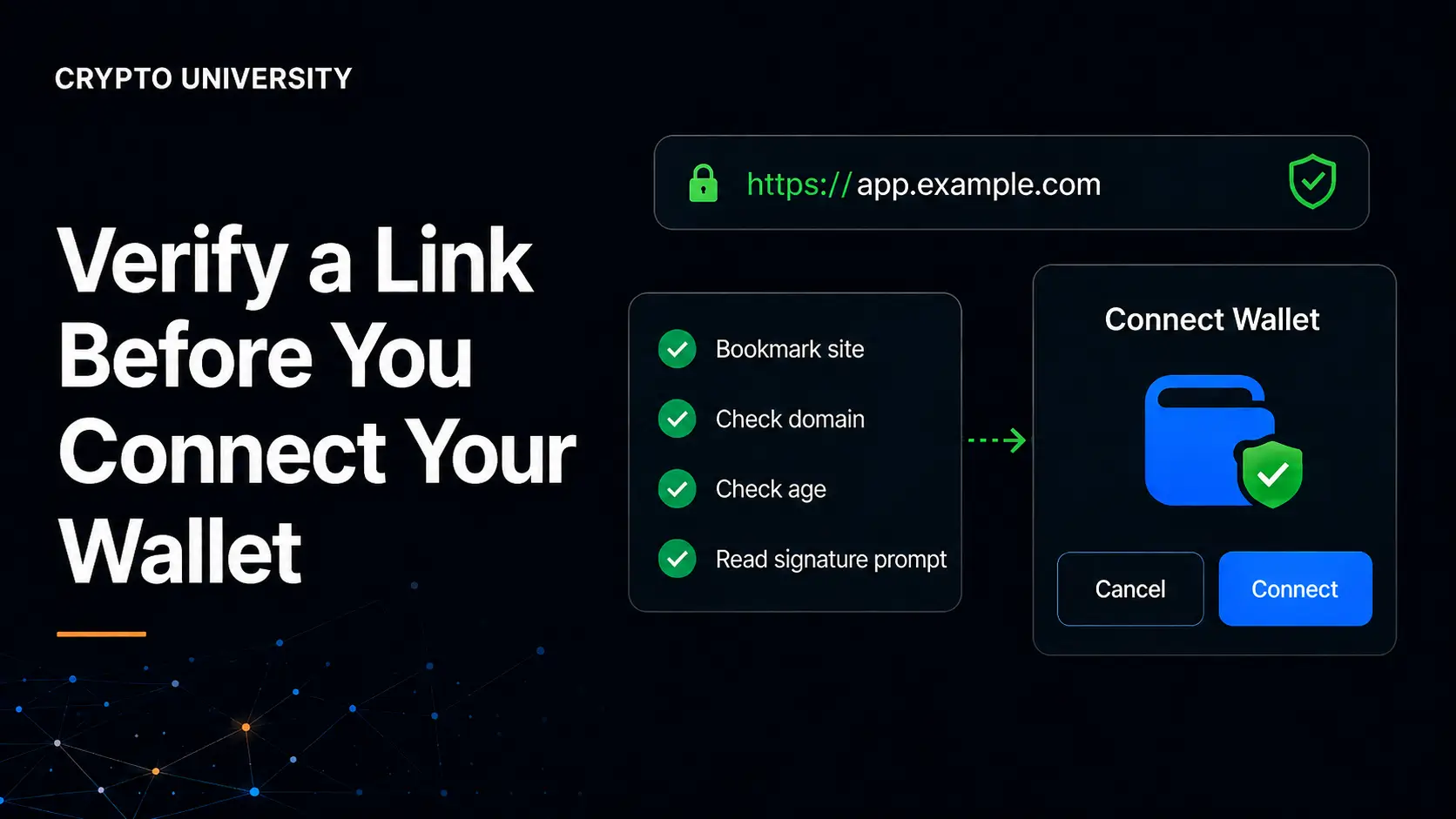
1. Start from a source you already trust. Type the official URL yourself or use a bookmark you saved earlier. Do not click links from replies, advertisements, or messages.
2. Check eligibility with your public address only. Paste the address. Do not connect. Your public address cannot be used to move funds.
3. Inspect the domain carefully. Read it character by character. Check the registration date using a public WHOIS lookup. A domain created days before a major airdrop deserves suspicion.
4. Verify the token contract. Look the contract address up on a block explorer such as Etherscan, Solscan, or Tronscan, and cross-check it against the project's official documentation.
5. Use a burner wallet. Keep a separate wallet funded with a small amount for gas. Your main holdings should never touch a claim site.
6. Read the signature request before approving. Ask what permission you are granting, to which contract, and for what amount. If a hardware wallet is in use, read the device screen rather than the browser. A hardware wallet cannot protect you from a malicious transaction you confirm yourself.
7. Revoke approvals after claiming. Permissions do not expire on their own.
If You Think You Already Signed Something
Act quickly and in this order.
- Move remaining assets to a fresh wallet with a newly generated seed phrase.
- Revoke active approvals using a tool such as revoke.cash or the Etherscan Token Approval Checker.
- Check for delegation. Since the Ethereum Pectra upgrade, EIP-7702 allows an account to delegate control, and malicious delegations have been observed in the wild.
- Do not use "recovery services" that contact you afterwards. These almost always target victims a second time.
- Report it. In the United States, reports go to the FBI Internet Crime Complaint Center. Other countries have equivalent cybercrime reporting channels.
Useful Security Tools
| Tool | Purpose | Cost |
|---|---|---|
| revoke.cash | View and cancel token approvals across many chains | Free, plus gas |
| Etherscan Token Approval Checker | Inspect approvals by address without connecting | Free |
| Block explorers (Etherscan, Solscan, Tronscan) | Verify contract addresses and token history | Free |
| Scam Sniffer and similar browser extensions | Flag known phishing domains before you connect | Free tier available |
| Hardware wallet | Keeps keys offline and forces physical confirmation | Paid device |
Frequently Asked Questions
Can someone steal my crypto just because they know my wallet address? No. A public address can be used to send you tokens and to observe your activity, but it cannot be used to move your funds. Theft requires either your private key or a permission you granted by signing.
Is it dangerous to receive an unknown token? Receiving it is not dangerous by itself. The risk begins if you interact with it, visit a website it references, or try to sell or transfer it. The safest response is to ignore and hide the token.
Do legitimate airdrops ever charge a fee? You may pay a network gas fee to submit the claim transaction, which goes to network validators rather than the project. No legitimate airdrop asks you to send crypto to an address in order to unlock a larger allocation.
Why do scam sites ask me to connect my wallet before showing eligibility? Because connection gives the site visibility into your holdings, allowing it to craft a signature request targeting your most valuable assets. Real projects check eligibility from a public address.
Are hardware wallets immune to airdrop scams? No. A hardware wallet protects your private key from extraction, but it cannot stop you from approving a malicious transaction. Reading the device screen before confirming is what provides the protection.
Related Terms
- Wallet drainer: Phishing infrastructure that induces a user to sign a harmful transaction so assets can be extracted quickly.
- Signature phishing: An attack that tricks a user into signing a malicious message or approval rather than stealing credentials.
- Permit signature: A gasless approval standard that grants token spending permission and is heavily abused by attackers.
- Address poisoning: Planting a lookalike address in a user's transaction history so it gets copied by mistake.
- Burner wallet: A low-value secondary wallet used for risky interactions to limit potential loss.
Sources
- Scam Sniffer, 2025 Annual Wallet Drainer and Phishing Report (published January 2026)
- Chainalysis, 2026 Crypto Crime Report: Scams chapter
- Group-IB, High-Tech Crime Trends 2026
- Cointelegraph and CoinDesk reporting on 2025 phishing loss data
This article is for educational purposes only. It is not financial, legal, or investment advice.
Not sure which problem you have?
Use the Fixing Crypto Mistakes hub to identify the transaction, wallet, network, or exchange issue before taking another action.
OPEN TROUBLESHOOTING HUB