Key Takeaways
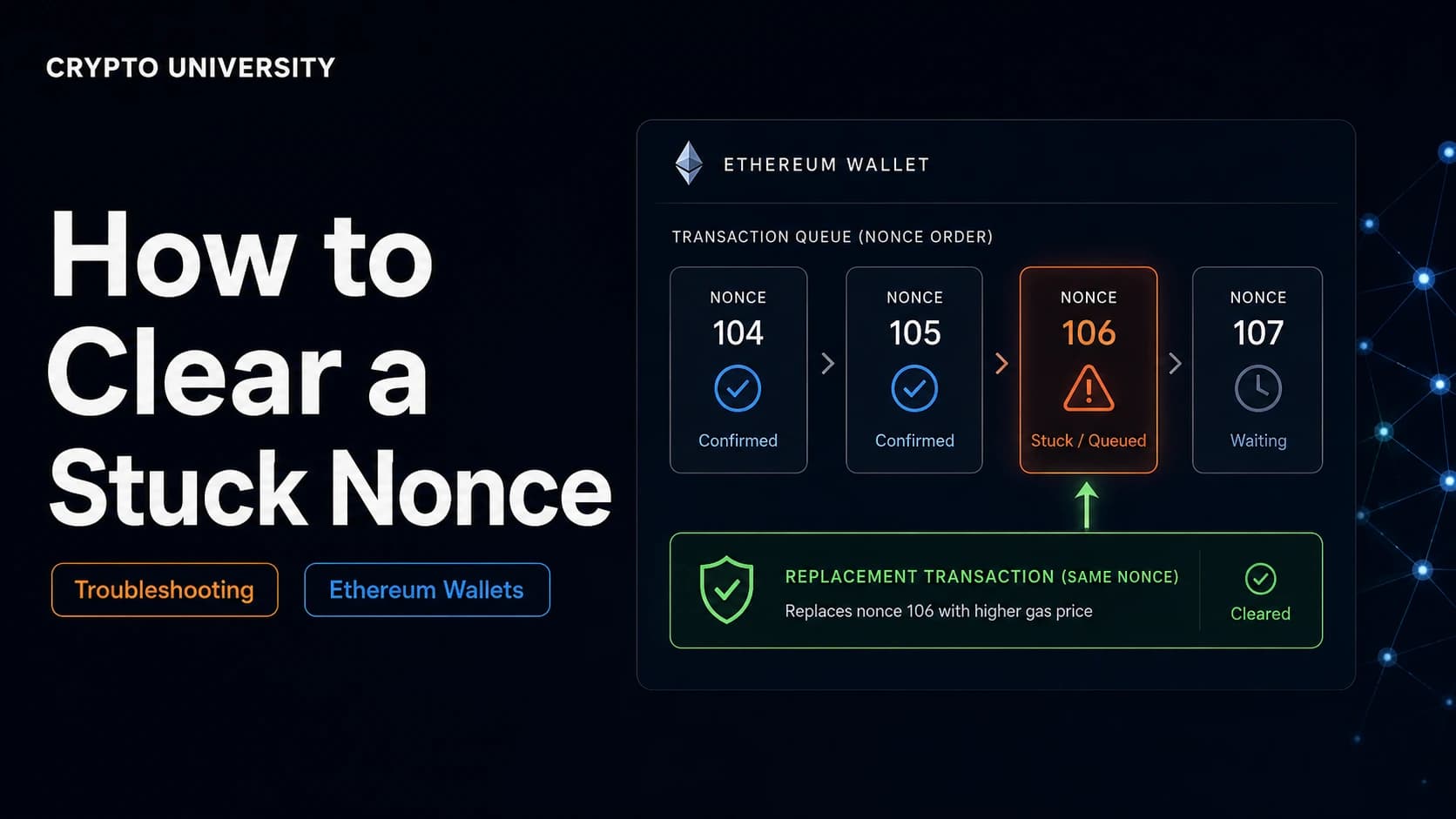
- A nonce is a counter, not a setting. Every transaction from an Ethereum address carries a sequential number, and the network processes those numbers strictly in order. One stuck transaction blocks every transaction behind it.
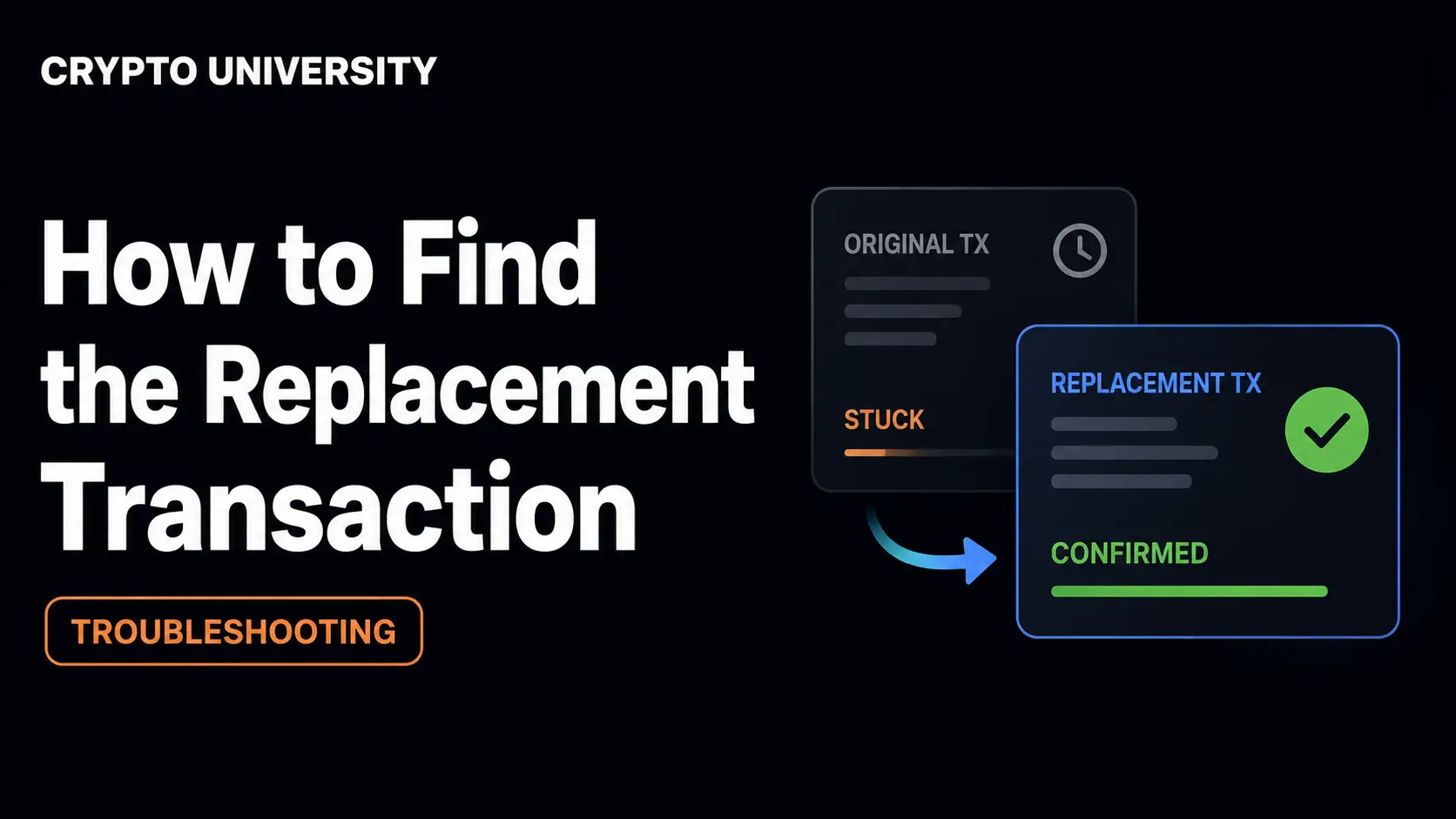
- You cannot delete a pending transaction. You can only replace it. The standard fix is to broadcast a new transaction using the same nonce with a higher fee, which is why the method is often called replace by fee.
- Know which problem you have before you act. A transaction genuinely stuck in the mempool, a nonce gap, and a wallet whose local counter has drifted out of sync all look similar but need different fixes.
What a Nonce Actually Is
The word nonce is short for "number used once." On Ethereum and other EVM networks, every externally owned account, meaning a normal wallet address controlled by a private key, keeps a counter of how many transactions it has sent.
The first transaction from a fresh address uses nonce 0, the second uses nonce 1, and so on. The network refuses to process nonce 5 until nonce 4 has been included in a block. This rule prevents replay attacks and gives every account an ordered history.
The consequence for users is simple. Ethereum will not skip ahead. If nonce 4 is sitting unconfirmed, then nonces 5, 6, and 7 wait behind it no matter how much you pay for them.
Three Things People Mean by "Nonce"
The term appears in several unrelated contexts, which causes confusion in search results.
| Type of nonce | Where it appears | Relevance to this guide |
|---|---|---|
| Account nonce | Ethereum and EVM chains such as Base, Arbitrum, Polygon, BNB Chain | This is the one that gets stuck. The subject of this guide. |
| Mining nonce | Bitcoin proof of work block headers | A number miners vary while hashing. Unrelated to wallets. |
| Durable nonce | Solana nonce accounts | A stored blockhash used for offline signing. Fixed by advancing or closing the nonce account, not by replace by fee. |
Why Transactions Get Stuck
Most stuck nonce situations trace back to one of four causes.
- Fee set too low. Validators build blocks from the most profitable transactions first. A low priority fee can leave your transaction waiting in the mempool indefinitely.
- Base fee moved against you. Under EIP-1559, the base fee changes block by block. If your max fee is below the current base fee, your transaction cannot be included until conditions ease.
- A nonce gap. An earlier transaction was dropped from the mempool or never broadcast properly. Later transactions are then queued with nowhere to go.
- Local wallet drift. Your wallet caches its own idea of the next nonce. After a chain reorganisation, a network switch, a reset local test node, or heavy dapp use, that cached number can disagree with the network.
Step 1: Confirm the Problem on a Block Explorer
Do not act on what the wallet screen says alone. Open a block explorer for the correct network, such as Etherscan for Ethereum mainnet, Basescan for Base, or Arbiscan for Arbitrum, and search your wallet address.
Look at the pending transactions list and note two things: the status and the nonce of the oldest unconfirmed transaction.
| What the explorer shows | What it means | What to do |
|---|---|---|
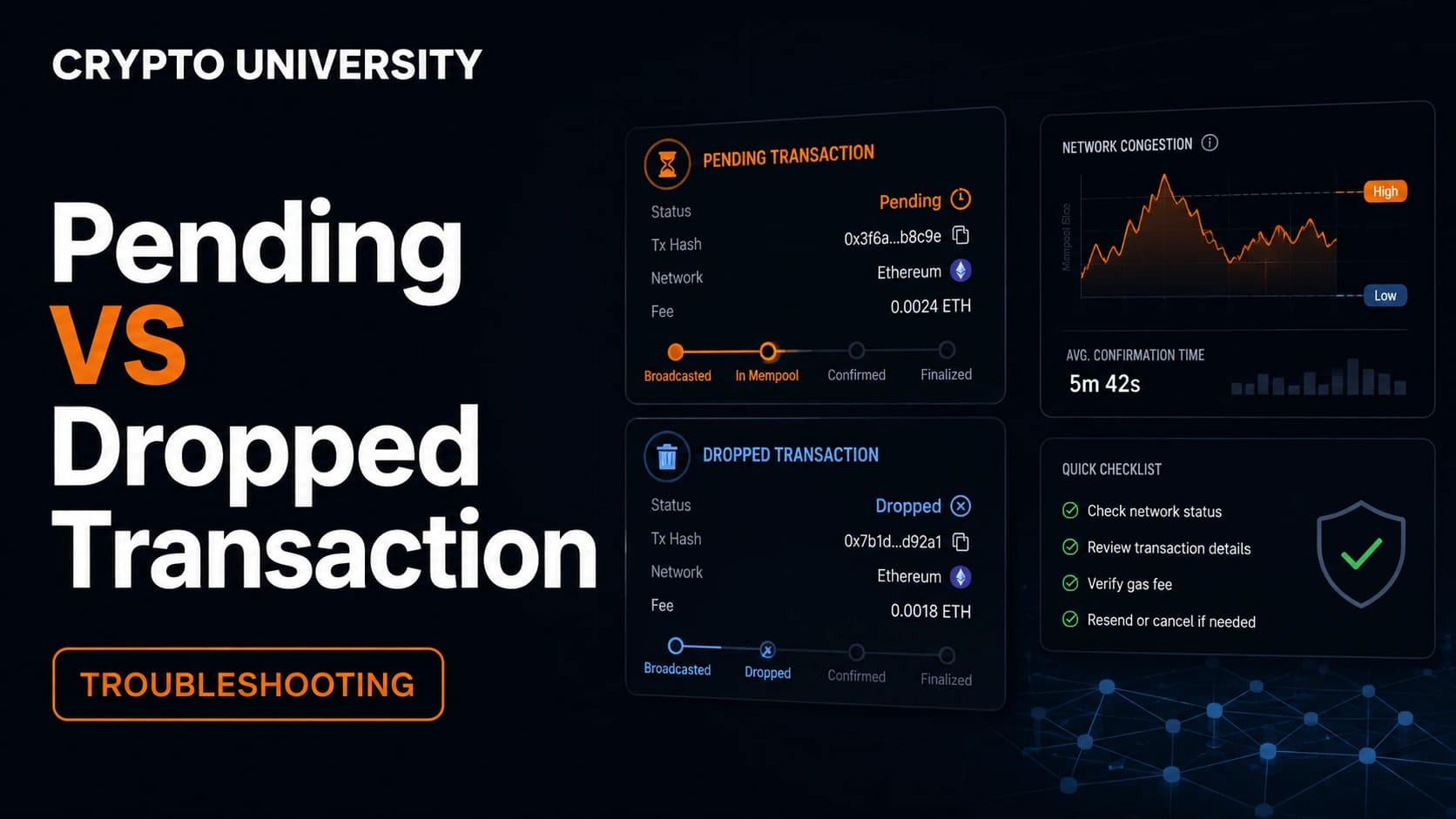
| Pending | Still in the mempool and replaceable | Speed up or cancel with the same nonce |
| Success | Already confirmed on chain | Nothing. It cannot be reversed |
| Failed | Confirmed but reverted. The nonce was consumed | Nothing to clear. Investigate the failure reason |
| Not found | Likely dropped from the mempool | You have a nonce gap. Fill it with a new transaction at that nonce |
Write down the nonce number. Every method below depends on it.
Step 2: Choose the Right Method
| Method | Best for | Costs gas | Effect on chain |
|---|---|---|---|
| Speed Up | A single pending transaction you still want to go through | Yes | Replaces the original with a higher fee |
| Cancel with custom nonce | A pending transaction you no longer want | Yes | Sends a zero value transaction to yourself at the same nonce |
| Clear activity data / Reset account | Wallet showing a wrong or impossibly high nonce | No | None. Local only |
| Wait | Mild congestion, non urgent transaction | No | None |
Method 1: Speed Up
Most wallets expose a Speed Up button next to a pending transaction. This rebroadcasts the same transaction with the same nonce and a higher fee. Because the nonce is reused, only one of the two versions can ever confirm, so you are not paying twice for the same transfer.
Speed Up is the right choice when you still want the transaction to happen. If the button is missing or greyed out, the transaction is probably not the oldest pending one, and you need to deal with the earlier nonce first.
Method 2: Cancel Using a Custom Nonce
This is the classic manual fix. You send a new transaction that does nothing useful, deliberately reusing the blocked nonce so the network confirms your replacement instead of the original.
Step by step:
- Find the nonce of the oldest pending transaction on the block explorer.
- Enable custom nonce editing in your wallet. In MetaMask this appears as "Show advanced details" on the confirmation screen. If Smart Transactions is switched on, turn it off first in Settings, then Transactions, or the nonce field stays hidden.
- Create a new transaction to your own address for 0 ETH. Sending to yourself means nothing leaves the wallet except gas.
- Set the custom nonce to the blocked number.
- Raise the fee. This is the part people get wrong. See the fee rules below.
- Confirm and watch the explorer. When the replacement confirms, every queued transaction behind it becomes eligible again.
Work backwards from the oldest. You cannot clear nonce 10 while nonce 9 is still blocking the queue. If several transactions are stuck, start with the lowest number and move up.
The Fee Rules That Make Replacement Work
Ethereum nodes will not accept a replacement transaction unless it pays meaningfully more than the one already in the pool. In go-ethereum, the default price bump is 10 percent, and other clients use similar thresholds. Under EIP-1559 you generally need to raise both fee fields, not just one.
| Field | Practical guidance |
|---|---|
| Gas limit | Match the original, or set it slightly higher |
| Max priority fee | At least 10 percent above the original |
| Max fee | At least 30 percent above the original, checked against a live gas tracker |
If you see the error replacement transaction underpriced, your bump was too small. Increase it and try again.
Method 3: Clear Activity Data When the Wallet Is Out of Sync
Sometimes nothing is actually stuck on chain. The wallet has simply cached a stale nonce and is now signing transactions the network rejects. Symptoms include a nonce that looks absurdly high, or errors that persist across networks and dapps.
In MetaMask the fix is Settings, then Advanced, then "Clear activity tab data" on desktop, or "Reset Account" on mobile. This wipes the local transaction history and forces the wallet to re-read the true nonce from the network.
Two points matter here:
- Your funds, keys, and seed phrase are not affected. Only local history is cleared.
- This does not cancel anything on chain. A genuinely pending transaction stays pending. If it later confirms, it still counts.
If tokens or NFTs disappear from the list afterwards, re-import them. They were never gone from the address.
Common Error Messages, Decoded
| Error | What it means | Fix |
|---|---|---|
nonce too low | That nonce is already used and confirmed | Let the wallet auto-fill the next nonce |
nonce too high | You skipped ahead. The node is holding the transaction in a queue | Fill the missing lower nonce first |
replacement transaction underpriced | Your fee bump did not clear the node's minimum | Raise both fee fields by a wider margin |
already known | An identical transaction is already in the mempool | Change the fee, not just resubmit |
transaction dropped and replaced | Your replacement won | Nothing. This is the success case |
Notes for Layer 2 Networks
Per-account nonces work the same way on rollups such as Base, Arbitrum, and Optimism, and the cascade rule is identical. One stuck transaction still blocks the rest.
The failure modes differ. Inclusion on a healthy rollup is normally sub-second, so a correctly priced transaction rarely sticks. When it does, the usual culprit is the sequencer rather than your fee. Optimism's documentation describes the same replacement approach, using a new transaction with the same nonce and a higher fee.
If a rollup's sequencer is delayed or offline, no amount of extra fee helps. Check the network's official status page before overpaying.
A Note on Smart Accounts
Since the Pectra upgrade activated on Ethereum mainnet in May 2025, EIP-7702 lets a normal wallet address temporarily take on smart contract behaviour. Smart account systems such as ERC-4337 track their own operation counters separately from the standard account nonce. If you are using a smart account or a batched transaction flow, check your wallet provider's documentation, because the counter you need to address may not be the account nonce at all.
How to Avoid Stuck Nonces
- Check a gas tracker before sending during busy periods
- Avoid setting a max fee close to the current base fee
- Let one transaction confirm before firing off several more from the same address
- Use a reliable RPC endpoint, since a slow or overloaded one can fail to propagate your transaction
- If a transaction has been pending for a long time, deal with it rather than queueing more behind it
Frequently Asked Questions
Does cancelling a stuck transaction cost money? Yes. A cancellation is itself a transaction, so it consumes gas. The original transaction, once replaced, costs you nothing.
Can I cancel a transaction that already confirmed? No. Confirmed transactions are final. Cancellation only works while a transaction is still pending in the mempool.
Will my replacement definitely win? Not guaranteed. If the original confirms first, your replacement becomes invalid because the nonce is already used. This is why a clear fee bump matters.
Do stuck transactions eventually disappear on their own? Often, yes. Nodes drop transactions from the mempool after a period, and wallets may then mark them as dropped. This is unpredictable and can take a long time, so it is not a reliable plan.
Is a stuck nonce a sign that my wallet is compromised? No. It is a queueing and fee problem, not a security problem. That said, if you see transactions you did not authorise, treat that as a separate and urgent security issue.
Related Terms
- Mempool: The waiting area where broadcast transactions sit before being included in a block.
- Replace by fee: Submitting a new transaction with the same nonce and a higher fee to supersede an earlier one.
- EIP-1559: The Ethereum fee mechanism that splits fees into a burned base fee and a priority fee paid to validators.
- Externally owned account: A wallet address controlled by a private key, as opposed to a smart contract account.
- Gas limit: The maximum computational work a transaction is permitted to consume.
Sources
- MetaMask Help Center, "How to speed up or cancel a pending transaction," support.metamask.io
- Etherscan Information Center, "How To Cancel Ethereum Pending Transactions," info.etherscan.com
- Optimism Docs, "Troubleshooting transactions," docs.optimism.io
- Flashbots Docs, "Fixing Stuck Transactions," docs.flashbots.net
- go-ethereum transaction pool configuration, default
PriceBumpvalue of 10 percent, pkg.go.dev
Further Reading
- MetaMask Help Center, "Find a transaction nonce," for locating the exact nonce of any transaction in your history.
- Etherscan Gas Tracker, for live base fee and priority fee ranges before you set a replacement fee.
- Ethereum.org developer documentation on transactions, for the underlying account and nonce model.
Disclaimer: This article is educational content. It is not financial, investment, tax, or legal advice. Network behaviour, fees, and explorer interfaces change over time, so verify current details against official documentation before relying on them.
Not sure which problem you have?
Use the Fixing Crypto Mistakes hub to identify the transaction, wallet, network, or exchange issue before taking another action.
OPEN TROUBLESHOOTING HUB