Key Takeaways
- A token transfer is an event log, not a normal transaction. That is why explorers put token movements in a separate tab from ordinary transactions, and why you sometimes see several transfers inside one transaction.
- You can check transfer history two ways: by wallet address or by token contract address. The wallet view shows what one person or entity moved. The token view shows every movement of that token across all holders.
- Transfer history shows what moved, not why it moved. Explorers cannot tell you the identity or intent behind an address, so treat labels, name tags and cluster maps as clues rather than proof.
What "Transfer History" Actually Means
Public blockchains keep a permanent record of every token movement. Anyone can read it without an account, a wallet connection or permission from the sender.
"Transfer history" usually means one of three things:
- Wallet history: every token that entered or left one address.
- Token history: every transfer of one specific token, across all addresses.
- Single transfer: the details of one movement, identified by a transaction hash.
This guide covers all three, starting with EVM chains, then Solana, then everything else.
Step 1: Understand What You Are Looking At
On Ethereum and other EVM networks, a token like USDC is a smart contract. Sending tokens is not the same as sending ETH. You call a function on that contract, and the contract writes a log entry called a Transfer event.
The standard event looks like this:
Transfer(address indexed from, address indexed to, uint256 value)Every ERC-20 token uses the same event signature hash, 0xddf252ad1be2c89b69c2b068fc378daa952ba7f163c4a11628f55a4df523b3ef, which is how explorers and data providers find token transfers across thousands of different contracts.
Three practical consequences follow:
| Consequence | What it means for you |
|---|---|
| Transfers live in logs | Token movements sit under a separate "Token Transfers" tab, not the main transaction list |
| One transaction can hold many transfers | A single swap may emit five or more transfers as tokens route through pools |
| Raw values are unscaled integers | 198000000000 on a 6-decimal token means 198,000 tokens, not 198 billion |
Step 2: Check a Wallet's Token Transfer History (EVM Chains)
Etherscan is the most widely used Ethereum explorer. The same layout applies to its sister explorers for Base, BNB Smart Chain, Arbitrum and Polygon, and to independent explorers such as Blockscout.
- Copy the wallet address. Use copy and paste. Typing addresses by hand invites errors.
- Paste it into the explorer search bar and open the address page.
- Open the token transfer tab. On Etherscan this is labelled "Token Transfers (ERC-20)". Separate tabs exist for ERC-721 and ERC-1155 collectibles.
- Filter by token to show only the asset you care about, for example only USDT.
- Set a block or date range if the wallet is busy. Filtered views on Etherscan show a capped number of recent records, so narrowing the range is the reliable way to reach older activity.
- Export the data. The CSV export option produces a spreadsheet. Exports are capped too, widely reported at around 5,000 rows, so split long histories into several date ranges.
Step 3: Check a Token Contract's Full Transfer History
If you want to study the token itself rather than one holder, start from the contract address.
- Search the contract address, not the ticker symbol. Many tokens share a symbol, and copycat contracts are common.
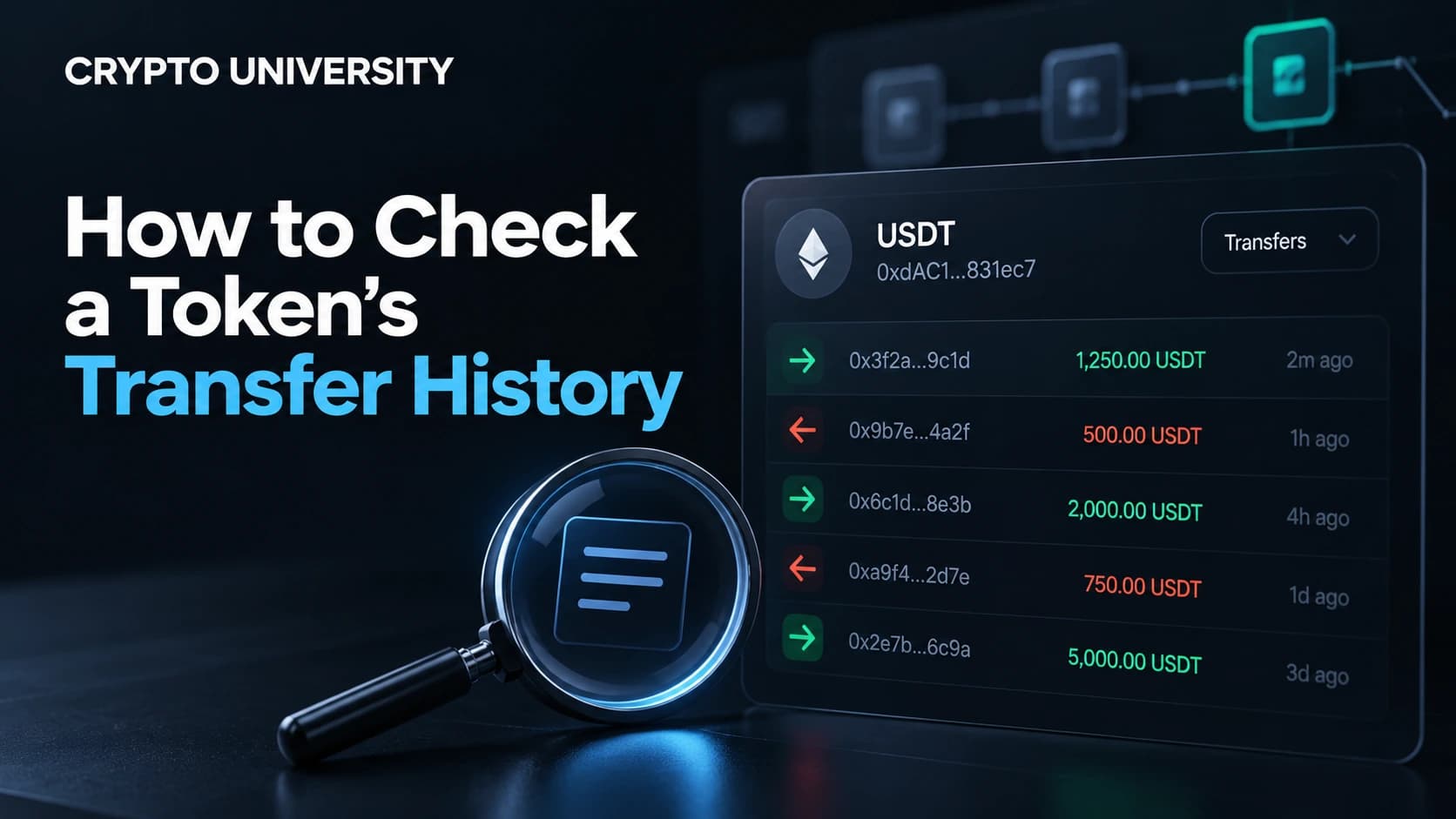
- Open the token page and review the Transfers tab for the newest movements across all holders.
- Open the Holders tab to see concentration, then click large holders to inspect their history.
- Check the Contract tab to see whether the source code is verified.
- Look for mint and burn events. Transfers from the zero address
0x0000...0000are new supply. Transfers to the zero address or a dead address are burns.
Step 4: Check Transfer History on Solana
Solana uses a different account model. Tokens are identified by a mint address, and each wallet holds them inside separate linked token accounts.
On Solscan:
- Search a wallet address and open the Transfers tab for token movements, newest first.
- Use Balance Changes to see exactly how SOL and token balances shifted inside a transaction.
- Use DeFi Activities for swaps, staking and liquidity actions, which read more clearly there.
- Search a mint address to study one token, including supply, holders and recent transfers.
Solscan's filters narrow results by date range, action type such as transfer, mint or burn, sender, receiver and amount. CSV export is available from those same tabs and applies whatever filters you set. The official Solana Explorer and SolanaFM read the same ledger and are useful for cross-checking.
Step 5: Other Networks
| Network | Common explorer | What to search |
|---|---|---|
| Ethereum and most EVM L2s | Etherscan family, Blockscout | Wallet address or token contract address |
| Solana | Solscan, Solana Explorer, SolanaFM | Wallet address or token mint address |
| Tron | Tronscan | Wallet address or TRC-20 contract address |
| Bitcoin | mempool.space, Blockstream Explorer | Address or transaction ID |
| Multi-chain overview | Blockchair, Arkham, DeBank | Address across several chains at once |
Bitcoin has no native token standard in the Ethereum sense. Metaprotocols such as Runes and BRC-20 store data inside ordinary Bitcoin transactions, so they need explorers that decode those formats. A standard Bitcoin explorer shows the transaction but not always the token layer on top of it.
Step 6: Read the Columns Correctly
| Column | What it tells you |
|---|---|
| Transaction hash | Unique ID for the transaction, which may contain several transfers |
| Block and timestamp | When it settled. Set your time zone in the explorer to avoid confusion |
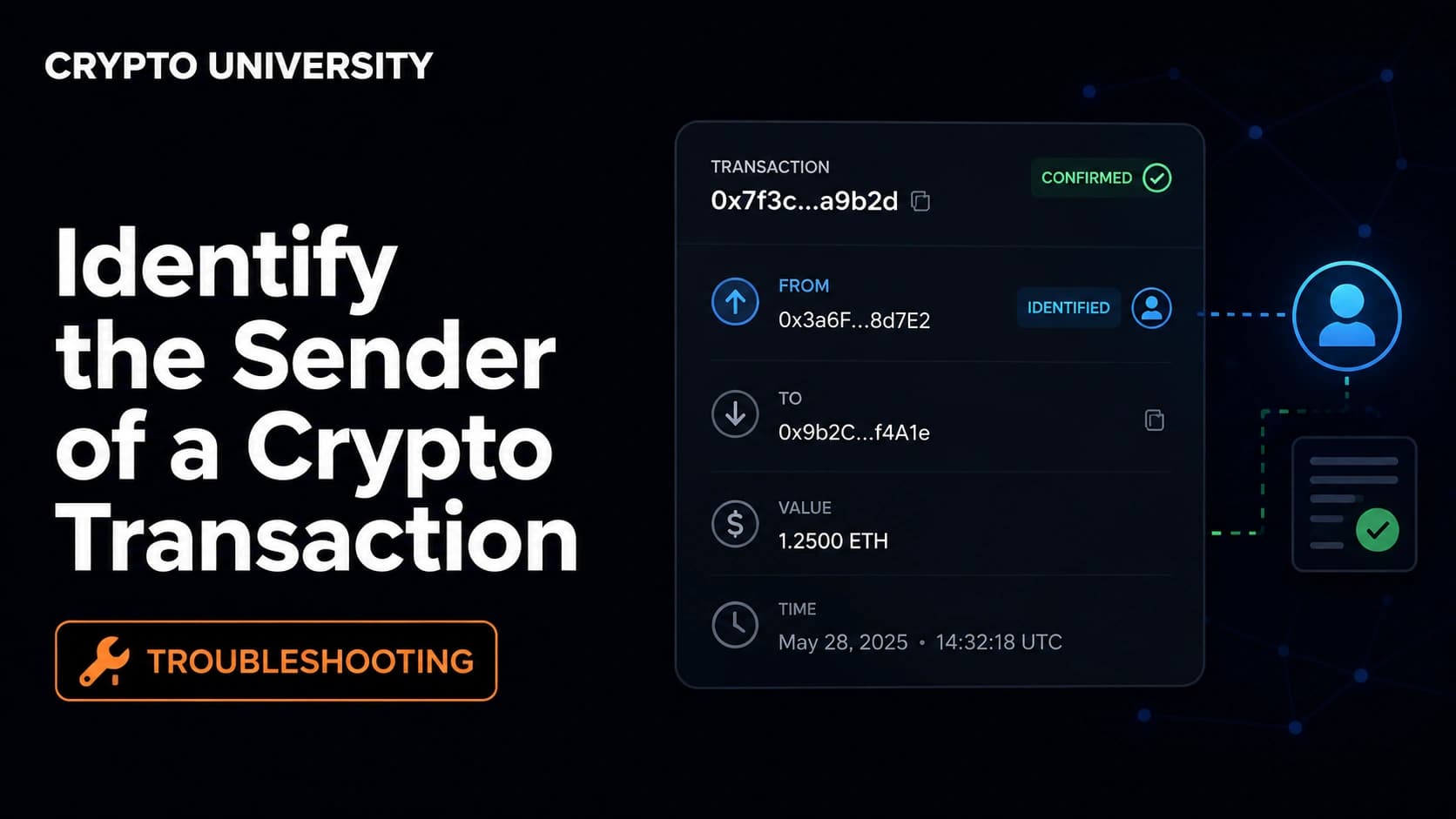
| From / To | Sending and receiving addresses, sometimes carrying a public name tag |
| Value or amount | Quantity moved, already adjusted for decimals in the interface |
| Token | Contract or mint the transfer belongs to. Always confirm this matches your target |
| Method | The decoded function called, such as Transfer, Swap or Approve |
Step 7: Pull the Data With an API
For repeat checks, dashboards or accounting, an API beats clicking through pages.
Etherscan's V2 API uses one key across more than sixty EVM chains, selected with a chainid parameter. The legacy V1 endpoints were deprecated on 15 August 2025, so older tutorials pointing at api.etherscan.io/api return an error.
A token transfer query looks like this:
https://api.etherscan.io/v2/api
  ?chainid=1
  &module=account
  &action=tokentx
  &contractaddress=TOKEN_CONTRACT
  &address=WALLET_ADDRESS
  &page=1
  &offset=100
  &startblock=0
  &endblock=99999999
  &sort=desc
  &apikey=YOUR_KEY
The returned value field is in the token's smallest unit, so divide it by ten to the power of decimals. Etherscan has also announced that from 1 July 2026 the free tier returns at most 1,000 records per request instead of 10,000, so free-tier scripts should page through results.
Alternatives include Alchemy, GoldRush, Moralis and Bitquery for EVM chains, and Helius or standard RPC methods for Solana. Dune lets you write SQL over indexed data when you need aggregation rather than one wallet view.
Step 8: Add Context With Analytics Tools
Explorers answer "what happened". Analytics platforms try to answer "who and how much".
| Tool | Best used for | Cost note |
|---|---|---|
| Bubblemaps | Visual map of holder clusters and connected wallets | Free tier available |
| Arkham | Entity labelling and fund flow graphs | Free tier available |
| Nansen | Wallet labels and flow monitoring | Subscription |
| Dune | Custom SQL queries and dashboards | Free and paid tiers |
| DeBank / Zerion | Portfolio view across many chains | Free tier available |
Treat every label as an educated guess. Attribution is inferred from behaviour and public disclosures, so it can be wrong or out of date.
Common Problems and What They Mean
| What you see | Likely explanation | Practical response |
|---|---|---|
| Tokens you never bought | Spam or dusting airdrop | Ignore them. Do not visit linked sites or approve them |
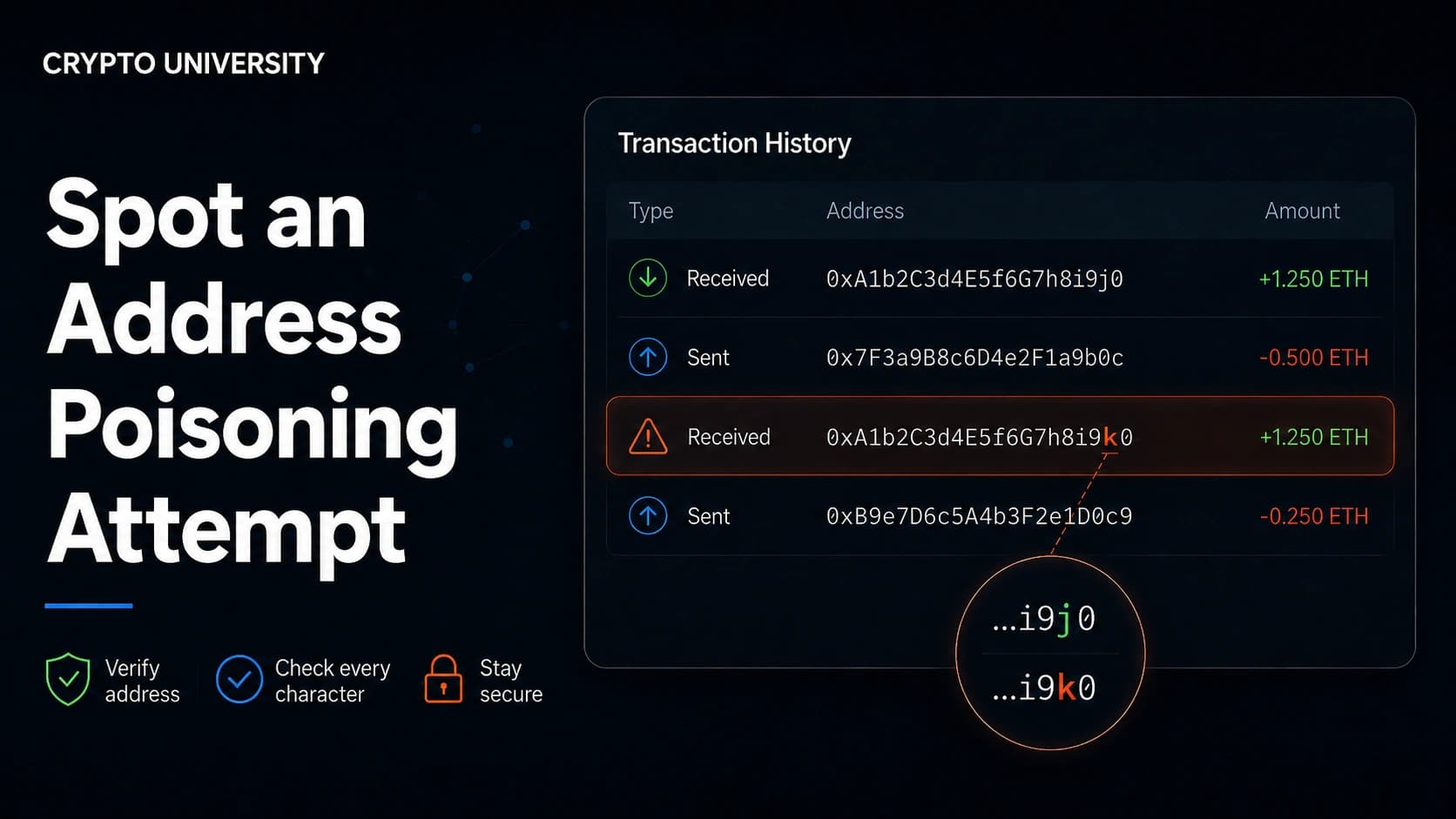
| A near-identical address in your history | Address poisoning, designed to make you copy the wrong address | Always copy addresses from the source, never from history |
| Right symbol, unfamiliar contract | Copycat token using a well-known ticker | Verify the contract address against the official project site |
| Transfer missing from the main tab | You are on the transactions tab, not the token transfers tab | Switch tabs and check the correct chain |
| Trail stops at a bridge contract | Assets moved to another chain and re-issued there | Continue on the destination chain explorer |
| Amounts look absurdly large | Raw values not divided by token decimals | Apply the decimals value from the token page |
Two further limits are worth knowing. Fee-on-transfer and rebasing tokens can make the received amount differ from the sent amount, which is normal for those designs. Indexers also lag the chain at times, so refresh or cross-check a very recent transfer on a second explorer before assuming something went wrong.
What Transfer History Cannot Tell You
Transfer history is factual but limited. It does not reveal identity, motive, off-chain agreements, or whether an address is controlled by one person or many. Custodial exchange balances move inside internal databases and only touch the chain at deposit and withdrawal, so most exchange activity stays invisible. Reading history is a research skill, not a valuation method.
Privacy runs in both directions. Anything you send from a personal address joins a permanent public record that anyone can query later.
FAQ
Do I need to connect my wallet to view transfer history? No. Block explorers are read-only. Any page that asks you to connect a wallet, sign a message or enter a seed phrase in order to "view history" should be treated as a phishing attempt.
Why does one transaction show several token transfers? Because swaps and contract interactions route tokens through multiple contracts, and each hop emits its own transfer event. The transaction is one payment instruction, while the transfers are the individual movements it triggered.
How far back can I look? To the token's first block. The chain keeps everything. The practical limits come from explorer interfaces and export caps, not from the data itself, so use date and block filters or an API for long histories.
Can transfer history be deleted or edited? No. Confirmed records on a public chain cannot be altered by the sender, the token issuer or the explorer. An explorer can change how it labels or displays data, but not the underlying ledger.
How do I tell a real token from a fake one with the same name? Compare the contract or mint address with the address published on the project's official website, documentation or verified social account. The symbol alone proves nothing, since anyone can deploy a contract using any symbol.
Related Terms
- Block explorer: a website that indexes and displays blockchain data in readable form.
- Contract address: the unique on-chain address where a token's smart contract lives.
- Transfer event: the log entry a token contract writes when balances move.
- Token decimals: the number of digits used to divide raw on-chain values into human-readable amounts.
- Address poisoning: a scam that plants lookalike addresses in your history so you copy the wrong one.
Sources
- Etherscan API documentation, "Get ERC20 Token Transfers by Address" and V2 migration notes: https://docs.etherscan.io
- Etherscan Information Center, Etherscan API V2 multichain announcement: https://info.etherscan.com/etherscan-api-v2-multichain/
- Solscan Information Center, account page, filters and CSV export guides: https://info.solscan.io
- Alchemy documentation, "Understanding Logs: Deep Dive into eth_getLogs": https://www.alchemy.com/docs/deep-dive-into-eth_getlogs
- Ethereum ERC-20 token standard: https://eips.ethereum.org/EIPS/eip-20
More Reading
- Ethereum.org, "ERC-20 Token Standard" overview for how token contracts are structured.
- Solana Documentation, "Solana Program Library Token" for how mint addresses and token accounts work.
- Etherscan Information Center, "Using the API Service" for a beginner walkthrough of API keys and rate limits.
--- Disclaimer: This article is educational and does not constitute financial, legal, or security advice. Wallet menus and settings change between versions, so confirm exact steps in your wallet's official help documentation.
Not sure which problem you have?
Use the Fixing Crypto Mistakes hub to identify the transaction, wallet, network, or exchange issue before taking another action.
OPEN TROUBLESHOOTING HUB