If you only keep your crypto on an exchange or in a phone app, your private keys are wide open to risks. Exchange hacks, phishing sites, malware, and SIM swaps have already cost people billions. A hardware wallet solves the biggest problem by storing your private keys on a small device that never touches the internet directly.
This guide walks you through the three most popular hardware wallets in 2026 – Ledger, Trezor, and Coldcard – in plain English so any new trader can understand exactly what they do and which one might suit you best.
What Does a Hardware Wallet Actually Protect Against?
Threat | Hardware Wallet Protection |
Exchange hack | Yes |
Phishing site | Partial |
Malware on your computer | Yes |
SIM swap attack | Yes |
Remote attack | Yes |
Physical theft of device | Partial |
Seed phrase compromise | No |
Ledger
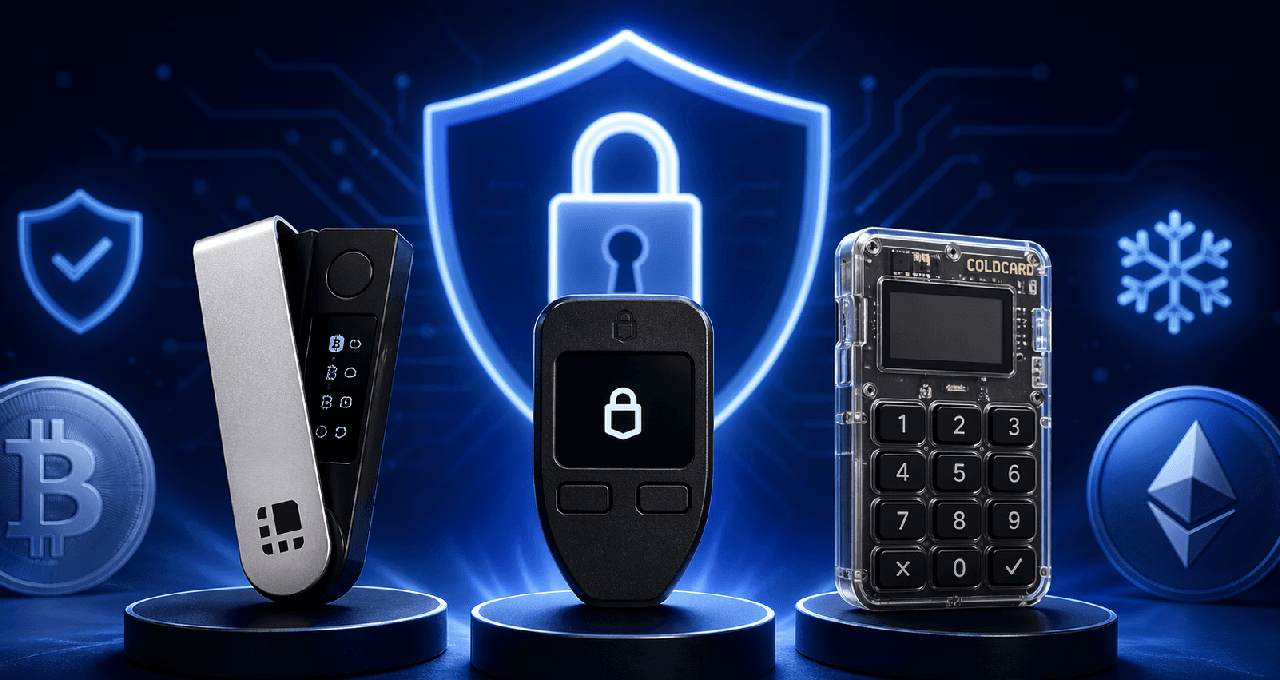
Ledger works great for beginners who want to hold many different cryptocurrencies. It supports over 5,000 coins through its easy Ledger Live app. It uses a strong CC EAL5+ Secure Element chip for protection. The Nano X model even includes Bluetooth so you can sign transactions from your phone.
Trezor
Trezor is the top choice if you care about open-source transparency. Its firmware is fully open for anyone to check. It also offers Shamir Backup, which lets you split your seed phrase for extra safety. It does not have Bluetooth.
Coldcard
Coldcard is made for Bitcoin-only users who want the strongest security possible. It can stay completely air-gapped using a MicroSD card and has built-in multi-signature support. The downside is a steeper learning curve if you are just starting out.
Device Comparison Table
Feature | Ledger Nano X | Trezor Safe 3 | Coldcard Mk4 |
Price (2026) | ~$149 | ~$79 | ~$150 |
Open-source firmware | No | Yes | Partially |
Secure Element | Yes (EAL5+) | Yes (EAL6+) | Yes |
Bluetooth | Yes | No | No |
Air-gap | No | No | Yes |
Asset support | 5,000+ | 1,000+ | Bitcoin only |
Beginner-friendly | High | High | Low |
Multi-sig support | Via third-party | Via third-party | Native |
Beginner Rating (0-5) | 5 | 4 | 2 |
Setup Checklist
Buy directly from the manufacturer
Inspect packaging for tampering
Record seed phrase on paper or metal
Store seed phrase securely offline
Never photograph or digitally store your seed phrase
Set your PIN
Pair with official companion app
Send a small test transaction
Passphrase Security
All three devices let you add an optional passphrase (sometimes called the 25th word). This creates a hidden second wallet and gives extra protection if your seed phrase is ever stolen. Just remember: if you forget the passphrase, those funds are gone forever.
When a Hardware Wallet Is Not Enough
Even the best device cannot protect you from everything. If someone steals your seed phrase, they can access your crypto without the wallet. You could still accidentally approve a malicious smart contract. Phishing sites can trick you into signing bad transactions. In a physical theft or coercion situation, many people use a decoy wallet as a safety plan.
FAQ
What happens if my hardware wallet breaks?
You simply recover your funds using your seed phrase on any compatible device or software wallet. Your crypto lives on the blockchain, not inside the device itself.
Is it safe to buy a used hardware wallet?
No. Always buy new and directly from the official manufacturer to avoid any tampering.
Do I need one if I only hold a small amount?
It depends on your own risk tolerance. Many beginners start with a software wallet and switch to hardware once their holdings grow.
What is cold storage?
Cold storage simply means keeping your crypto private keys completely offline. A hardware wallet is one of the easiest and safest ways to do this.
Disclaimer: This content is for educational and informational purposes only and is not financial advice. Nothing here is a recommendation to buy or sell any asset or use any platform. Do your own research and manage your risk.
Read More
How Withdrawal Fees Affect Your Overall Trading Costs
Top 5 Cryptocurrency Payment Gateways for Beginners
Understanding Ethereum Gas Fees: Your Guide to Transaction Costs
Need deeper training?
Join our structured modules with live examples and expert checklists for effective implementation.
JOIN THE ACADEMY