Key Takeaways
A fee bump is a brand-new signature. Replace-by-Fee (RBF) does not "push" your old payment. Your wallet builds and signs a new transaction, so check it as carefully as the first one.
Update Electrum to 4.8.3 or later, and only from electrum.org. Older versions could be tricked by a malicious server into signing a real payment to an attacker during a fee bump. Verify the download signature.
Verify before you sign, in any wallet. Look up the pending transaction in an independent block explorer, then confirm the full address and amount on the signing screen or hardware wallet display.
What Happened, in Three Sentences
On October 24, 2026, the Electrum team released version 4.8.3 and disclosed a high-severity flaw in GitHub advisory GHSA-6jp4-8v48-cc5v. A malicious Electrum server could show a user a fake pending payment, and if the user raised its fee with Replace-by-Fee, the wallet would sign a real, valid payment to the attacker. Every version before 4.8.3 was affected, at least one theft is confirmed, and users connected only to trusted servers or their own server were not exposed.
Date (2026) | Event |
|---|---|
October 11 | First private report: a different outgoing transaction appeared in a 2-of-3 multisig wallet. No loss was reported. |
October 18 | Second report: a user lost funds after approving a fee increase |
October 23 to 24 | Version 4.8.3 published (the changelog lists October 23) and the advisory disclosed on October 24 |
The amount stolen has not been disclosed, and the malicious servers have not been publicly named.
This is not a reason to panic. It is a reason to learn how fee bumps work and to build a habit that protects you in any wallet.
Concept: The Mempool, Pending Transactions, and Replace-by-Fee
When you send bitcoin, your wallet signs a transaction and broadcasts it to the network. Nodes keep valid, unconfirmed transactions in a waiting area called the mempool (memory pool) until a miner includes one in a block.
Miners generally pick the transactions that pay the highest fee rate, measured in satoshis per virtual byte (sat/vB). When blocks are busy, a low-fee transaction can wait for hours or days. That is what people mean by a stuck Bitcoin transaction: it was broadcast, but it is not confirming. By default, Bitcoin Core nodes drop transactions that sit in the mempool for 14 days.
There are two standard ways to speed one up:
Method | Who can use it | How it works | Where to find it in Electrum |
|---|---|---|---|
Replace-by-Fee (RBF) | The sender | Signs a new version spending the same coins with a higher fee, which replaces the original | History tab, right-click the transaction, then "Increase fee" |
Child Pays for Parent (CPFP) | Anyone who controls an output, often the recipient | Spends an unconfirmed output with a high fee, so miners confirm both transactions together | History tab, right-click, then "Child pays for parent" |
Since Bitcoin Core 28.0 (October 2024), nodes accept replacements for any unconfirmed transaction by default, and version 29.0 (April 2025) removed the option to turn this off.
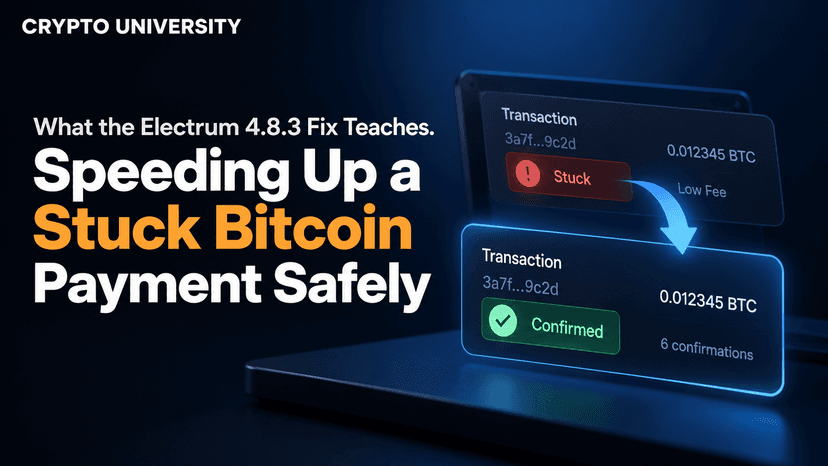
The key point: an RBF bump is a fresh signature. Your wallet builds the replacement from whatever it believes the original looked like. If that picture is wrong, you sign the wrong thing. That is exactly the gap the Electrum attack used.
Concept: Why Lightweight Wallets Rely on Servers
A full node downloads and checks every block and transaction itself. A lightweight wallet like Electrum asks servers instead, which is why it starts fast on modest hardware.
According to Electrum's documentation, the wallet keeps connections to about 10 servers and picks one as its main server for wallet history. Confirmed transactions are checked with Simple Payment Verification (SPV), which proves a transaction sits inside a real block. Unconfirmed transactions have no block to check against, and Electrum's FAQ states that the server is trusted about them.
Before 4.8.3, Electrum did not verify the signatures on unconfirmed transactions reported by the server. The attack worked like this:
You send a payment. A rogue main server receives it and does not broadcast it.
The server reports a fake transaction in its place. It spends your coins to an attacker address, carries invalid signatures, and in one case paid zero fee so it looked stuck.
The attacker's address was generated so its last four characters matched your real recipient.
You click "Increase fee." The wallet builds a replacement from the fake and you sign a valid payment to the attacker.
Version 4.8.3 now checks signatures on unconfirmed transactions that spend coins from your own wallet, so fakes with invalid signatures are rejected before they appear in your history.
Setup | Who you rely on for pending transactions | Effort | Exposure to this attack |
|---|---|---|---|
Electrum before 4.8.3 on public servers | An unknown server | Low | Exposed |
Electrum 4.8.3 or later on public servers | Server data, with signatures checked locally | Low | Patched |
Electrum connected only to your own server | Your own node and server | Medium to high | Not exposed |
Holding bitcoin on an exchange? The exchange handles fees for you. See custodial vs. self-custody wallets [INTERNAL-LINK-4-custodial-vs-self-custody] for the trade-offs.
Step 1: Check Your Version and Update From the Official Site Only
Check your version. In Electrum desktop, open Help > About.
If it is below 4.8.3, update now. Type electrum.org into your browser yourself. Do not use search ads, links in emails, or links in chat messages.
Download the signature file too. Each download has a matching .asc signature file next to it.
Verify the signature. On Linux or macOS with GPG installed, import ThomasV's public key, then run:
gpg --verify Electrum-4.8.3.tar.gz.asc Electrum-4.8.3.tar.gz
Read the result. Electrum's guide says you should see "Good signature" and the primary key fingerprint 6694 D8DE 7BE8 EE56 31BE D950 2BD5 824B 7F94 70E6. A warning that the key is "not certified" is normal and only means you have not built a GPG web of trust.
On Windows, the Kleopatra tool from Gpg4win can do the same check. Electrum deliberately does not publish file hashes, because someone who hacked the website could replace the hashes too. A signature cannot be forged without the developer's private key.
Step 2: Look Up the Pending Transaction Before You Bump
Your wallet's history is only as honest as its server. Check somewhere else first.
Open the pending transaction in your wallet and copy its transaction ID (txid).
Paste it into an independent block explorer, such as mempool.space or Blockstream's explorer. Our block explorer walkthrough [INTERNAL-LINK-5-blockchain-explorer-walkthrough] shows how to read the results.
Compare what the explorer shows with what you intended to send.
What the explorer shows | What it may mean | What to do |
|---|---|---|
Transaction not found | It never reached the network, as in this attack, or it was dropped | Do not bump. Update your wallet, switch servers, and check again |
Found, and the address and amount match | A genuine stuck payment | Continue to Step 3 |
Found, but the address or amount differs | Something is wrong | Stop. Do not sign anything |
Already confirmed | Nothing is stuck | No action needed |
Compare the full address, character by character. The attackers matched the last four characters on purpose. For extra privacy, use an explorer over Tor or one you host yourself, since a public explorer can see which transactions you look up.
Step 3: Confirm the Address and Amount on the Signing Screen
When you click "Increase fee," Electrum shows the replacement before you sign. Treat that screen as a new payment, because it is one.
Field | Original payment | Valid fee-bump replacement |
|---|---|---|
Recipient address | Your intended address | Exactly the same |
Amount to recipient | Your intended amount | Exactly the same |
Fee | Lower | Higher |
Change back to you | Some amount | Usually smaller, to cover the extra fee |
If the recipient address or amount changed, cancel.
Using a hardware wallet? The device screen is your source of truth, because a compromised computer or server can lie to the app but cannot change what the device displays. Read the full address and amount on the device before you approve. Checking the original payment is not enough. Check every signature, including the fee bump.
Step 4 (Optional): Connect to a Trusted Server or Your Own Node
Users connected only to trusted servers or their own were not exposed. You have two options:
Choose a server you trust. In Electrum desktop, open Tools > Network, untick "Select server automatically," and pick a server run by someone you know. "Trusted" means you know the operator, not that the server is popular.
Run your own. Pair a Bitcoin Core full node with Electrum server software such as Electrs, Fulcrum, or ElectrumX, then point Electrum at it. Advanced users can start Electrum with --oneserver so it never falls back to public servers.
Running your own server improves privacy and removes a trusted third party, but it needs a spare computer, disk space, and ongoing upkeep.
Printable Checklist: Before You Speed Up a Payment
Done | Check |
|---|---|
[ ] | My wallet is up to date (Electrum 4.8.3 or later), downloaded from the official site, with the signature verified |
[ ] | I found the txid in an independent block explorer |
[ ] | The recipient address in the explorer matches my intended address, character by character |
[ ] | The amount in the explorer matches what I meant to send |
[ ] | On the signing screen, only the fee and change are different |
[ ] | My hardware wallet screen shows the same full address and amount |
[ ] | Optional: I am connected only to a trusted server or my own node |
[ ] | If anything does not match, I stop and do not sign |
Make verification a habit. Work through Crypto University's free Wallet Security track next, and subscribe to get security explainers when new advisories land.
Tokenized
Frequently Asked Questions
How do I speed up a stuck Bitcoin transaction?
If you sent it, use Replace-by-Fee to sign a new version with a higher fee. If you received it, or you control an output such as change, use Child Pays for Parent. Before either one, look up the transaction in a block explorer and confirm the details.
Is Replace-by-Fee safe to use?
Yes, RBF is a standard and widely used Bitcoin feature. The Electrum flaw came from the wallet trusting false data from a server, not from RBF itself. The risk is signing a replacement without checking what it pays.
Was my Electrum wallet affected?
All versions before 4.8.3 were vulnerable when connected to a malicious server. If you used public servers, review your outgoing transactions in an independent block explorer and look for payments you do not recognize. Users connected only to trusted servers or their own were not exposed.
What does it mean if my pending transaction is not in a block explorer?
It either never reached the network or was dropped from node mempools. Either way, do not fee-bump it. Update your wallet, switch to a trusted server, and check again.
Does updating Electrum change my seed phrase or my funds?
No. Your funds are recorded on the Bitcoin blockchain and your keys come from your seed phrase. Updating the app changes only the software, and no genuine update asks you to enter your seed phrase online.
Related Terms
Replace-by-Fee (RBF): A Bitcoin feature that lets a sender replace an unconfirmed transaction with a new version that pays a higher fee.
Mempool: The waiting area where nodes hold valid, unconfirmed transactions until miners include them in a block.
Child Pays for Parent (CPFP): A fee-bumping method in which a new transaction spends an unconfirmed output with a high fee so miners confirm both together.
Simple Payment Verification (SPV): A method lightweight wallets use to confirm that a transaction is included in a block without downloading the full blockchain.
Full Node: Software that downloads and independently verifies every Bitcoin block and transaction against the network rules.
Disclaimer: This content is for educational and informational purposes only and is not financial, investment, legal, or tax advice. Nothing here is a recommendation to buy or sell any asset or use any platform. Do your own research and manage your risk. Cryptocurrency involves risk, including the permanent loss of funds.
Sources
Electrum (GitHub). "Security advisory GHSA-6jp4-8v48-cc5v." https://github.com/spesmilo/electrum/security/advisories/GHSA-6jp4-8v48-cc5v
CoinDesk. "Bitcoin wallet bug let rogue servers steal funds when users tried to speed up payments." October 26, 2026. https://www.coindesk.com/tech/2026/10/26/bitcoin-wallet-bug-let-rogue-servers-steal-funds-when-users-tried-to-speed-up-payments
Bitcoin.com News. "Electrum Wallet Attack Hid Bitcoin Theft Behind a Fee Increase." October 24, 2026. https://news.bitcoin.com/security/electrum-wallet-attack-hid-bitcoin-theft-behind-a-fee-increase/
Electrum (GitHub). "Commit 90fe308 (security fix shipped in 4.8.3)." https://github.com/spesmilo/electrum/commit/90fe30822561e515a9d2d6e5a352cc07780999eb
Odaily. "Electrum Fixes Critical Security Issue, Releases Version 4.8.3." https://www.odaily.news/en/newsflash/527185
Electrum. Official download page and GPG verification notes. https://electrum.org/
Electrum Documentation. "Verifying GPG signature of Electrum using Linux command line." https://electrum.readthedocs.io/en/latest/gpg-check.html
Electrum Documentation. "Frequently Asked Questions." https://github.com/spesmilo/electrum-docs/blob/master/faq.rst
Blockstream Help Center. "What is Replace-by-Fee (RBF)?" https://help.blockstream.com/education/transactions/transaction-basics/what-is-replace-by-fee
Spark Research. "Full RBF in Practice: How Bitcoin's Mempool Policy Shift Affects Zero-Conf Merchants." https://www.spark.money/research/bitcoin-mempool-fullrbf-merchant-impact
Bitcoin Wiki. "Fee bumping." https://en.bitcoin.it/wiki/Fee_bumping
Bitcoin Electrum. "How to switch to a different Electrum server." https://bitcoinelectrum.com/how-to-switch-to-a-different-electrum-server/