Key Takeaways
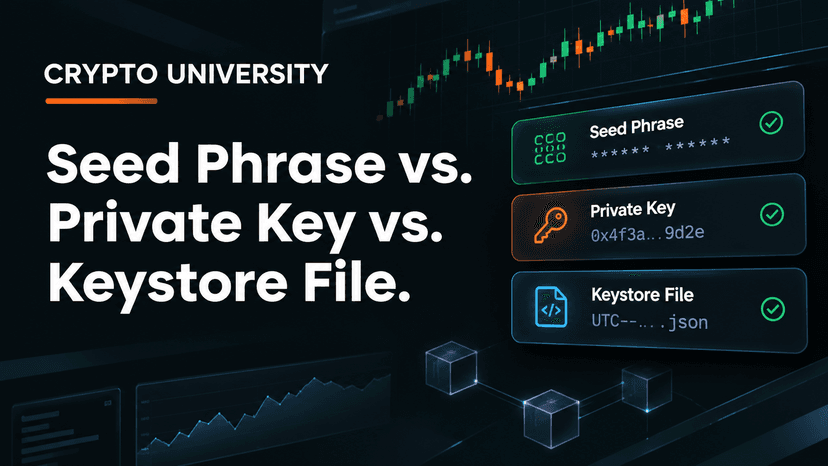
A seed phrase restores a whole wallet. Its 12 to 24 words can rebuild every account and address the wallet ever created.
A private key restores one address only. It usually shows up as a long string of letters and numbers, and it unlocks a single account.
A keystore file is a private key locked with a password. It is a small JSON file, mostly used on Ethereum, and it is useless without the password that encrypted it.
Why This Question Matters
Crypto wallets give you a backup when you set them up. Years later, plenty of people find a note, a printout, or an old file and cannot tell what it is. Does it hold the whole wallet, or just one address? Does it need a password? Which app can open it?
You need those answers before you try any recovery. Pick the wrong tool or the wrong import option and you can waste hours, or worse, hand your backup to a scam site. This guide covers the three most common backup types, how to recognize each one, and what each one can actually restore.
The Short Answer
Backup type | What it looks like | What it restores | Needs a password? |
|---|---|---|---|
Seed phrase | 12, 18, or 24 ordinary words | The entire wallet and all its accounts | No, unless you added an optional passphrase |
Private key | 51 to 64 characters of letters and numbers | One address or account | No |
Keystore file | A .json file, often named UTC–date–address | One account (an encrypted private key) | Yes, always |
What Is a Seed Phrase?
A seed phrase, also called a recovery phrase or Secret Recovery Phrase, is a list of plain words that your wallet generates when you first create it. Most wallets follow a standard called BIP39, which picks words from a fixed list of 2,048 English words.
From that one phrase, the wallet works out a near endless series of private keys. MetaMask’s support guide describes the phrase as a keyring that can hold as many keys as you want, with each key controlling one account. That is why a seed phrase is so powerful. Restore it in a compatible wallet and every account comes back with it.
How to recognize a seed phrase
It is 12, 18, or 24 words long, usually numbered
The words are simple and common, such as “apple”, “river”, or “ocean”
It was likely written on a paper card or a metal plate
The wallet told you to write it down and never store it online
Watch out for Electrum seeds
Not every word list follows BIP39. The Electrum wallet has used its own seed system since version 2.0. Its documentation says plainly that Electrum does not generate BIP39 seeds. An Electrum phrase looks just like a BIP39 phrase, but most other wallets will not restore it correctly. If you used Electrum in the past, restore your phrase in Electrum first.
Optional passphrase
Some wallets let you add an extra word on top of the seed, often called a 25th word or passphrase. If you set one, the seed phrase alone will open a different, empty wallet. You need both to see your funds.
What Is a Private Key?
A private key is a single secret number. It proves you own one address and lets you sign transactions from it. Every crypto address has exactly one matching private key.
Your seed phrase and your private keys are connected. The seed phrase is the master copy, and the private keys are built from it. You can export a private key from a wallet, but that key covers only one address.
What a private key looks like
Format | Common on | Length | How it starts |
|---|---|---|---|
WIF (uncompressed) | Bitcoin, older wallets | 51 characters | The number 5 |
WIF (compressed) | Bitcoin, newer wallets | 52 characters | K or L |
Hexadecimal | Ethereum and EVM chains | 64 characters (0 to 9, a to f) | Often 0x |
On Bitcoin, private keys are usually written in Wallet Import Format (WIF). Mainnet WIF keys start with 5, K, or L, according to the Bitcoin wiki. On Ethereum and similar networks, a private key is usually shown as 64 hexadecimal characters, sometimes with “0x” in front.
Where private keys show up
Paper wallets. Popular in the early years of Bitcoin, these print the private key next to its address, often with QR codes.
Exported keys. Many wallets let you copy the key for one account, for example MetaMask’s “Show private key” option.
Imported accounts. If you once imported a key into a wallet, that account is not covered by the wallet’s seed phrase.
That last point catches a lot of people. MetaMask’s own help pages explain that imported accounts do not come back when you restore your Secret Recovery Phrase. You have to import the private key again.
What Is a Keystore File?
A keystore file is a private key that has been encrypted with a password and saved as a small text file. It is most common on Ethereum, where it follows a format called the Web3 Secret Storage Definition, described on ethereum.org.
Tools such as Geth, MyEtherWallet, and MyCrypto used to create these files. Many people downloaded one when they first set up an Ethereum wallet in 2016 or 2017.
How to recognize a keystore file
The file name often begins with UTC– followed by a date, time, and address
It may end in .json, or have no extension at all
Opening it in a text editor shows fields like “crypto”, “ciphertext”, “kdf”, “mac”, and “version”
It is usually only a few hundred bytes long
Why the password matters
The file on its own does not reveal the private key. The wallet runs your password through a slow math process, called a key derivation function (often scrypt or PBKDF2), to unlock it. Lose the password and the file is very hard to open. Find the password and you can usually import the file into a wallet that supports keystore files, such as MetaMask or MyEtherWallet.
A Bitcoin Core wallet.dat file is a different kind of wallet file. It works on a similar idea, a file that holds keys and can be protected with a passphrase, but it is not a keystore file and will not open in Ethereum wallets.
Side by Side Comparison
Question | Seed phrase | Private key | Keystore file |
|---|---|---|---|
Covers how many addresses? | All of them | One | One |
Works across many coins? | Yes, in compatible wallets | Usually one network type | Mainly Ethereum and EVM chains |
Easy to write on paper? | Yes | Possible but error prone | No, it is a file |
Encrypted by default? | No | No | Yes |
Biggest risk | Anyone who sees it can take everything | Anyone who sees it can take that address | Weak or forgotten password |
Best way to store | Offline, on paper or metal | Offline, or move funds to a new wallet | Several offline copies, password stored separately |
How to Tell Which One You Have: Step by Step
Count what you see. Words in a numbered list point to a seed phrase. One long unbroken string points to a private key.
Check the first character. A string starting with 5, K, or L is likely a Bitcoin WIF key. A 64 character string of 0 to 9 and a to f is likely an Ethereum style key.
Look at the file name. A name starting with UTC– or a .json file with “ciphertext” inside is almost certainly a keystore file.
Remember the wallet you used. Electrum, MetaMask, MyEtherWallet, and Bitcoin Core each produced different backups.
Check the address first. If you know the public address, look it up on a block explorer to confirm it still holds funds before you try anything.
Restore only in official software. Download the wallet from its official site, and use an offline or trusted device where you can.
Safety Rules for All Three
Never type a seed phrase or private key into a website that asks to “check” or “validate” it.
Nobody legitimate will ask for it. MetaMask states that its staff will never ask for your Secret Recovery Phrase, even in a support chat.
Avoid photos and cloud notes. Pictures and notes can sync to online accounts without you noticing.
Move funds from old single keys. If a paper wallet or exported key has been exposed, sweep the funds into a fresh wallet with a new seed phrase.
Keep keystore files and their passwords apart. Store them in different places so one leak does not expose both.
FAQ
Is a seed phrase the same as a private key? No. A seed phrase is a master backup that creates many private keys. A private key controls one address only. If you have the seed phrase, you can usually rebuild every private key from it.
Can I get my seed phrase from a private key? No. The process only works one way. Private keys are built from the seed phrase, but you cannot work backward to find the words.
Can I open a keystore file without the password? In practice, usually not. The password is needed to decrypt the private key inside. Some people try password recovery tools on their own offline computer, using guesses they remember.
Why did my seed phrase restore an empty wallet? Common causes include a wrong word order, a missing passphrase, an Electrum seed entered into a BIP39 wallet, or a different derivation path. Funds in imported accounts also will not appear.
Which backup is the safest? A seed phrase stored offline on paper or metal is the most common choice, because it covers the whole wallet and does not depend on a device or file.
Related Terms
Seed Phrase: A list of 12 to 24 words that can restore a self-custody wallet and all of its keys.
Private Key: A secret number that proves ownership of a crypto address and allows the holder to spend its funds.
Keystore File: An encrypted file, usually in JSON format, that stores a private key and can only be unlocked with its password.
Disclaimer
This article is for educational purposes only and is not financial, legal, or technical recovery advice. Wallet formats and features change over time. Always follow the official documentation of the wallet you used, and keep backups private.
Sources
The BIP39 English wordlist lists the 2,048 words used in standard seed phrases.
MetaMask’s guide to the Secret Recovery Phrase, password, and private keys explains how accounts are derived from one phrase.
MetaMask’s restored the wrong accounts page explains why imported accounts need their private key.
The Bitcoin wiki private key page covers key formats, including WIF.
Ethereum.org’s Web3 Secret Storage Definition describes the keystore file format.
Electrum’s Seed Version System explains why Electrum seeds differ from BIP39.