Key Takeaways
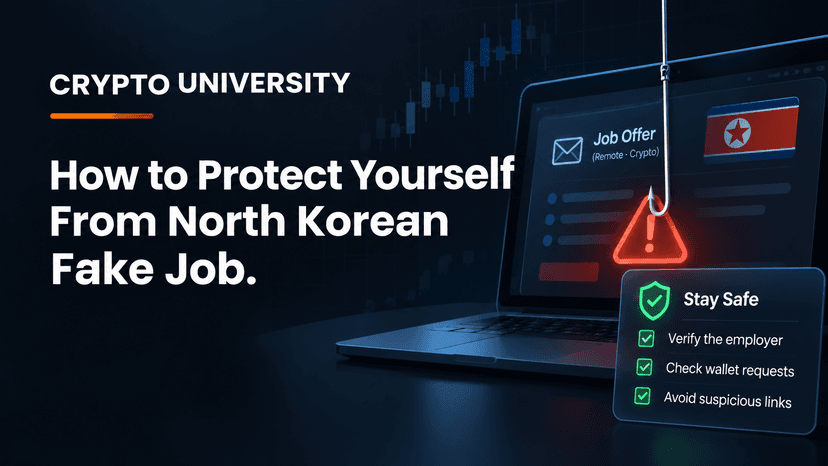
The job offer is the attack. North Korea-linked groups pose as recruiters for crypto, AI, and Web3 companies. The "coding test" or "video call fix" they send is usually malware that steals wallet data and passwords.
This is a large, ongoing operation. A September 2026 advisory from seven agencies in four countries linked one campaign to more than 30,000 infected devices and about $10.71 million in stolen crypto.
A few habits block most of these attacks. Never run code or commands from a stranger on a computer that holds wallets or work access, verify recruiters through official channels, and keep long-term funds in a hardware wallet.
What Are North Korean Fake Job Scams?
North Korean fake job scams are social engineering attacks. The attacker does not break into your computer directly. Instead, they build trust through a convincing hiring process and then persuade you to run something harmful yourself.
Security researchers track this activity under several names. The best known is Contagious Interview, a campaign first reported in 2023. Japanese police call the group behind it WaterPlum. A newer variant that uses fake "fix your camera" commands is called ClickFake Interview. All are commonly linked to the wider North Korean hacking cluster known as the Lazarus Group.
The goal is money. Stolen crypto is widely reported to help fund North Korea's weapons programs, which are under US and UN sanctions.
Why Crypto Workers and Users Are Targeted
Crypto is attractive to these groups for clear reasons:
Transactions are hard to reverse. Once funds leave a wallet, recovery is rare.
Developers often hold keys and access. A single infected laptop can expose personal wallets, company systems, and code repositories.
The industry hires remotely. Online interviews and take-home tests are normal, which makes fake ones easier to hide.
The scale in numbers
Figure | What it means | Source |
|---|---|---|
About $2.02 billion | Crypto stolen by North Korea-linked hackers in 2025, a record year | Chainalysis |
About $6.75 billion | Estimated total stolen by North Korea-linked hackers over time (lower-bound estimate) | Chainalysis |
About $1.5 billion | Stolen from the Bybit exchange in February 2025, the largest single crypto theft on record | FBI attribution, widely reported |
30,000+ devices | Infected by WaterPlum fake interviews in 100+ countries, December 2025 to July 2026 | Joint advisory, September 2026 |
7,000+ wallets | Had funds or credentials taken in that campaign, with about $10.71 million moved to North Korea | Joint advisory, September 2026 |
These figures are estimates from analytics firms and government agencies. Exact totals are hard to confirm.
How the Fake Job Scam Works, Step by Step
The September 18, 2026 joint advisory came from agencies in Japan, the United States, Australia, and Germany, including the FBI. It describes a pattern that matches years of earlier research.
The approach. A "recruiter" contacts you on LinkedIn, X, Telegram, Discord, a job board, or a freelance site. The company may be real but impersonated, or completely fake with a polished website.
The interview. You get a video call or a chat interview. The advisory says WaterPlum members used AI face-swapping to look like someone else on camera.
The task. You are asked to clone a GitHub repository, review a project, or complete a coding challenge. Sometimes you are told to download a file to "fix" an audio or camera problem during the call.
The infection. The files contain malware. Named families include BeaverTail, which steals browser and wallet data, and InvisibleFerret, a backdoor that gives remote access. Some versions hide code in project settings, such as VS Code task files that run automatically when the folder is opened.
The theft. The attackers collect saved passwords, browser wallet data, session cookies, and files. They then drain wallets or use your access to reach an employer.
The ClickFix trick
In the ClickFake Interview variant, a fake interview site shows an error such as "camera access blocked." It then tells you to copy a command and paste it into your terminal or the Windows Run box to fix it. That command installs malware. Researchers at Sekoia reported this method targeting both Windows and macOS users.
Rule to remember: no legitimate employer will ask you to paste a command into your system to join a call.
Beyond Job Offers: Related Phishing Tactics
The same groups use other trust-based approaches. The pattern is always a believable story followed by a request to download, sign, or connect.
Tactic | How it looks | What the attacker wants |
|---|---|---|
Fake recruiter | Attractive salary, fast hiring, coding test | You to run malicious code |
Fake investor or partner | A fund wants to invest or partner, sets up a call | You to install a "meeting app" or open a file |
Fake trading firm | Long relationship building with a project team | Inside access to company systems |
Fake collaborator | A developer asks for help debugging their code | You to run their project locally |
Fake meeting update | A link to "update Zoom" or a custom video app | Malware installed with your consent |
Fake IT worker | A remote hire with a fake identity joins your team | Salary income and internal access |
Long-game attacks can cost far more than one wallet. Decrypt reported that before the $285 million Drift Protocol exploit in April 2026, attackers spent about six months posing as a quantitative trading firm.
Red Flags Checklist
Watch for these warning signs. One alone may be innocent. Several together should stop you.
The recruiter found you first and the offer seems unusually generous
The process moves fast and skips normal HR steps
You must download code, a repository, or an app before a real interview
The interviewer's camera glitches, looks unnatural, or they ask you to switch video while theirs is "broken"
You are asked to paste a command into a terminal or Run box
The meeting uses an unfamiliar video tool instead of Zoom, Google Meet, or Teams
The company domain is new, slightly misspelled, or does not match its official site
Communication moves to Telegram or a personal email early
The task involves crypto wallet libraries, blockchain projects, or keys
How to Protect Yourself: A Practical Plan
These are general security practices for education, not professional security or legal advice.
1. Verify before you engage
Find the company's official website yourself, not through the link you were sent.
Contact the company through its official careers page to confirm the recruiter and the job exist.
Check how old the recruiter's profile is and whether real colleagues know them.
2. Never run untrusted code on your main machine
Do take-home tasks only in an isolated virtual machine, a cloud dev environment, or a spare device with no wallets or work logins.
Read package.json, install scripts, and .vscode/tasks.json before opening or running a project.
In VS Code, keep Workspace Trust enabled and choose "No" for unknown folders.
3. Separate your crypto from your work computer
Keep long-term funds in a hardware wallet, which keeps private keys off your computer.
Never store a recovery phrase as a file, screenshot, password manager note, or email.
Keep only small amounts in browser wallets.
4. Harden your accounts
Use an authenticator app or security key for two-factor authentication, not SMS.
Use a password manager with unique passwords, and keep your system and browser updated.
5. For crypto teams and employers
Treat hiring as a security process. Verify identity with live checks and references.
Watch for warning signs that investigators have linked to fake IT workers: a resume that seems too broad, refusal to meet in person, requests for crypto payment, and frequent glances at a second screen.
Limit what new staff can access, and keep treasury keys on dedicated, offline devices.
What to Do If You Think You Ran Malware
Act quickly. Speed matters more than certainty.
Step | Action |
|---|---|
1 | Disconnect the device from the internet |
2 | From a different, clean device, create new wallets and move funds there |
3 | Change passwords and log out of all sessions from the clean device |
4 | Revoke API keys, GitHub tokens, and SSH keys that were on the machine |
5 | Tell your employer's security team if work accounts were on the device |
6 | Wipe and reinstall the operating system before using the device again |
7 | Report the incident, for example to the FBI's IC3 in the US or your national cybercrime agency |
Assume any wallet that was used on the infected device is compromised, including its recovery phrase if it was ever typed or stored there.
FAQ
What is the Contagious Interview scam? It is a long-running campaign linked to North Korea in which attackers pose as recruiters and trick job seekers into running malware through coding tests or fake meeting fixes. It mainly targets crypto, AI, and Web3 professionals.
Can I get hacked just by doing a coding test? Yes, if the test project contains malicious code and you install or run it. Some versions run automatically when you open the folder in a code editor, which is why isolated environments matter.
How do I know if a crypto recruiter is real? Confirm the job through the company's official website and careers page, check the recruiter's history, and refuse any request to download software or run commands before a verified interview.
Does a hardware wallet protect me from this malware? It greatly reduces the risk because private keys stay on the device. It does not protect funds in browser wallets on an infected computer, and it cannot help if you type your recovery phrase into a compromised machine.
Are non-developers at risk? Yes. Researchers report that newer variants target marketing, trading, and other non-technical roles, often through fake meeting links and ClickFix commands.
Related Terms
Lazarus Group: A North Korean state-linked hacking cluster blamed for many of the largest crypto thefts on record.
Social Engineering: Manipulating people into revealing information or taking harmful actions, rather than breaking systems directly.
Phishing: A scam in which an attacker poses as a trusted company or person to steal passwords, recovery phrases, or money.
Infostealer: Malware designed to collect saved passwords, browser data, session cookies, and crypto wallet files from a device.
Hardware Wallet: A physical device that keeps crypto private keys offline and signs transactions without exposing them to the internet.
Disclaimer: This content is for educational and informational purposes only and is not financial, investment, legal, or tax advice. Nothing here is a recommendation to buy or sell any asset or use any platform. Do your own research and manage your risk. Cryptocurrency involves risk, including the permanent loss of funds.
Sources
Decrypt, "North Korea's Fake Job Interviews Drained $11M From 7,000 Crypto Wallets" (September 2026)
NBC News, report on Chainalysis findings on North Korean crypto theft in 2025 (December 2025)
Infosecurity Magazine, "North Korea Steals Over $2bn in Crypto in 2025"
SecurityWeek, "Lazarus Uses ClickFix Tactics in Fake Cryptocurrency Job Attacks" (2025)
OpenSourceMalware, "DPRK Contagious Interview 'Fake Font' Abuses VS Code Tasks"
Brave New Coin, "Reports Emerge That North Korean Hackers Are Expanding Their Malware Methods"
TechTarget, "FBI: North Korean hackers targeting cryptocurrency employees" (2024)