Key Takeaways
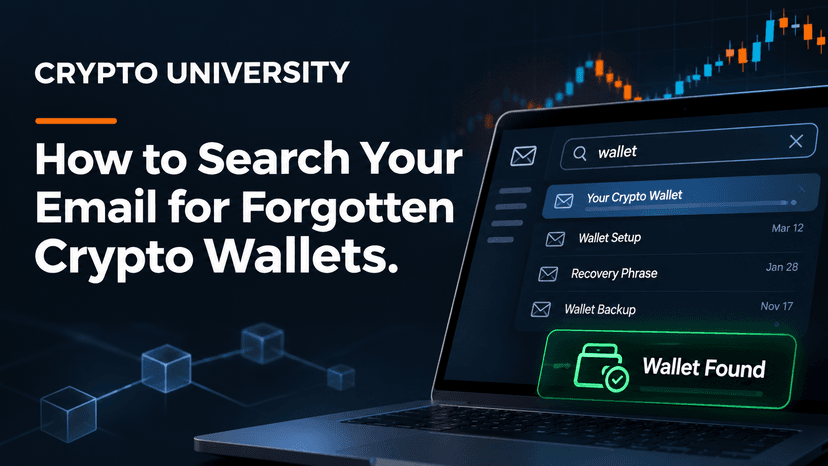
Your email is usually the best record of old crypto activity. Welcome emails, verification codes, deposit notices, and withdrawal confirmations can tell you which exchange or wallet you used, and roughly when.
Search smart, not just wide. Combine keywords like "wallet," "BTC," and "Coinbase" with filters for date, spam, trash, and attachments to surface messages that a simple search misses.
Finding an account is only step one. Recover access only through the official website or app, never share a seed phrase, and ignore anyone who contacts you offering to "recover" your coins.
Why Your Inbox Is the Best Place to Start
Almost every crypto exchange requires an email address to sign up. Many software wallets also send emails, and hardware wallet makers send order confirmations. That means your inbox often holds a trail of evidence even if you have forgotten the account itself.
A single email can answer the three questions that matter most:
Which service did I use? (for example Coinbase, Kraken, Binance, or Blockchain.com)
Which email address is linked to it? The inbox that received the message is usually the login email. Binance.US makes this point in its own help center: whichever inbox has its emails is likely the one you registered with.
Did I ever hold or move funds there? Deposit and withdrawal notices show activity, and sometimes the coin, amount, and date.
Consumer watchdog Which? also suggests going through old emails for records of forgotten crypto transactions before trusting any outside "help."
Before You Search: Make a List of Every Inbox
People often signed up for crypto years ago using an address they no longer check. Before searching, list every inbox you may have used:
Current and old personal email accounts (Gmail, Outlook, Hotmail, Yahoo, iCloud)
Old work or university addresses, if you still have access
Email aliases or forwarding addresses
Accounts you can still recover through your phone number or a backup email
Luno's help center recommends checking all personal and work addresses, and using your email provider's own account recovery if you have lost access to an old inbox. Also check your browser or phone password manager for saved logins that mention an exchange name.
The Core Search Terms to Use
Start broad, then narrow down. The table below groups the most useful search terms by what they help you find.
Search term | What it can reveal | Why it works |
|---|---|---|
wallet | Wallet apps, wallet IDs, wallet backup reminders | Most wallet services use the word in subject lines |
BTC, bitcoin, ETH, crypto | Purchases, receipts, price alerts, newsletters | Asset names appear in trade and transfer emails |
Coinbase (or any exchange name) | Welcome emails, login alerts, statements | Brand names appear in the sender name and body |
"verify your email", "confirm your email" | The exact moment you signed up | Almost every platform sends this on registration |
withdrawal | Coins or cash that left an account | Shows where funds were sent, which may be your own wallet |
"deposit address", deposit | Addresses you used to receive crypto | May contain a public address you can look up later |
"welcome to" | Any new account you opened | Catches services you have forgotten completely |
"new device", "login attempt" | Accounts you actually used | Security alerts prove you logged in at some point |
"2-step", "2FA", "authenticator" | Accounts with extra security turned on | Tells you what you will need during recovery |
Exchange and wallet names worth searching
If you are not sure which platform you used, search for these names one at a time. Your memory often returns once you see a familiar logo.
Type | Examples to search |
|---|---|
Large exchanges | Coinbase, Kraken, Binance, Gemini, Bitstamp, Bitfinex, Crypto.com, KuCoin |
Apps that sell crypto | Robinhood, PayPal, Cash App, Revolut |
Software wallets | Blockchain.com, MetaMask, Exodus, Electrum, Trust Wallet |
Hardware wallets | Ledger, Trezor (look for order and shipping confirmations) |
Blockchain.com is a useful example. Older accounts received an email titled "Welcome to My Wallet," which included the Wallet ID needed to log in, according to recovery firm Crypto Asset Recovery.
Step by Step: Using Advanced Search in Gmail and Outlook
A plain keyword search may miss older messages or bury them under newsletters. Search operators fix that.
Gmail search operators
Google documents these operators in its official Gmail help page. Type them straight into the Gmail search bar.
Goal | Example search |
|---|---|
Search several terms at once | bitcoin OR BTC OR wallet OR crypto |
Include spam and trash | in:anywhere coinbase |
Find sign-up emails | subject:("verify your email" OR "confirm your email") crypto |
Search by sender | from:coinbase |
Focus on older years | withdrawal before:2020/01/01 |
Find emails older than a period | "deposit address" older_than:3y |
Find PDFs like statements or tax forms | crypto has:attachment filename:pdf |
Remove noise | bitcoin -newsletter -webinar |
Note that OR must be typed in capital letters.
Outlook search operators
Microsoft supports similar keywords in Outlook for Microsoft 365, Outlook.com, and the new Outlook for Windows.
Goal | Example search |
|---|---|
Search by sender | from:kraken |
Search subject lines | subject:"confirm your email" |
Find attachments | bitcoin hasattachment:yes |
Combine terms | wallet OR BTC OR withdrawal |
Exclude terms | crypto NOT newsletter |
Like Gmail, Outlook expects AND, OR, and NOT in uppercase.
A simple search routine
Run a broad search with bitcoin OR BTC OR crypto OR wallet across all mail, including spam and trash.
Note every service name that appears in the results.
Search each service name on its own to find the welcome email and the oldest message.
Search for activity using "deposit," "withdrawal," "trade," and "receipt."
Search for attachments such as account statements or tax forms like a 1099, which can confirm balances at a point in time.
Repeat in every inbox on your list.
What to Do With What You Find
Each type of email points to a different next step.
What you found | What it suggests | Next step |
|---|---|---|
Welcome or verification email | An account exists with that service | Go to the official site and use "Forgot password" with that email |
Deposit or trade receipt | You held funds on the platform | Log in or start account recovery to check the balance |
Withdrawal confirmation | Funds were moved to another address | Look up the destination address on a block explorer |
Public address (starts with 1, 3, bc1, or 0x) | A wallet that may still hold funds | Check its balance on a public block explorer |
Hardware wallet order | You owned a device | Search your home for the device and its recovery sheet |
Email to yourself with 12 or 24 words | A possible seed phrase | Treat it as exposed (see the safety section below) |
Checking a public address
A public address is safe to look up. Paste it into a well-known block explorer for that network to see whether coins are still there. As the crypto recovery guide on LatestLY explains, an address alone shows the balance but does not give you control. To move the funds, you still need the private key or seed phrase for that wallet.
Recovering an exchange account
If the service still operates, go to its website by typing the address yourself, then use the password reset option. If you no longer control the email inbox or your 2FA device, most major exchanges offer an identity based recovery process. Coinbase, for example, runs an account recovery flow for people who lost access to their email or 2-step verification, which typically asks for a government ID. Avoid creating a duplicate account, since recovering the original one is usually faster.
If the platform has shut down, check its official announcements or court appointed wind-down site for any claims process. Do not rely on third party sites that claim to process withdrawals for closed exchanges.
Safety Rules While You Search
Searching your email for crypto is safe. What comes next is where people get hurt.
Never type a seed phrase into a website, form, or chat. No legitimate exchange or wallet support team will ask for it.
If you emailed yourself a seed phrase, treat it as at risk. Anyone who has accessed that inbox may have seen it. If the wallet still holds funds, restore it in a trusted wallet app on a clean device and move the funds to a new wallet with a fresh seed phrase.
Only use official recovery pages. Type the exchange address directly. Scam sites and fake support pages, including ones that list fake "support phone numbers," often rank in search results for "recover [exchange] account."
Ignore unsolicited recovery offers. The US Federal Trade Commission warns that scammers often target people who have lost money by promising to recover it for a fee. Real recovery happens through the platform or law enforcement, not through strangers.
Secure your inbox. Turn on two-factor authentication for every email account you found crypto activity in, since your email is the key to resetting those accounts.
Common Reasons People Cannot Find Old Accounts
Problem | Possible fix |
|---|---|
No crypto emails in any inbox | Check bank or card statements for payments to an exchange |
Emails were deleted years ago | Check old phones, computers, and backups for wallet apps or files like wallet.dat |
Account was created with a phone number only | Try account recovery on the platform with that number |
You used a self-custody wallet with no email | Look for written seed phrases in notebooks, safes, or documents |
The exchange has closed | Look for an official bankruptcy or claims process |
FAQ
What should I search for to find an old crypto account in my email?
Start with "bitcoin," "BTC," "crypto," "wallet," and the names of exchanges such as Coinbase or Kraken. Then search for "verify your email," "welcome to," "deposit address," and "withdrawal" to find sign-ups and activity.
Can I recover crypto if I only find a public address?
You can check the balance on a block explorer, but an address alone does not let you move funds. You need the private key or seed phrase for that wallet, or access to the exchange account that controls it.
What if I no longer have access to the email linked to my exchange account?
First try to recover the email account through your email provider. If that fails, most major exchanges offer identity based account recovery, usually requiring a government ID.
Why should I search spam and trash folders?
Automated emails such as verification codes and security alerts are often filtered as spam. In Gmail, in:anywhere includes spam and trash in your search.
Is it safe to pay a company to find my lost crypto?
Be very careful. Regulators warn that many paid "recovery" services are scams, especially those that contact you first or ask for upfront fees.
Related Terms
Seed Phrase: A list of 12 to 24 words that can restore a self-custody wallet and give full control over its funds.
Block Explorer: A website that lets anyone search a blockchain for addresses, balances, and transactions.
Two-Factor Authentication: A security method that requires a second proof of identity, such as a code from an app, in addition to a password.
Disclaimer
This article is for educational purposes only and is not financial, legal, or tax advice. Account recovery rules differ by platform and can change. Always follow the official instructions of the service you used.
Sources
Google's official list of Gmail search operators explains in:anywhere, before:, older_than:, has:attachment, and OR.
Microsoft's guide on how to search in Outlook lists from:, subject:, hasattachment:, and Boolean operators.
The Binance.US login troubleshooting FAQ notes that the inbox receiving its emails is likely your login email.
Luno's guide to finding your registered email recommends searching all personal and work inboxes.
Which? Scamwatch suggests checking old emails for forgotten exchange records.
Crypto Asset Recovery describes the Blockchain.com "Welcome to My Wallet" email and wallet file names.
LatestLY's old Bitcoin wallet guide covers inbox searches and block explorer lookups.
Coinbase's help page on account recovery for lost email or 2-step verification outlines its official process.
The FTC's alert on scammers who say they can help warns about fake recovery services.