Key Takeaways
Every desktop wallet saves its data in a predictable place. Bitcoin Core uses wallet.dat, Electrum uses default_wallet, MultiBit uses .wallet, .key, or mbhd.wallet.aes, and Exodus uses an exodus.wallet folder.
Most of these folders are hidden by default. You usually need to show hidden files or type a shortcut such as %APPDATA% before you can see them.
Copy first, open later. Make a backup copy of any file you find before you try to open it, and never upload a wallet file to a website or send it to someone who offers to “recover” it.
Why Old Devices Are Worth Checking
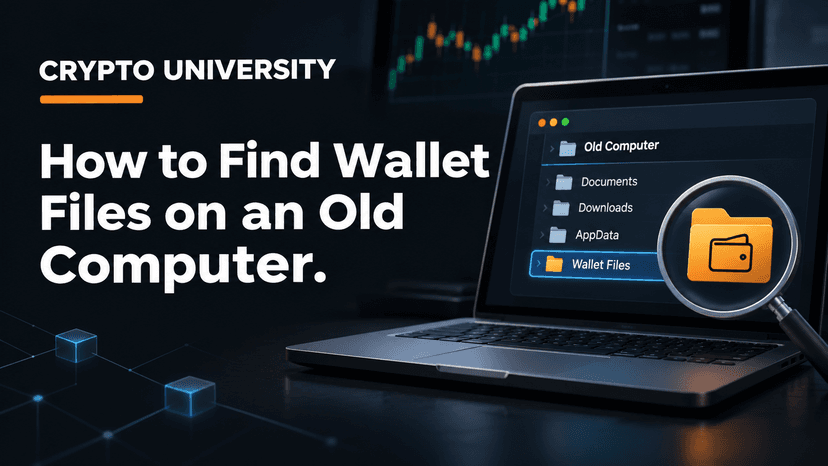
Plenty of people bought or mined small amounts of Bitcoin years ago, then moved on. The coins did not disappear. If you used a desktop wallet, the keys that control those coins may still be sitting in a file on an old laptop, a desktop tower in the garage, a backup drive, or a USB stick.
Finding that file is often the first real breakthrough in recovering old crypto. It can confirm which wallet you used, and in many cases it holds the private keys themselves, usually protected by a password.
This guide covers where four of the most common older wallets store their data, what the files are called, and how to search a machine safely.
Before You Start: Protect the Evidence
Old drives can fail, and some wallet apps change files when you open them. Follow these rules before you go looking.
Do not install a new wallet over the old one. A fresh install can create a new wallet file that sits next to, or replaces, the old one.
Do not reinstall the operating system or factory reset the device. That can wipe the data you are looking for.
Work on a copy. If the drive still works, copy the entire user folder to an external drive. If the drive is failing, a data recovery service can create a full disk image first.
Stay offline where possible. If the old computer may have malware, keep it disconnected from the internet while you search.
Quick Reference: File Names and Default Folders
The table below lists the default locations. If you chose a custom folder when you installed the wallet, the file may be somewhere else, so also search by file name.
Wallet | File to look for | Windows | macOS | Linux |
|---|---|---|---|---|
Bitcoin Core | wallet.dat | %APPDATA%\Bitcoin\ (newer fresh installs may use %LOCALAPPDATA%\Bitcoin\) | ~/Library/Application Support/Bitcoin/ | ~/.bitcoin/ |
Electrum | default_wallet (or any name you chose) | %APPDATA%\Electrum\wallets\ | ~/.electrum/wallets/ | ~/.electrum/wallets/ |
MultiBit Classic | name.wallet and multibit-DATE.key | %APPDATA%\MultiBit\ | ~/Library/Application Support/MultiBit/ | a folder named multibit |
MultiBit HD | mbhd.wallet.aes (inside a mbhd-ID folder) | %APPDATA%\MultiBitHD\ | ~/Library/Application Support/MultiBitHD/ | look for MultiBitHD |
Exodus | exodus.wallet folder (contains seed.seco) | %APPDATA%\Exodus\ | ~/Library/Application Support/Exodus/ | ~/.config/Exodus/ |
On Windows, %APPDATA% usually points to C:\Users\YourName\AppData\Roaming.
Bitcoin Core: Finding wallet.dat
Bitcoin Core is the original Bitcoin software. It stores everything, including the wallet, in a data directory.
Where it lives
Windows: Press Windows + R, type %APPDATA%\Bitcoin and press Enter. Bitcoin Core’s own documentation notes that newer versions use AppData\Local\Bitcoin on fresh installs, but keep using the older Roaming folder if it already exists. Check both.
macOS: In Finder, press Shift + Command + G and type ~/Library/Application Support/Bitcoin
Linux: Look in ~/.bitcoin. Folders that start with a dot are hidden, so use ls -a in a terminal.
What you might see
Version era | Where wallet.dat sits |
|---|---|
Older versions | Directly in the data directory |
Newer versions | In a wallets subfolder, or in wallets/your-wallet-name/ for named wallets |
The file name is the same in both cases: wallet.dat. A folder full of block files with no wallet.dat may mean the wallet was saved elsewhere or deleted.
Important note for legacy wallets
Very old wallet.dat files use an older format called Berkeley DB. Recent Bitcoin Core releases no longer load these directly and instead offer a migration tool. In January 2026, the Bitcoin Core project warned of a rare bug in versions 30.0 and 30.1 that could delete wallet files during migration. Always keep several backup copies of an old wallet.dat before trying to migrate or open it, and use a patched release.
Electrum: Finding default_wallet
Electrum is a lightweight Bitcoin wallet that has been around since 2011. It does not download the full blockchain, so its folder is small.
Where it lives
Windows: %APPDATA%\Electrum\wallets
macOS: ~/.electrum/wallets (use Shift + Command + G in Finder)
Linux: ~/.electrum/wallets
The first wallet Electrum creates is named default_wallet. If you made more wallets, they may be named wallet_1, wallet_2, or anything you typed. Electrum also lets you save a wallet file anywhere, so search the whole drive for default_wallet as well.
What about phones?
On Android, Electrum stores wallets inside the app’s private storage. Electrum developers note that uninstalling the app deletes the wallet files. If the old phone still has Electrum installed, open the app and look for your seed phrase in the wallet settings. Do not uninstall it first.
MultiBit: Classic and HD
MultiBit was a popular beginner wallet until it was discontinued in 2017. There were two versions, and they use different files.
MultiBit Classic
MultiBit Classic creates a .wallet file plus .key backup files, often named like multibit-20140512093015.key. Recovery specialists note that the .key file holds the encrypted private keys, so look for both. Default folders:
Windows: %APPDATA%\MultiBit
macOS: ~/Library/Application Support/MultiBit
Linux: search for a folder named multibit
MultiBit HD
MultiBit HD stores its wallet as mbhd.wallet.aes inside a folder with a long random name that starts with mbhd-. Look in %APPDATA%\MultiBitHD on Windows or ~/Library/Application Support/MultiBitHD on a Mac.
MultiBit HD wallets were created from a seed phrase, so if you wrote down those words, that is usually the easier path.
Exodus: Finding the exodus.wallet Folder
Exodus is a multi-asset desktop and mobile wallet. Instead of one file, it stores wallet data in a folder.
Where it lives
Windows: %APPDATA%\Exodus
macOS: ~/Library/Application Support/Exodus
Linux: ~/.config/Exodus
Inside, the exodus.wallet folder holds files such as seed.seco and info.seco. Exodus also keeps older wallets in a backups/wallet subfolder, sorted by date. Exodus support says that uninstalling the app does not usually remove this data folder, which means an old wallet may still be there even if the app is gone.
If Exodus still runs, you can open the folder from the app’s Developer menu under Data Folder.
How to Search a Whole Drive by File Name
Default folders are the first place to check, but people often moved files, renamed them, or saved backups to a USB stick. Search the full drive for these names:
wallet.dat
default_wallet
*.wallet
*.key
mbhd.wallet.aes
exodus.wallet
seed.seco
Step by step
Show hidden files. On Windows, open File Explorer, choose View, then turn on Hidden items. On macOS, press Shift + Command + period in Finder.
Search on Windows. Open This PC, type the file name in the search box, and wait for the full search to finish.
Search on macOS. Spotlight may skip hidden folders, so use Terminal: find ~ -name "wallet.dat" 2>/dev/null
Search on Linux. The Bitcoin wiki suggests: find / -name wallet.dat -print 2>/dev/null
Check every drive. Repeat on external drives, old USB sticks, SD cards, and any cloud backup folders.
Check old backups. Time Machine on a Mac and File History on Windows may hold copies of the AppData or Library folders.
What to Do After You Find a File
Situation | Sensible next step |
|---|---|
You found the file and know the password | Copy it, then open the copy in the official, current version of that wallet on a clean computer |
You found the file but forgot the password | Keep backups and research open-source password recovery tools carefully, or use a reputable, well-reviewed recovery firm |
You found a seed phrase on paper or in a file | Restore it in a trusted wallet, then consider moving funds to a new wallet |
You found only part of a MultiBit Classic set | Keep searching for the matching .key or .wallet file |
The drive will not start | Stop using it and consult a data recovery service |
Safety Rules
Never upload a wallet file or seed phrase to a website. Anyone with the file and password can take the funds.
Be wary of people who contact you offering help. The US Federal Trade Commission warns that recovery scams often target people who have lost crypto.
Download wallet software only from the official site. Fake versions of Electrum and other wallets have circulated for years.
Keep the original untouched. Work on copies until the funds are safely moved.
FAQ
Where is wallet.dat on Windows 10 or 11? Usually in C:\Users\YourName\AppData\Roaming\Bitcoin, or in the wallets subfolder inside it. Newer fresh installs of Bitcoin Core may use AppData\Local\Bitcoin instead.
Can I open an old wallet.dat in a new version of Bitcoin Core? Very old wallets use the legacy Berkeley DB format, which recent versions only handle through a migration process. Back up the file several times before you try, and use a current patched release.
Does uninstalling a wallet app delete my wallet? On desktop, often not. Exodus and Bitcoin Core leave their data folders behind. On Android, uninstalling Electrum deletes its wallet files.
What if I find a wallet file but forgot the password? The file alone is not enough to spend the coins. Keep it safe, avoid sharing it, and research password recovery options carefully.
Is it safe to search my old computer for wallet files? Yes. Searching does not change the files. The risk comes later, when opening, uploading, or sharing them.
Related Terms
Private Key: A secret number that proves ownership of a crypto address and allows the holder to spend its funds.
Seed Phrase: A list of 12 to 24 words that can restore a self-custody wallet and all of its keys.
Hot Wallet: A crypto wallet that runs on an internet-connected device, such as a desktop or phone app.
Disclaimer
This article is for educational purposes only and is not financial, legal, or technical recovery advice. File locations can change between software versions. Always follow the official documentation of the wallet you used.
Sources
Bitcoin Core’s file system documentation lists default data directories and wallet locations.
Bitcoin Core pull request 27064 explains the move to AppData\Local for fresh Windows installs.
The Bitcoin wiki data directory page gives folder paths and a Linux search command.
Bitcoin Core’s January 2026 wallet migration bug notice covers the risk in versions 30.0 and 30.1.
The Electrum FAQ shows where Electrum keeps its data directory.
An Electrum developer note warns that deleting the Android app deletes wallet files.
The read-multibit-wallet-file project lists MultiBit Classic and HD file locations.
Crypto Asset Recovery describes MultiBit Classic .key backup names.
Exodus support on rescuing an overwritten wallet explains the exodus.wallet and backups folders.
Exodus support on deleting a wallet confirms data stays after uninstalling.