Key Takeaways
Where you buy a hardware wallet is an important part of its security. Fake and tampered devices are sold on marketplaces and even mailed to people as "replacements." Buy only from the maker or an official reseller.
A real device never comes with a recovery phrase or PIN already set. If your wallet arrives with words printed on a card or a PIN already configured, treat it as compromised.
Back up your recovery phrase offline and never share it with support. A genuine wallet can display backup words on its own screen during setup. Never enter them into a site or app reached through an unsolicited message; follow the manufacturer’s exact recovery procedure for your model.
What Is a Fake Hardware Wallet?
A hardware wallet is a small physical device that stores the private keys that control your crypto. It keeps those keys offline and signs transactions inside the device, to reduce exposure to malware on your computer. It cannot protect you if you approve a malicious transaction or use a compromised device.
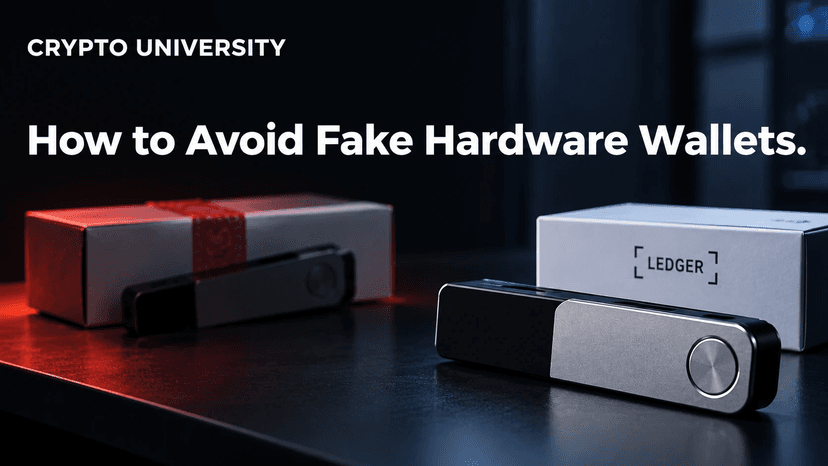
A fake hardware wallet is a device made to look like a real product, such as a Ledger or Trezor, but built or modified to steal your funds. Some are cheap copies. Others are genuine devices that were opened, altered, and resealed.
The attacker may steal or predict your keys, intercept your recovery phrase, or trick you into authorizing a transfer.
Why this threat matters
Hardware wallets are widely recommended for long-term self-custody. That reputation is exactly what scammers exploit. People trust the brand name and the box, so they do not question the device inside.
Real Cases of Fake and Tampered Devices
Counterfeit Trezor investigated in 2023
Kaspersky’s investigation described a counterfeit Trezor Model T with convincing seals and an altered microcontroller and firmware. The victim discovered an unauthorized outgoing transaction while the device was unplugged. Kaspersky later noted Trezor’s clarification that the underlying incident occurred in 2022 and involved an unauthorized reseller.
The practical lesson is that convincing packaging and a normal-looking display cannot establish authenticity.
Physical letters used for phishing
Ledger’s phishing notice documents letters that direct recipients to websites or QR codes and ultimately request the recovery phrase. The letter may look official, but sharing those words gives an attacker control of the associated wallet.
October 2026 update: hardware implants
In an official response updated October 15, 2026, Ledger described an attack involving genuine devices modified after leaving its control. According to Ledger, criminals fitted hidden components intended to capture recovery phrases during setup and returned the devices to distribution through resellers in Southeast Asia. Ledger said its chip, operating system and servers were not compromised.
This is a different risk from downloading a fake app: authentic underlying electronics can coexist with an added malicious component. Follow the manufacturer’s current incident guidance if you suspect your purchase may be affected. A passing software authenticity check should not be treated as proof that every physical part is safe.
How Fake Hardware Wallets Steal Your Crypto
Most attacks fall into a few patterns:
Pre-generated recovery phrase. The box includes a card with words already printed. If you use it, the scammer already has your keys.
Modified hardware or firmware. The device generates keys the attacker can predict, or it leaks data.
Fake companion software. A QR code or link sends you to a copy of the official app that asks for your recovery phrase.
Social engineering. Letters, emails, or "support agents" pressure you to "verify" or "update" by entering your phrase.
An attacker does not always need you to disclose the phrase voluntarily. A modified device may capture it during setup or generate keys the attacker can predict.
Warning Signs of a Fake or Tampered Device
Red flag | What it may mean |
|---|---|
Recovery phrase printed or written in the box | The phrase is already known to someone else |
PIN already set when you first turn it on | The device was set up before you received it |
You did not order it | Unsolicited "replacements" are a known scam |
Box looks opened, re-taped, or damaged | Possible tampering in transit or resale |
Seller is not on the official reseller list | Higher risk of counterfeit or returned stock |
QR code or insert leads to a site other than the official domain | Likely phishing or malicious software |
Authenticity check fails or is skipped | The device or the app may not be genuine |
An unsolicited site, app, letter or agent requests your phrase | Likely phishing; verify your model’s official recovery instructions independently |
How to Buy a Hardware Wallet Safely
Follow these steps before you spend any money.
Before purchasing in Southeast Asia or Hong Kong, check Ledger’s current official guidance: its October 15, 2026 incident response said it had asked authorized resellers and distributors in those markets to suspend sales. Ledger also said returned devices must never be resold, even if they appear new and unopened. Check the current official response for updates.
Buy direct from the manufacturer's official website. Type the address yourself rather than clicking ads or search links. Lookalike setup pages are common in search results.
Or use an official authorized reseller. Ledger and Trezor both publish reseller lists on their own sites. Check that the specific seller appears there.
On large marketplaces, check the "Sold by" field. Many sellers can share one product listing. Ledger advises confirming the seller against its official list for your country.
Avoid secondhand and auction purchases. A used device could have been altered, and you cannot fully verify what happened to it.
Never use a device you did not order. Contact official support independently if an unexpected replacement arrives.
How to Verify Your Device When It Arrives
Step 1: Inspect the package
Check for signs of opening, damage, or missing parts. If something looks wrong, do not plug the device in. Contact the manufacturer's support through its official website.
Step 2: Download the official app yourself
Get the companion software only from the official website or official app stores. Do not use a QR code from the box unless you confirm it points to the official domain.
Brand | Official software (as of 2026) | Built-in authenticity check |
|---|---|---|
Ledger | Ledger Wallet (formerly Ledger Live) | Genuine Check, which verifies the Secure Element with a cryptographic challenge |
Trezor | Trezor Suite | Device authentication check on Safe models, run on first connection |
Step 3: Run the authenticity check
The official software uses cryptographic checks to validate the device. The details vary by model: Ledger uses its Secure Element, while Trezor Safe devices use factory-issued certificates and model-specific authentication hardware. Older Trezor models do not have the same Safe-series device authentication system.
If the check fails, stop using the device. Trezor allows the check to be disabled in settings, but strongly advises against it for official devices.
Important limit: Ledger notes that its Genuine Check cannot detect every physical modification if the original secure chip is intact. Verification reduces risk. It does not remove it, which is why buying from official sources matters so much.
Step 4: Generate a new recovery phrase on the device
Set up the wallet as new. The device should create your recovery phrase and show it on its own screen. Write it down on the provided card or a metal backup.
Step 5: Send a small test transaction
Before moving large amounts, send a small amount, confirm it arrives, and practice checking the receiving address on the device screen. A successful test verifies the transfer process, not the absence of tampering; attackers may wait before stealing funds.
Safe Daily Use: Habits That Protect You
Buying a real device is step one. These habits matter just as much:
Always confirm details on the device screen. Check the address and amount on the hardware wallet itself, not only on your computer.
Keep firmware updated through the official app only. Ignore update links sent by email or text.
Store your recovery phrase offline and private. Consider a fireproof location. Do not photograph it or save it in cloud notes.
Treat all "urgent" messages as suspicious. Real companies do not threaten account restrictions to get your phrase.
Consider a passphrase feature. A supported passphrase is an additional secret used with your wallet backup to derive a different wallet; it need not be a single word. Use it only after understanding your model’s instructions and backup requirements. Losing the exact passphrase can permanently prevent access.
What to Do If You Suspect a Fake
Stop using the device immediately.
If you already deposited funds, move them to a new wallet created on a verified device as quickly as possible.
Do not use the suspect recovery phrase for future storage. If recovery is necessary to transfer remaining funds, follow the manufacturer’s verified instructions on a trusted device; the destination must have an independently generated new backup.
Contact the manufacturer through its official support page.
Report the seller to the marketplace and, where relevant, to local authorities.
FAQ
Can a fake hardware wallet look exactly like the real one? Yes. Documented fakes have used convincing packaging, intact-looking seals, and normal-looking screens. Visual checks alone are not enough, which is why official purchase channels and authenticity checks matter.
Is it safe to buy a hardware wallet on Amazon? It can be, if the item is sold by the manufacturer's official storefront or an authorized reseller. Check the "Sold by" field, since several sellers can appear on one listing.
What if my hardware wallet came with a recovery phrase card already filled in? Do not use it. Genuine devices generate the recovery phrase during your own setup. A pre-filled phrase means someone else may already control any funds you deposit.
Does passing the genuine check guarantee my device is safe? No check is perfect. It confirms the secure chip is authentic, but Ledger notes it may not detect every physical modification. Combine it with buying from official sources.
Will Ledger or Trezor ever ask for my recovery phrase? Their support staff should never ask you to disclose it. Recovery procedures vary by model: Ledger requires entry on the device, while Trezor Model One has documented standard and advanced recovery flows involving the computer. Prefer its advanced recovery option and follow independently accessed official instructions. Never submit a phrase to a “verification” or “security update” page.
Related Terms
Hardware Wallet: A physical device that stores private keys offline and signs crypto transactions internally.
Seed Phrase: A human-readable backup used to restore a wallet. Word counts and recovery requirements vary by backup format; a separate passphrase may also be required.
Secure Element: A tamper-resistant chip designed to store secrets and perform cryptographic operations safely.
Supply Chain Attack: An attack that compromises a product somewhere between the manufacturer and the end user.
Firmware: The low-level software that runs on a device and controls how its hardware behaves.
Sources and Further Reading
For the phishing-site side of this problem, see our guide to identifying fake hardware-wallet websites.