Key Takeaways
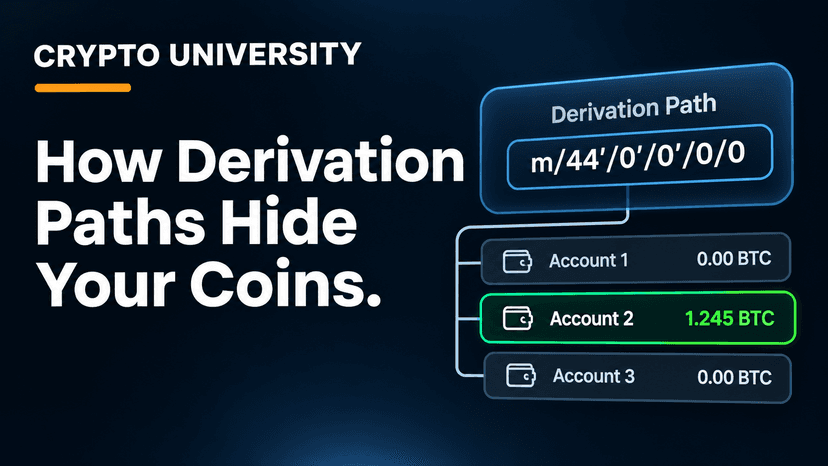
One seed phrase can create millions of different addresses. The derivation path decides which ones a wallet looks at. If the new wallet looks in a different place than the old one, it shows zero.
The coins have not moved. Funds live on the blockchain, not inside an app. A zero balance after a restore is usually a "wrong map" problem, not a "lost money" problem.
The fix is to match the old wallet's settings. Find out which app created the seed, look up its default path, and select that path (or a matching address type) in a trusted wallet.
The Problem in Plain English
You type your old 12 or 24 words into a new wallet. The words are accepted. The wallet opens. And the balance says 0.
This is one of the most common and most frightening moments in crypto recovery. In many cases, nothing is wrong with the seed phrase at all. The new wallet is simply looking in the wrong part of your wallet.
To understand why, you need to know what a derivation path is.
What a Derivation Path Actually Does
Modern wallets are HD wallets (hierarchical deterministic wallets), based on a standard called BIP32. Your seed phrase is the root of a very large tree. Every branch and leaf on that tree is a different private key and address.
A derivation path is the set of directions a wallet follows from the root to a specific address. It looks like this:
m / purpose' / coin_type' / account' / change / address_index
Level | Example | What it means |
|---|---|---|
m | m | The master key made from your seed |
purpose' | 44', 49', 84', 86' | Which standard and address type is used |
coin_type' | 0' (Bitcoin), 60' (Ethereum), 501' (Solana) | Which blockchain |
account' | 0', 1', 2' | Separate accounts inside one seed |
change | 0 or 1 | 0 for receiving addresses, 1 for change addresses |
address_index | 0, 1, 2... | The first, second, third address, and so on |
The apostrophe means the step is "hardened," a technical detail that changes the result. Even one different number anywhere in the path gives a completely different address.
Coldcard's guide puts it simply: a wallet using m/84' and a wallet using m/44' will create completely different addresses from the same seed. Neither is wrong. They are just different branches of the same tree (Coldcard).
Why Your Old Wallet Looks Empty
When you restore a seed, the new wallet scans only the paths it knows by default. If your coins are sitting on another branch, the wallet never checks there. You see valid addresses with no history, and a zero balance.
This happens most often for four reasons.
1. Different address types on Bitcoin
Bitcoin has several address formats, and each one has its own standard path.
Standard | Path | Address starts with | Era |
|---|---|---|---|
BIP44 (Legacy) | m/44'/0'/0' | 1 | Common from about 2014 |
BIP49 (Nested SegWit) | m/49'/0'/0' | 3 | Common from about 2017 |
BIP84 (Native SegWit) | m/84'/0'/0' | bc1q | Common from about 2018 |
BIP86 (Taproot) | m/86'/0'/0' | bc1p | Common from about 2022 |
Many new wallets default to Native SegWit or Taproot. If your old wallet used Legacy "1" addresses, a default restore will look in the wrong place.
2. Older wallets that used non-standard paths
Some early wallets were built before the standards settled. MultiBit HD and early versions of Breadwallet are widely reported to have used a short path, m/0', instead of the BIP44 structure. The walletsrecovery.org project notes that wallets like these can cause errors when imported elsewhere (walletsrecovery.org). Unchained explains that this exact problem is why sites tracking old wallet defaults exist at all (Unchained).
3. Ethereum wallets that split "accounts" differently
All major Ethereum wallets use coin type 60', but they do not agree on which number to count up.
Wallet style | Path pattern | What changes per account |
|---|---|---|
MetaMask, Trezor, Exodus | m/44'/60'/0'/0/x | The last number |
Ledger Live | m/44'/60'/x'/0/0 | The account number |
Ledger Legacy (old Chrome app, MEW, MyCrypto) | m/44'/60'/0'/x | The fourth number |
A Ledger Live developer explained on GitHub that the old Ledger Chrome app derived only one address at m/44'/60'/0'/0, and that Ledger Live switched to using the BIP44 account field instead (MyCrypto GitHub). The first address is the same across most styles, but the second and third accounts are not. That is why a user may restore a Ledger seed into MetaMask and find their first account but not the others.
MetaMask's own support page states that when importing a seed, it only supports the default BIP44 path (MetaMask Support).
4. Solana wallets with three or more competing paths
Solana is one of the most confusing chains for recovery. Exodus support lists different Solana paths for different wallets: Phantom uses m/44'/501'/0'/0', Trust Wallet uses m/44'/501'/0', and Math Wallet uses m/44'/501'/0'/0 (Exodus Support). Phantom's help center also lists deprecated legacy paths used by older Phantom versions and third party wallets (Phantom Help).
Moving a seed from one Solana wallet to another without checking the path is a common cause of an "empty" result.
A Related Cause: The Gap Limit
Even with the correct path, a wallet may stop looking too early. BIP44 sets an address gap limit of 20. If the wallet finds 20 unused addresses in a row, it assumes nothing comes after and stops scanning (BIP44 on bips.dev).
If your old wallet handed out many addresses that were never used, such as for invoices or a small shop, later funds may sit beyond that gap. Jameson Lopp's guide notes that Electrum and Ledger Live are among the wallets that let you raise this limit (Lopp).
Step by Step: How to Find Your Funds
Follow these steps in order. Do not skip the safety step.
Stay safe first. Use official desktop software or a hardware wallet. Never type your seed into a website, a browser form, or a chat with "support staff."
Identify the original wallet. Check old emails, app store history, notes near your backup, and the address format you remember.
Look up its default path. walletsrecovery.org lists defaults for many Bitcoin wallets. For Ethereum and Solana, check the support pages of both your old and new wallet.
Find an old address if you can. Exchange withdrawal history, old emails, and screenshots often contain one. A public block explorer can show whether that address ever held funds, without exposing your seed.
Select the matching path or address type. Electrum and Sparrow let you choose script types and custom paths for Bitcoin. Ledger Live, Exodus, and many Solana wallets offer path or "compatibility" options.
Compare addresses. Once the restored wallet shows an address that matches your old record, you have found the right branch.
Raise the gap limit if needed. If the first addresses match but some funds are still missing, increase the gap limit and rescan.
Rule out other causes. If no path matches, check for a missing BIP39 passphrase, a non BIP39 seed (such as Electrum's own format), or the wrong coin.
Quick diagnosis table
What you see | Likely cause | What to try |
|---|---|---|
Old addresses started with 1, new ones start with bc1 | Wrong Bitcoin address type | Restore as Legacy (BIP44) |
First Ethereum account appears, others missing | Ledger Live vs MetaMask style | Use Ledger Live or a wallet with Ledger path options |
Solana address does not match at all | Different Solana path | Try each path offered in the import menu |
Some old funds found, some missing | Gap limit | Raise gap limit and rescan |
No address ever matches | Passphrase, seed format, or wrong coin | Check passphrase and original wallet type |
What Not to Do
Do not pay "recovery experts" who contact you first. Most are scams.
Do not paste your seed into online "path finder" tools. Anyone running the site could take your funds.
Do not assume the coins are gone. Wrong paths are far more common than real losses.
Do not keep using an old seed that may have been exposed. After recovery, consider moving funds to a freshly generated wallet.
After You Find Your Coins
Write down the settings that worked: the wallet name, address type, derivation path, and whether a passphrase was used. Store this note with your new backup, but never with the seed words in a digital file. This one step can save you hours the next time you restore.
FAQ
Why does my wallet show zero balance after restoring from a seed phrase? The most common reason is that the new wallet uses a different derivation path from the old one. Your seed creates many addresses, and the new wallet is looking at the wrong set.
Are my coins lost if the restored wallet shows nothing? Usually not. Funds are recorded on the blockchain. If your seed is correct, the coins are still tied to it and can be found with the right path.
How do I know which derivation path my old wallet used? Identify the app that created the seed, then check walletsrecovery.org or that app's support pages. An old address you can match is the best confirmation.
Can the same seed have funds on more than one path? Yes. If you used different wallets with the same seed over the years, funds may sit on several paths. Check each one.
Is it safe to use a derivation path tool online? No. Entering a seed phrase into any website puts your funds at risk. Use trusted desktop software or a hardware wallet.
Related Terms
Derivation Path: The set of directions a wallet follows to create a specific address from a seed phrase.
HD Wallet: A wallet that creates a whole tree of keys and addresses from a single seed.
Gap Limit: The number of unused addresses in a row a wallet checks before it stops scanning for funds.
Disclaimer
This article is for educational purposes only and is not financial, legal, or security advice. Wallet defaults change over time, and paths listed here are widely reported figures that should be confirmed with official wallet documentation. Never share your seed phrase with anyone.
Sources
Coldcard explains how different paths create different addresses from one seed.
walletsrecovery.org tracks wallet defaults and notes issues with older wallets such as Bread Wallet and MultiBit.
Unchained's guide to Bitcoin derivation paths covers why recovery tracking sites exist.
A Ledger Live developer's GitHub note explains the change from Ledger Legacy to Ledger Live paths.
MetaMask Support confirms MetaMask imports only the default BIP44 path.
Exodus Support lists Solana paths used by different wallets.
Phantom Help Center lists current and deprecated Phantom paths.
The BIP44 specification defines the gap limit of 20.
Jameson Lopp's address gap guide covers gap limit fixes.