Key Takeaways
Phishing in 2026 is not just sketchy links anymore. Scammers now use spoofed domains, fake wallet prompts, and hidden signatures that can drain your wallet in seconds.
A strong defense uses layers, not just one tool. Combine a browser extension, a hardware wallet, readable signatures, and good sender-checking habits.
Slow down before you sign. Most losses happen when people rush. Taking ten extra seconds to read what you are approving stops most attacks.
Introduction
If you have spent any time in crypto, you already know that phishing has changed a lot. A few years ago, the warning was simple: do not click strange links. That advice still matters, but it is no longer enough.
In 2026, scammers are running operations that look professional. They build clean websites, run paid search ads, pretend to be customer support, and create wallet popups designed to confuse you. The goal is the same as before, which is to trick you into approving something that hands them your money. The methods have just become much more polished.
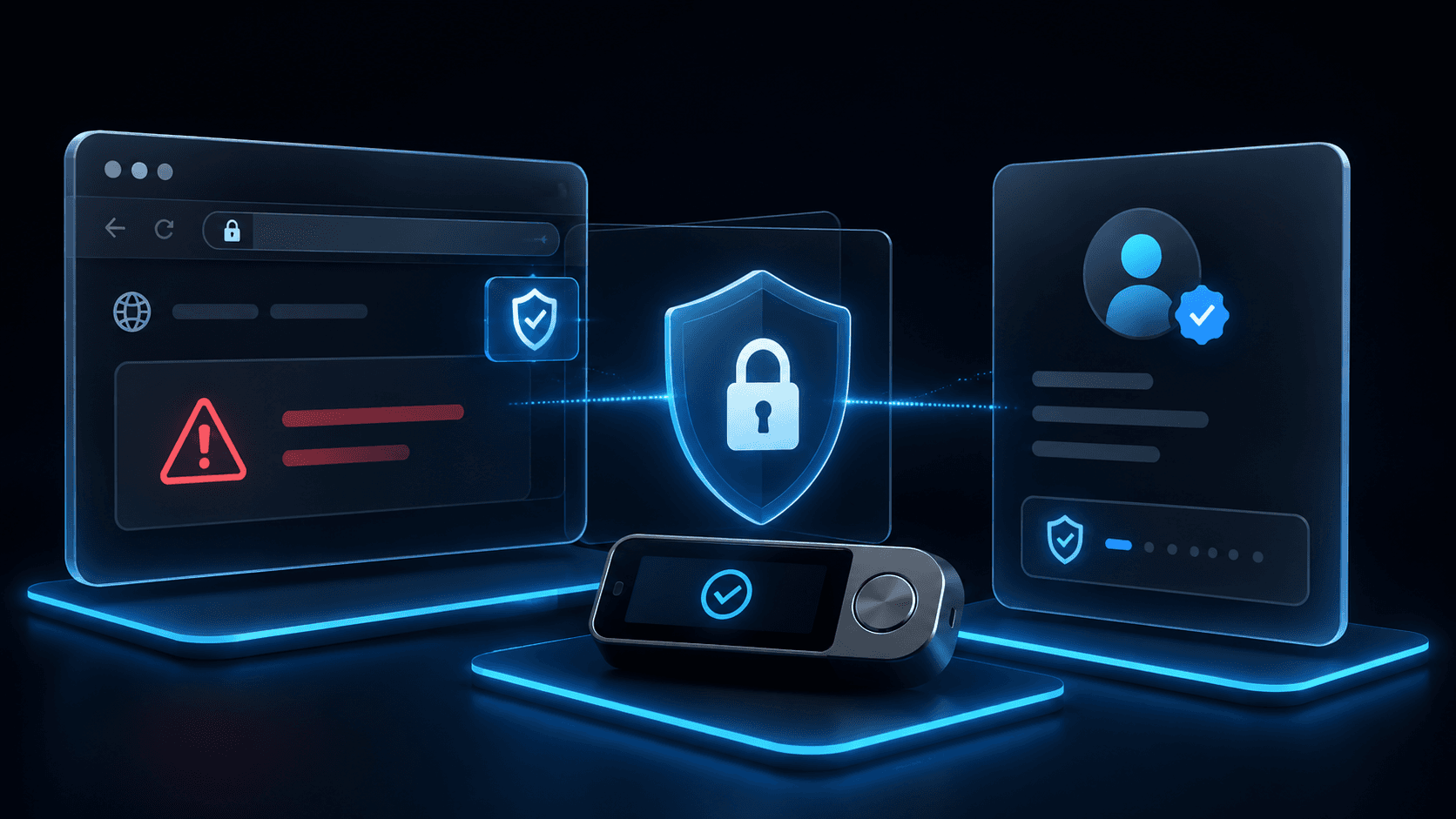
The good news is that you do not need to be a security expert to stay safe. You just need a few layers of defense working together. Think of it like locking your front door, having an alarm, and keeping the curtains closed. No single thing keeps you fully safe, but together they make you a much harder target.
Let me walk you through what a modern phishing defense stack looks like, in plain language.
Why Phishing Still Works in 2026
Phishing succeeds because it targets your attention, not the blockchain itself. Scammers do not need to hack Ethereum or Bitcoin. They just need you to click "approve" on the wrong thing.
Common Reasons People Get Caught
Why People Get Tricked | What Happens |
Moving too fast | You miss small warning signs |
Following a sense of urgency | You skip your usual checks |
Trusting familiar logos | You assume a real-looking site is real |
Relying on search ads | You click a fake site instead of the real one |
Signing prompts you do not understand | You authorize a drain without realizing it |
Assuming wallet popups are safe | You miss what the popup is actually asking |
What Modern Phishing Looks Like
A single phishing attack usually has several moving parts. It is rarely just one bad link.
Layers of a Typical Phishing Attack
Step | What the Scammer Does |
1 | Buys a sponsored search ad or sends a promoted link |
2 | Sends you to a fake or cloned version of a real site |
3 | Asks you to connect your wallet |
4 | Pushes a confusing or hidden signature request |
5 | Pretends to be official support or team members |
6 | Follows up on Telegram, X, Discord, or email with urgent messages |
Even careful users can slip up at one step in that chain. That is exactly why a layered defense matters.
What a Phishing Defense Stack Actually Means
A defense stack is just a set of tools and habits stacked on top of each other. The goal is not perfection. The goal is to make any single mistake less likely to wipe you out.
The Core Layers
Layer | What It Protects Against |
Browser security tools | Bad sites, drainer scripts, suspicious transactions |
Hardware wallet confirmations | Accidentally approving harmful actions |
Readable signature support | Hidden or confusing wallet prompts |
Sender and domain verification | Impersonators and spoofed identities |
Slowing down before you sign | Mistakes made in a rush |
Layer 1: Browser Security Tools
Browser extensions are usually your first warning system. They watch what you are about to interact with and flag anything that looks risky before you sign.
Three names you will often see in crypto security discussions are Wallet Guard, Pocket Universe, and Blockaid. Features change over time, but their job is roughly the same: catch problems early.
Comparing the Three Tools
Tool | Main Job | Strength | Limitation |
Wallet Guard | Warns about bad sites and wallet prompts | Good at flagging suspicious activity | Will not catch everything |
Pocket Universe | Simulates transactions before you sign | Shows you what would happen if you approve | Coverage and accuracy vary |
Blockaid | Scans interactions for risk | Strong at ecosystem-level transaction screening | Still needs human judgment |
What These Tools Help With
Helps With | Does Not Fully Solve |
Known scam domains | Brand-new scams not yet flagged |
Suspicious approval requests | Social engineering pressure |
Wallet drainer patterns | Rushed decision-making |
Unexpected transaction outcomes | Scams happening off the platform |
Think of these extensions as smoke detectors. They give you a warning, but you still need to react properly.
Layer 2: Hardware Wallet Confirmations
A hardware wallet is a small physical device that keeps your private keys offline. When you want to send a transaction, you confirm the details on the device itself, not just inside your browser.
That second screen is the magic. Your browser can be tricked, hacked, or compromised. The hardware device is much harder to mess with.
Why Hardware Confirmation Helps
Benefit | Why It Matters |
Separate screen | You are not relying only on what your browser shows |
Manual button press | Adds a pause before anything is signed |
Keys stay isolated | Most software attacks cannot reach your private keys |
Clearer approval flow | You are more likely to notice when something feels off |
Hardware wallets like Ledger are popular for exactly this reason. They will not magically stop every phishing attempt, but they make it much harder to approve something dangerous by accident.
Layer 3: Turn Off Blind Signing When You Can
Blind signing is one of the biggest risks in crypto today. It happens when your wallet asks you to approve something but does not show you what it actually does. Instead of a clear message, you might see a long string of letters and numbers.
What you might unknowingly approve while blind signing:
A token approval that drains your balance later A permit signature that gives someone full control of an asset A malicious order on a marketplace A wallet-draining permission A contract interaction you do not understand
If you cannot read what you are signing, you are basically signing on trust alone. That is exactly the situation scammers want you in.
When Blind Signing Becomes Dangerous
Situation | Why It Is Risky |
You cannot read what is being signed | You might approve something harmful |
The site looks like a real brand | You trust the context too easily |
Your hardware screen shows limited info | The confirmation becomes routine instead of careful |
The signature is off-chain but powerful | You may underestimate what it allows |
If your wallet or hardware device has a setting to disable blind signing, turn it off whenever you can.
Layer 4: Use Readable Signatures (EIP-712)
EIP-712 is a standard that makes wallet messages more human-readable. Instead of seeing a random block of code, you see clear fields explaining what you are about to sign.
A readable prompt might show you:
What action is being requested Which contract is involved Which wallet is approving it What values or amounts are included
That clarity helps you spot when something looks wrong. A request to "transfer everything to an unknown address" is a lot easier to catch than a wall of hex code.
Why Readable Signatures Matter
Benefit | Effect |
Reduces guesswork | You actually know what you are signing |
Makes malicious prompts obvious | Bad requests look strange in plain English |
Encourages careful review | You stop clicking through on autopilot |
Builds better habits | Reading prompts becomes natural |
Layer 5: Sender and Identity Verification
Not every phishing attempt starts with a wallet popup. Many start with a message. A fake support agent, a cloned founder account, or a spoofed team member might message you and try to push you toward a malicious link.
Always Check the Sender
What to Verify | Why It Matters |
Exact username, not just display name | Display names can be copied easily |
Whether the contact came from an official channel | Real support rarely DMs you first |
Whether the link matches the official domain exactly | A single wrong letter is enough |
Whether the message creates urgency | Pressure is a classic scam signal |
Whether you are being moved to a private channel | Real teams keep support in public channels |
Red Flag Signals
Signal | Why It Is Suspicious |
Display name matches but username does not | Common impersonation trick |
"Support" contacts you first | This is rarely how real support works |
Urgent demand to act now | Pressure removes your ability to think clearly |
Link sent in DM instead of from the official site | Easier to spoof |
Asks you to reconnect or resync your wallet | Classic phishing language |
A simple rule that has saved many wallets: trust official channels more than direct messages.
DNS Spoofing and Search Ad Risks
One of the easiest ways to lose money is still clicking the wrong link in a search engine. Scammers buy ads, register lookalike domains, and rely on you scanning the page too fast.
Things to watch for include one-letter misspellings, swapped characters, fake top-level domains, cloned landing pages, and paid ads that appear above the real search result.
Safer Browsing Habits
Habit | Why It Helps |
Bookmark official sites | You skip the search engine entirely |
Avoid sponsored search results | Ads are often the trap |
Double-check the full domain before connecting | Small changes hide fake sites |
Use a security browser extension | Adds a warning layer before you sign |
A bookmark is usually safer than a Google search.
A Practical Phishing Defense Workflow
You do not need ten tools and constant paranoia. You just need a routine that fits naturally into how you use crypto.
Before You Connect Your Wallet
Confirm the domain from an official source. Avoid clicking sponsored search results. Use a browser security extension. Make sure the sender or link source is legit.
Before You Sign Anything
Read the wallet prompt carefully. Prefer readable EIP-712 messages when you can. Pause if something looks unclear. Check the details on your hardware device. Avoid blind signing unless you fully understand what you are approving.
After a Suspicious Interaction
Disconnect from the site immediately. Review your token approvals. Revoke anything you do not need. Move high-value assets if you think your wallet is at risk. Watch your wallet activity closely for a while.
For cleaning up approvals after a scare, tools like Revoke.cash are useful. For watching market reactions after major scam events, some users check broader market context on TradingView, but trading tools do not replace good security habits.
Where Beginners Should Start
If you are new to crypto and feeling overwhelmed, do not try to set up everything at once. Start with this simple routine:
Use a hardware wallet such as Ledger for any meaningful amount of money.
Bookmark the official sites you use most.
Install one trusted browser warning extension.
Avoid blind signing whenever possible.
Never trust support messages in your DMs.
Review your token approvals every few weeks.
That simple stack already blocks most of the common mistakes that drain new users.
Final Thoughts
Crypto phishing has moved well beyond fake links. Today's attacks combine fake sites, misleading prompts, hidden signatures, and impersonators. The defense has to be just as layered as the attack.
The encouraging part is that most losses still come from a small set of avoidable habits. People sign too fast. They trust the wrong sender. They miss a domain detail. They approve a prompt they cannot read.
Browser warnings help. Hardware wallets help. Readable signatures help. Sender checks help. But none of them work alone. The real protection comes when you stack them together and slow down a little before each click.
That is what a real phishing defense stack looks like in 2026.
Frequently Asked Questions
What is the best crypto phishing protection in 2026? There is no single best tool. The strongest protection comes from layering browser security tools, hardware wallet confirmations, readable signatures, and careful sender verification.
What is blind signing? Blind signing means approving a wallet transaction or message without seeing a clear explanation of what it actually does. You are signing without knowing the details.
Why is blind signing dangerous? Because you might be approving permissions that drain your wallet, give scammers control of assets, or interact with malicious contracts.
Are Wallet Guard, Pocket Universe, and Blockaid enough on their own? No. They are helpful warning systems, but they do not replace good habits or hardware wallet security.
Why are search ads risky in crypto? Scammers buy sponsored ads and use lookalike domains to push you to fake versions of real crypto apps.
Do hardware wallets fully stop phishing? No. They add a strong layer of protection, but you can still approve a bad transaction if you do not check the details on your device screen.
Disclaimer
This content is for educational and informational purposes only and is not financial advice. Nothing here is a recommendation to buy or sell any asset or use any platform. Do your own research and manage your risk.
Read more
Need deeper training?
Join our structured modules with live examples and expert checklists for effective implementation.
JOIN THE ACADEMY