Key Takeaways
Most seed phrases made since about 2014 follow the BIP39 standard, so they can usually be restored in a different, modern wallet app. A few older wallets, including Electrum, used their own formats.
An empty balance after restoring is common and usually fixable. The cause is often the wrong derivation path, a missing passphrase, or a wallet that stopped scanning too early.
Safety comes first. Restore only in official software or on a hardware wallet, never type your words into a website, and move funds to a fresh wallet if the old phrase may have been exposed.
Why Old Wallets Can Be Tricky to Restore
A seed phrase (also called a recovery phrase or mnemonic) is a list of words that can rebuild every key in a self-custody wallet. In theory, any compatible app can read it. In practice, people who return to crypto after five or ten years often find that their original app no longer exists, or that their coins do not appear when they type the words into a new one.
This happens because wallets have made different choices over the years. Some used different word standards. Others stored coins at different "locations" inside the same seed. The good news is that these choices are documented, and modern software can usually find the funds once you know what to look for.
Step 1: Identify What Kind of Seed You Have
Before you install anything, look closely at your backup. The number of words and the wallet that created them tell you a lot.
What you have | Likely format | Notes |
|---|---|---|
12, 18, or 24 words | BIP39 | The most common standard. Used by Ledger, Trezor, MetaMask, Exodus, Trust Wallet, and many others. |
12 or 13 words from Electrum (2.0 or later) | Electrum seed | Not BIP39. Restore it in Electrum itself. |
12 words from very early Electrum (before 2.0) | Old Electrum seed | Electrum can still restore these. |
20 or 33 words, often split across shares | SLIP39 (Shamir backup) | Used by some Trezor models. Needs a SLIP39-compatible wallet. |
A file such as wallet.dat | Not a seed phrase | A wallet file, not a word list. Needs different steps. |
The Electrum point matters a lot. Electrum's own documentation says that it does not generate BIP39 seeds, and that from version 2.0 onward it uses its own seed version system (Electrum docs). A hardware wallet guide from Ryder explains that an Electrum phrase also carries a hidden version number that a BIP39 wallet cannot read (Ryder). If your old phrase came from Electrum, a typical BIP39 app will either reject it or open an empty wallet.
Tip: Try to remember which app you used. Old emails, app store purchase history, and notes near your backup are all good clues.
Step 2: Choose Modern Software to Restore Into
Pick software that is well known, open about how it restores wallets, and able to scan several address types. The table below shows common choices.
Software | Good for | Why it helps |
|---|---|---|
Electrum (desktop) | Old Electrum seeds and BIP39 Bitcoin seeds | Reads both its own format and BIP39, with custom path options. |
Sparrow Wallet (desktop) | Bitcoin BIP39 seeds | Can check several address types and lets you change the gap limit. |
Hardware wallet (Ledger, Trezor, BitBox, and others) | Large balances on any BIP39 seed | Keys stay on the device instead of a computer. |
Multi-coin apps such as Exodus | Seeds holding several coins | Exodus support says its mobile and Web3 apps can restore funds from other derivation paths too (Exodus). |
MetaMask or Phantom | Ethereum or Solana seeds from those same apps | Best when you restore in the same family of wallet that made the seed. |
If you can, restore first in the same brand of wallet that created the seed. The team behind walletsrecovery.org built a public list of wallet defaults because wallets come and go and recovery details often get lost (walletsrecovery.org on GitHub). That site is a useful place to check what settings your old app used.
Step 3: Prepare a Safe Setup
Restoring a seed exposes the most sensitive secret you own. Take a few minutes to prepare.
Download software only from the official website or official app store listing. Type the address yourself.
Use an updated, clean device. A computer with malware can steal words as you type them.
For larger amounts, use a hardware wallet. You enter the words on the device, not on a computer keyboard.
Never enter your seed on a website, in a chat, or in a form from someone who says they are support staff.
Work offline if you can, then connect only when the wallet needs to sync.
Step 4: Restore the Wallet, Step by Step
The exact buttons differ between apps, but the process is similar.
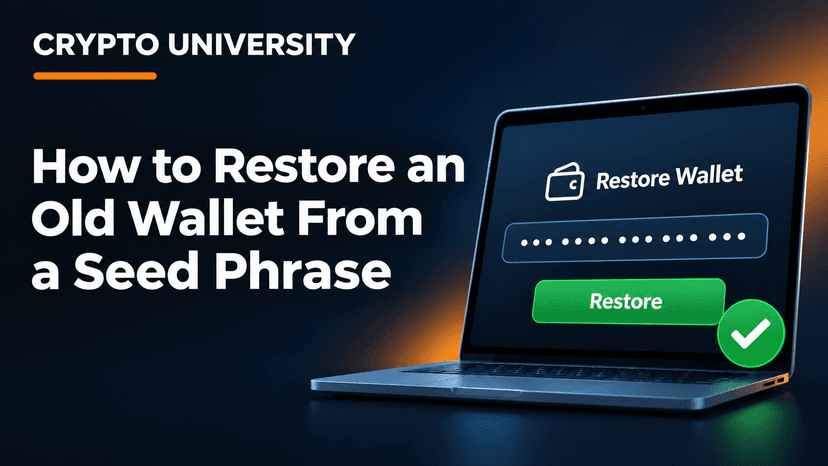
Open the wallet and choose Restore, Import, or I already have a wallet. Do not choose "Create new wallet."
Select the seed type if asked, such as BIP39 or Electrum.
Enter each word in the correct order. Most modern apps suggest words as you type and will warn you if the checksum fails.
If you used an extra passphrase when you first set up the wallet, enter it now. This is often called the "25th word."
Pick the address type or derivation path if the app asks (see the next section).
Let the wallet scan the blockchain. This can take a few minutes.
Compare the restored addresses with any old addresses you have on record, such as from emails or exchange withdrawal history.
Step 5: If the Balance Shows Zero
Seeing an empty wallet is stressful, but it rarely means the coins are gone. Check these causes in order.
Wrong derivation path
A derivation path is the "route" a wallet follows inside your seed to build addresses. Bitcoin has several common paths, and each produces different addresses from the same words. A reference guide from Spark notes that choosing the wrong path gives you valid addresses that are simply empty (Spark).
Standard | Path | Address starts with |
|---|---|---|
BIP44 (Legacy) | m/44'/0'/0' | 1 |
BIP49 (Nested SegWit) | m/49'/0'/0' | 3 |
BIP84 (Native SegWit) | m/84'/0'/0' | bc1q |
BIP86 (Taproot) | m/86'/0'/0' | bc1p |
If you know your old addresses started with "1" or "3," select that type. Other coins use their own paths. Ethereum wallets usually use m/44'/60'/0'/0/0, while some older apps chose different ones.
Missing or wrong passphrase
A BIP39 passphrase is not checked against anything. The Trezor wiki explains that the passphrase is mixed with the seed to create a separate wallet, and you must enter exactly the same text every time (Trezor Wiki). A wrong or missing passphrase opens a valid but different wallet, usually an empty one. Check capital letters, spaces, and spelling.
The wallet stopped scanning too early
Most wallets stop looking after 20 unused addresses in a row. This is called the gap limit, and BIP44 suggests 20 as the default (BitBox support). If your old wallet gave out many addresses that were never used, later funds may be hidden. Sparrow, Electrum, and BitBox let you raise this limit.
Wrong seed format or wrong network
An Electrum seed in a BIP39 app, or a Bitcoin seed checked only for Ethereum, will show nothing. Go back to Step 1 and confirm the format and coin.
Step 6: After a Successful Restore
Once you can see your funds, think about what comes next.
Check whether the old seed may be exposed. If it was stored in email, cloud notes, photos, or an old computer, it may not be private.
Consider moving funds to a new wallet with a freshly generated seed, backed up offline.
Send a small test amount first before moving the full balance.
Record the settings that worked, such as the wallet type, derivation path, and passphrase location, in a safe place with your new backup.
FAQ
Can I restore any seed phrase in any wallet? Not always. BIP39 seeds work in most modern wallets, but you may need to pick the right derivation path. Electrum and SLIP39 seeds need wallets that support those formats.
Why does my restored wallet show zero? The most common causes are the wrong derivation path, a missing passphrase, or a gap limit that is too low. The funds are often still on the blockchain.
Is it safe to use an online seed phrase tool? Typing your seed into any website or online tool is risky, because whoever runs it could take your funds. Use official desktop software or a hardware wallet instead.
What if I am missing one or two words? Recovery may still be possible with open source recovery tools, especially if you know the word positions. Be very careful of paid "recovery services" that contact you first, as many are scams.
Do I need the original app to restore my wallet? No, in most cases. A BIP39 seed can be restored in another compatible wallet. Knowing the original app still helps you choose the right settings.
Related Terms
Seed Phrase: A list of 12 to 24 words that can rebuild every key in a self-custody wallet.
Derivation Path: The set of rules a wallet follows to create addresses from a seed phrase.
BIP39: The widely used standard that turns random data into a readable list of recovery words.
Disclaimer
This article is for educational purposes only and is not financial, legal, or security advice. Wallet software changes over time. Always follow the official instructions of the wallet you use, and never share your seed phrase with anyone.
Sources
Electrum's seed version system documentation explains why Electrum seeds are not BIP39.
Ryder's guide on why Electrum seeds fail on most hardware wallets describes the hidden version number.
The walletsrecovery.org project lists wallet defaults for external recovery.
Spark's derivation paths reference covers BIP44, BIP49, BIP84, and BIP86.
The Trezor Wiki on passphrases explains how a passphrase creates a separate wallet.
BitBox support's gap limit explainer covers why funds can be missed during recovery.
Exodus support's derivation paths page lists paths used by Exodus.