How To Register For Crypto University
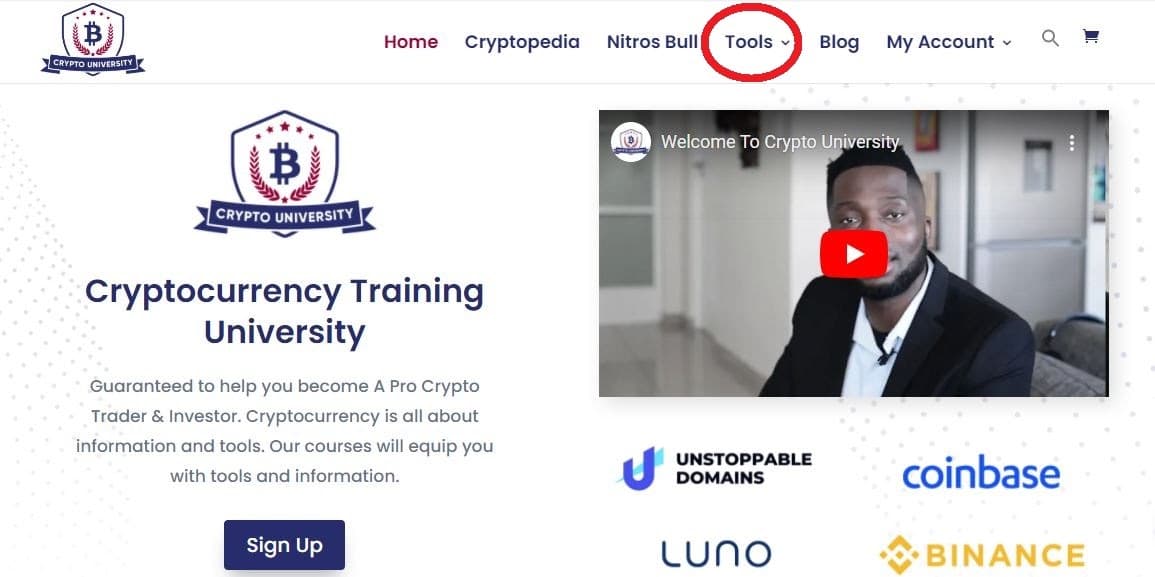
Step 1: If you don’t have cryptocurrency, visit the Crypto University website and click on the ‘Tools’ tab for a list of recommended exchanges to buy your crypto. (If you already have cryptocurrency, you can skip to Step 3.):
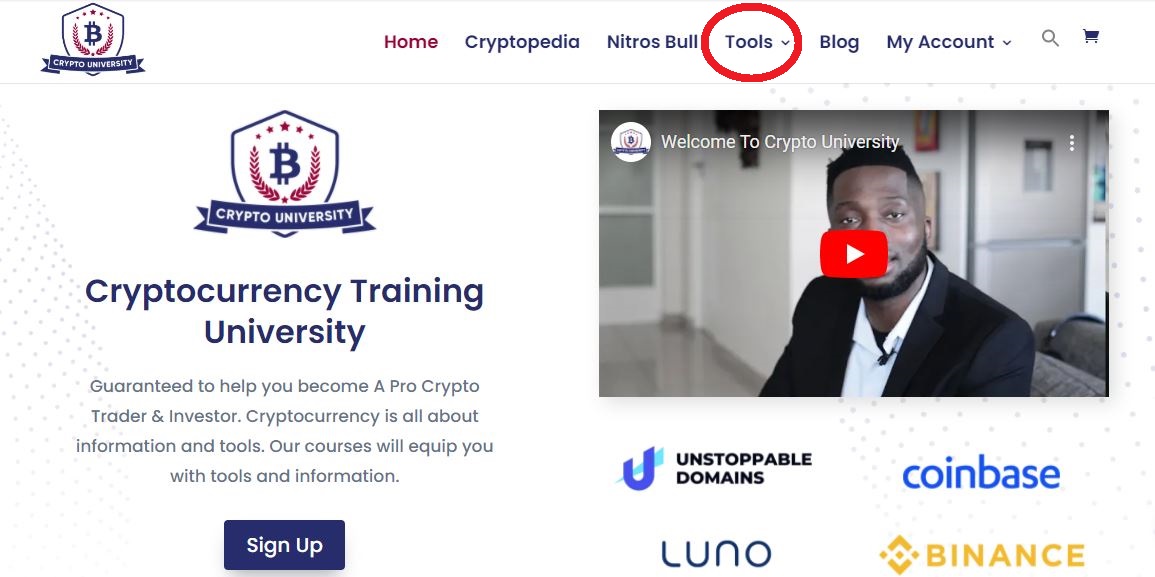
Step 2: Under Tools, select an exchange to buy cryptocurrency using cash or credit card:
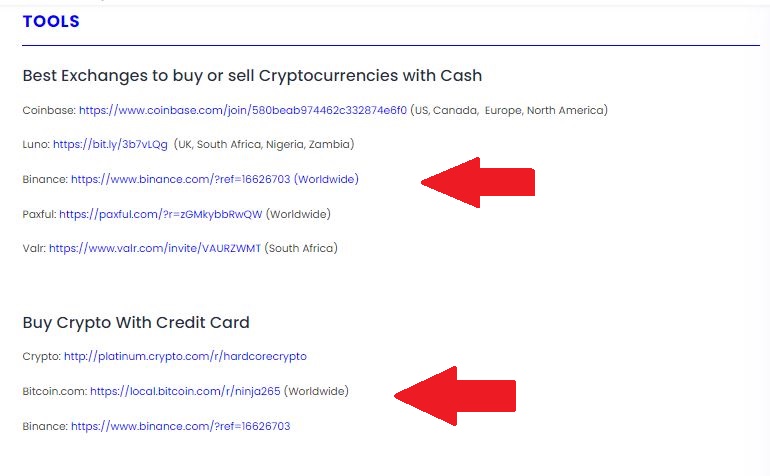
Note: The Best Exchanges to buy Cryptocurrencies with Cash;
Coinbase: https://www.coinbase.com/join/580beab974462c332874e6f0 (US, Canada, Europe, North America)
Luno: https://bit.ly/3b7vLQg (UK, South Africa, Nigeria, Zambia)
Binance: https://www.binance.com/?ref=16626703 (Worldwide)
Paxful: https://paxful.com/?r=zGMkybbRwQW (Worldwide)
Valr: https://www.valr.com/invite/VAURZWMT (South Africa)
The Best exchanges to Buy Crypto With a Credit Card:
Crypto: http://platinum.crypto.com/r/hardcorecrypto
Bitcoin.com: https://local.bitcoin.com/r/ninja265 (Worldwide)
Binance: https://www.binance.com/?ref=166267
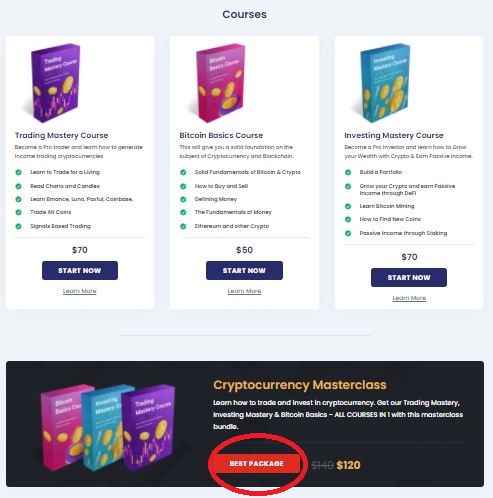
Step 3: Once you have your cryptocurrency, return to the Crypto University website and select which course or product e.g. Cryptocurrency Masterclass, Nitros Bull, 1 on 1 Mentorship etc., you would like to purchase and proceed to checkout:

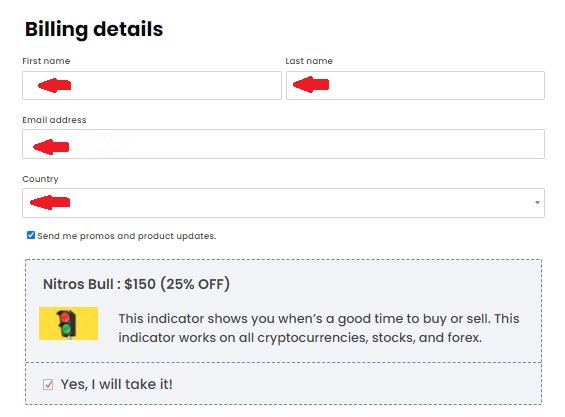
Step 4: At checkout, you will be prompted to fill in your billing details:
Step 5: Scroll down to select the cryptocurrency payment method and then click “Proceed” :
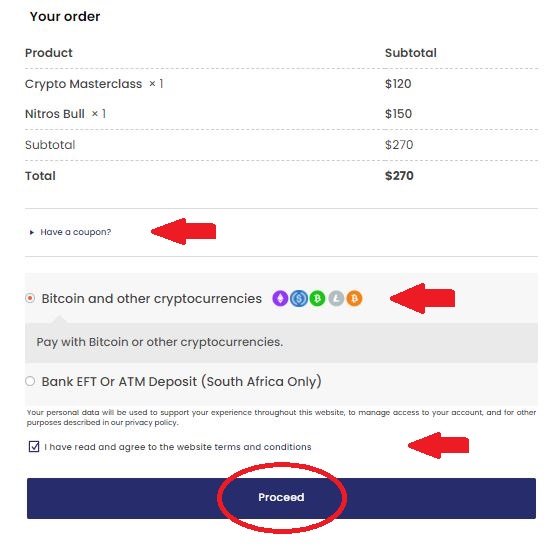
Note: If you have a coupon, you can apply it by selecting the ‘Have a coupon?’ tab.
Step 6: You will be redirected to pay using any of the following cryptocurrencies:
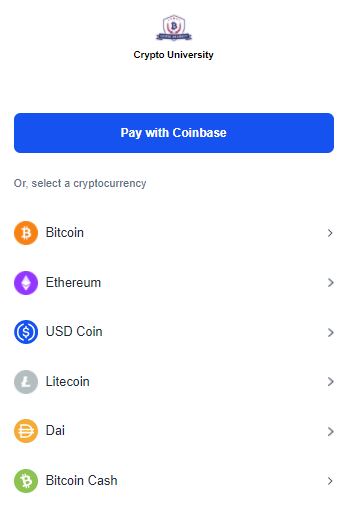
Note: Crypto University uses Coinbase Commerce to accept cryptocurrency payments. You do not need a Coinbase account to pay with crypto.
Step 7: Select the cryptocurrency you wish to make a payment with:
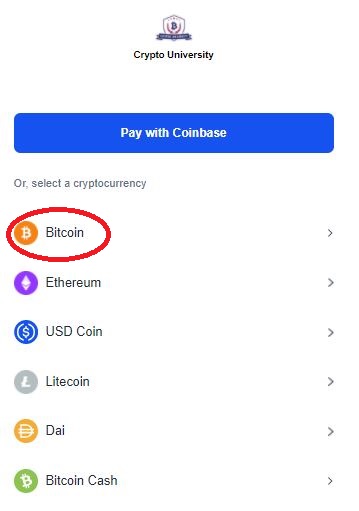
Step 8: Complete the payment process by scanning the QR code or by sending the cryptocurrency to the Crypto University wallet address provided by the website:
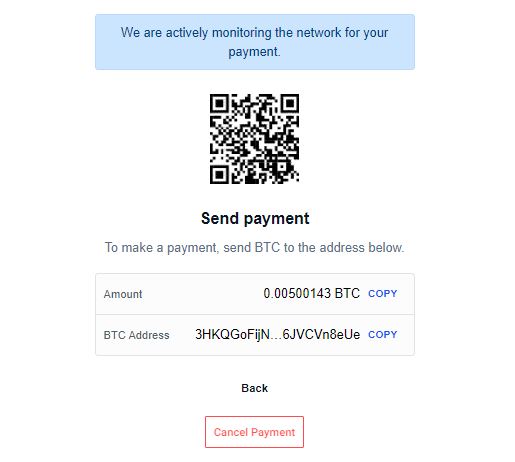
Note: If paying to our wallet address - please use the copy buttons to avoid making mistakes as blockchain transactions are irreversible.
Once the transaction has been confirmed, you will receive an email and your Crypto University account will be activated.