Remitano Wallet Tutorial
Contents:
- How to register for a new Remitano account
- P2P Exchange - Buying Cryptocurrency
- P2P Exchange - Selling Cryptocurrency
- Investing in cryptocurrency
- Swapping cryptocurrency
- Remitano Forum
- Remitano Mission
- Refer a friend
1. How To Register for Remitano
Remitano provides an escrowed P2P Bitcoin marketplace where people buy and sell Bitcoin easily and safely with a simple UI and the lowest fees on the market.
1.1 Visit remitano.com or install the free app on mobile, iOS or Android:
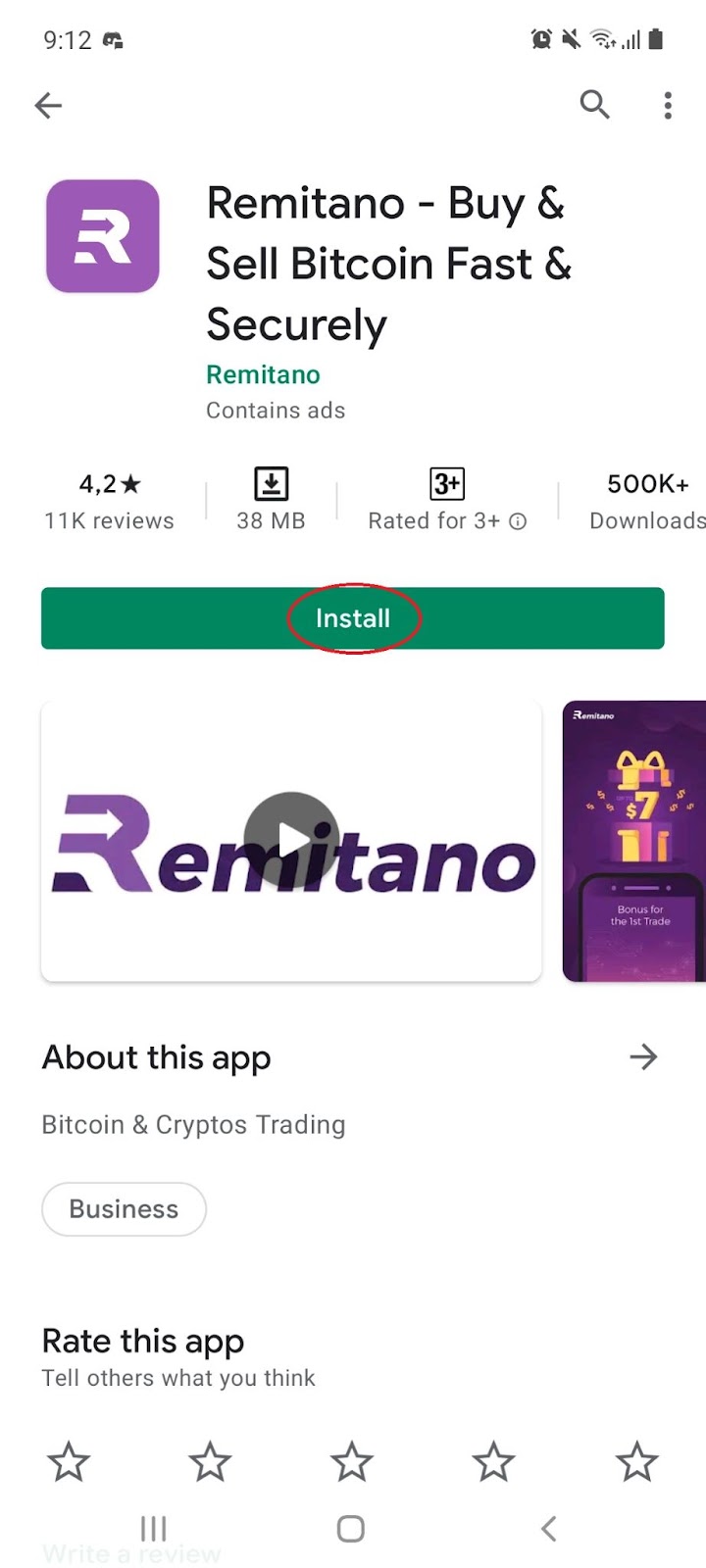
1.2 Once installed, open the app and select the ‘Menu’ icon:
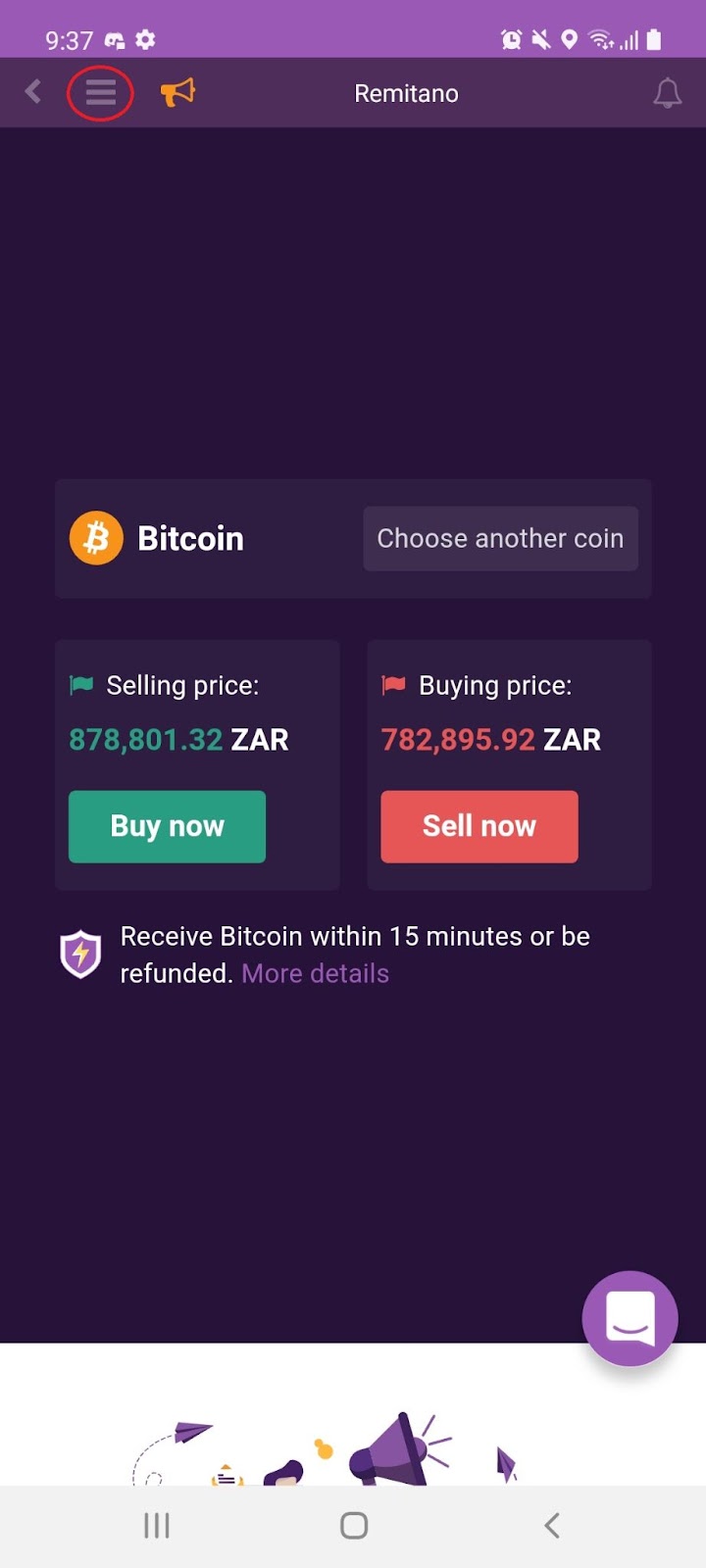
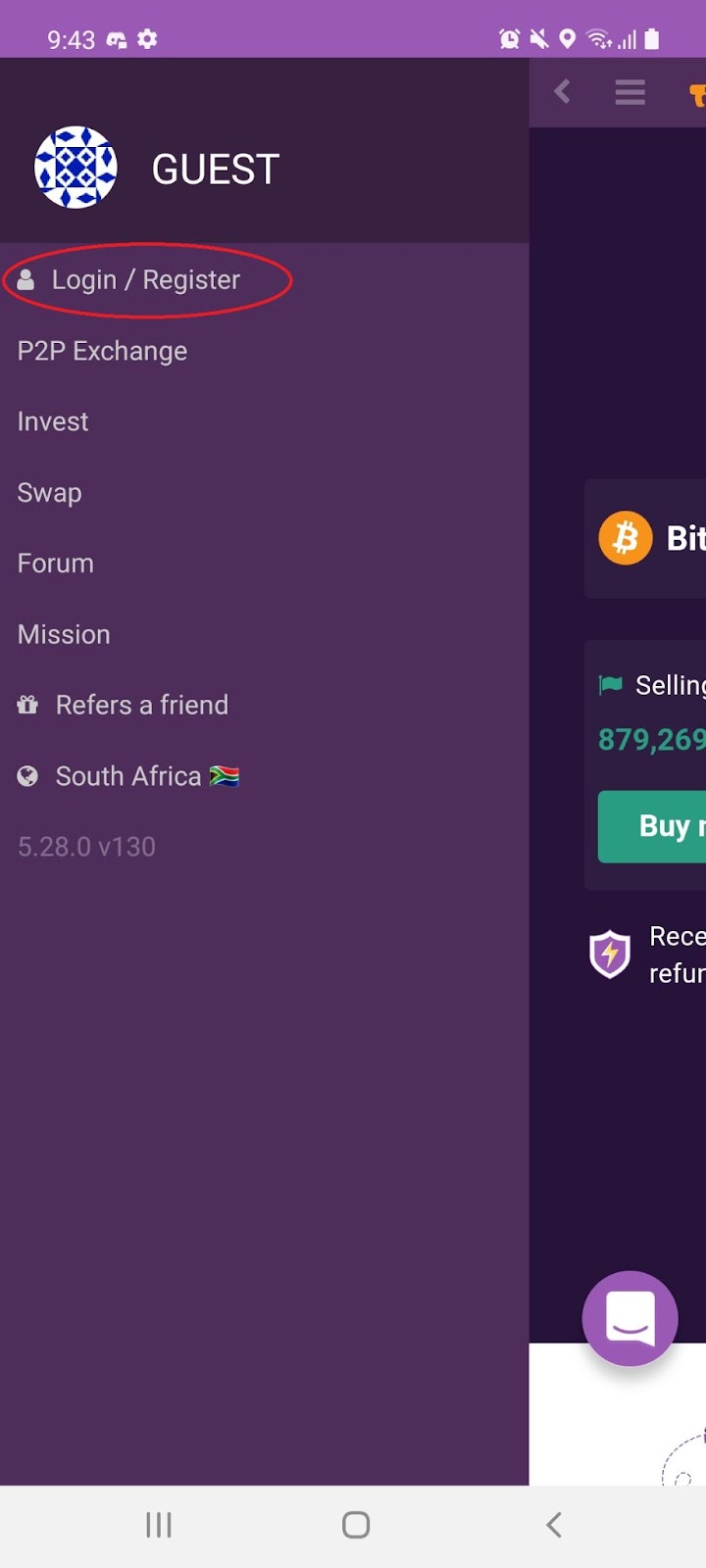
1.3 On the menu bar select ‘Login / Register’:
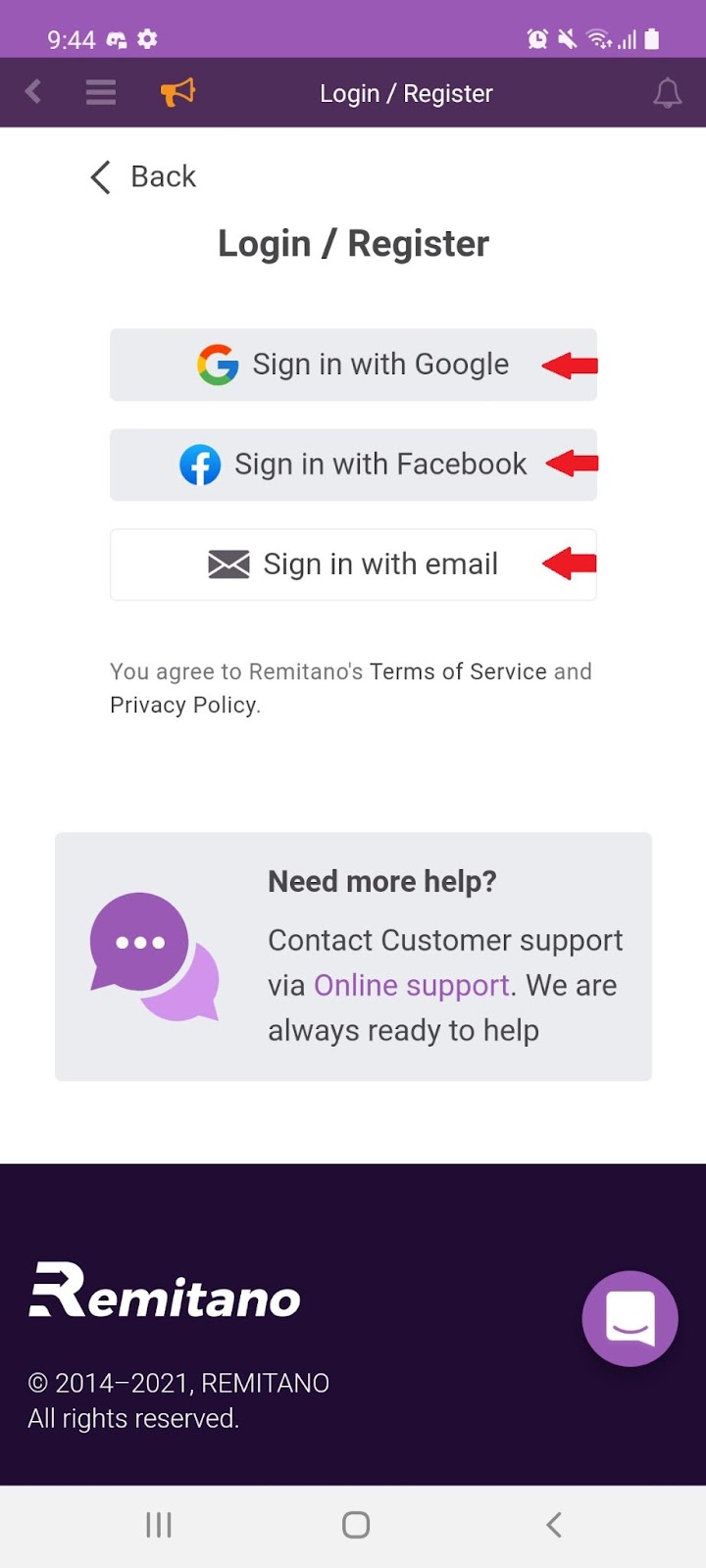
1.4 You can register using Google, Facebook or email account:
1.5 You will be prompted to enter a USERNAME and then click ‘Continue’:
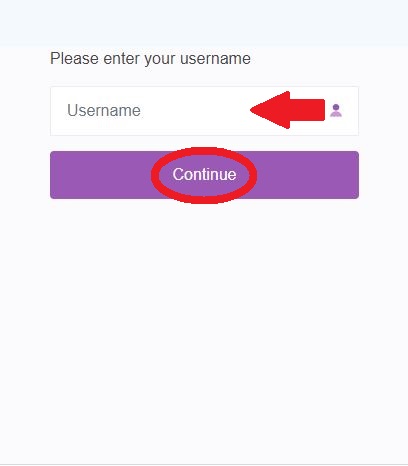
Note: You will be prompted to accept the legal terms and conditions.
1.6 Welcome to your brand new Remitano Account:
Note: After signing up make sure to edit your profile to help you find a trading partner on this P2P platform.
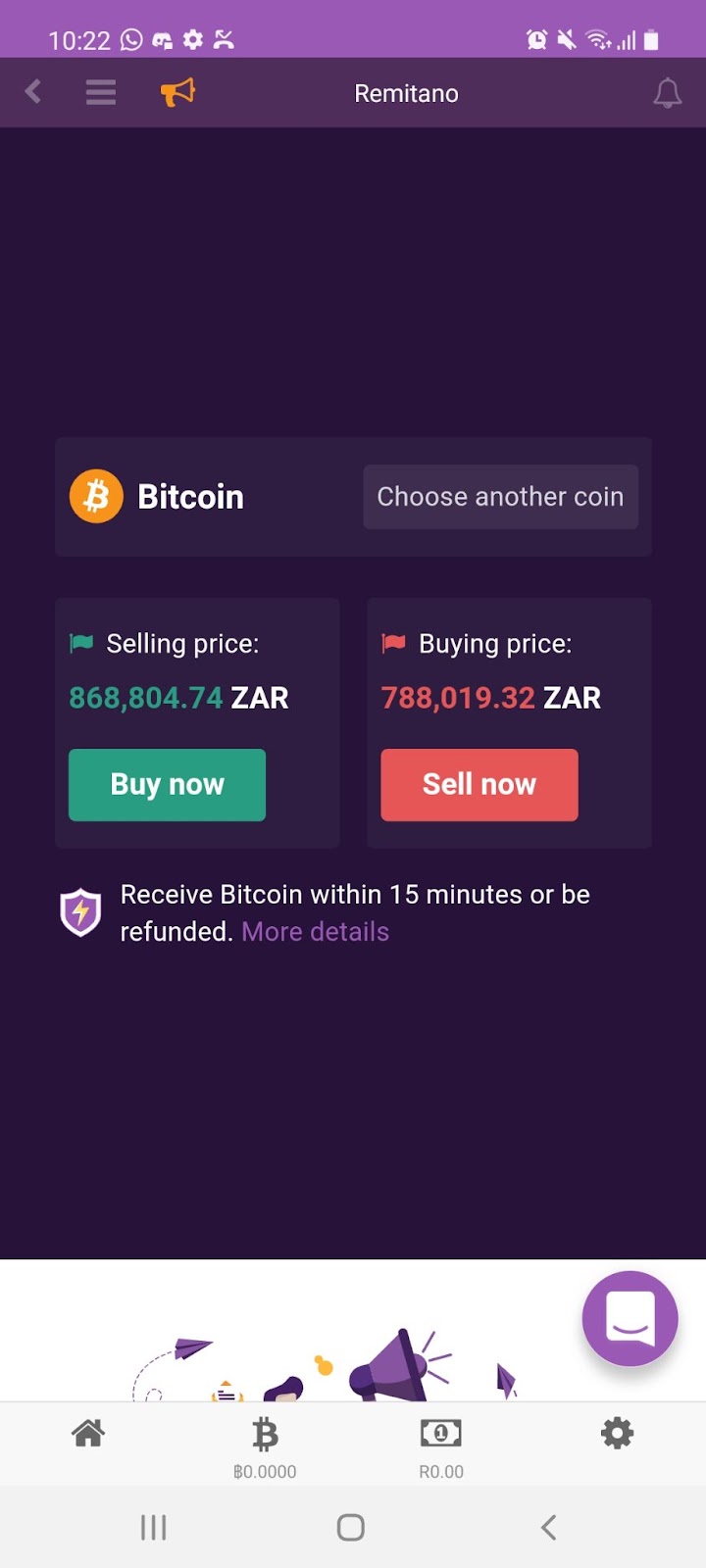
2. P2P Exchange - Buying Cryptocurrency
2.1 From the menu, select ‘P2P Exchange’:
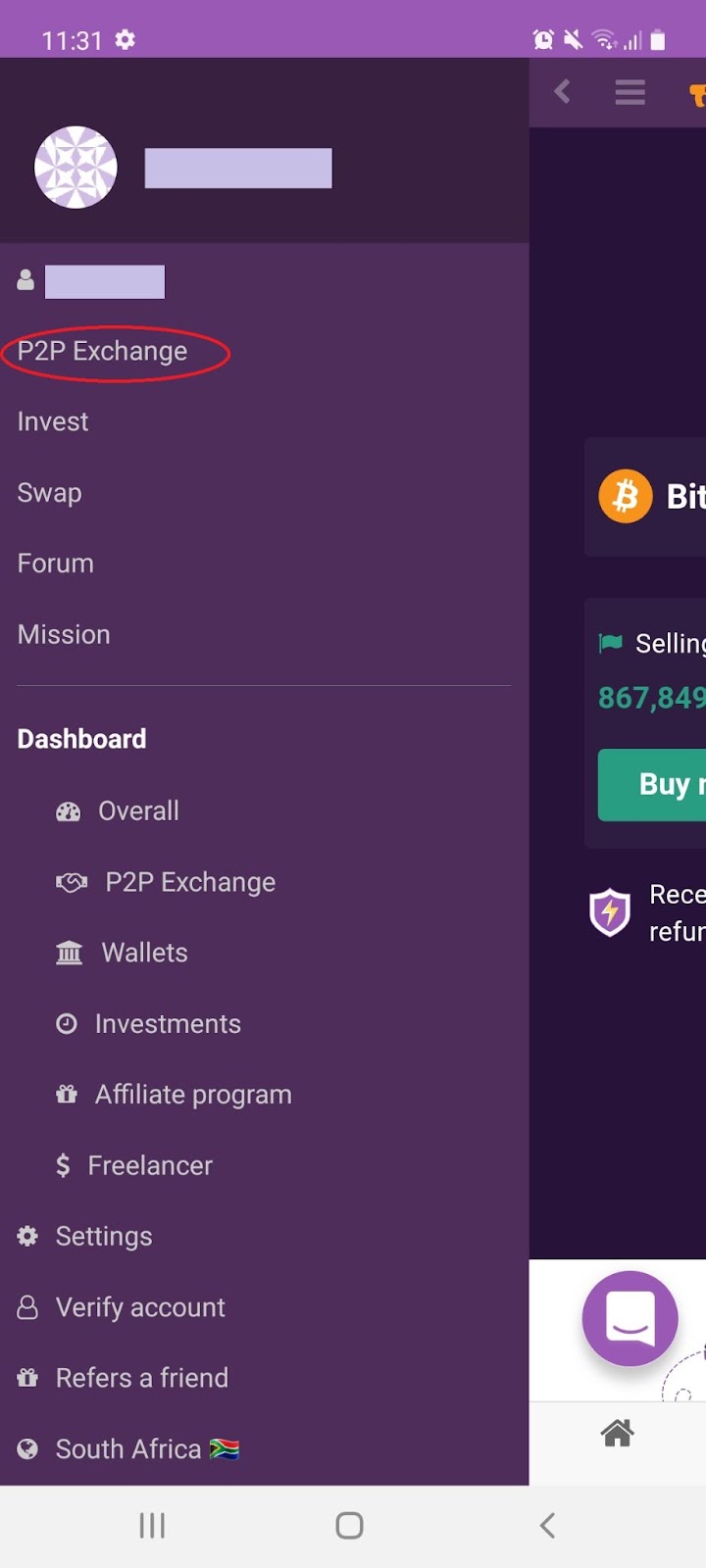
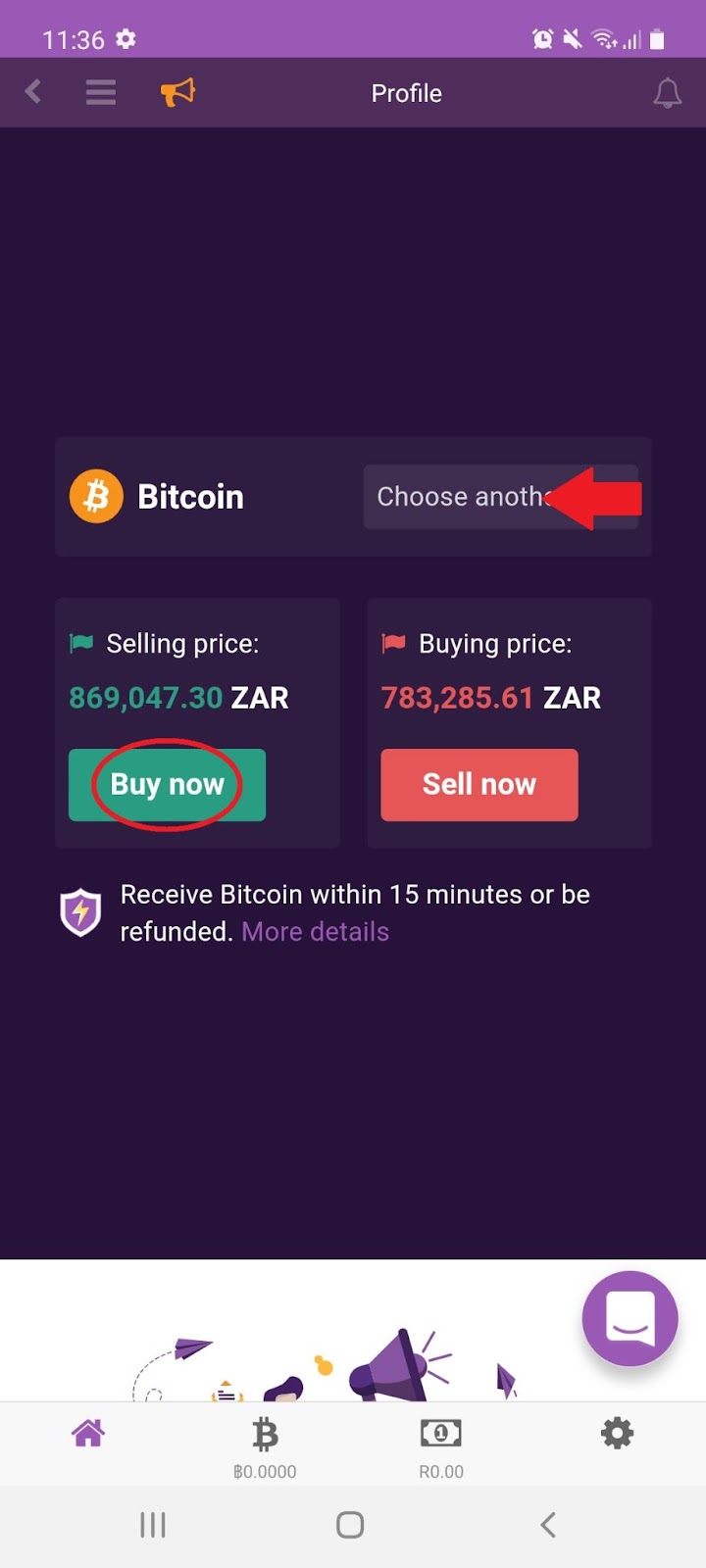
2.2 Choose the coin you would like to buy, e.g. Bitcoin and click ‘Buy now’:
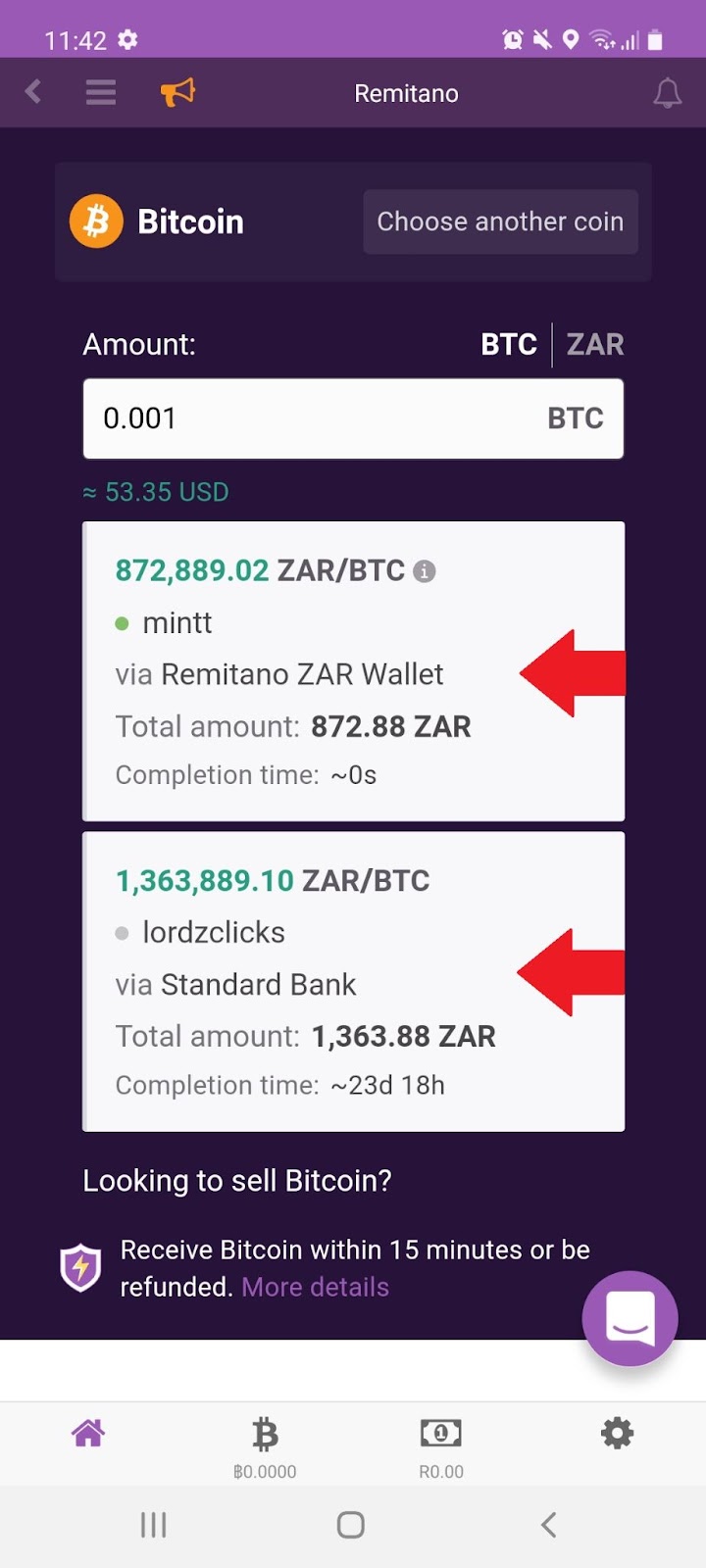
2.3 Enter the amount and select which available seller you would like to buy from:
Note: To begin trading on Remitano, you'll first need to verify a Phone number and Email address. Afterwards, you will be requested to prove their identity by writing out and documenting a message on an A4 Paper and you're requested to submit your identification such as a National ID or Passport.
3. P2P Exchange - Selling Cryptocurrency
3.1 From the menu, select ‘P2P Exchange’:
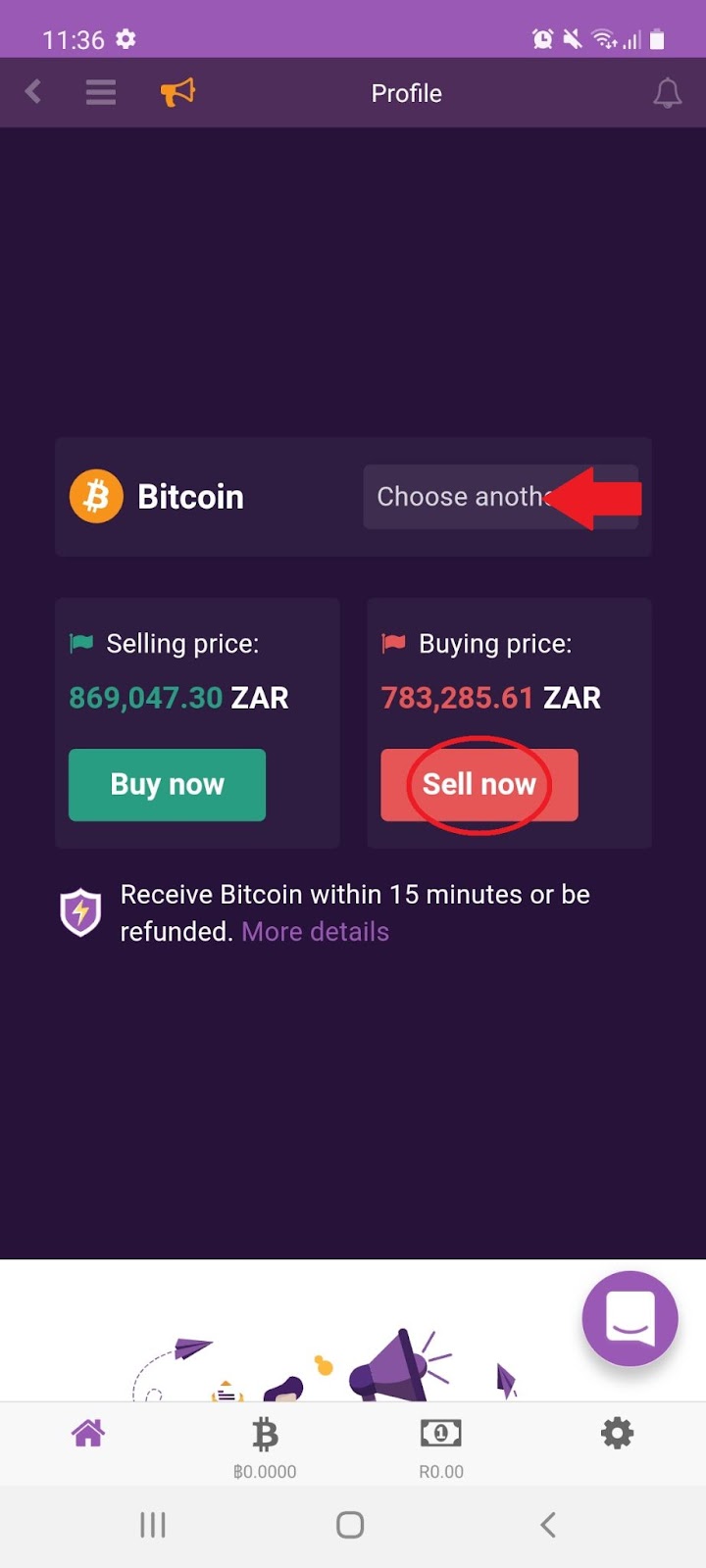
3.2 Choose the coin you would like to sell, e.g. Bitcoin and click ‘Sell now’:
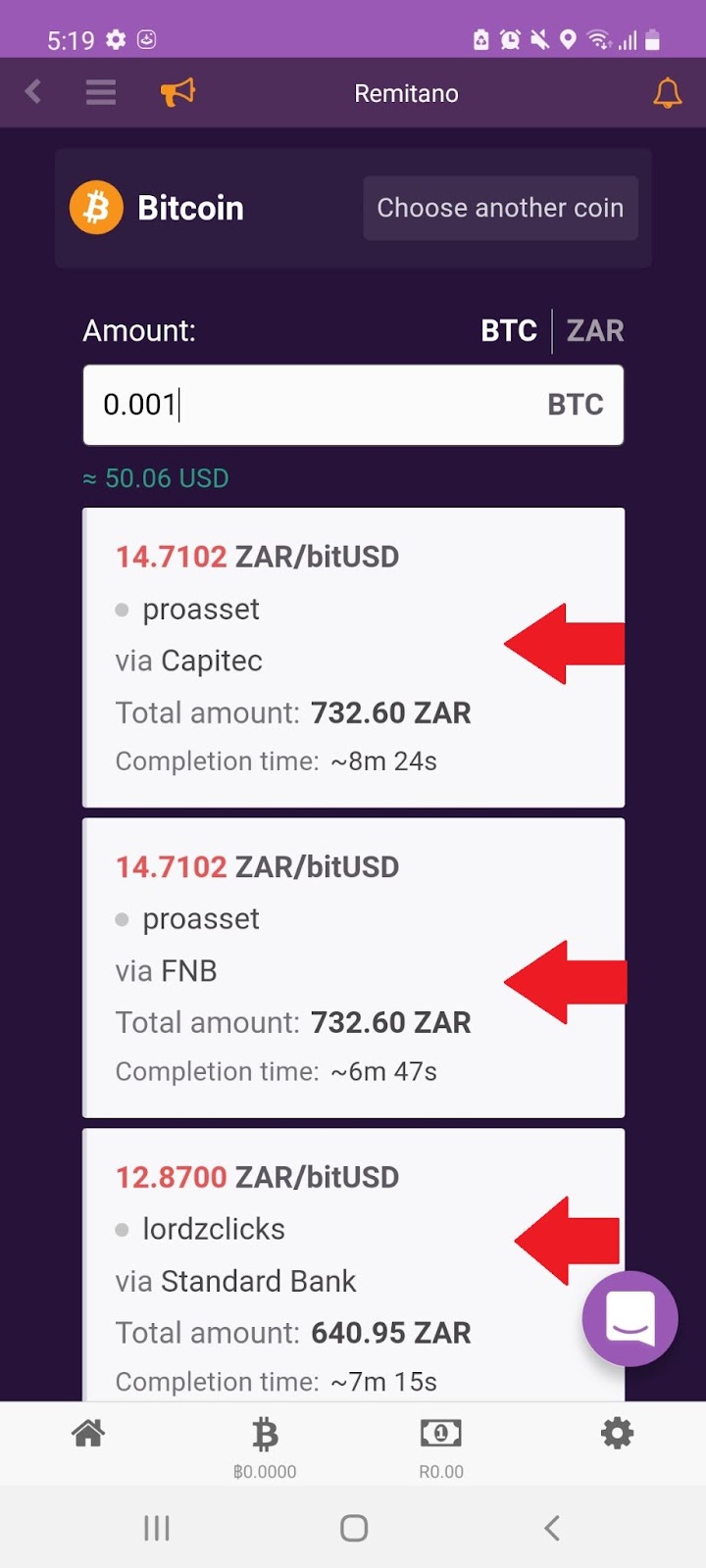
3.3 Select which available buyer you would like to sell to:
Note: To begin trading on Remitano, you'll first need to verify a Phone number and Email address. Afterwards, you will be requested to prove their identity by writing out and documenting a message on an A4 Paper and you're requested to submit your identification such as a National ID or Passport.
4. Investing in Cryptocurrency
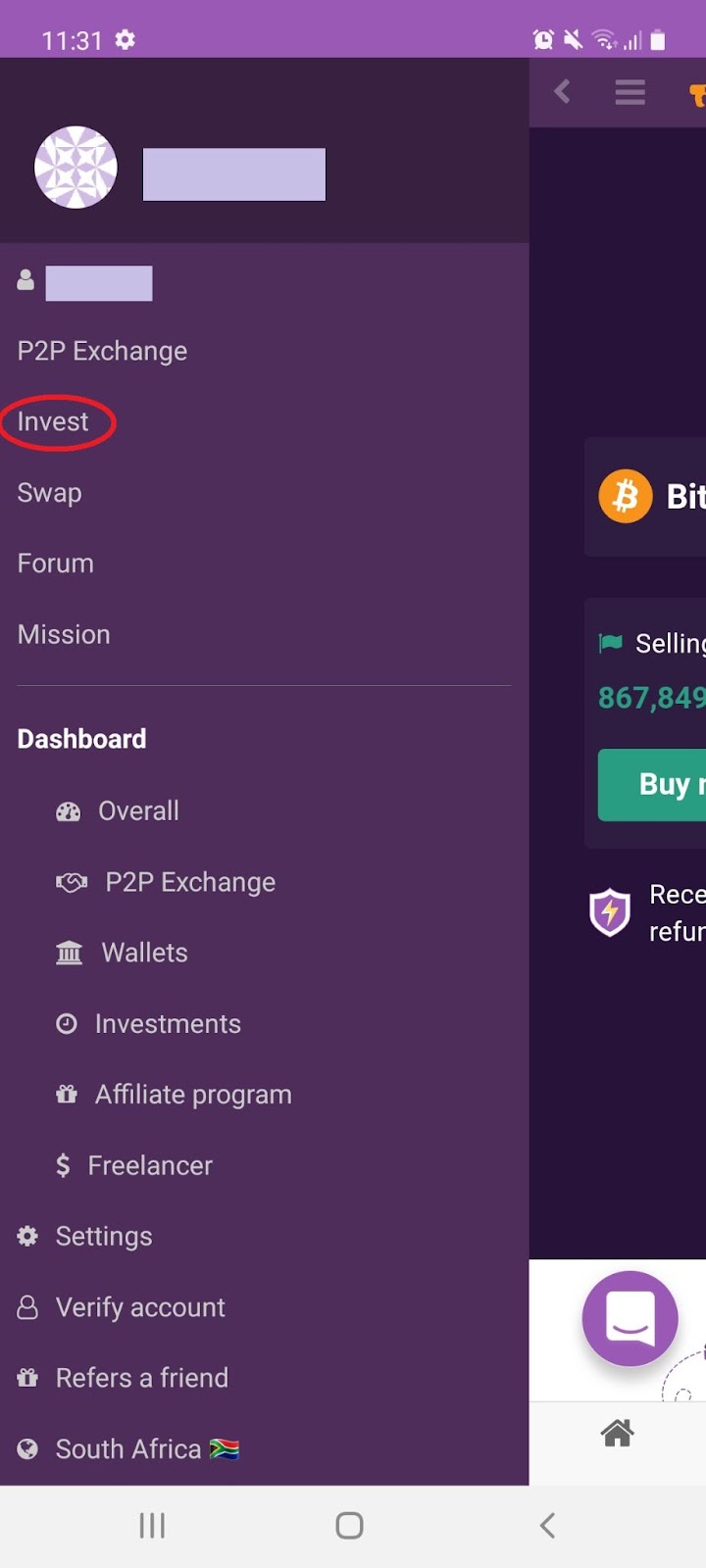
4.1 From the menu, select the ‘Invest’:
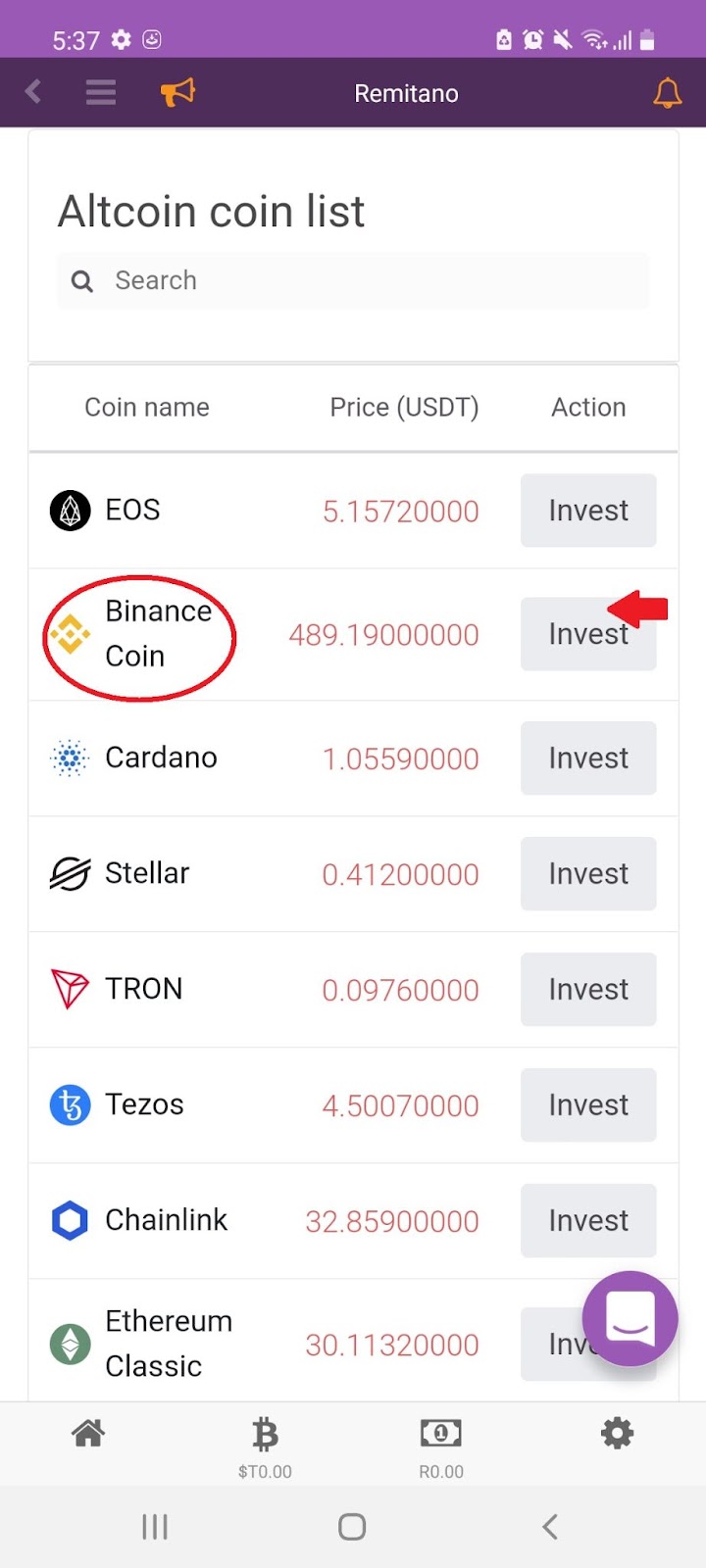
4.2 Choose which coin you would like to invest in, and click ‘Invest’:
4.3 Enter the amount you would like to invest and click ‘Open Investment’:
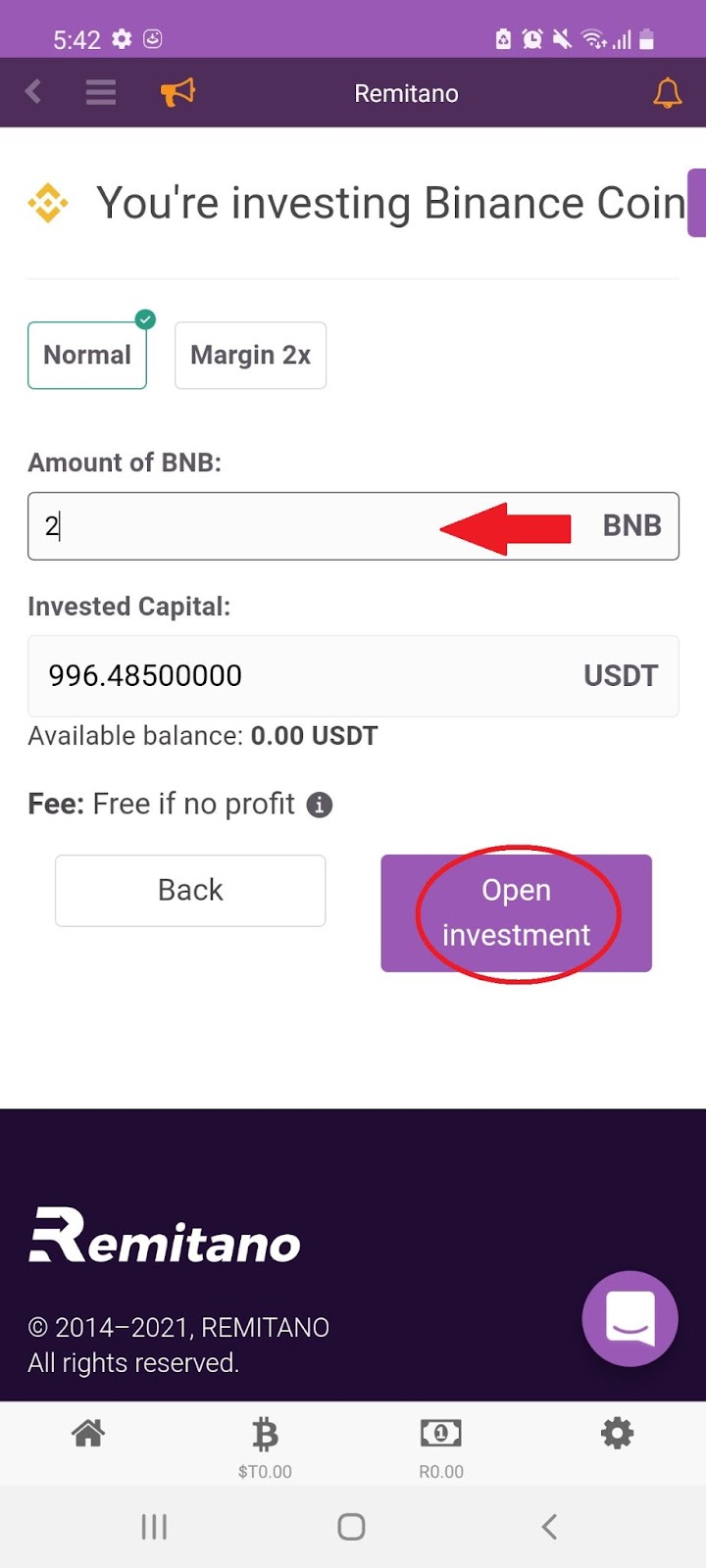
Note: Profit in USDT will be credited to your balance when the investment is closed
- The valuation of your investment will be live-updated.
- Your investment is opened until you confirm to close it.
- When closing the investment, the profit will be credited to your wallet.
- Fee for investment is 1% / total of usdt you actually receive, and it is only charged when you have profits.
5. Swapping Cryptocurrency
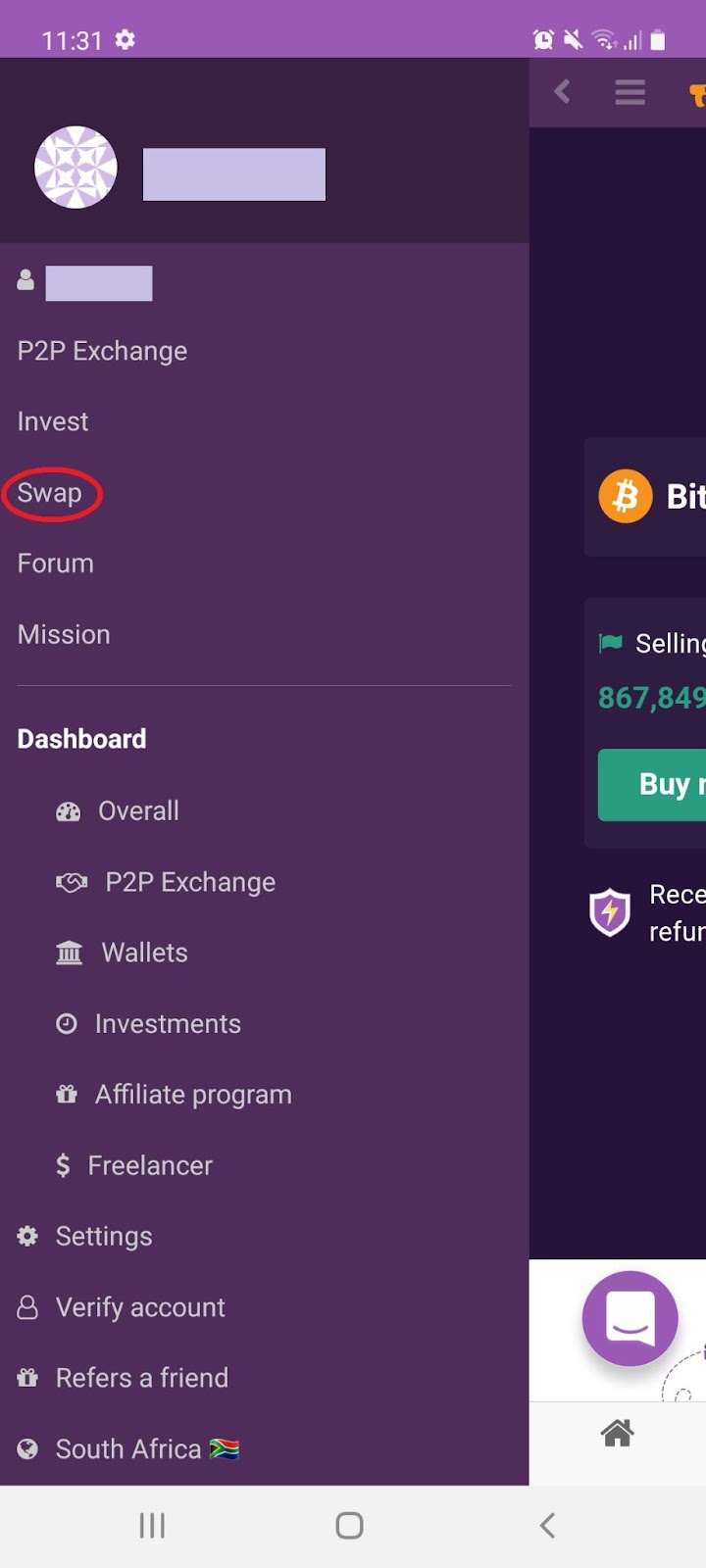
5.1 From the menu, select the ‘Swap’: :
5.2 Select the currency and the amount you would like to swap and click ‘Swap’: :
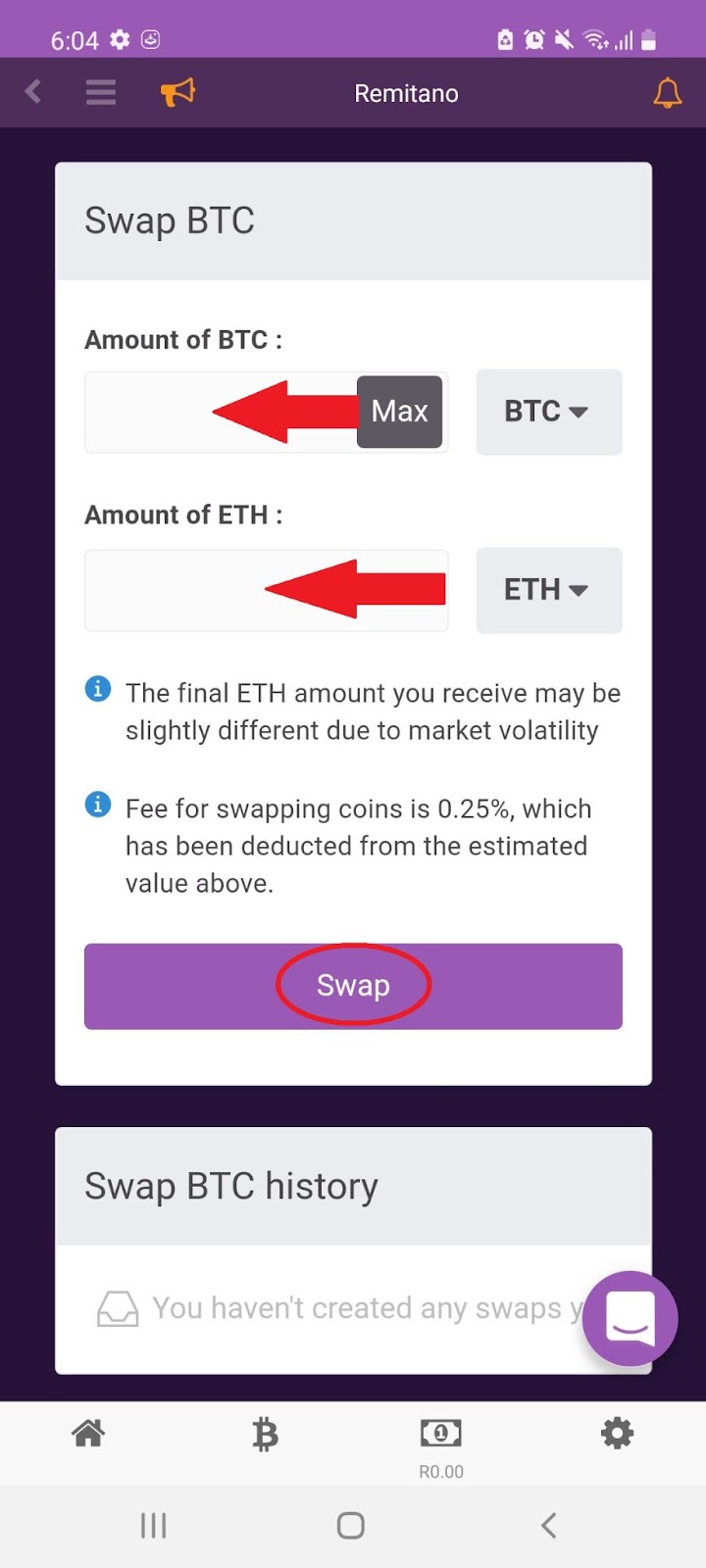
Note: The exchange fee is 0.25%, which will be deducted from the estimated value when you open a SWAP order
6. Remitano Forum
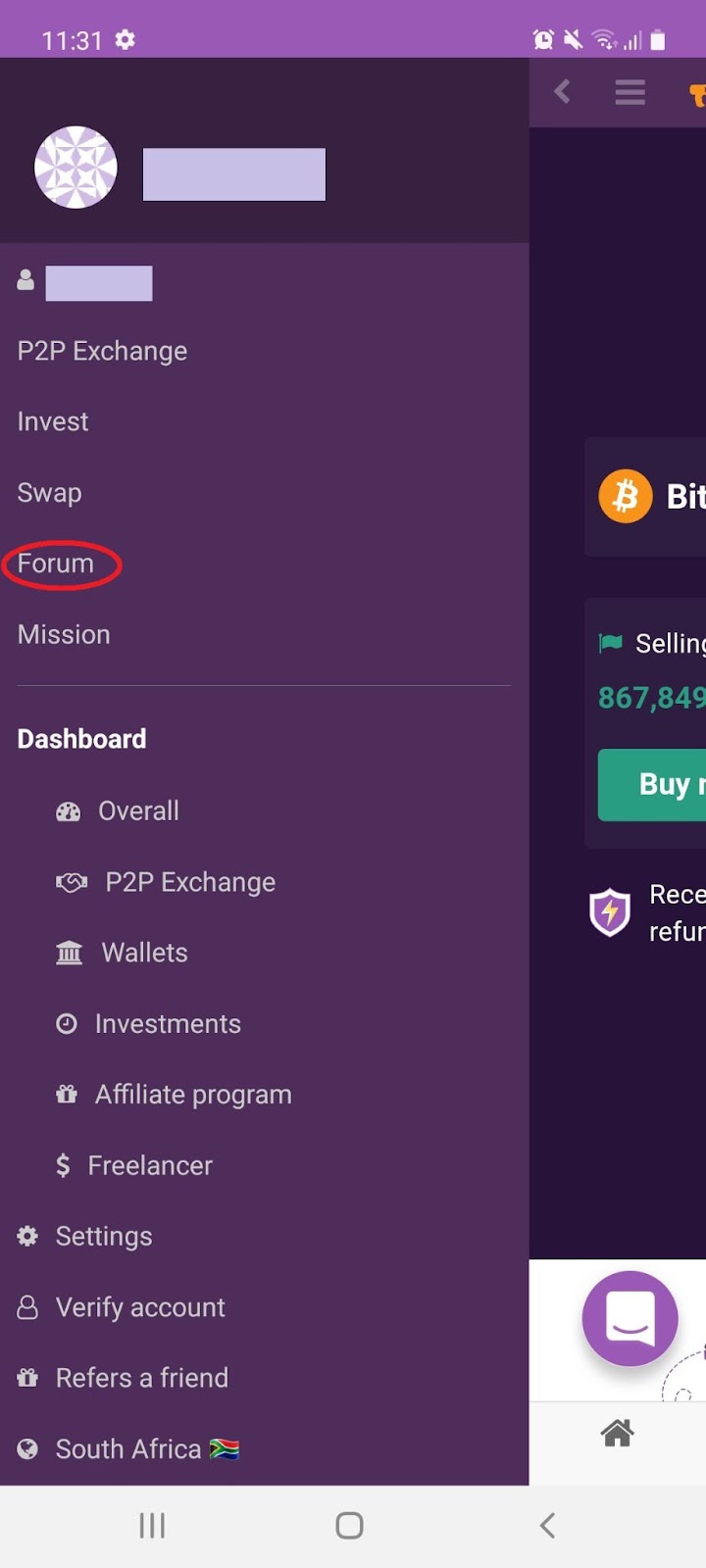
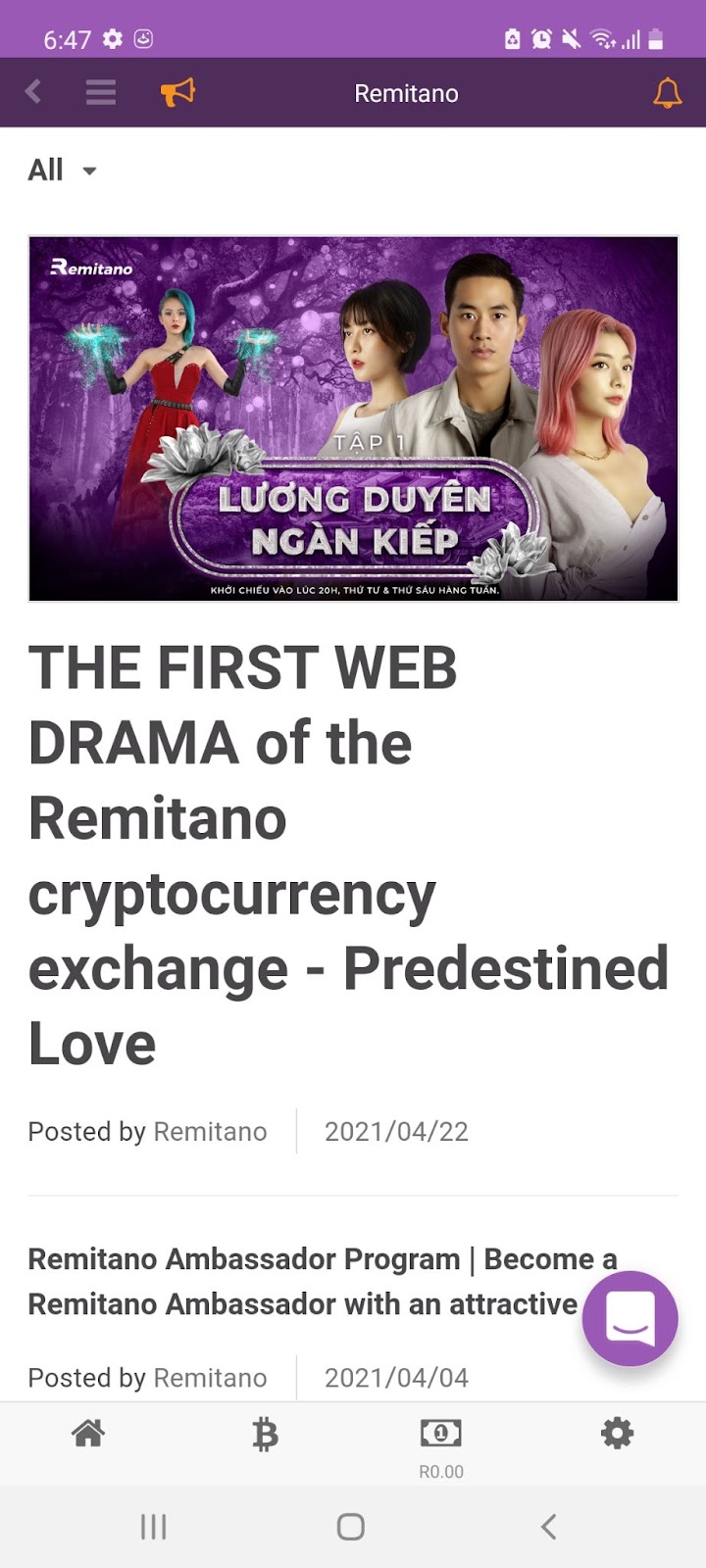
6.1 From the menu bar, select ‘Forum’:
6.2 Scroll down to find out all about the latest cryptocurrency news and updates:
7. Remitano Mission
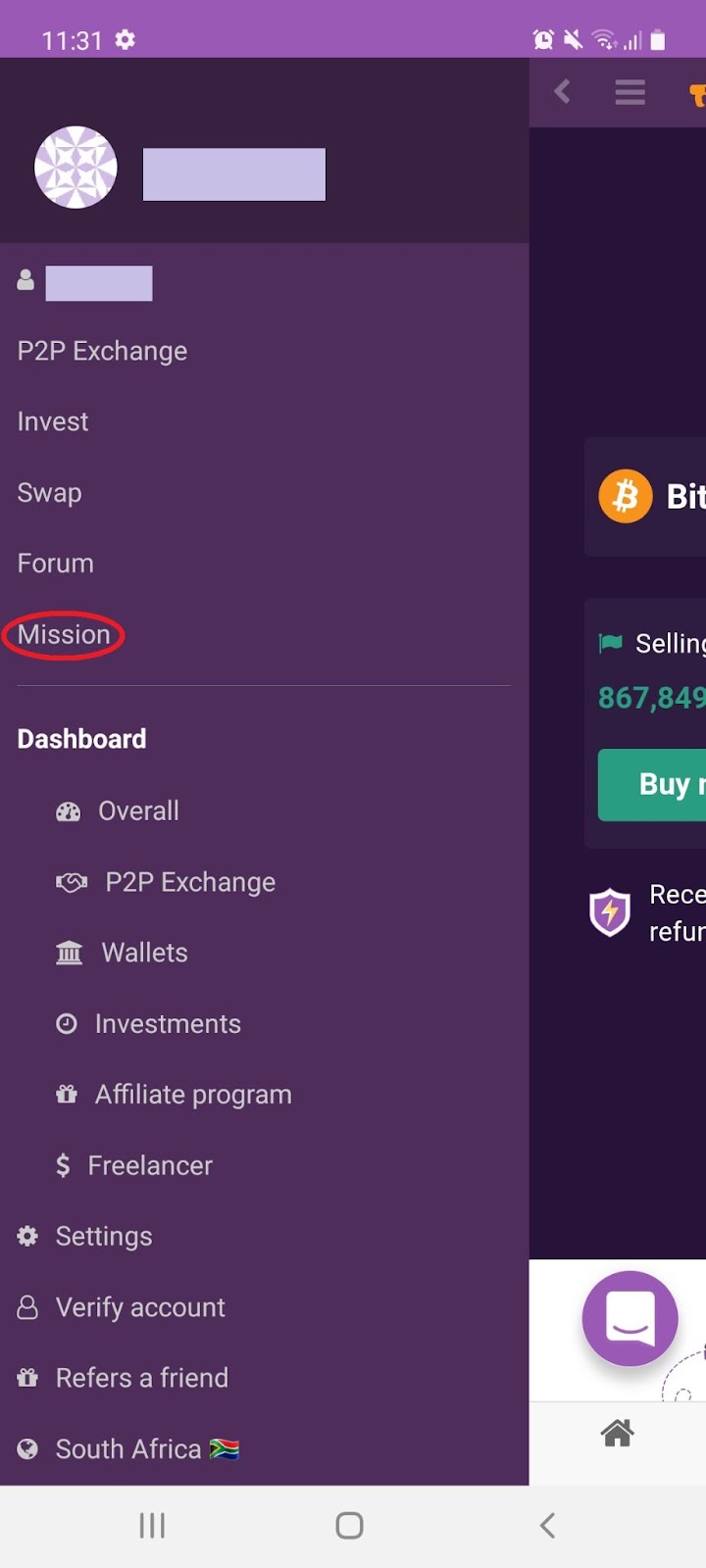
7.1 From the menu select, ‘Mission’:
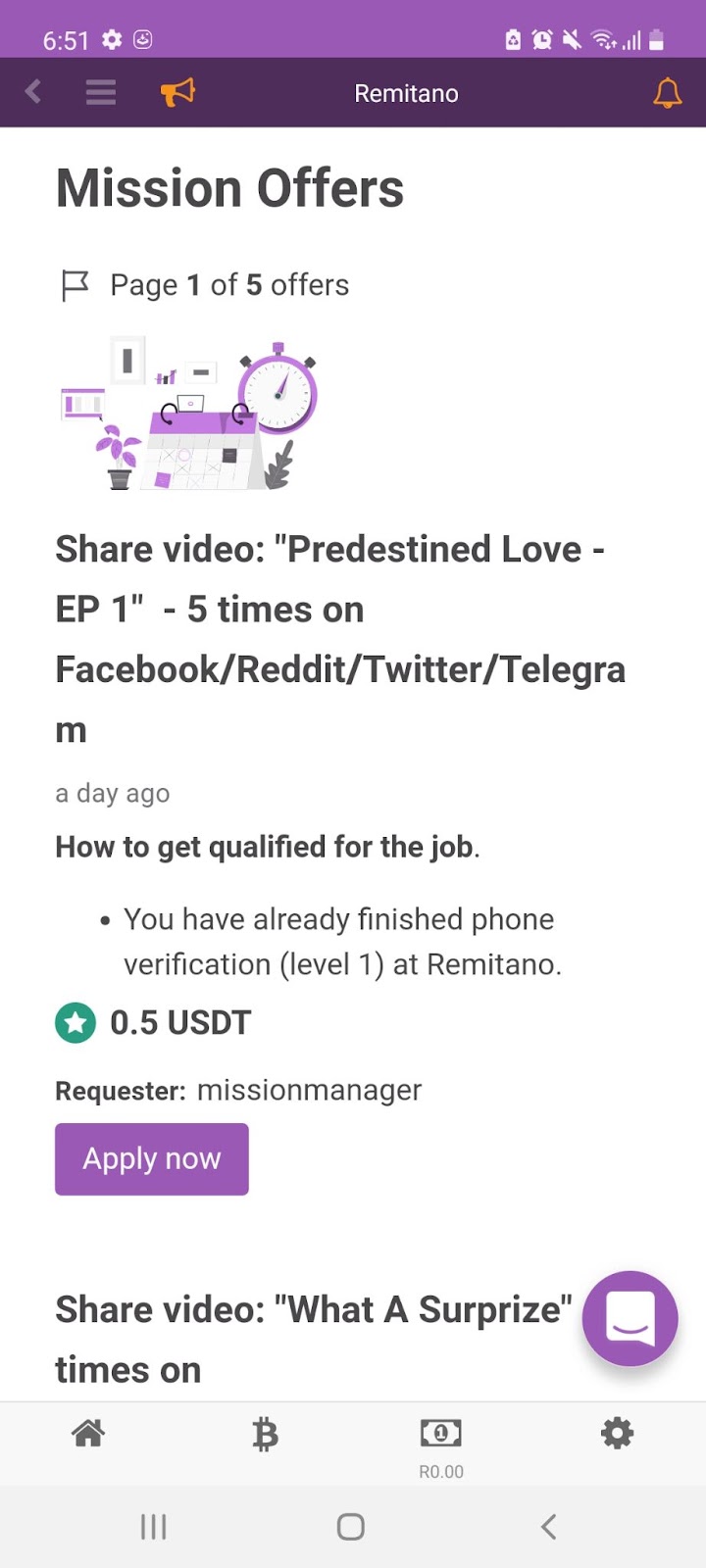
7.2 Scroll down to find all the latest freelance employment opportunities in the crypto market:
8. Refer a friend
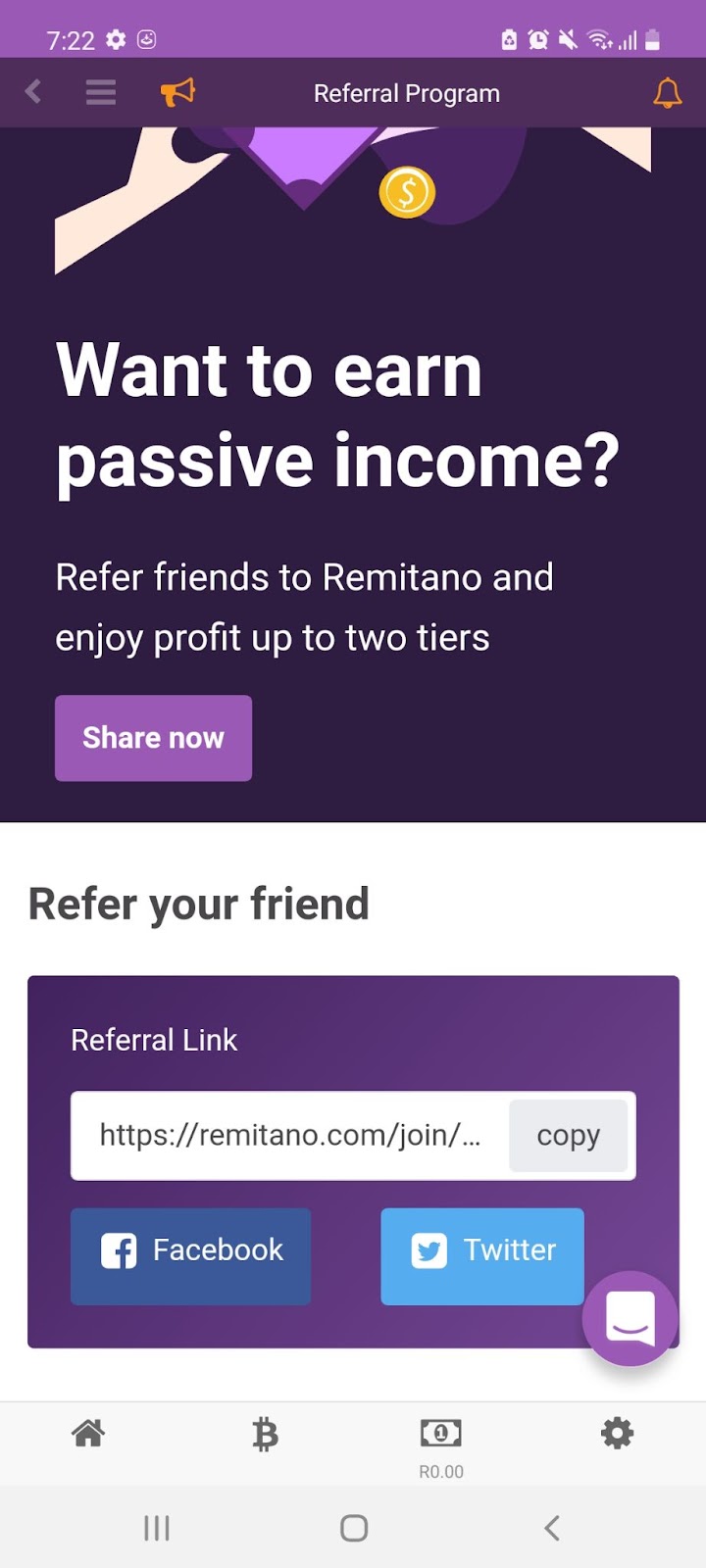
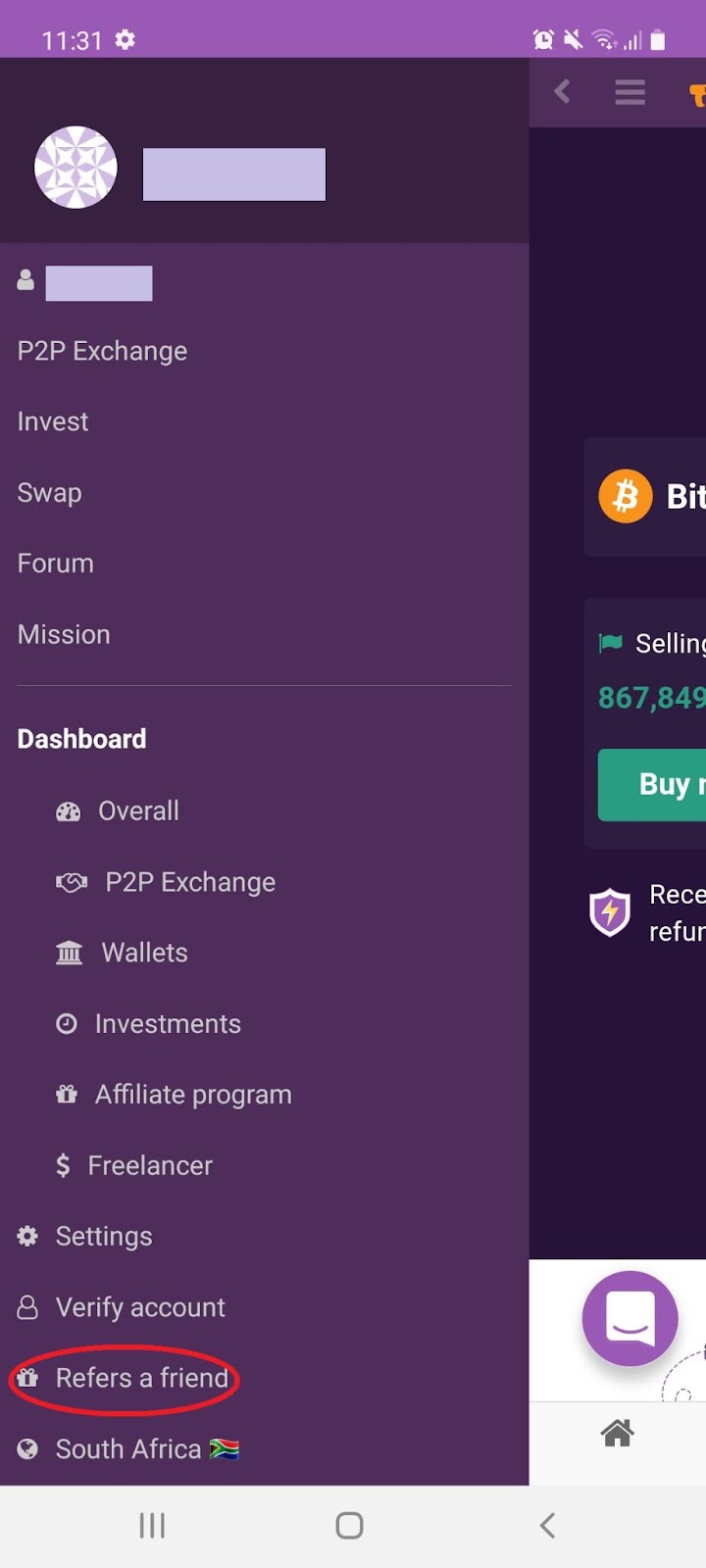
8.1 From the menu dashboard select, ‘Refer a friend’:
8.2 Earn passive income by referring your friends and family to join Remitano: