PancakeSwap Tutorial
Contents
- Connecting to PancakeSwap
- Swapping cryptocurrencies
- Adding liquidity
- PancakeSwap Staking - Farm
- PancakeSwap Staking - Pools
- PancakeSwap Lottery
1. Connecting to PancakeSwap
PancakeSwap is a decentralized exchange built on the Binance Smart Chain for swapping BEP-20 tokens. It offers the lowest fees and users have 100% control over their funds at all times. To get started you need to connect your wallet. We recommend Metamask or Trust Wallet.
1.1 Open the Trust Wallet, and select the ‘Dapps’ icon:
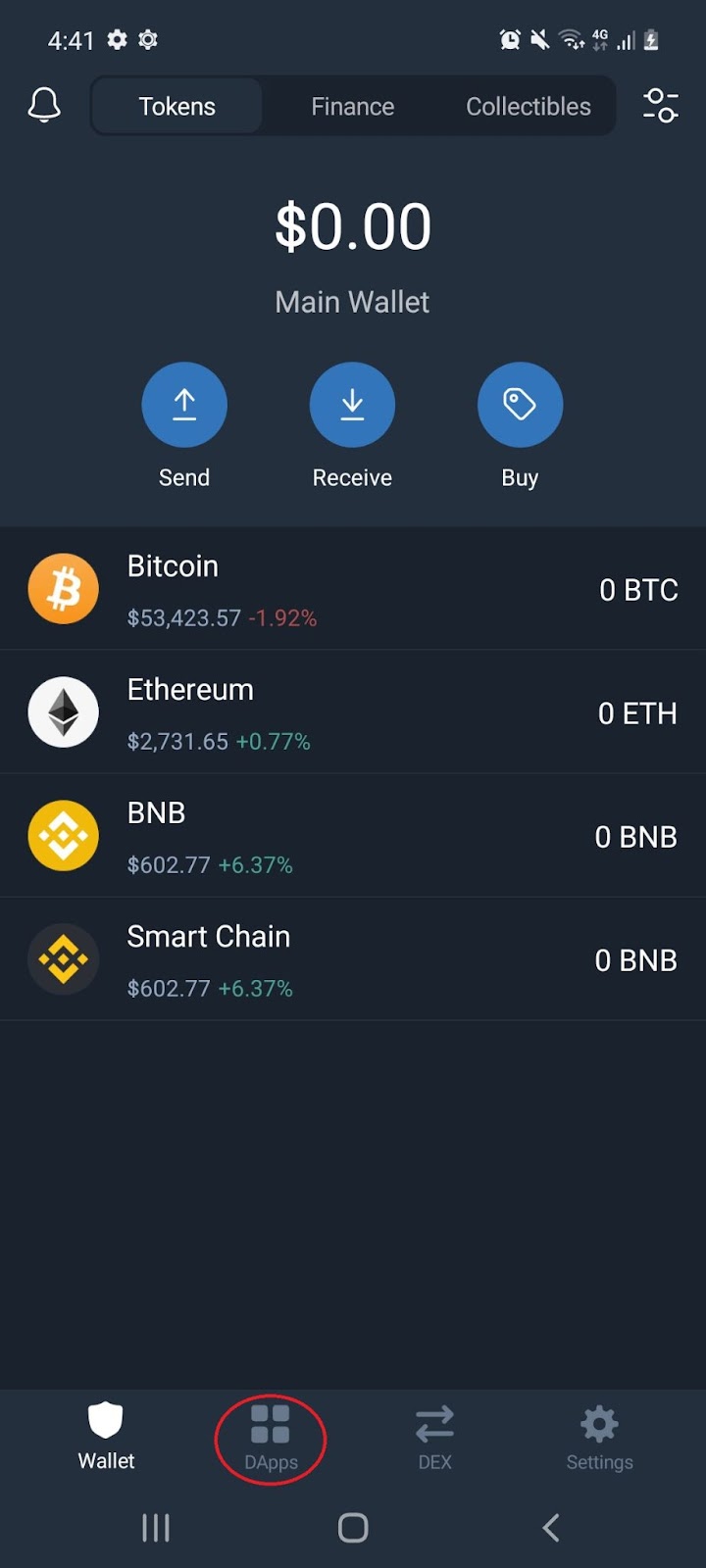
1.2 Scroll down to the DeFi section and select ‘PancakeSwap’:
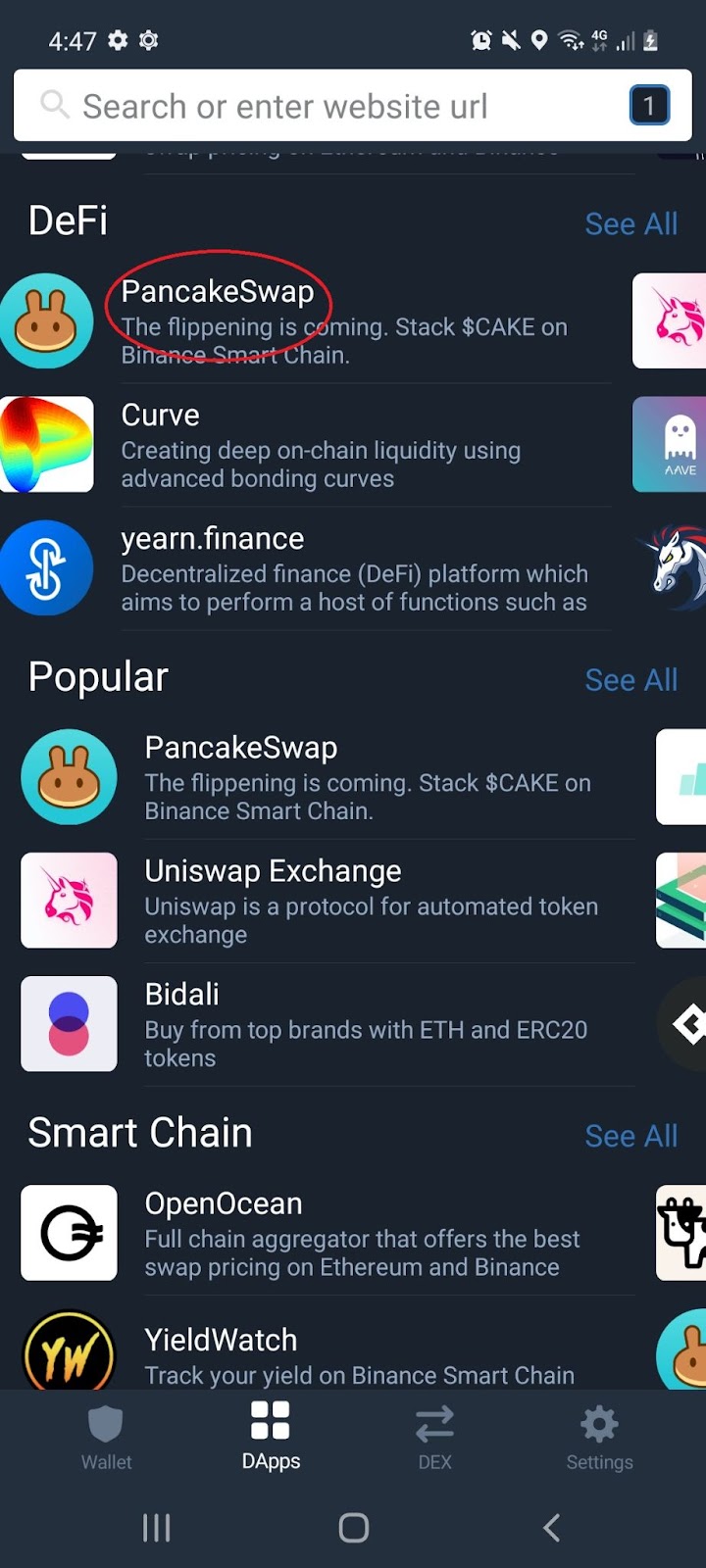
Note: If you do not have a Trust Wallet, see our Trust Wallet tutorial under Cryptopedia. For Apple device users, refer to section 11. Exploring the DApps (IOS) of the tutorial.
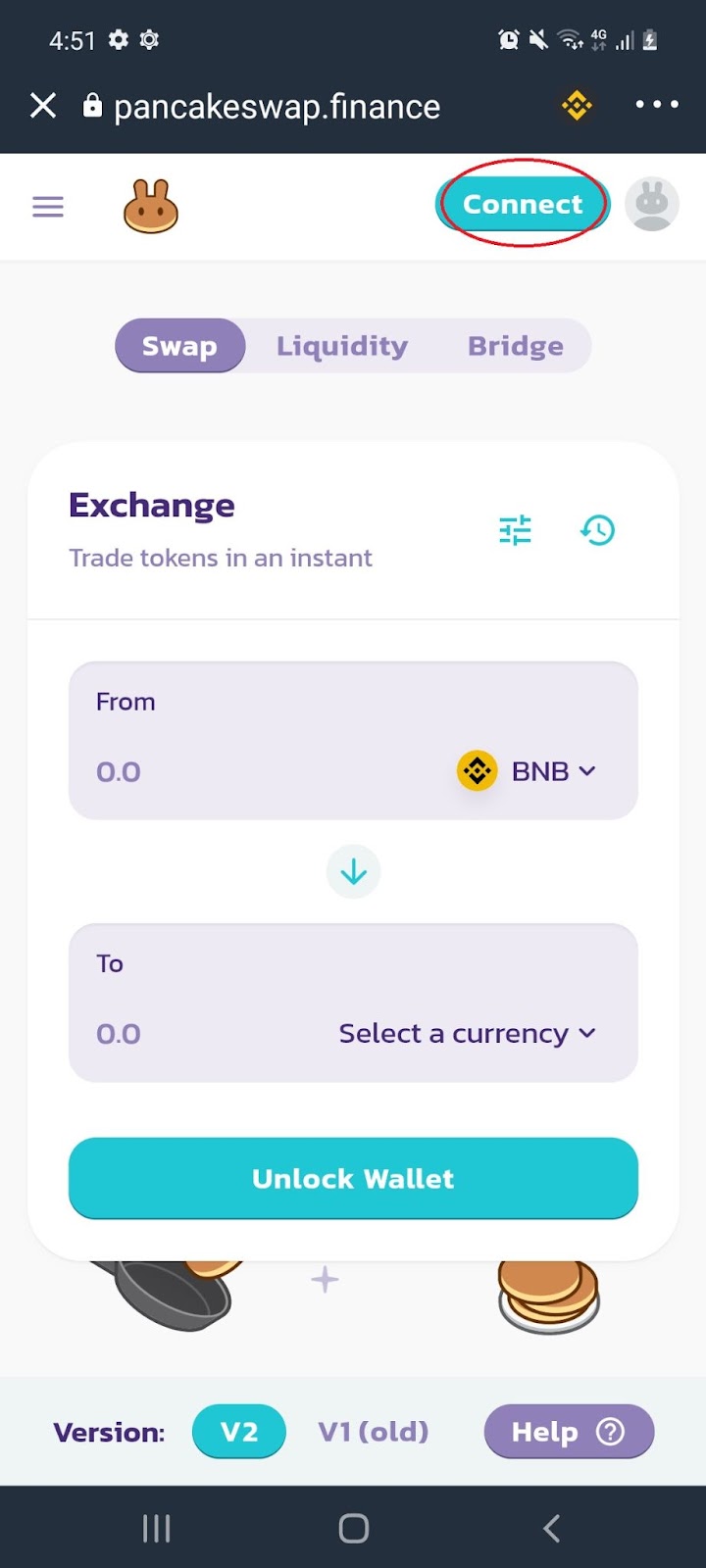
1.3 On PancakeSwap homepage, select ‘Connect’:
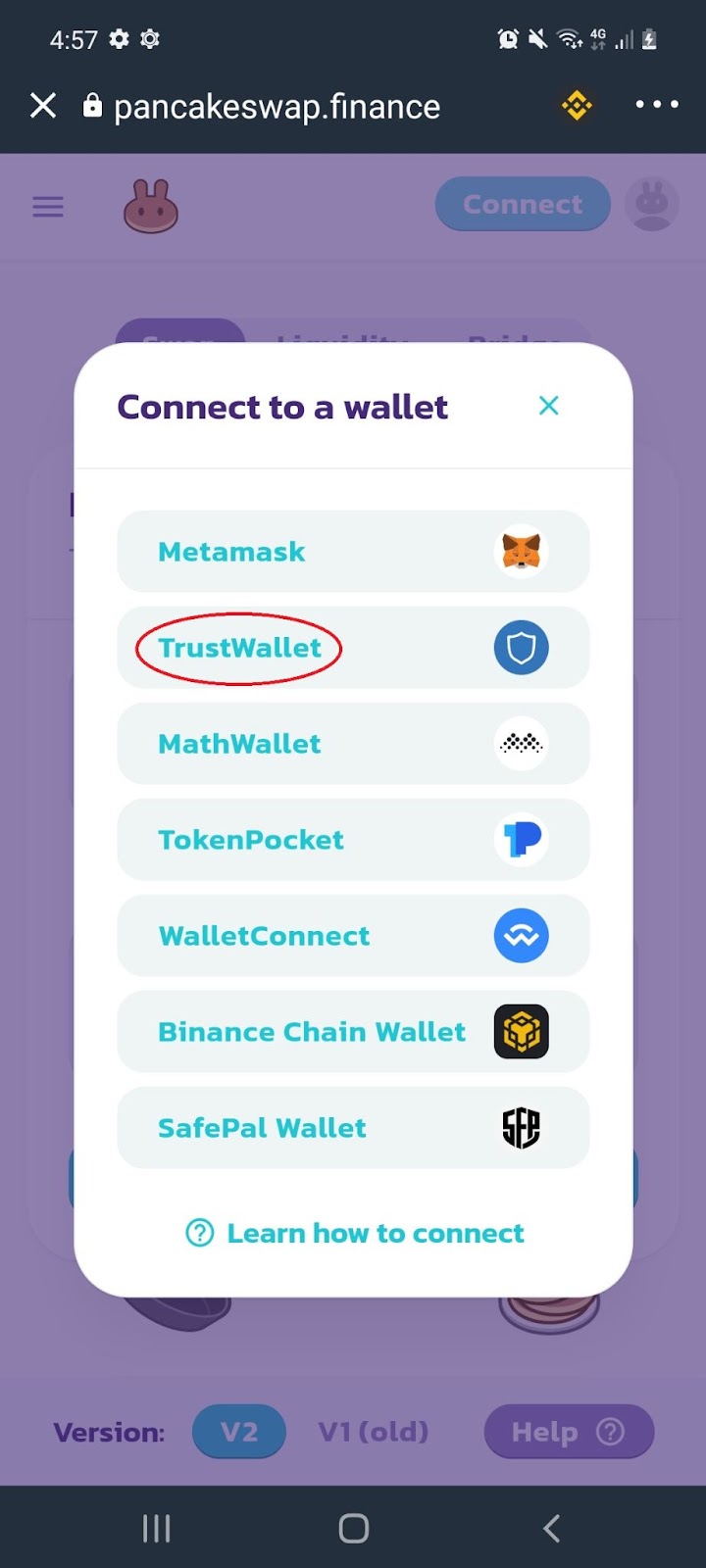
1.4 From the pop up, select ‘TrustWallet’:
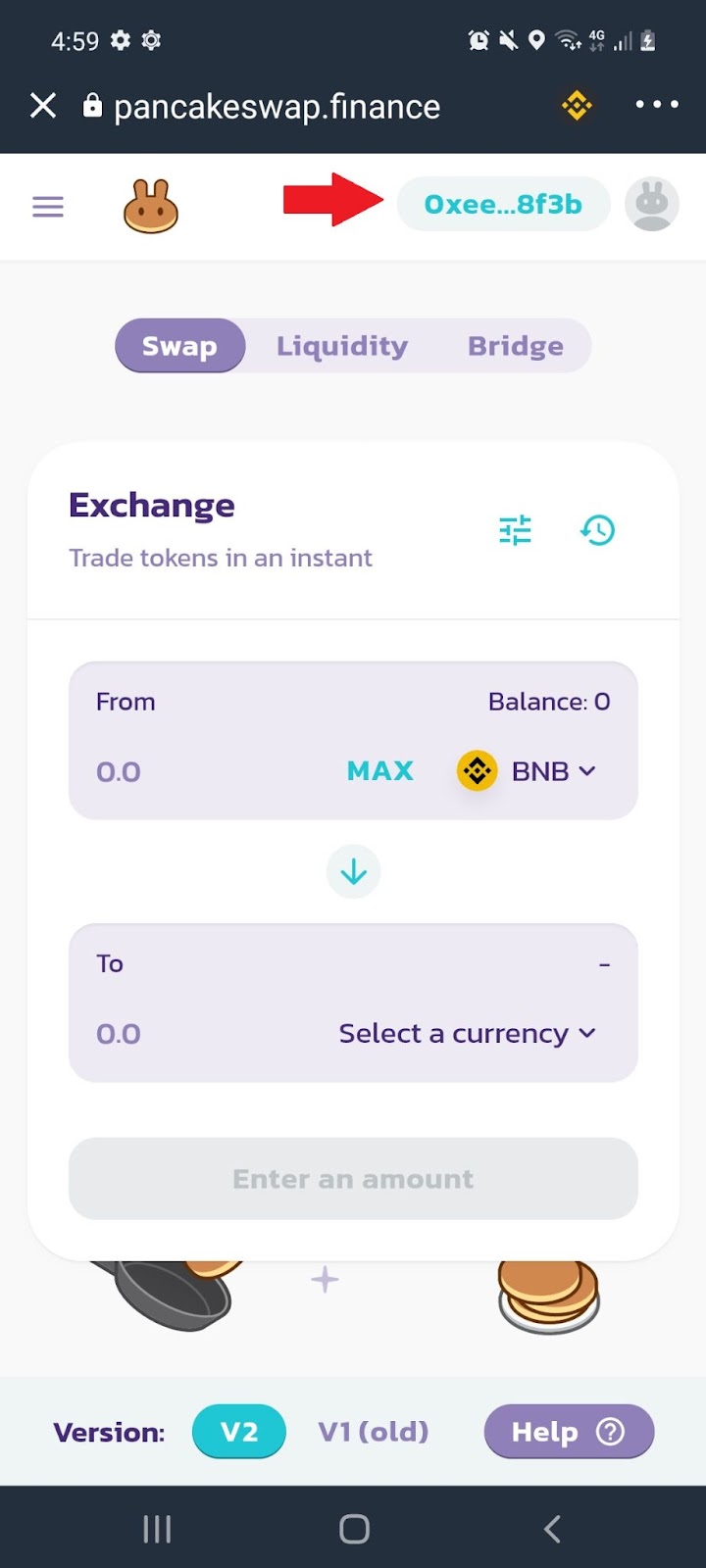
1.5 Your Trust Wallet will instantaneously connect with the PancakeSwap DEX:
Note: PancakeSwap is a decentralized exchange that doesn’t require KYC.
2. Swapping cryptocurrencies
2.1 From the home page, select the menu icon:
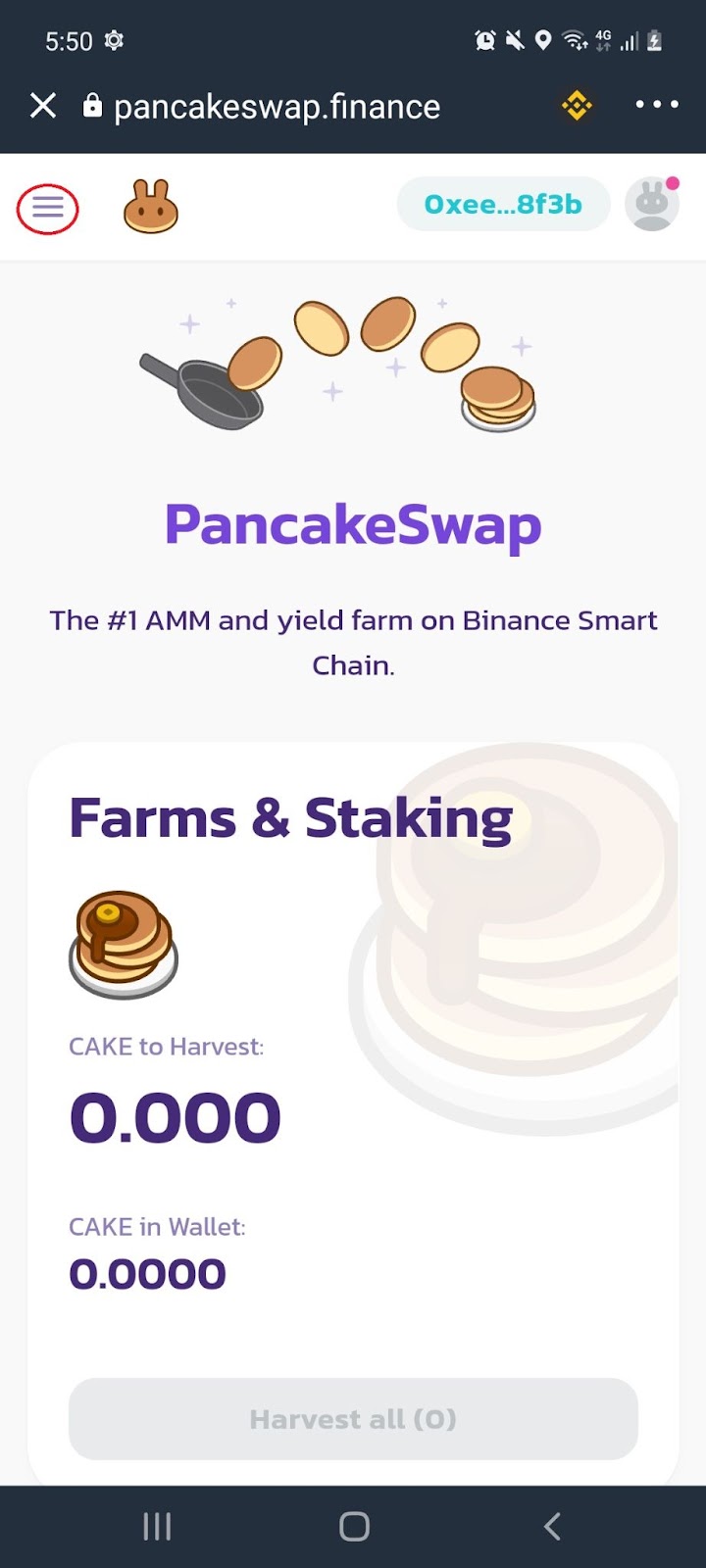
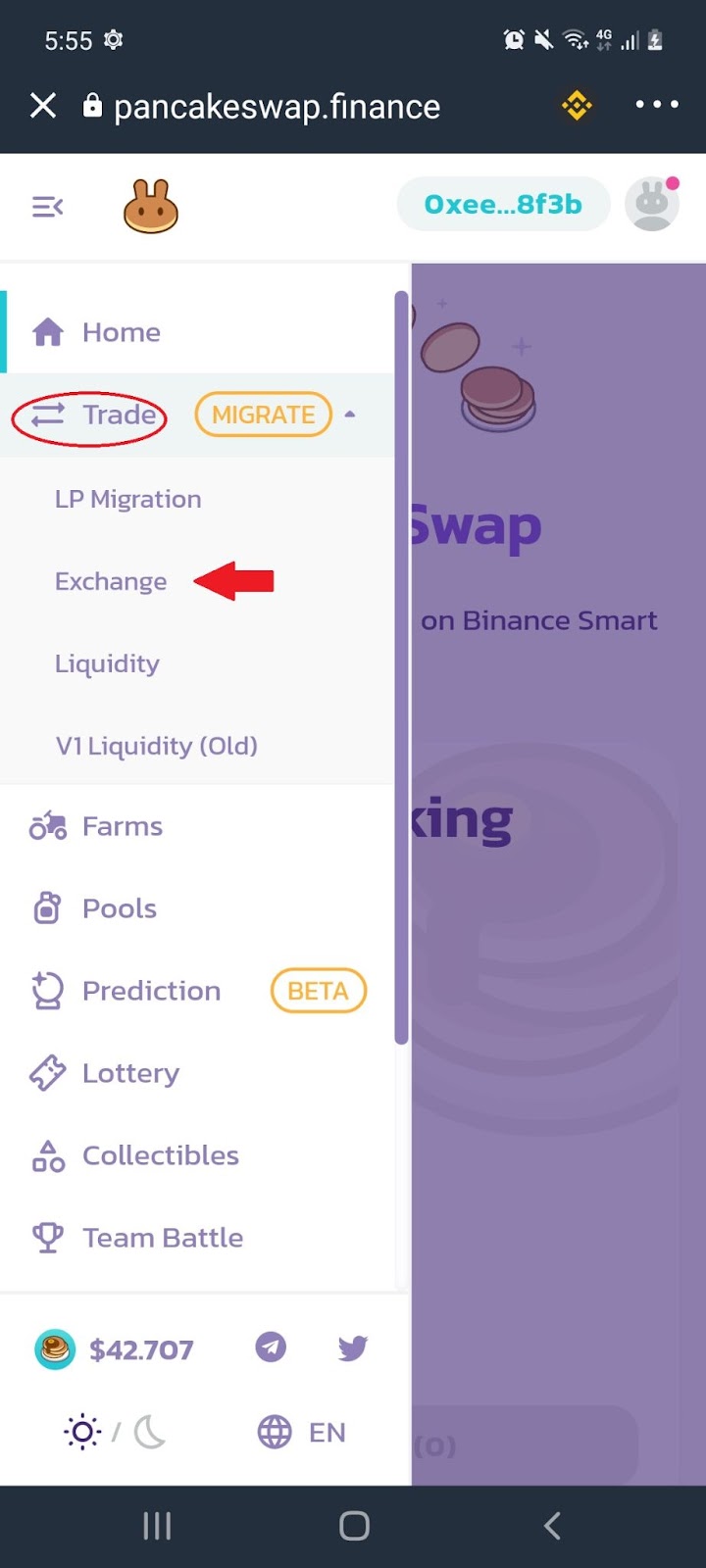
2.2 From the menu bar, select ‘Trade’ and click ‘Exchange’:
2.3 Under the ‘Swap’ tab, select the cryptocurrencies you would like to swap and enter the amount you would like to trade:
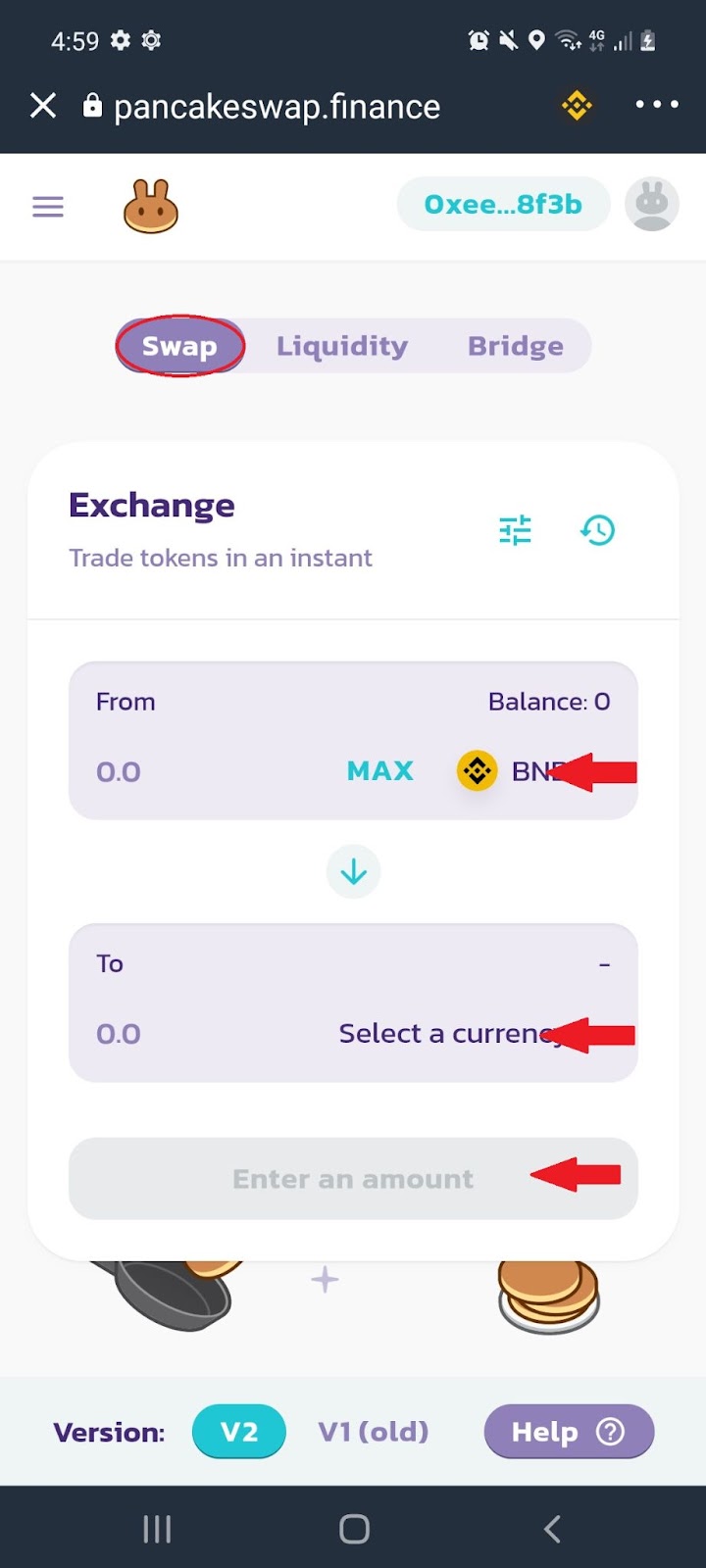
Note: Pancake Swap has no deposit or withdrawal fees, but you will need to pay transaction fees for interacting with the Binance Smart Chain. For each trade, a fee of 0.25% is charged. This is divided between liquidity providers (0.17%), the PancakeSwap Treasury (0.03%) and Cake token buyback and burn (0.05%).
3. Adding Liquidity
3.1 From the home page, select the menu icon:
3.2 From the menu bar, select ‘Trade’ and click ‘Liquidity’:
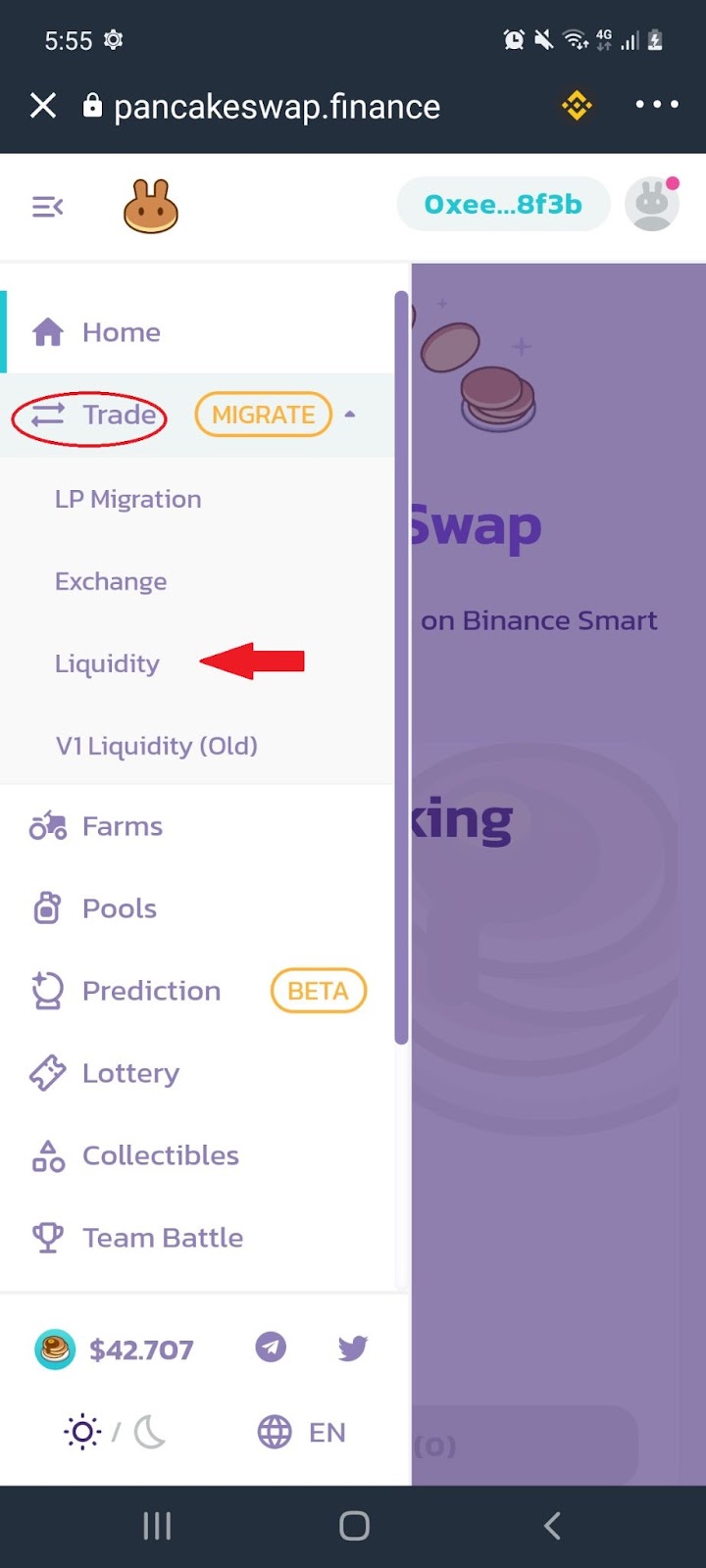
3.3 Select ‘Add Liquidity’:
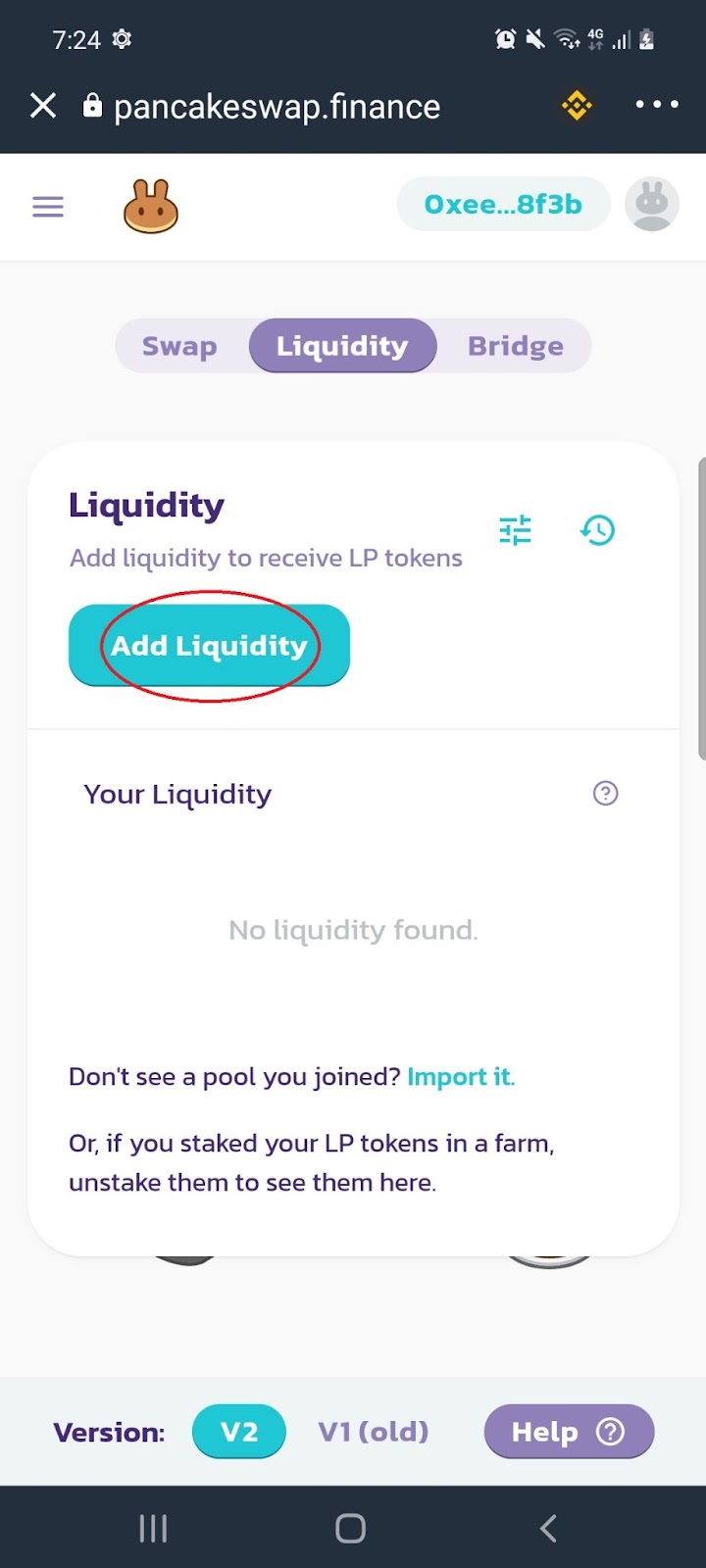
3.4 Select the token pair you would like to deposit and enter the amount:
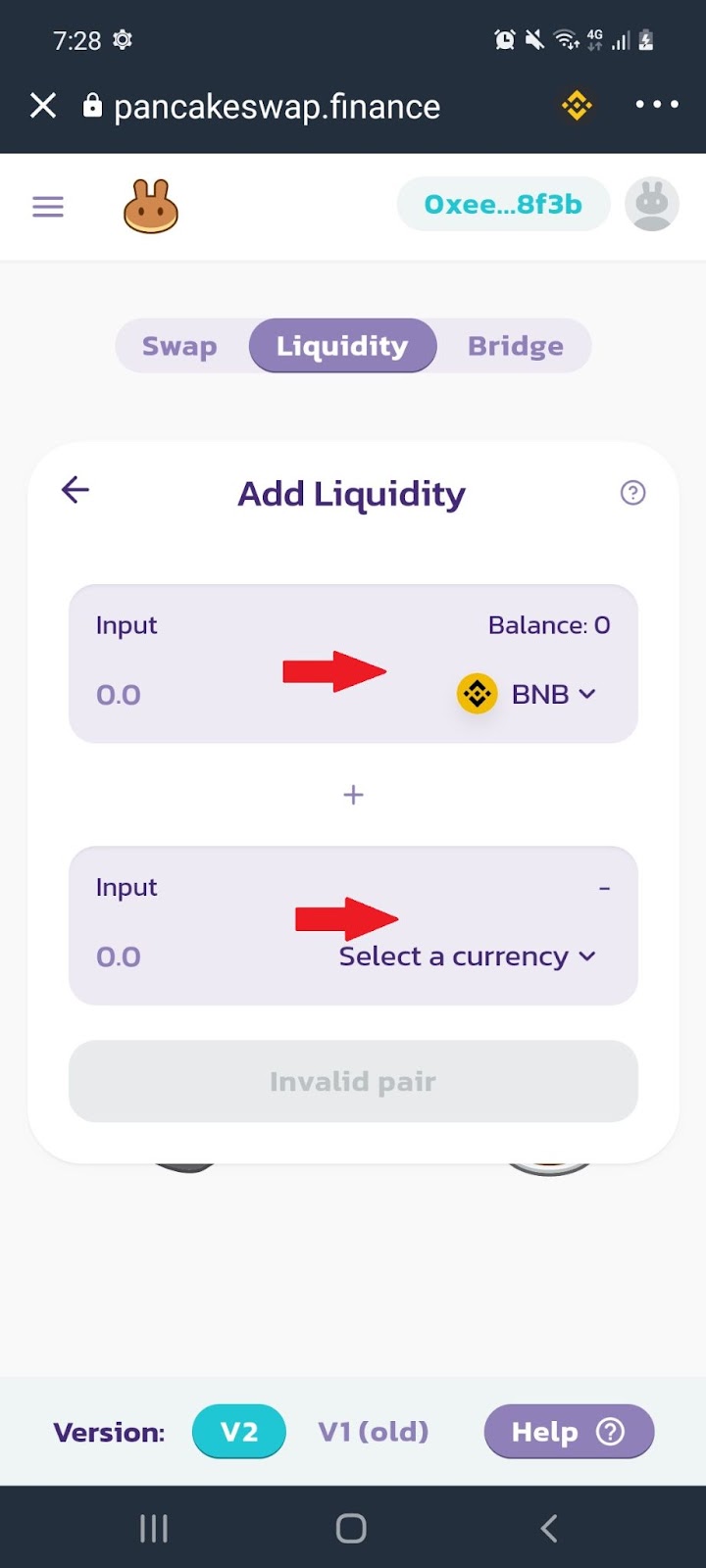
Note: After depositing your cryptocurrency you will receive Liquidity Pool or LP tokens which allow you to participate in staking. Make sure you know about impermanent loss before adding liquidity to a pool.
4. PancakeSwap Staking - Farm
4.1 From the home page, select the menu icon:
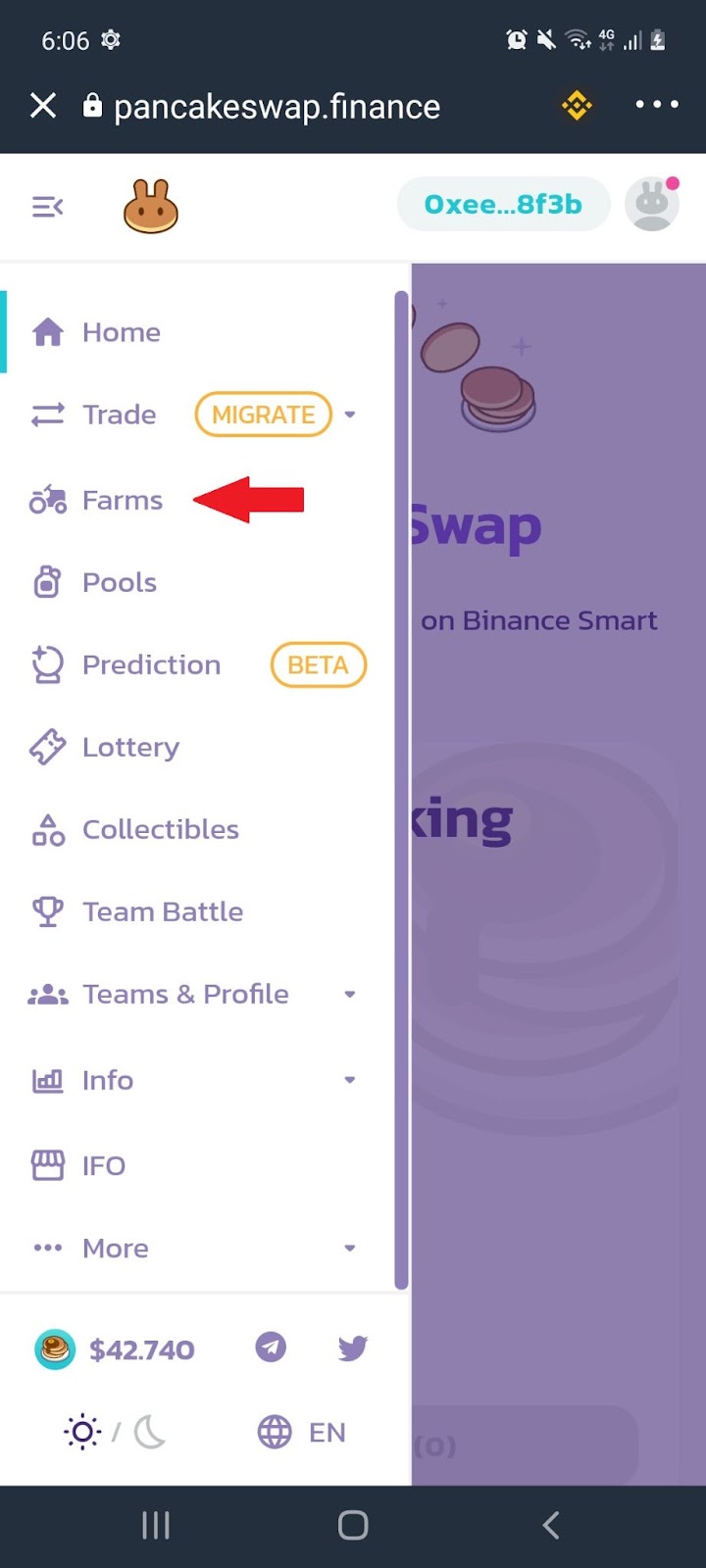
4.2 From the menu bar, select ‘Farm’:
4.3 Scroll down to select which pair you would like to stake:
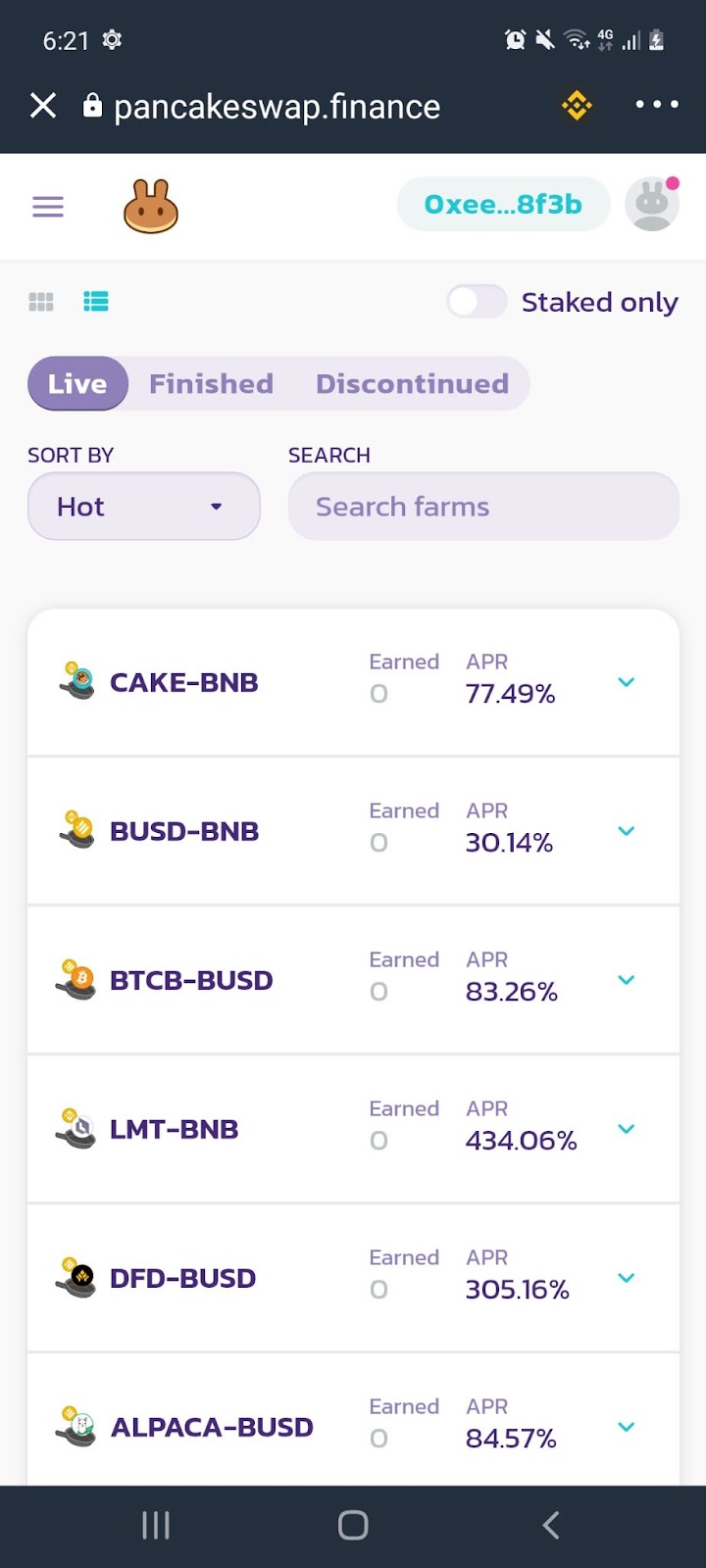
Note: Farming allows you to deposit your Liquidity Provider or LP tokens and lock them up in a process that will reward you in Cake tokens. These tokens can be unstaked at any time with zero holding time.
5. PancakeSwap Staking - Pools
5.1 From the home page, select the menu icon:
5.2 From the menu bar, select ‘Pool’:
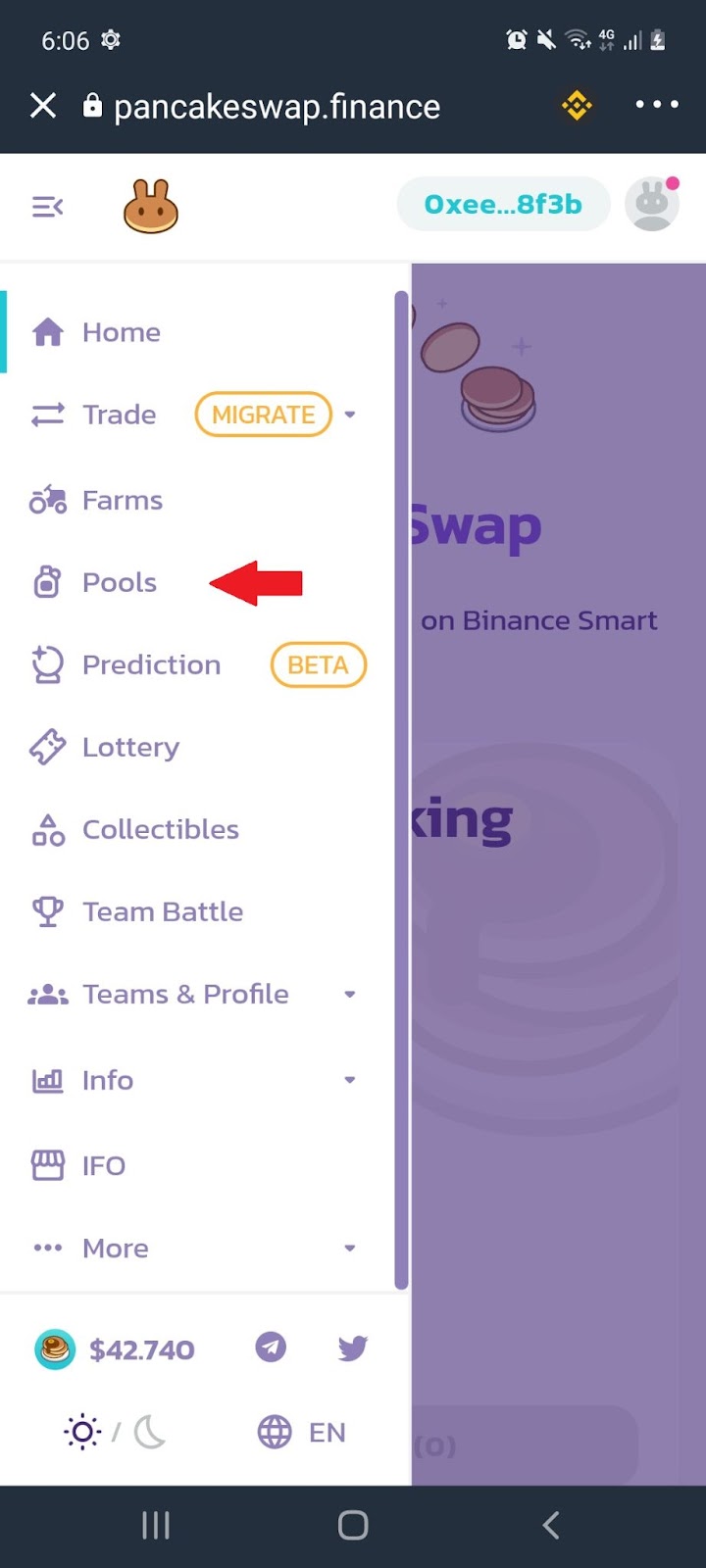
5.3 Scroll down to select which pair you would like to stake:
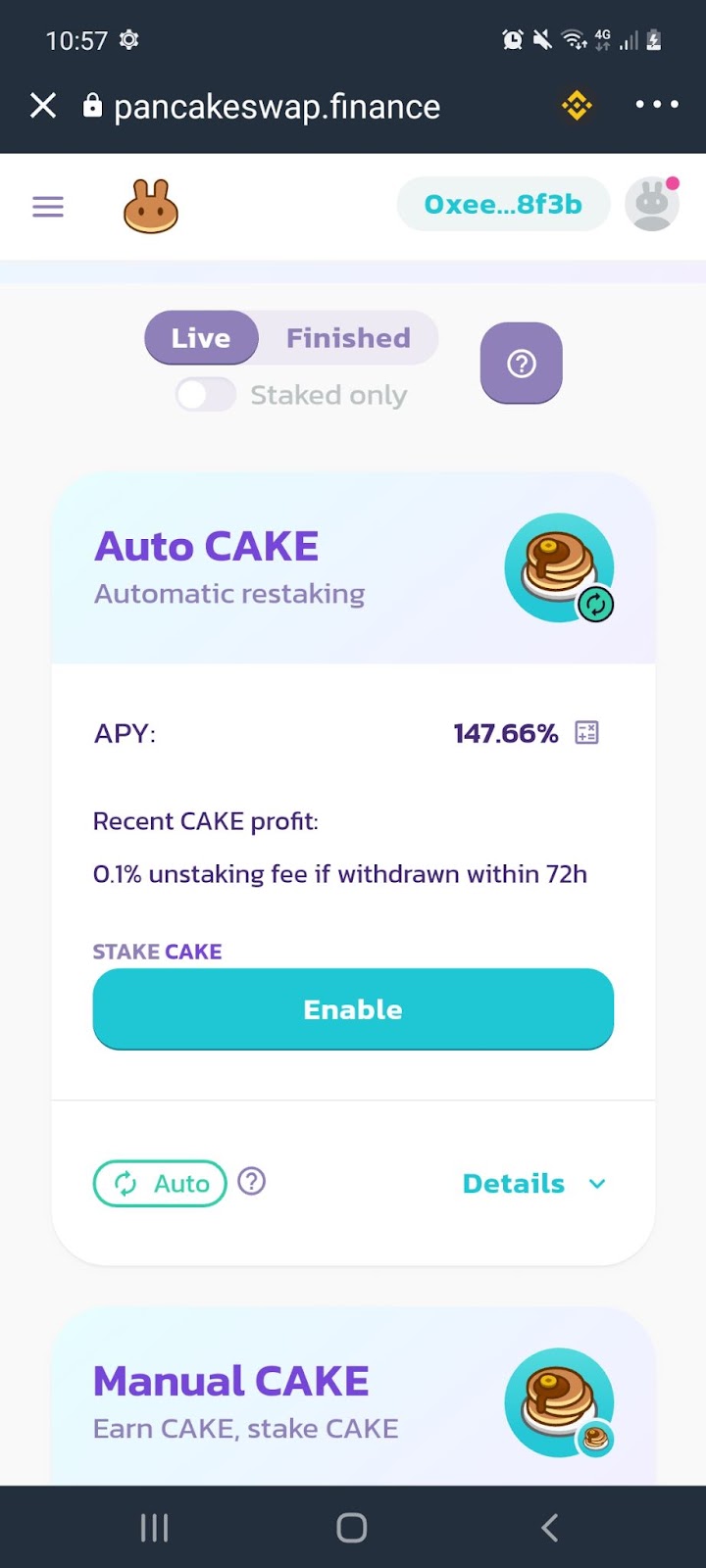
Note: You can earn even more rewards by staking your Cake tokens in what is called the Syrup Pools.There are several tokens you can earn by staking your Cake tokens. Of course you’ll need some Cake to stake which you can trade for or wait for your farming rewards to build up from staking your LP tokens.
6. PancakeSwap Lottery
6.1 From the home page, select the menu icon:
6.2 From the menu bar, select ‘Lottery’:
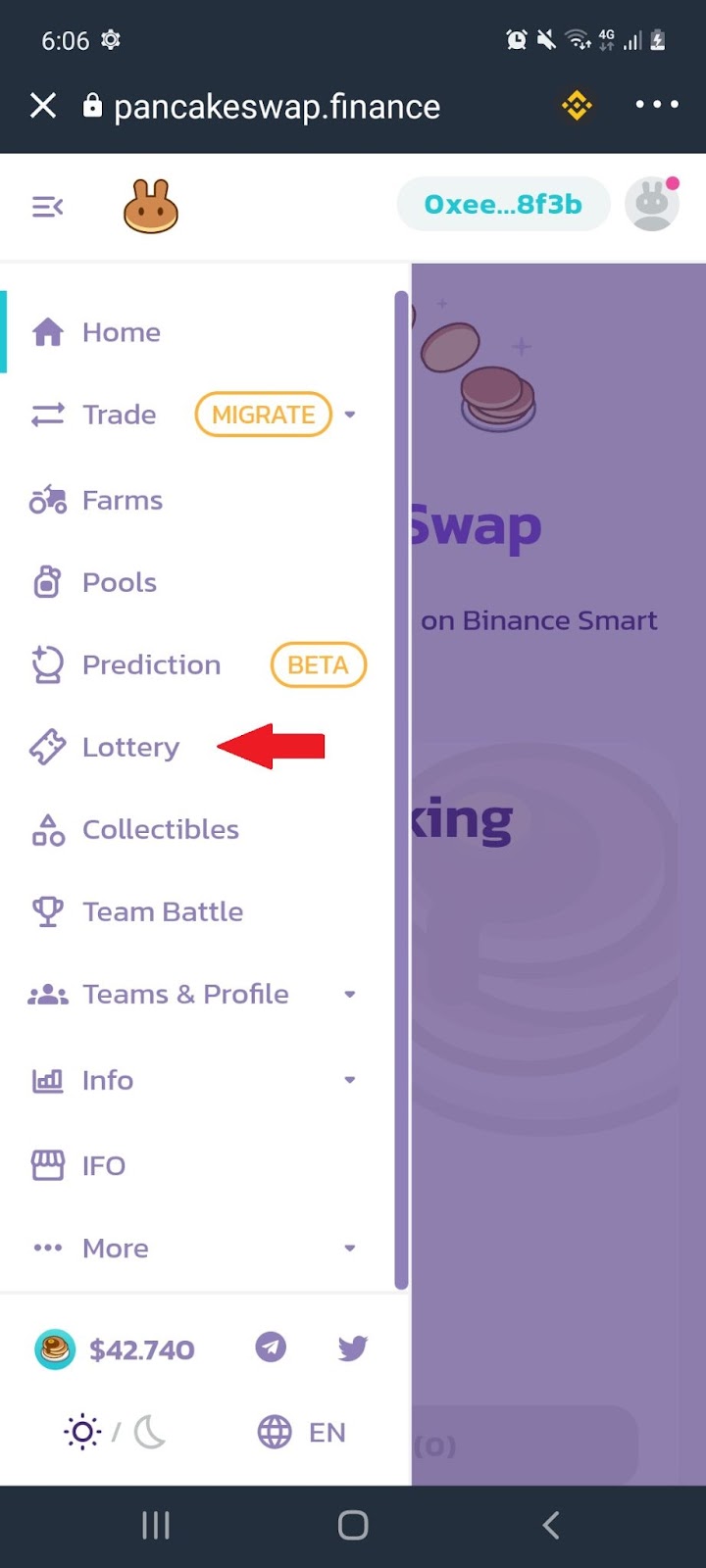
6.3 Scroll down to buy your ‘Lottery’ ticket:
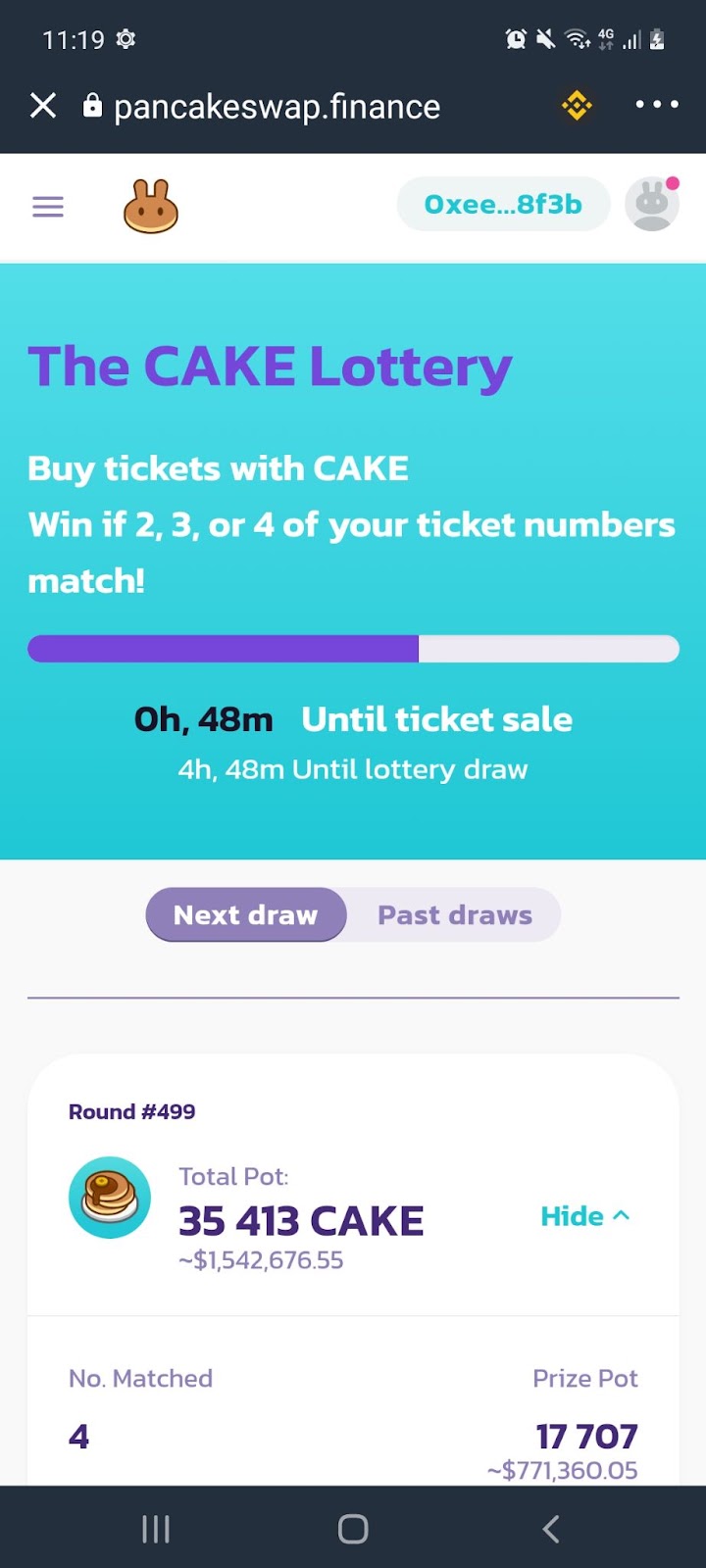
Note: Each lottery session takes 6 hours. One ticket costs 10 Cake tokens, which will give you a random four-digit combination of numbers between 1 and 14. To win the jackpot (50% of the entire lottery pool), the numbers in your ticket need to match all four numbers in the same position as the winning ticket.