Coinbase Wallet Tutorial
Contents:
- How To Sign Up For A New Coinbase Wallet
- Backing Up Your Wallet
- How To Link Up With Coinbase.com
- Receiving Cryptocurrency
- Sending Cryptocurrency
- Security
- Learn More About Dapps
1. How To Set Up A New Coinbase Wallet
The Coinbase Wallet is a standalone app that allows users to manage their private keys, store their crypto assets securely, and explore the decentralized web by using a DApp browser. The Coinbase Wallet helps users to manage their own private keys and store their crypto assets directly on their devices. It should not be confused with the Coinbase app, which is an exchange used for trading cryptocurrencies.
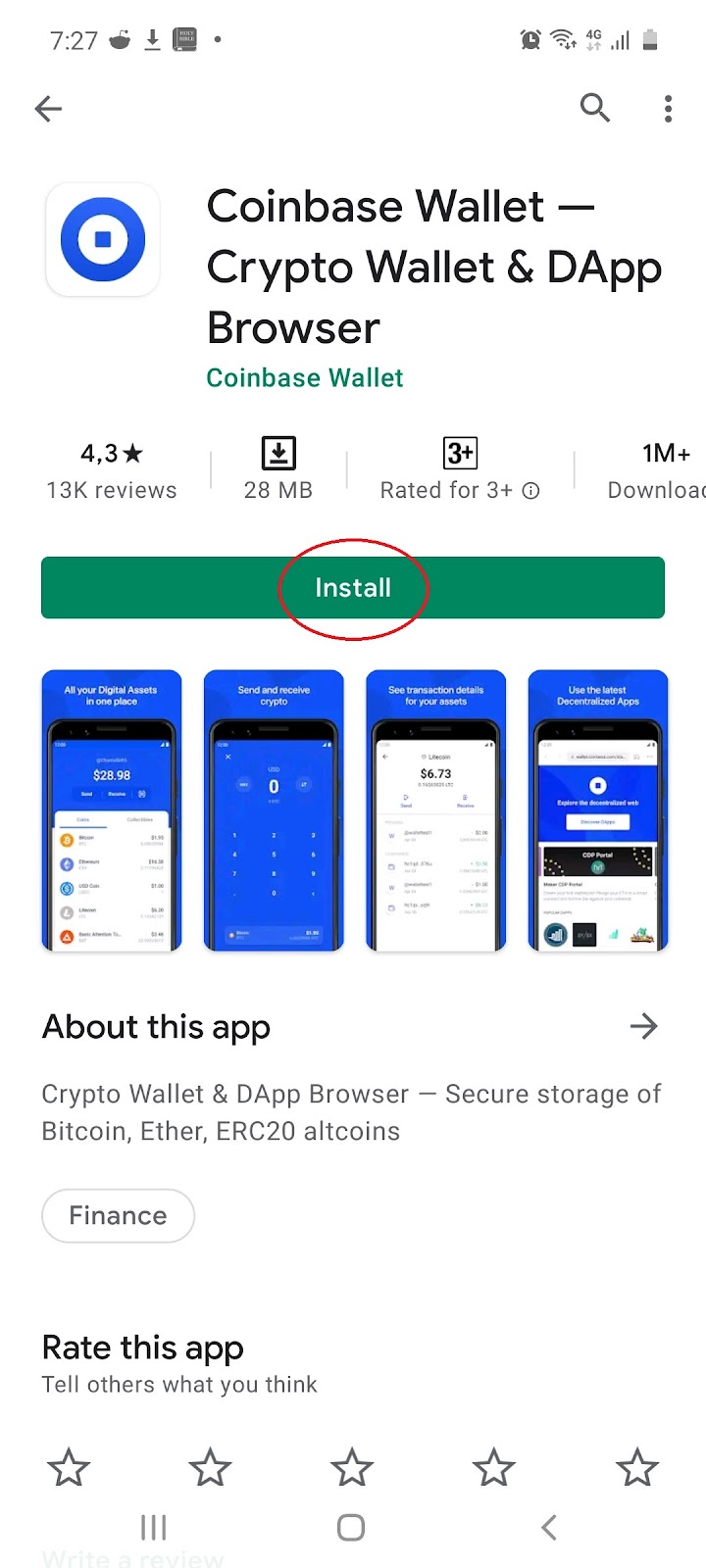
1.1 Install the free app on mobile, iOS or Android:
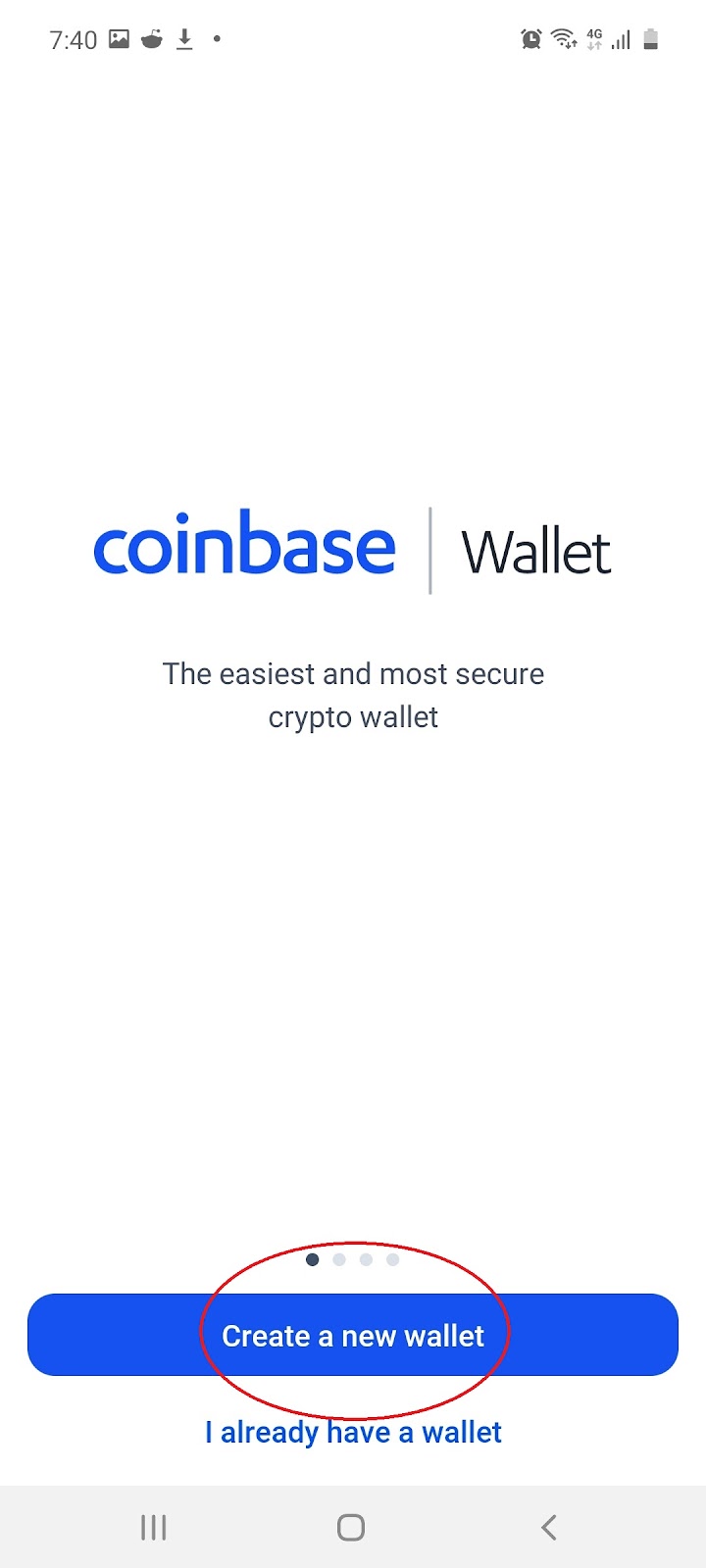
1.2 Once installed, open the app and select ‘Create a new wallet’:
1.3 Review the legal terms and conditions by selecting ‘Accept’:
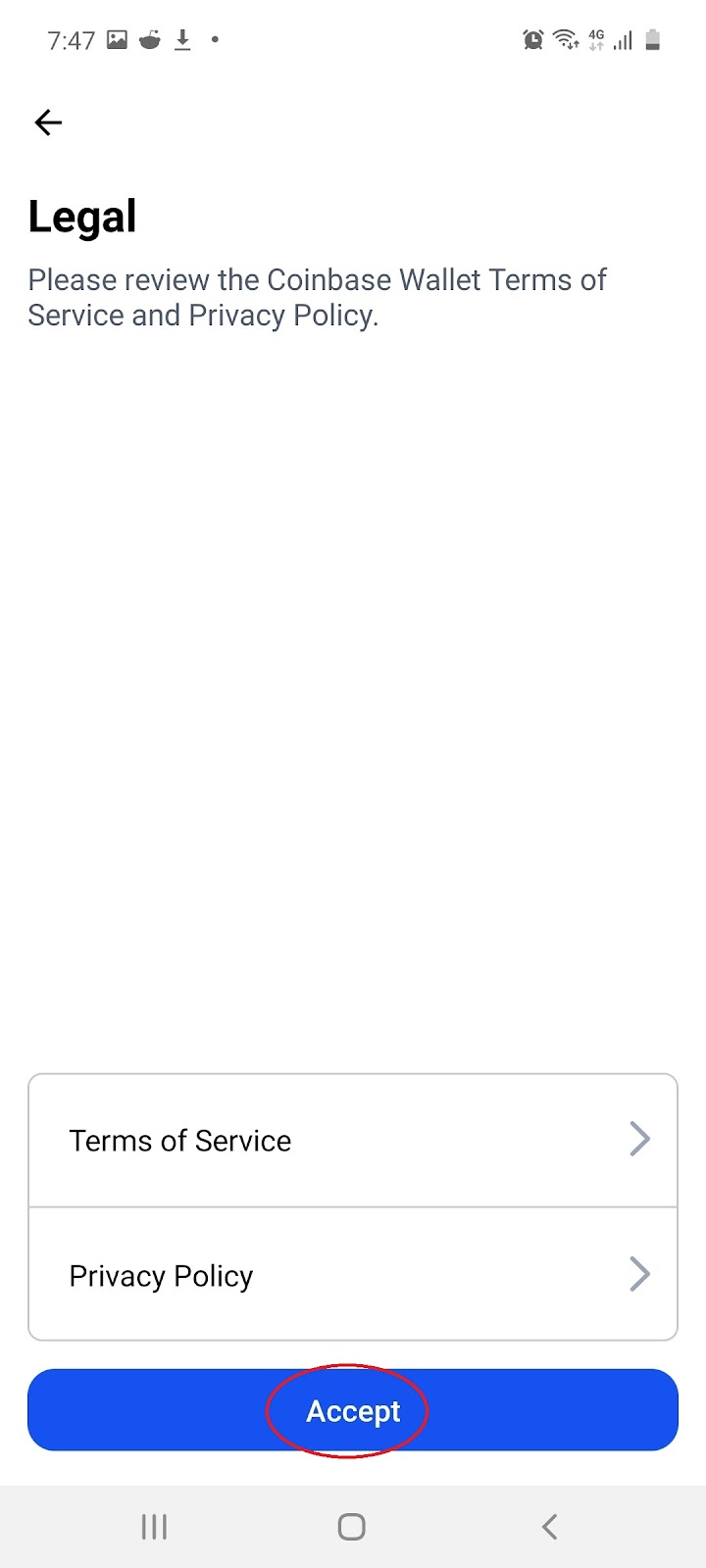
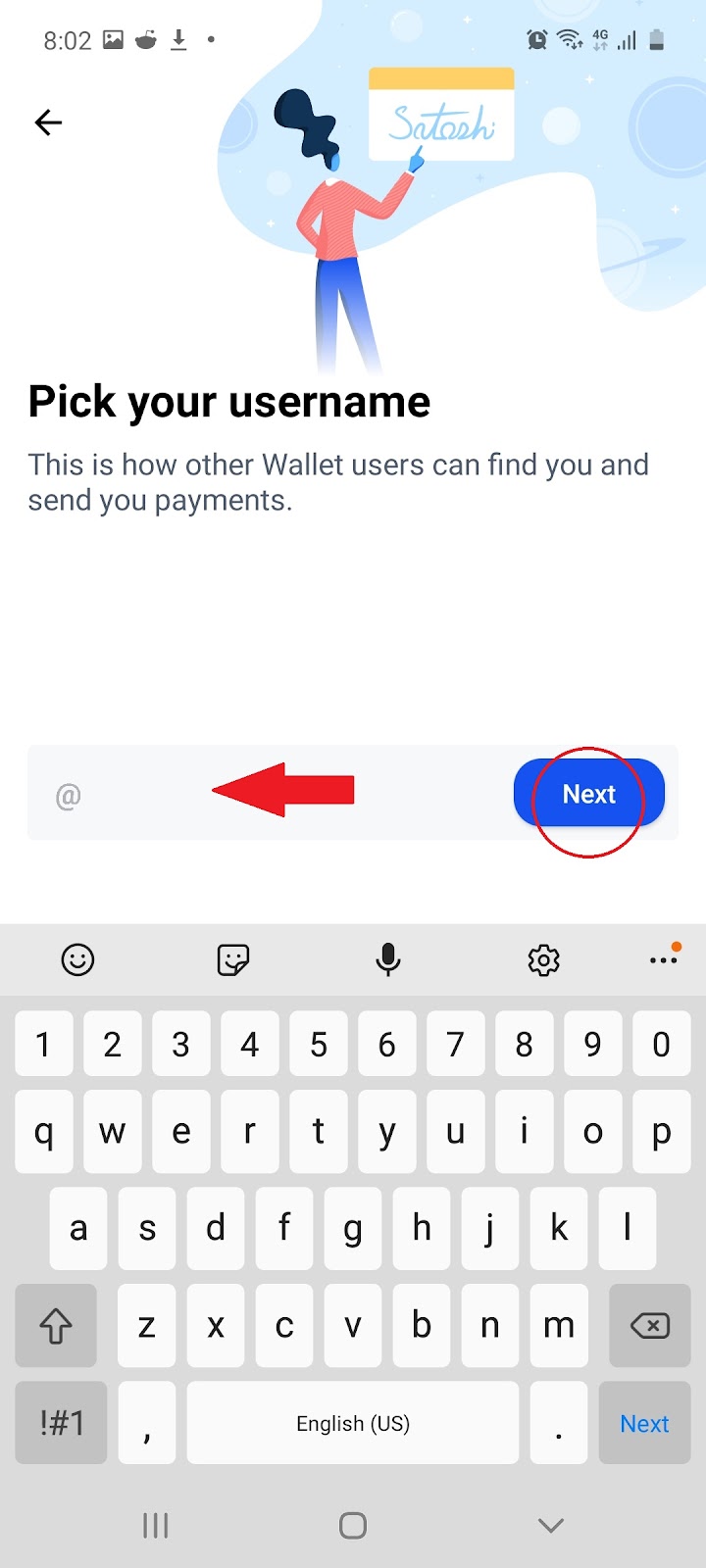
1.4 Fill in your ‘@Username’ and select ‘Next’:
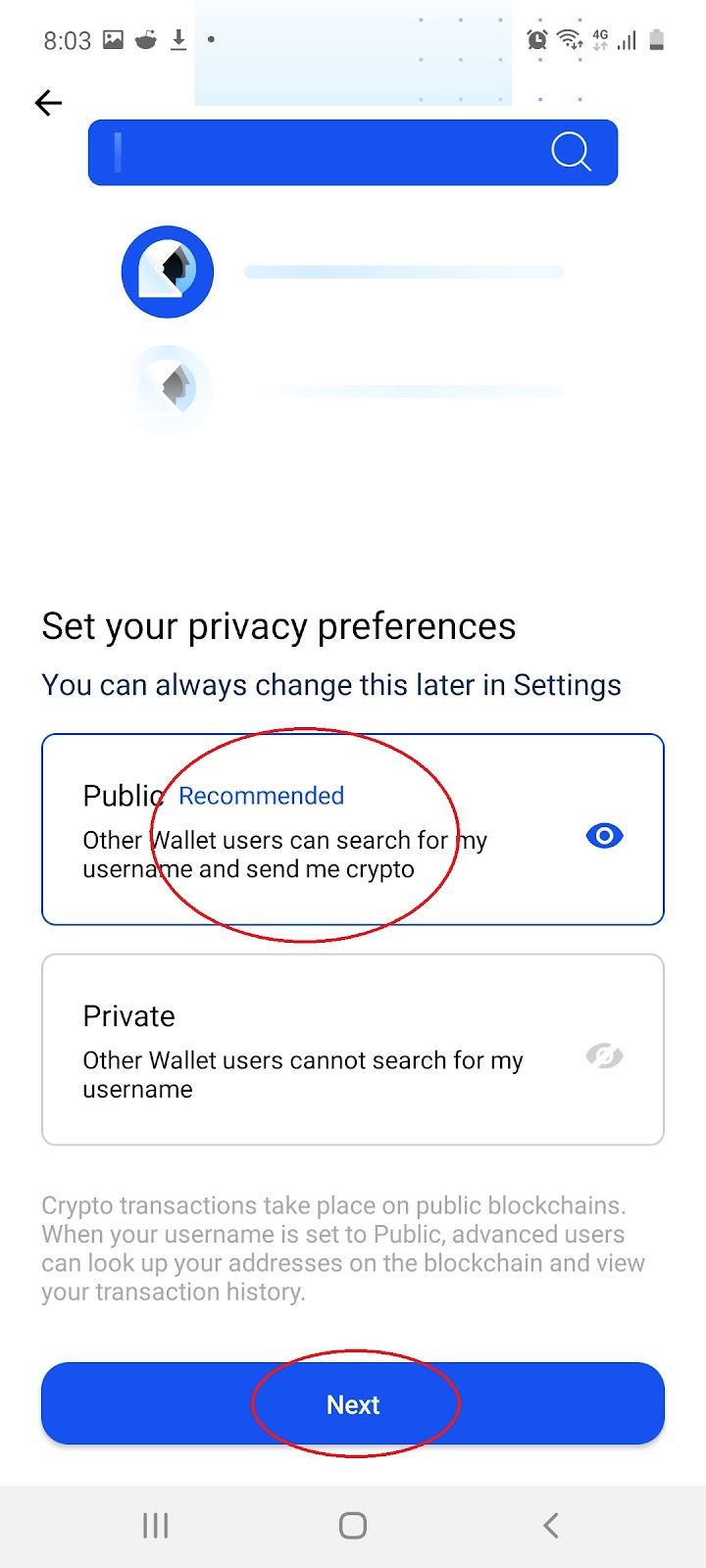
1.5 Choose a preference between ‘Public’ (recommended) or ‘Private’ and select ‘Next’:
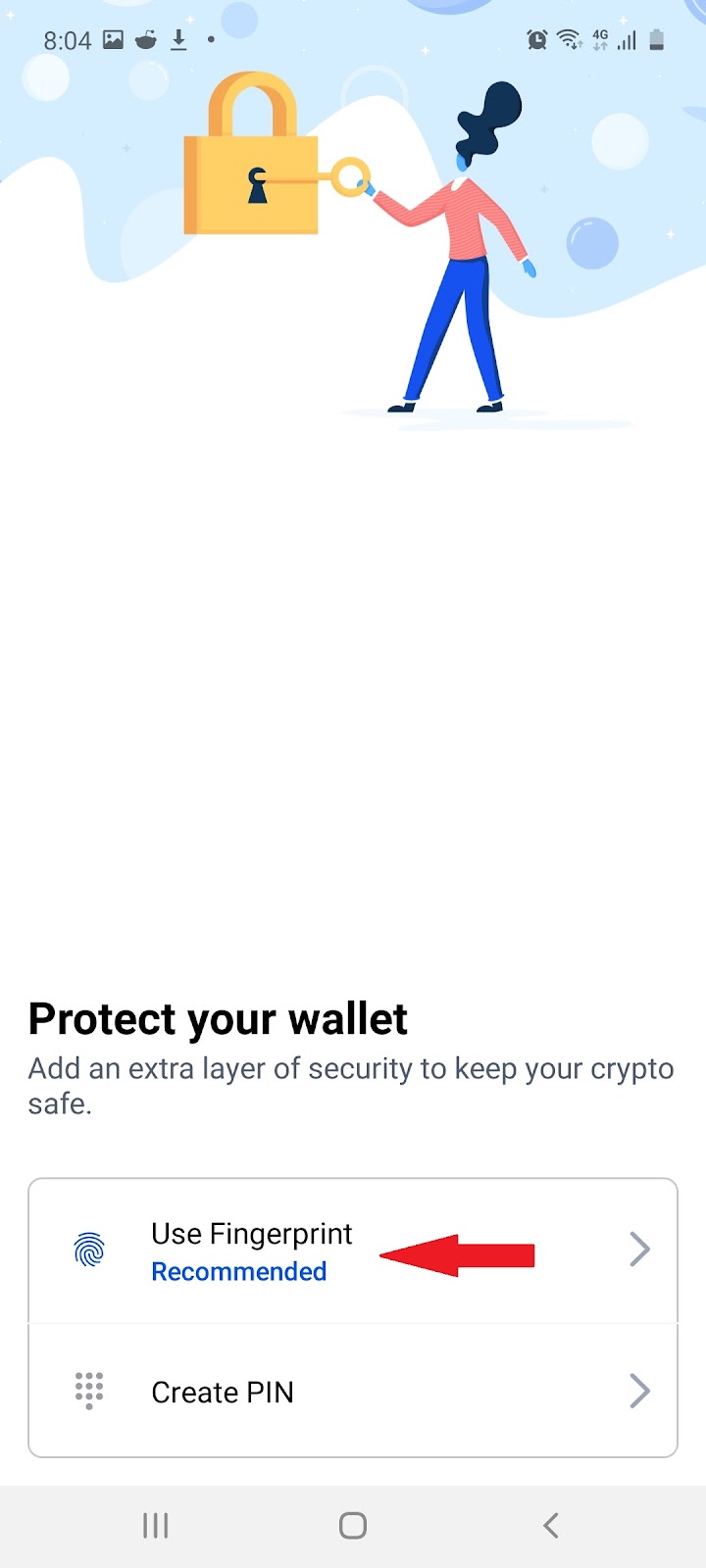
1.6 Choose a method of protection for your wallet by selecting ‘Use Fingerprint’ or ‘Create Pin’:
 or
or 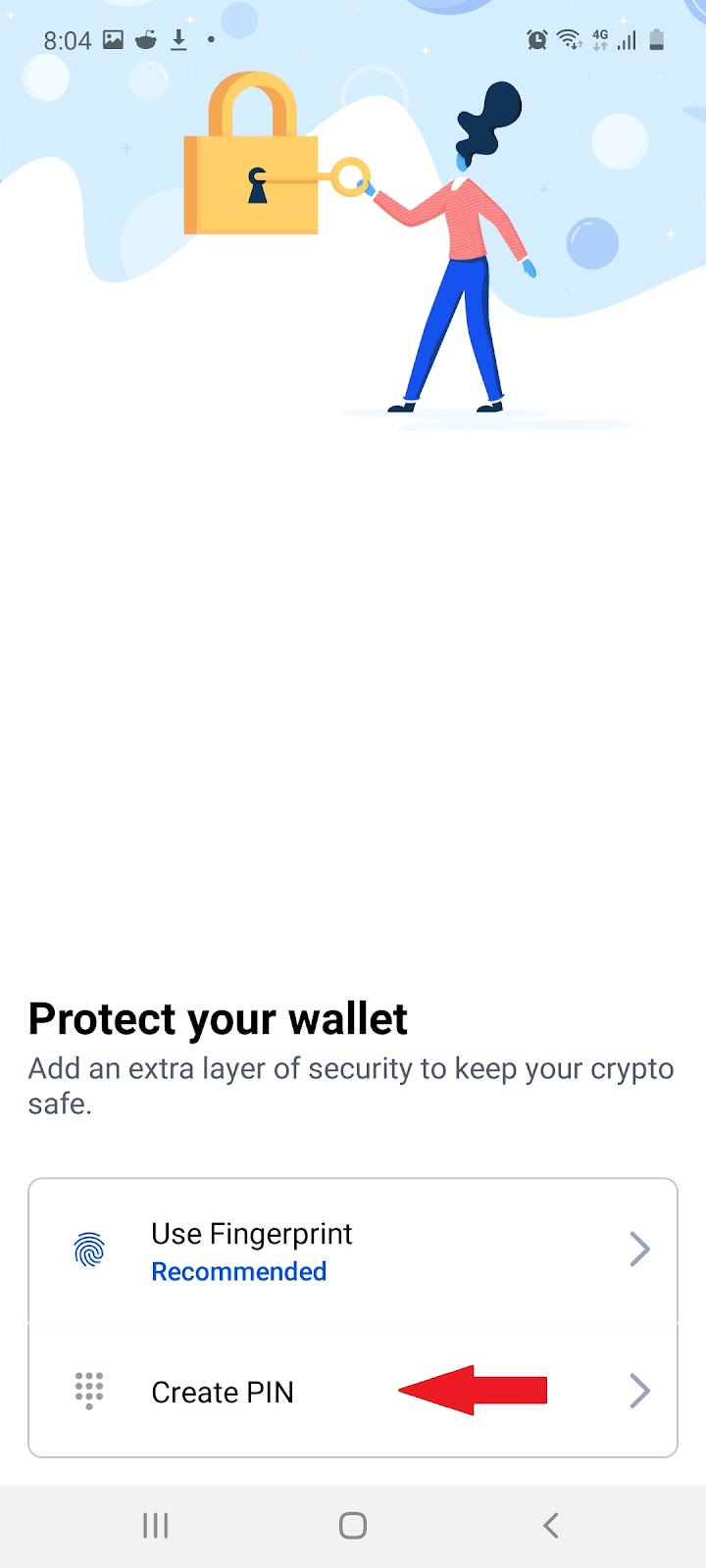
Note: After creating your pin or using your fingerprint, you will be redirected to the homepage of your wallet.
2. Back Up Your Wallet
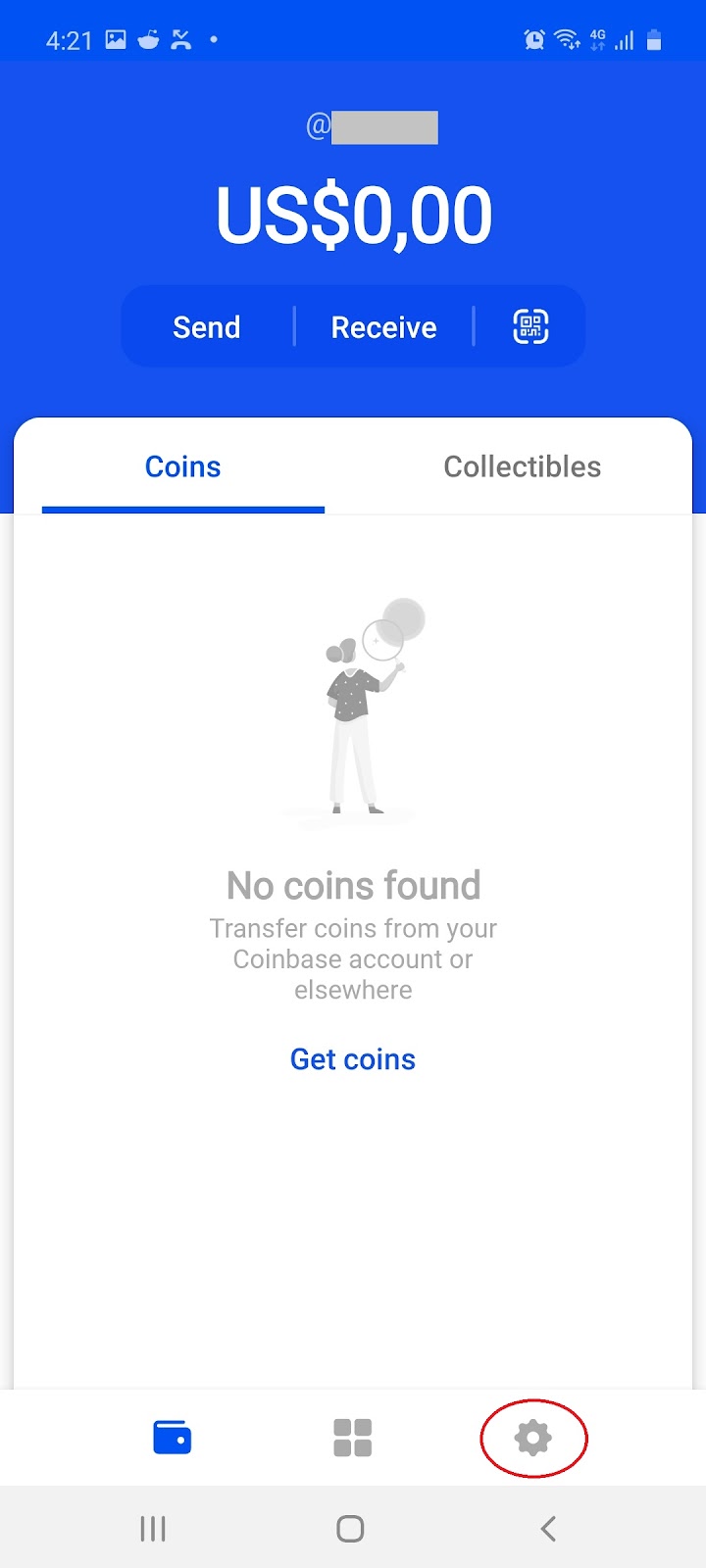
2.1 On the home page of wallet, select the ‘Settings’ icon:
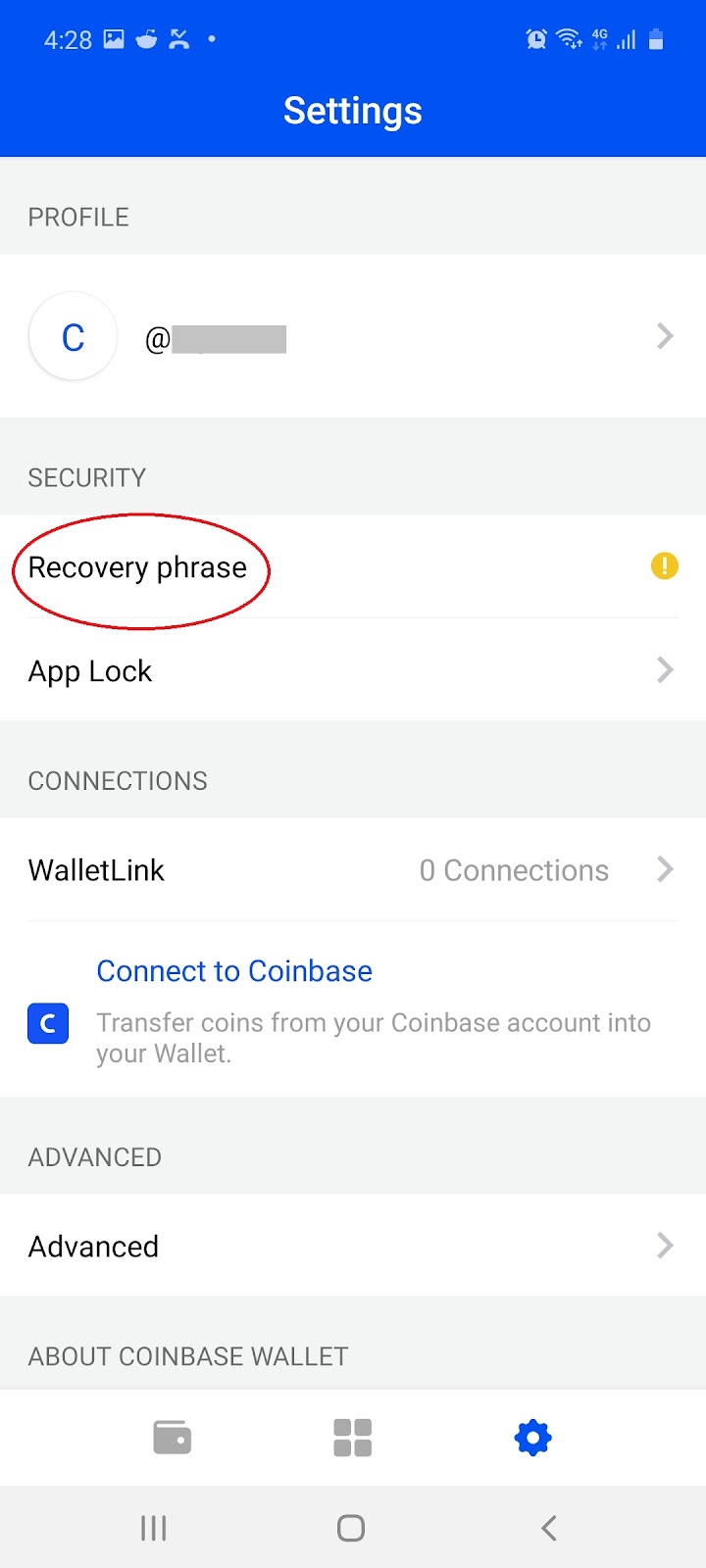
2.2 On the Settings page, select ‘Recovery phrase’:
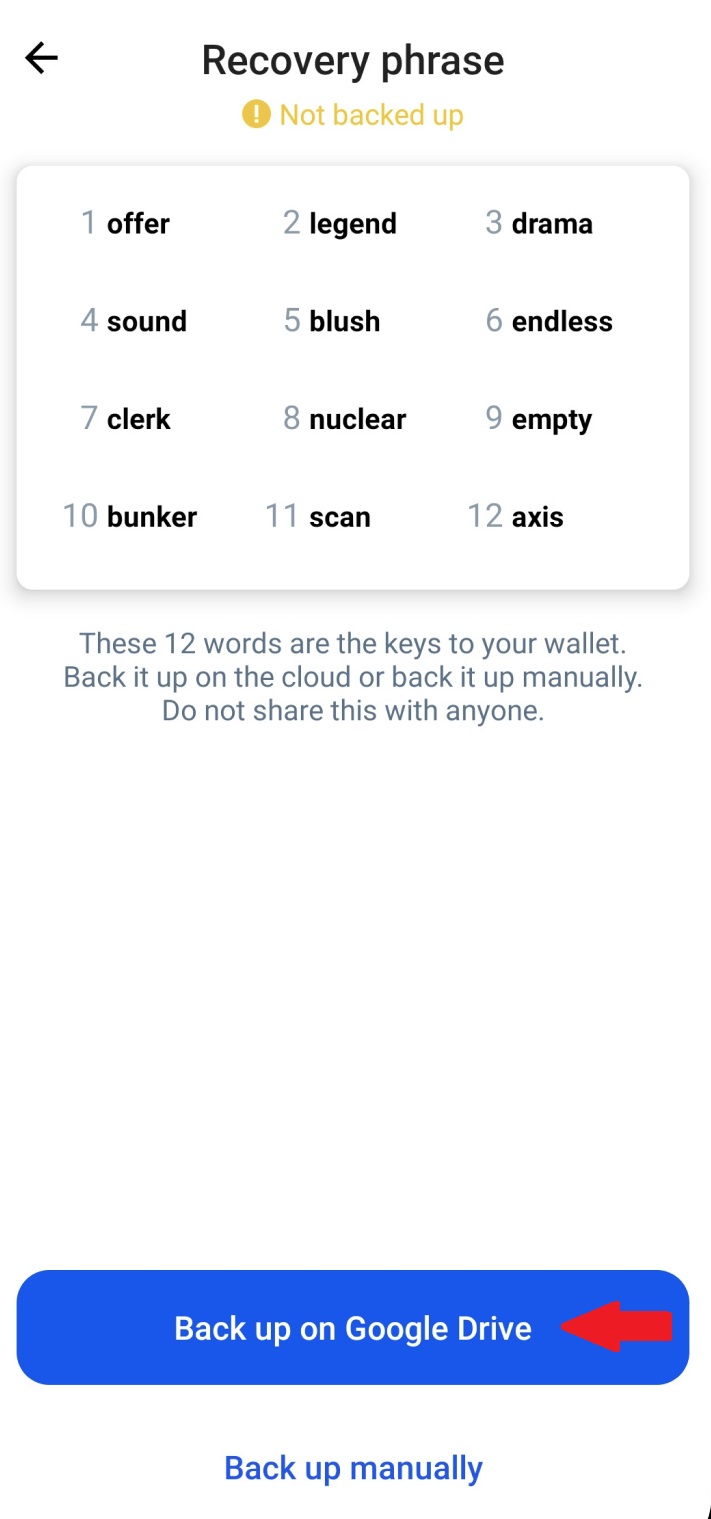
2.3 Choose between ‘Back up on Google Drive’ or ‘Back up manually’ (recommended):
 or
or 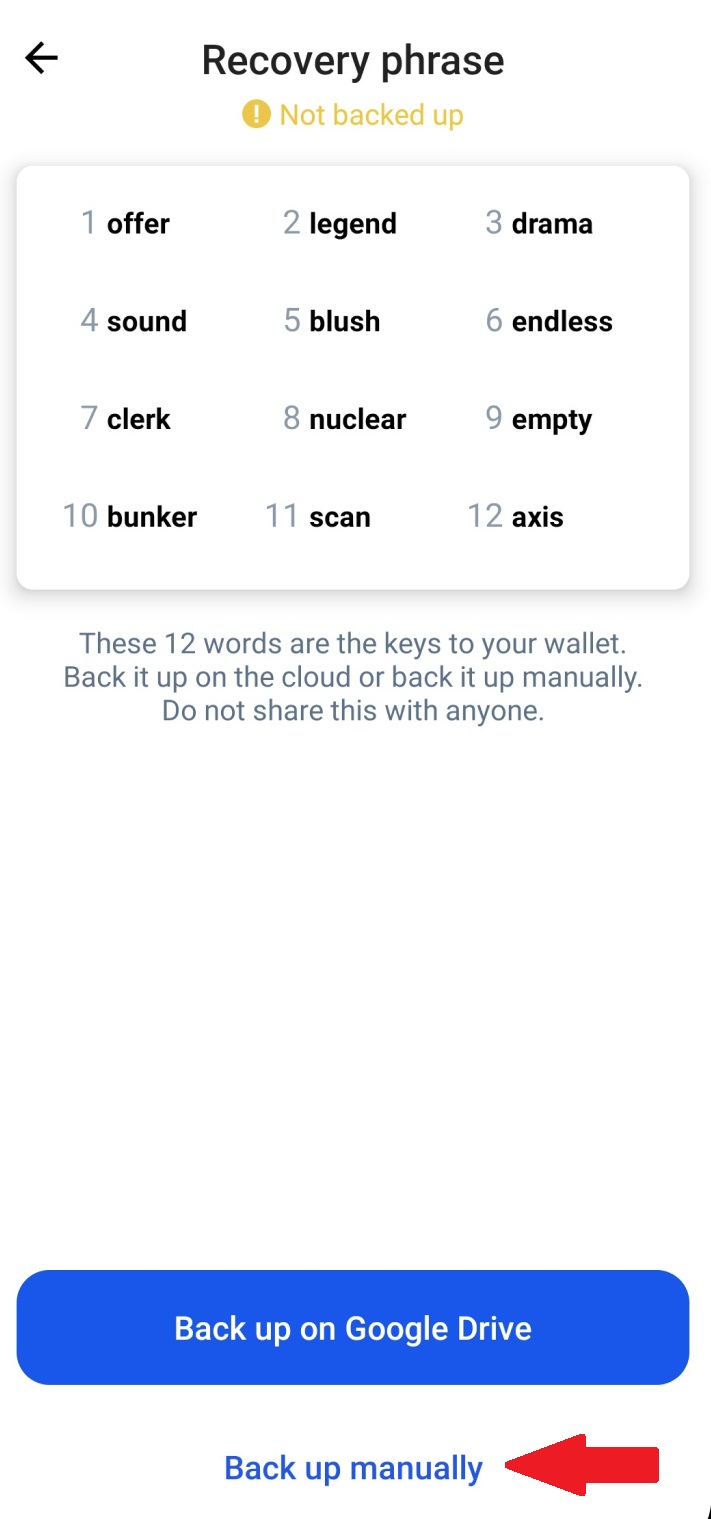
Note: Follow the instructions to back up your wallet manually because using Google Drive to backup your wallet makes your crypto wallet vulnerable to being hacked.
NB: Coinbase Wallet generates a 12-word recovery phrase, known as a ‘seed', that you and only you have access to. This means that if you lose your recovery phrase, you will lose access to your Coinbase Wallet.
3. How To Link Up With Coinbase.com
In order to buy or sell your cryptocurrencies you will need to sign up for the Coinbase APP. The Coinbase APP supports local currency in all US states (with the exception of Hawaii) as well as following European countries here.
3.1 On the home page of wallet, select the ‘Settings’ icon:
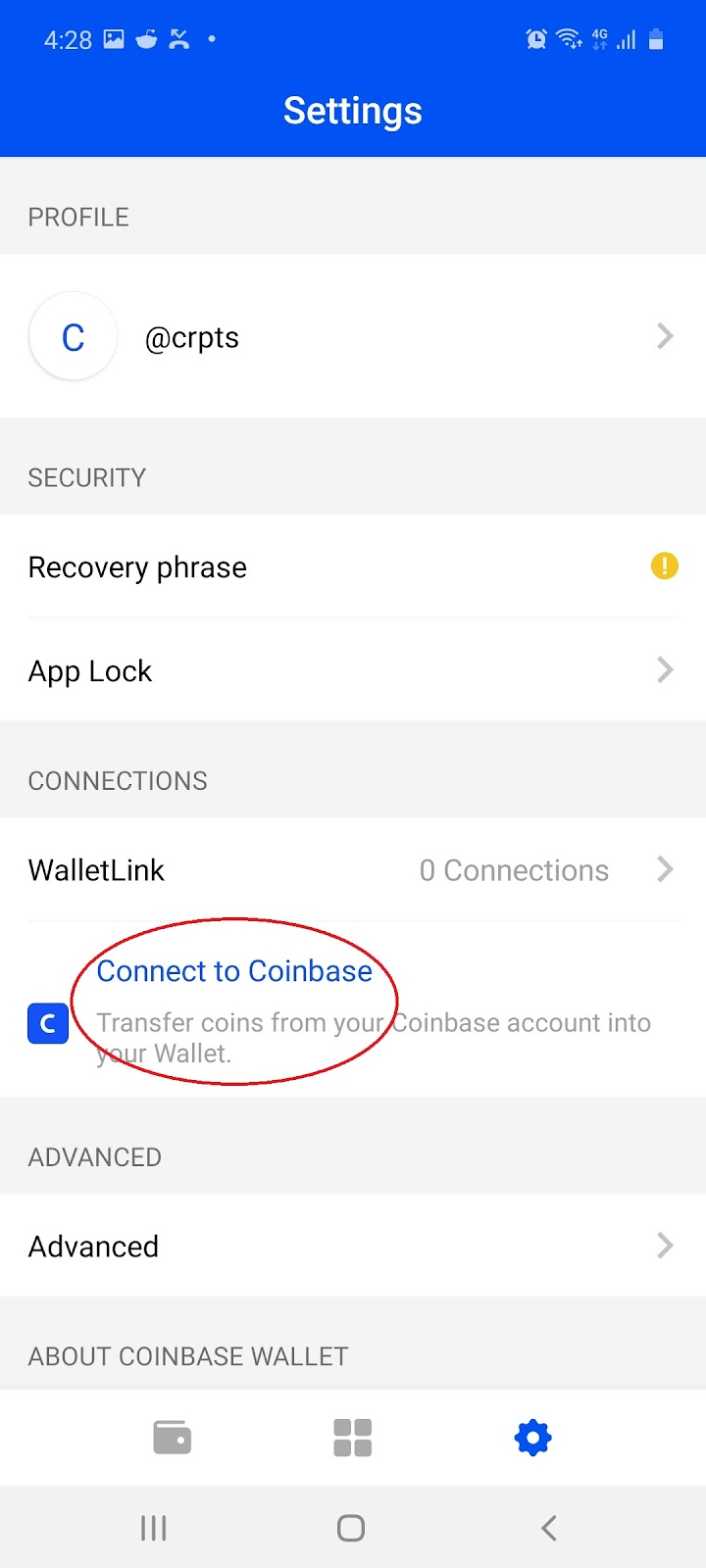
3.2 On the Settings page, select ‘Connect to Coinbase’:
3.3 Select ‘Connect to Coinbase’ and follow the instructions to link up your accounts:
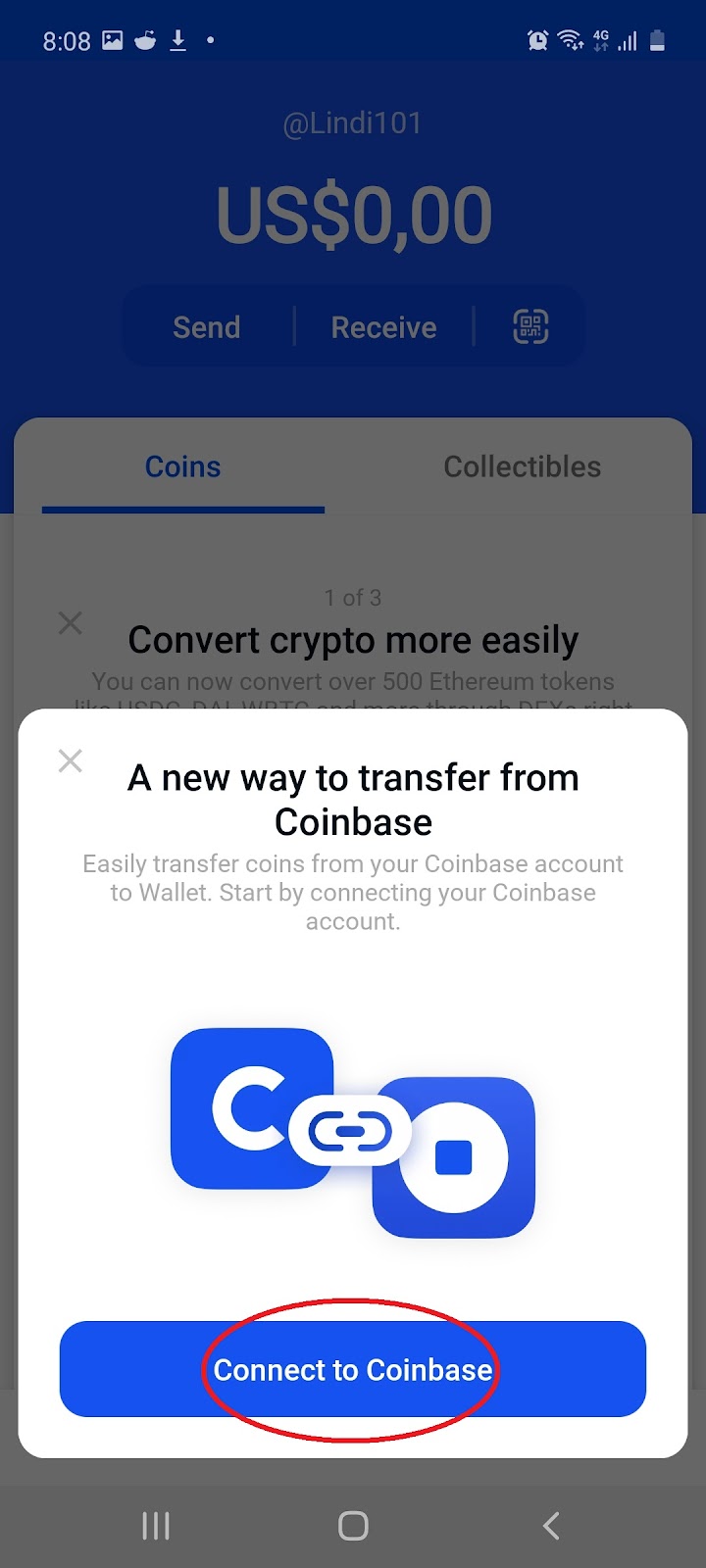
Note: Once your Coinbase account is linked, you can easily transfer crypto to your Wallet app with just a couple of clicks, anytime you need it.
4. Receiving Cryptocurrency
4.1 On the home page of wallet select ‘Receive’:
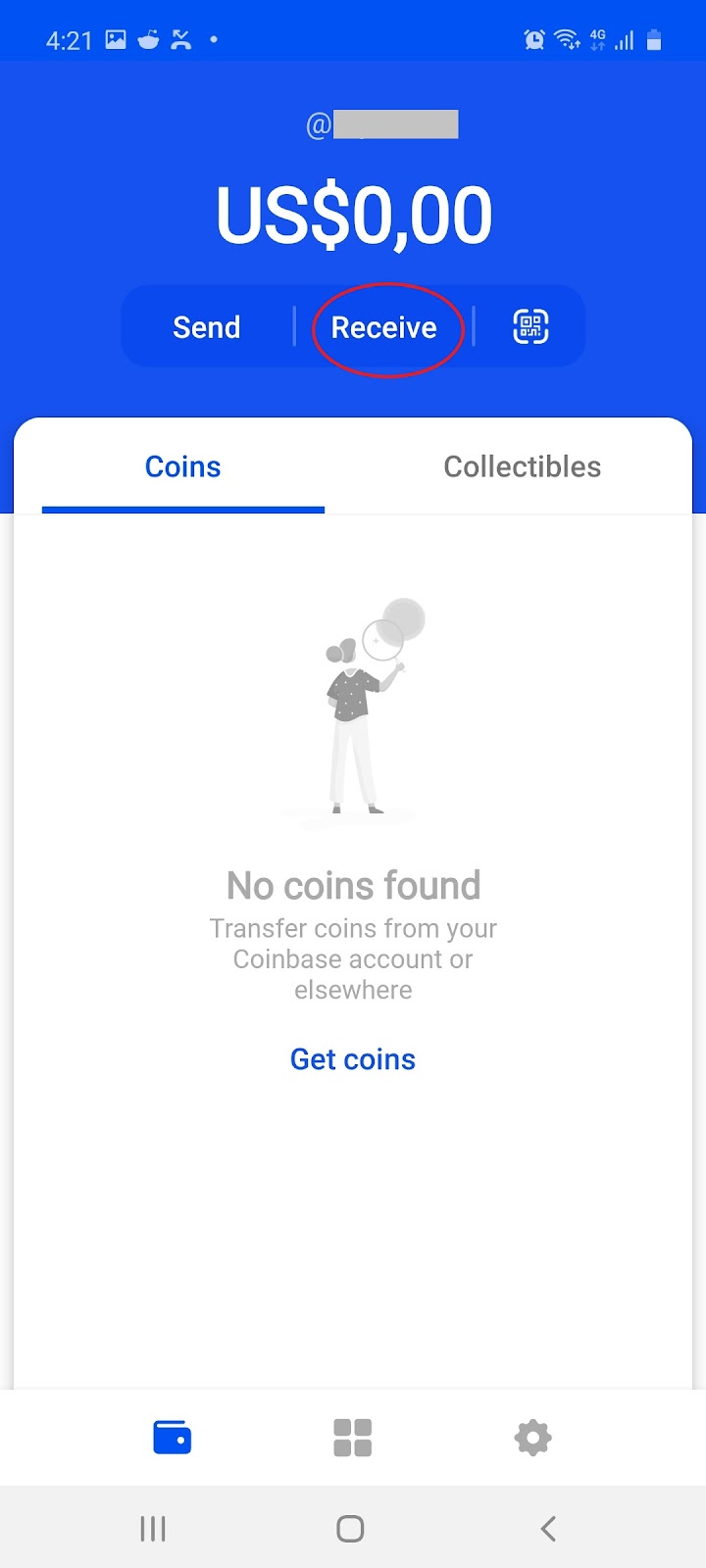
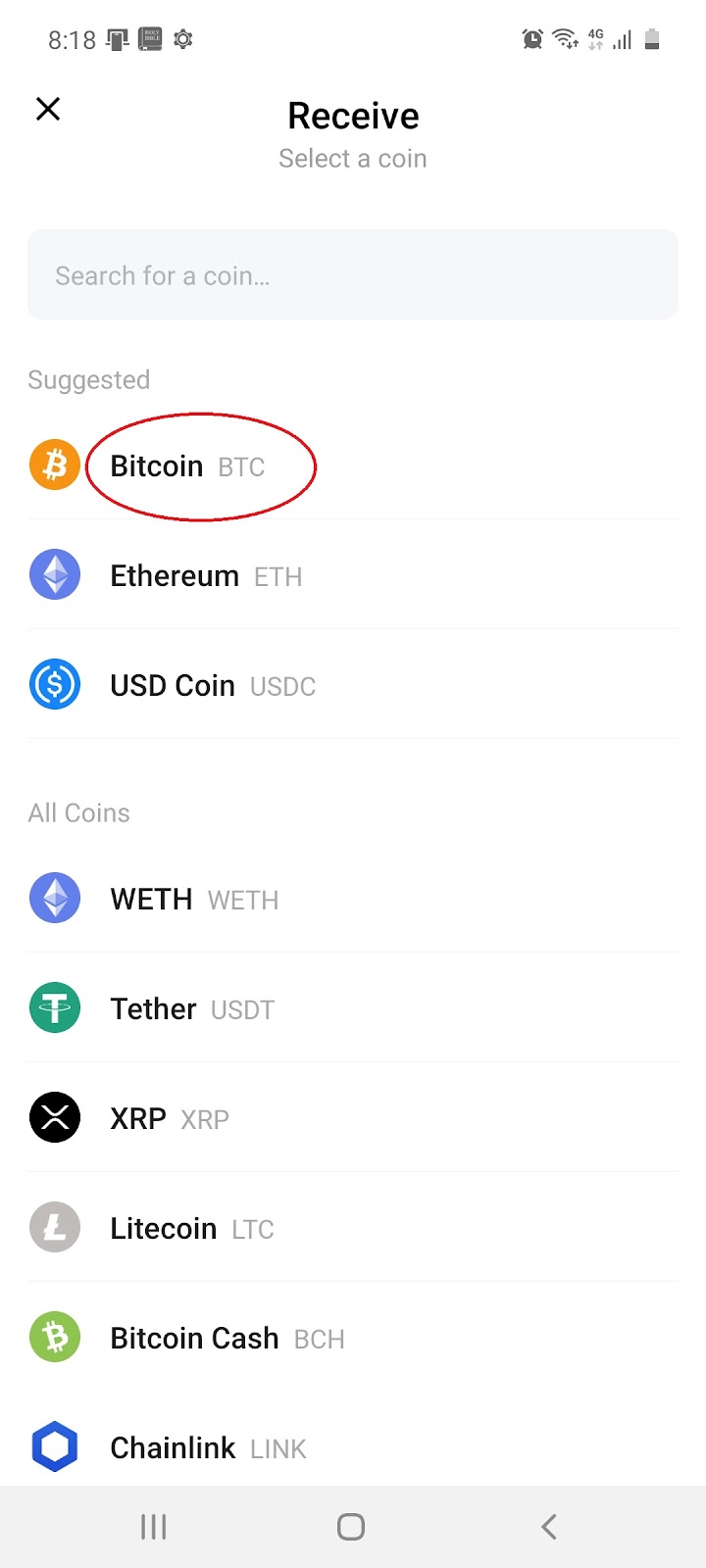
4.2 Choose from the pop up which cryptocurrency you would like to receive (e.g. Bitcoin):
4.3 Choose to receive BTC using your ‘Address’ or ‘@Username’:
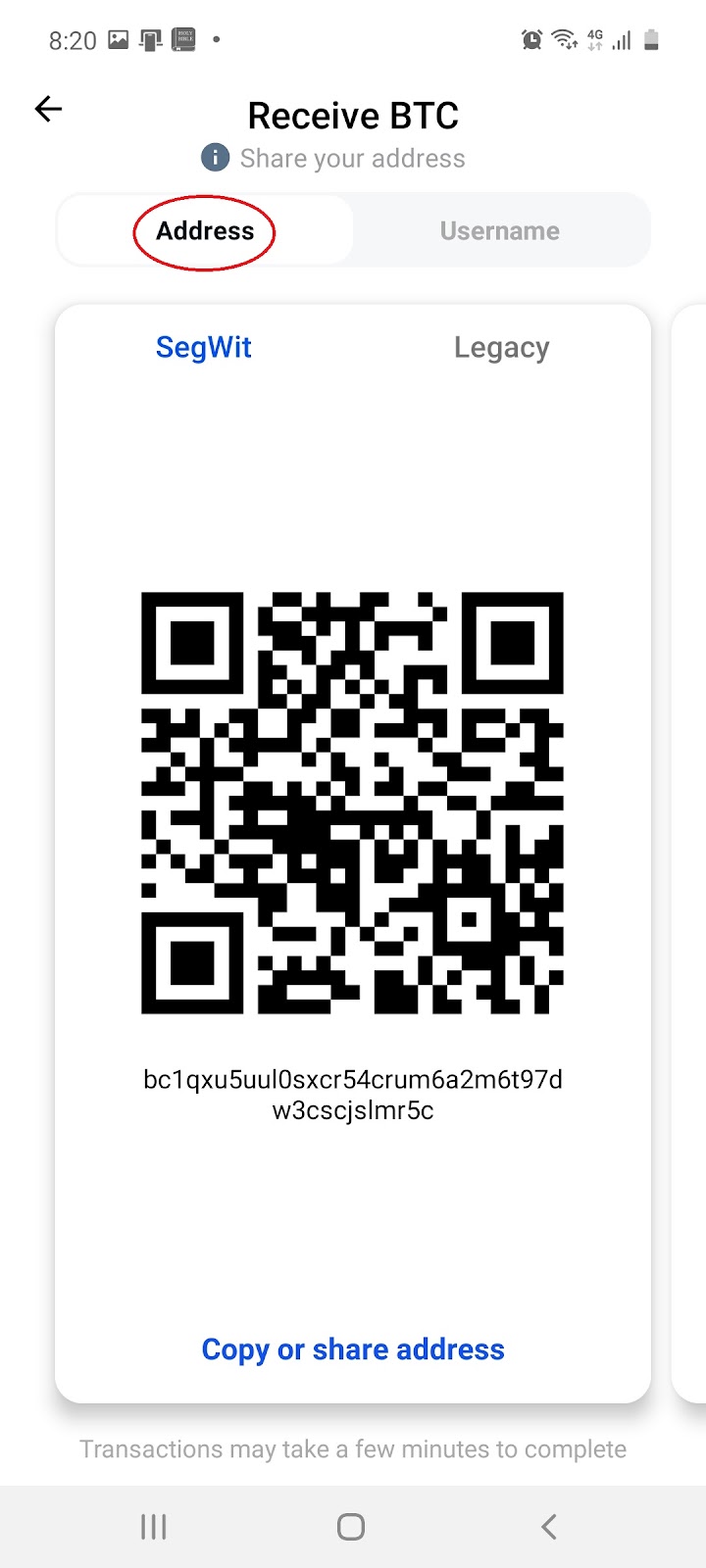 or
or 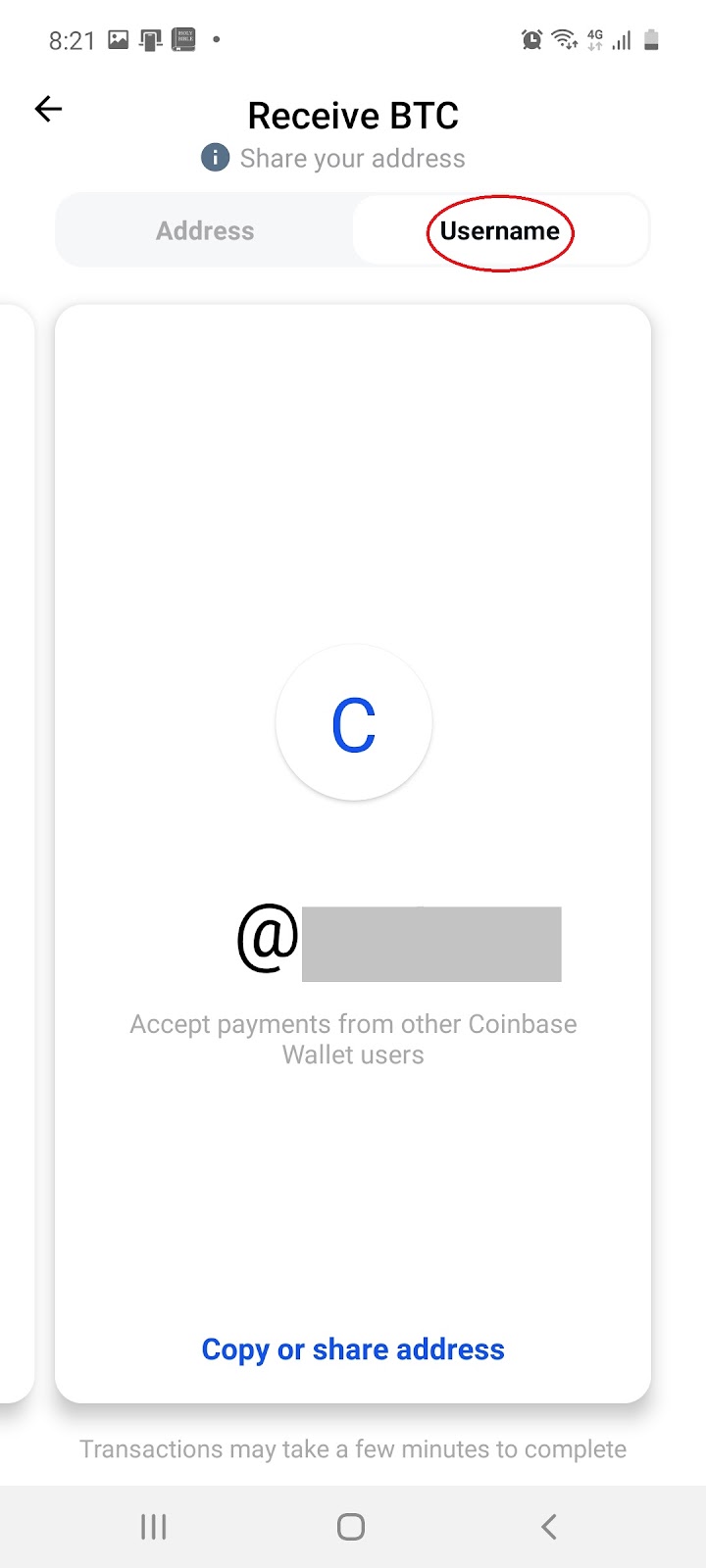
Note: Coinbase does not process Wallet transactions over email. Receiving unsupported assets through your Wallet can cause you to lose them.
5. Sending Cryptocurrency
5.1 On the home page of wallet, select ‘Send’:
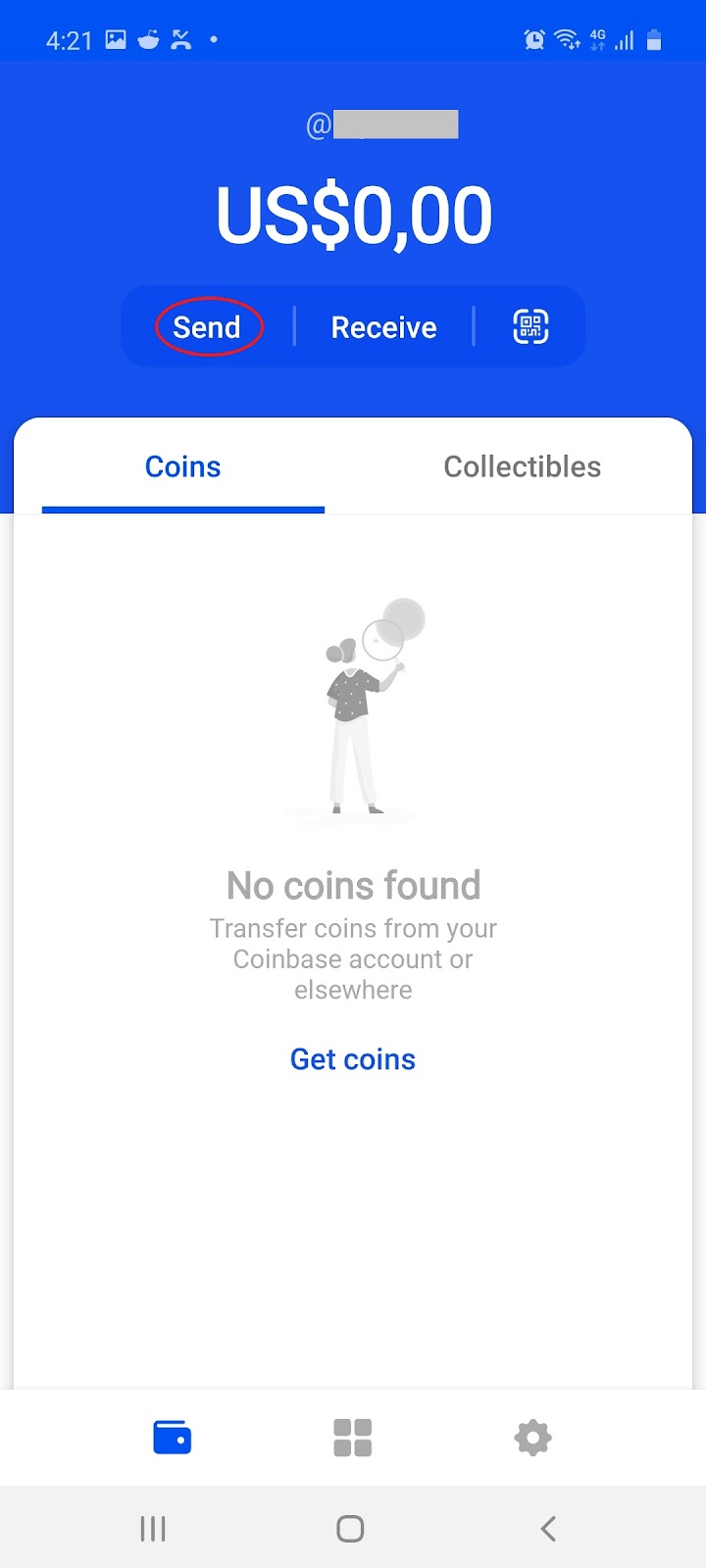
If you have funds available, you will be prompted to do the following:
- Enter the amount you'd like to send
- Select which coin you'd like to use
- Tap Next
- Tap the QR code or enter the exact recipient address
Note: Coinbase does not process Wallet transactions over email. All Coinbase Wallet transactions are processed on the blockchain which means Senders will be charged a miner fee. Sending unsupported assets through Wallet can cause you to lose them.
6. Security
6.1 On the home page of wallet, select the ‘Settings’ icon:
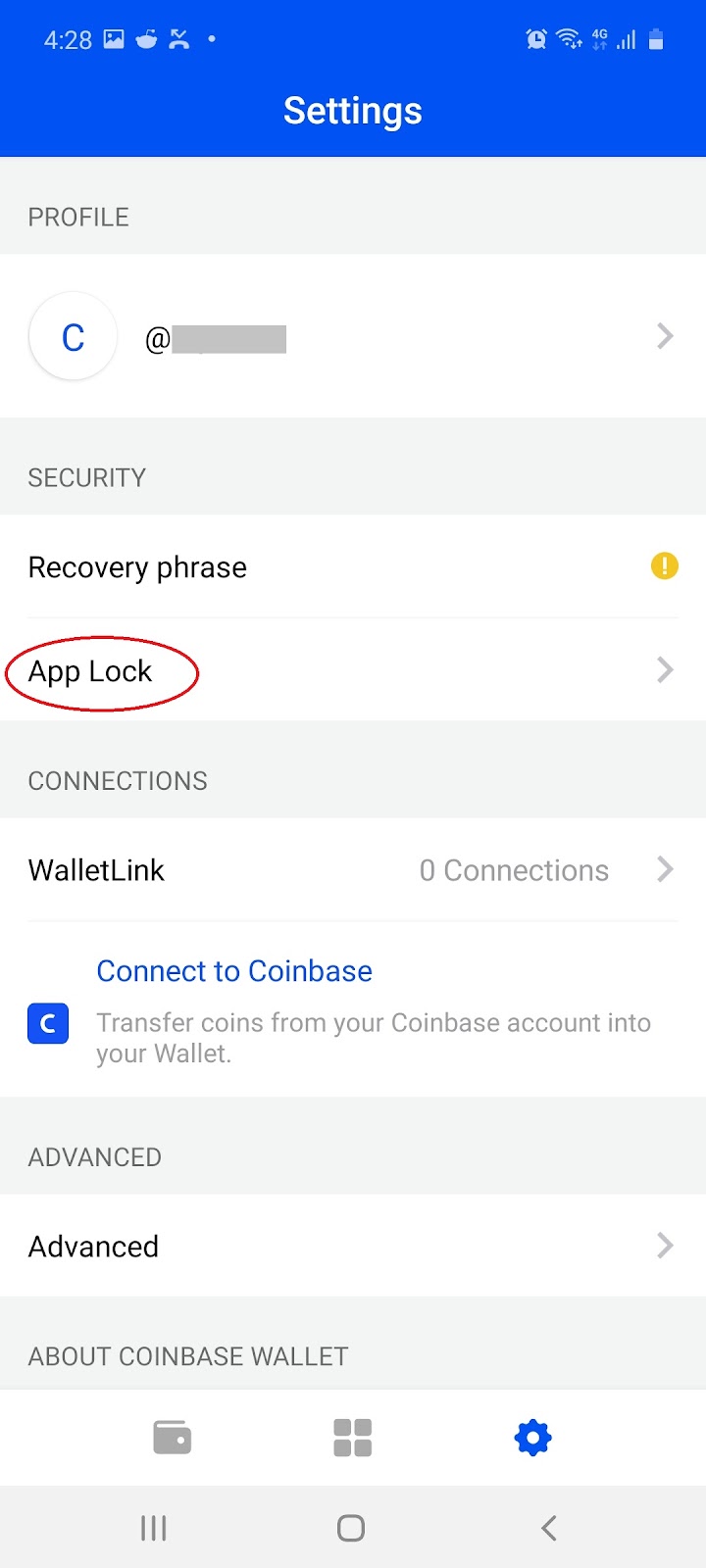
6.2 On the Settings page, select the ‘App Lock’ icon:
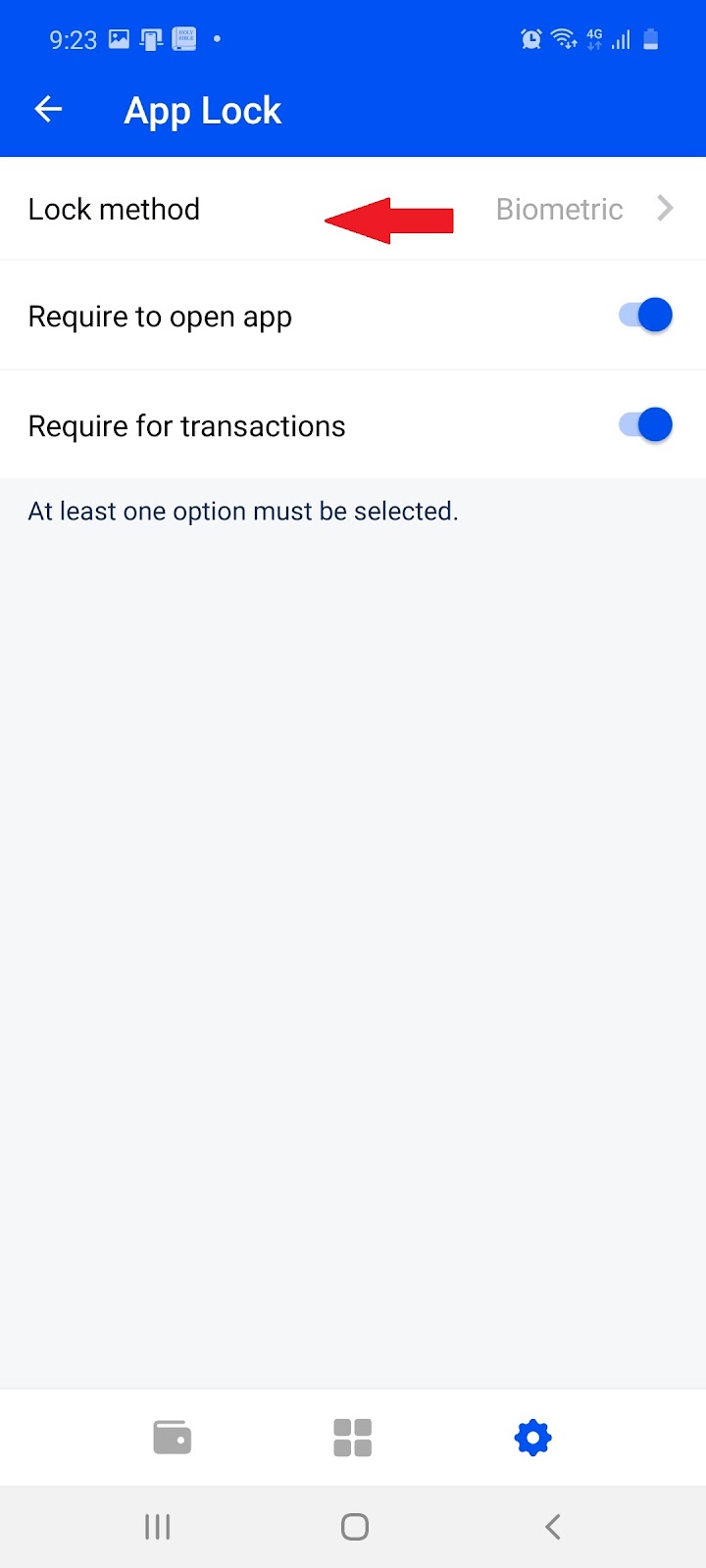
6.3 On the App Lock page of wallet select ‘Lock Method’:
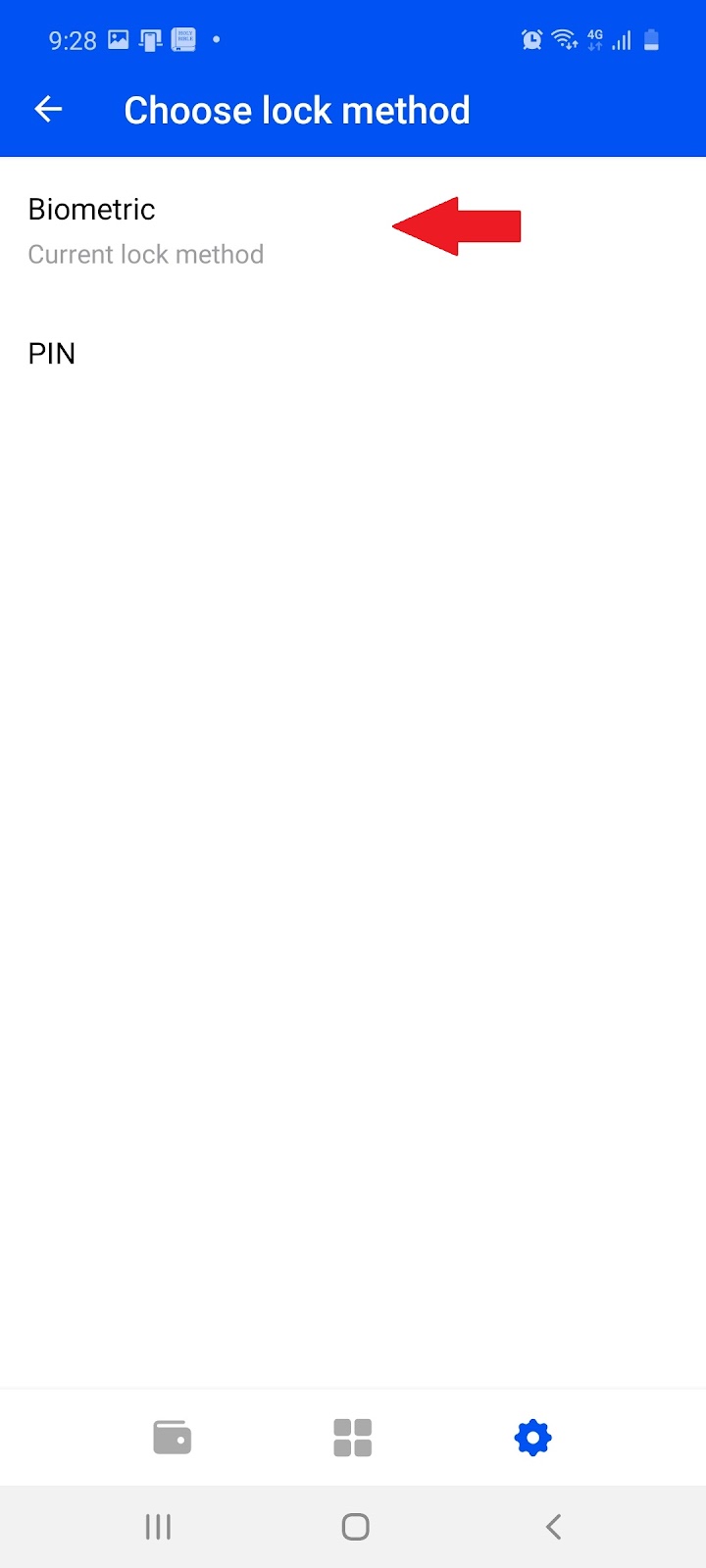
6.4 Choose between ‘Biometric’ or ‘Pin’ and follow the instructions:
 or
or 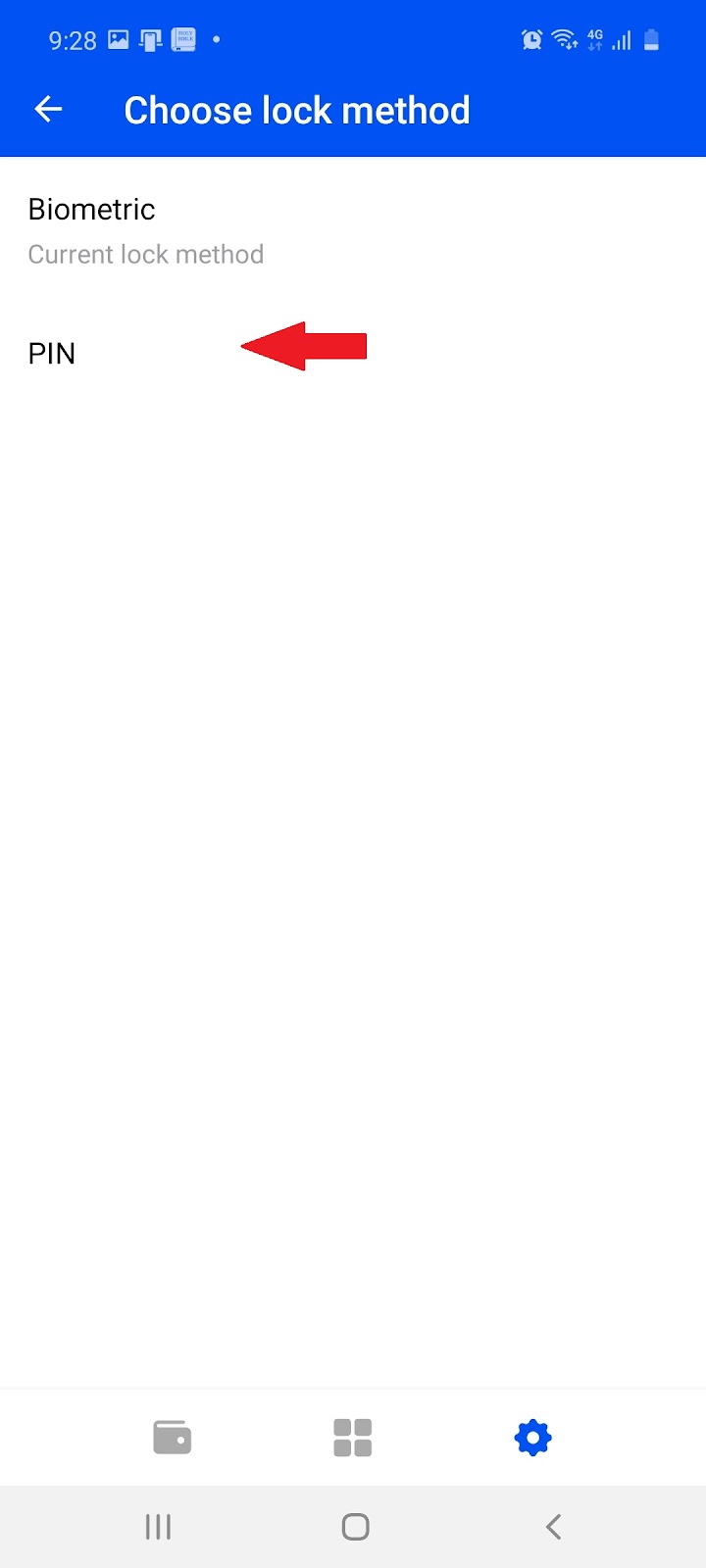
Note: For more information on how to further secure your wallet visit Coinbase.com.
7. Learn More About Dapps
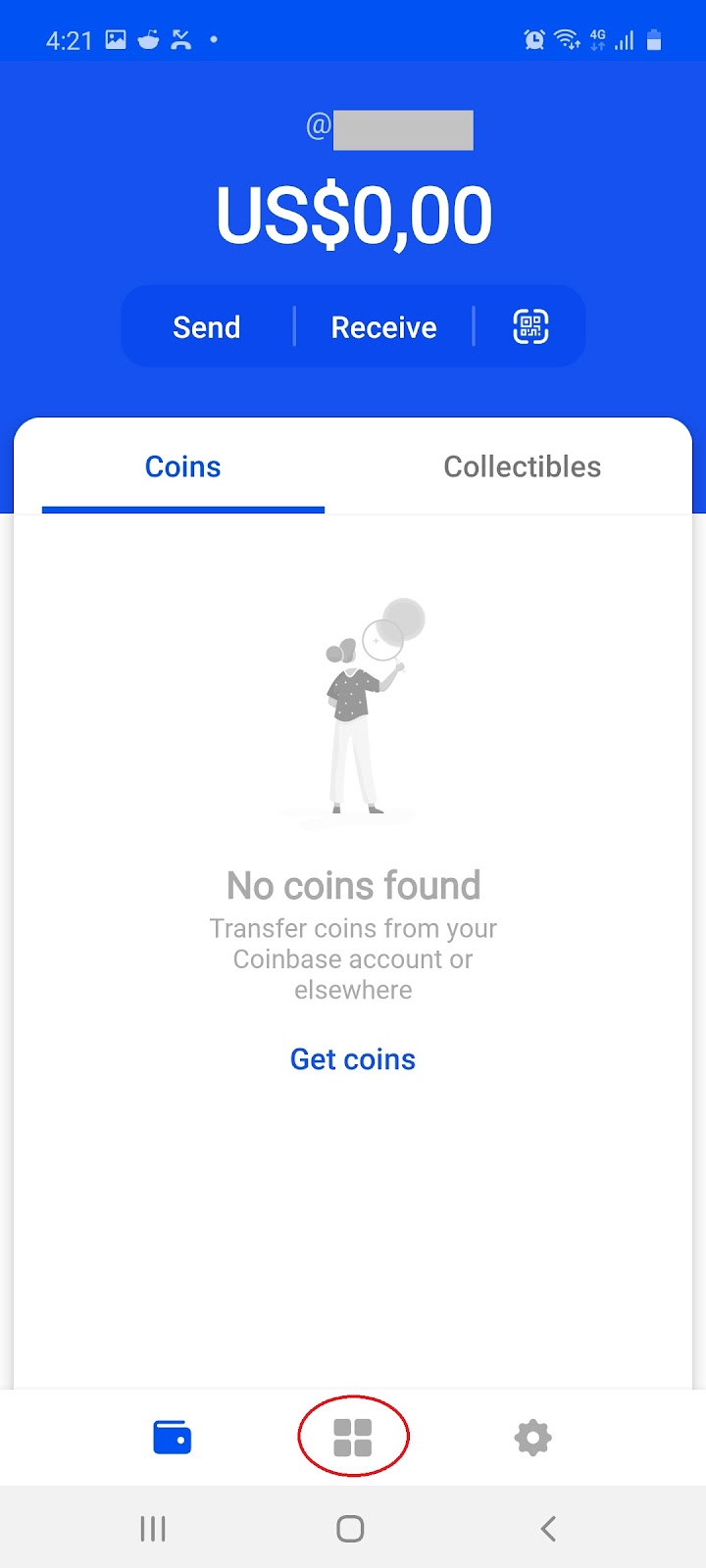
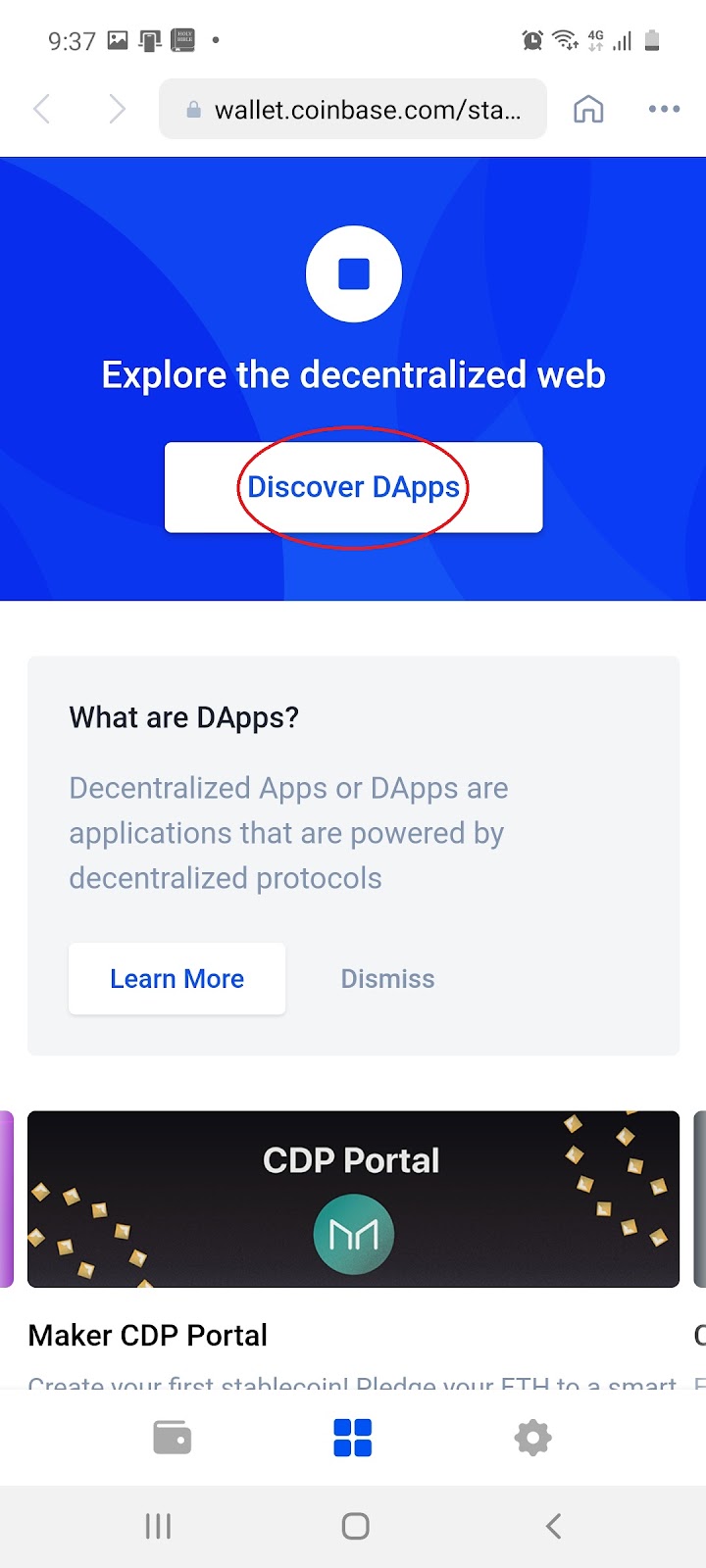
7.1 Select ‘DApps browser’ icon and then select ‘Discover DApps’ to learn more:
 →
→ 
Note: DApp is the commonly used abbreviation referring to decentralized apps. DApps are conceptually the same as apps or games you might use on your computer or phone. The key difference is, DApps are built on and powered by decentralized protocols such as Ethereum. An example of a popular DApp is CryptoKitties.