Key Takeaways |
1. MetaMask Agent Wallet lets an AI agent trade crypto on your behalf, but you stay in control by setting spending limits, approved protocols, and which mode the agent runs in. |
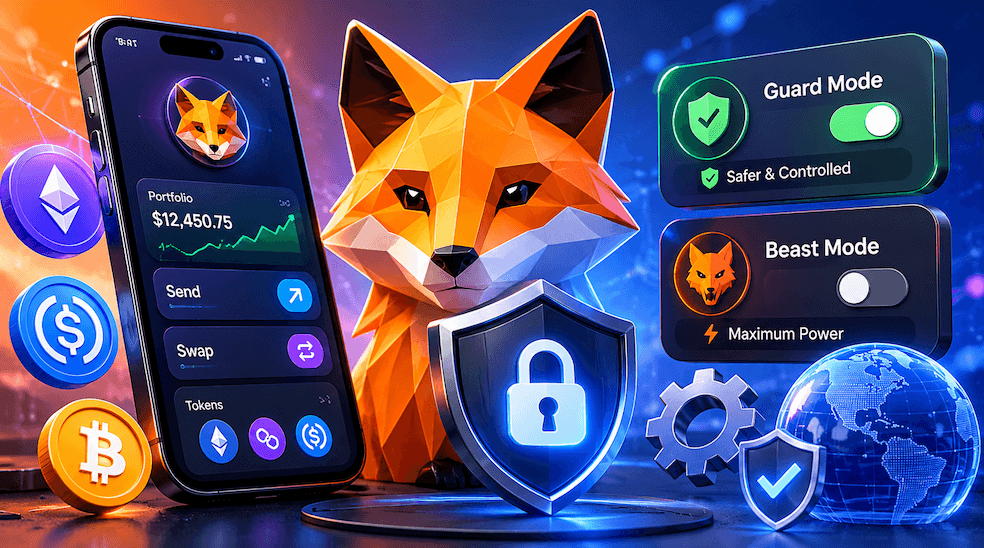
2. Guard Mode (the default) requires your approval via 2FA for anything outside your preset rules. Beast Mode allows more autonomy but still blocks and flags malicious transactions. |
3. Every transaction goes through a mandatory three-step security pipeline: simulation, Blockaid threat scanning, and MEV protection. Confirmed safe transactions are covered by up to $10,000 per month in Transaction Protection. |
What Is MetaMask Agent Wallet?
MetaMask Agent Wallet is a self-custodial crypto wallet built specifically for AI agents. Instead of you logging in and clicking buttons, an AI agent connects to the wallet and executes transactions on your behalf, automatically and around the clock.
It was built by Consensys, the company behind MetaMask, and launched in Early Access on June 8, 2026. It is the first product of its kind from MetaMask, and it is designed for a world where software, not just people, participates in decentralized finance.
The key point for beginners: you are still in charge. The agent works inside rules you set, and you can always override it, pause it, or shut it down.
What Can the Agent Actually Do?
Once connected, an AI agent using MetaMask Agent Wallet can:
Swap tokens on decentralized exchanges
Execute perpetual futures trades (long or short positions on a token's price)
Enter and exit liquidity pools (LP positions)
Trade on prediction markets
Interact with any DeFi protocol on supported chains, within your limits
All of this happens automatically, according to the instructions and rules you give the agent at setup.
Supported Networks
MetaMask Agent Wallet supports over 25 EVM-compatible blockchains. The full three-step security pipeline runs on the nine chains listed below. Other EVM chains can be used but with a narrower set of protections.
Chain | Full Security Pipeline | Notes |
|---|---|---|
Ethereum | Yes | Main EVM network |
Base | Yes | Coinbase Layer 2, low fees |
Arbitrum | Yes | Popular Ethereum Layer 2 |
Optimism | Yes | Ethereum Layer 2 |
Polygon | Yes | Low-cost EVM chain |
Linea | Yes | MetaMask's own Layer 2 |
Avalanche | Yes | High-speed EVM network |
BNB Chain (BSC) | Yes | Binance's EVM network |
Sei | Yes | Fast EVM network |
Hyperliquid | Partial | Supported for perps trading |
Other EVM chains | Partial | Accessible but without full threat scanning |
How the Security Works
Before you learn how to set anything up, it helps to understand what happens every time the agent tries to execute a transaction. This is what makes MetaMask Agent Wallet different from just handing an AI your private key.
Every attempted transaction on supported EVM chains passes through three security layers automatically:
Security Layer | What It Does | What Happens If It Fails |
|---|---|---|
1. Transaction Simulation | Runs a dry-run of the transaction to show exactly what will happen: how much moves, which contracts are involved, and what the outcome will be before anything is submitted to the blockchain | Transaction is blocked automatically |
2. Blockaid Threat Scanning(Transaction Shield) | Scans the transaction against a database of known malicious contracts, scam wallets, phishing routes, and flagged addresses. Powered by Blockaid. | Transaction is auto-rejected and sent to you for 2FA review |
3. MEV Protection | Prevents your transaction from being front-run by bots that try to extract value from your trade by inserting their own transactions ahead of yours (known as Maximal Extractable Value, or MEV) | Submission is held until a protected route is available |
Transaction Protection Coverage: Transactions that pass all three security layers are eligible for MetaMask's Transaction Protection coverage of up to $10,000 per month (capped at 100 eligible transactions). This is not insurance against speculative losses or market moves. It covers losses from malicious transactions that bypassed detection. Terms and exclusions apply. |
Guard Mode vs Beast Mode: Which One Is Right for You?
MetaMask Agent Wallet offers two operating modes. You choose one at setup, and you can change it later. For beginners, Guard Mode is strongly recommended.
Guard Mode | Beast Mode | |
|---|---|---|
Who it is for | Beginners and everyday traders | Experienced traders who want hands-off automation |
Default setting | Yes, this is the default | No, must be opted into |
Daily spend limits | Yes, you set the cap | Yes, you set the cap |
Protocol allowlis | Yes, agent only uses your approved protocols | No, agent can use any protocol |
2FA triggers when | Any transaction outside your policy rules (spending, chain, protocol) | Any transaction flagged as malicious by Blockaid |
Can malicious transactions bypass 2FA? | No, never | No, never |
Good for learning | Yes, highly recommended | Not ideal for beginners |
Think of it this way: Guard Mode is like a bank that requires you to add a recipient to your approved list before you can send money to them. Anything outside your list triggers a human approval step. Beast Mode scans addresses in real time and only stops you if something is flagged as dangerous. Both modes still block malicious transactions. Neither mode removes the security pipeline. |
Before You Begin: What You Need
MetaMask Agent Wallet is currently in an Early Access Program. This means access is limited to around 200 accepted participants. General availability is planned for summer 2026.
Here is what you will need to get started once you have access:
Requirement | Details |
|---|---|
MetaMask account | A standard MetaMask wallet (browser extension or mobile app). Download only from metamask.io. |
MetaMask Mobile app | Required for 2FA push notifications. Available on iOS and Android. |
Early Access spot | Apply at metamask.io/agent-wallet. The Early Access Program is free. |
An AI agent framework | MetaMask Agent Wallet is compatible with OpenClaw, Claude Code, OpenAI Codex, Cursor, Nous Research Hermes Agent, and others. |
Command-line access | The wallet connects via a CLI (command-line interface). Basic familiarity with a terminal is helpful. |
Funds to deposit | You will create a separate agent-specific wallet and fund it. Start with only what you are comfortable potentially losing. |
Important safety rule: MetaMask Agent Wallet creates a separate wallet just for the agent. Your main MetaMask wallet and its funds are not automatically connected. Never fund the agent wallet with more than you would be comfortable losing entirely. |
Step-by-Step Setup Guide
The steps below reflect the Early Access setup process as of June 2026. Exact screens and commands may change when general availability launches.
STEP 1 Apply for Early Access |
|
|
|
|
|
STEP 2 Install MetaMask (if you have not already) |
|
|
|
|
|
STEP 3 Set Up MetaMask Mobile for 2FA |
|
|
|
|
|
STEP 4 Install the MetaMask Agent Wallet CLI |
|
|
|
|
STEP 5 Create and Fund Your Agent Wallet |
|
|
|
|
|
STEP 6 Set Your Rules Before Going Live |
|
|
|
|
|
|
|
STEP 7 Connect Your Agent Framework and Go |
|
|
|
|
|
|
Understanding 2FA Approval Requests
When the agent attempts a transaction that falls outside your rules (in Guard Mode) or that is flagged as suspicious (in either mode), it will pause and send you an approval request. Here is what to expect:
What Happens | What You See | Your Action |
|---|---|---|
Agent tries a transaction outside your policy | Push notification on MetaMask Mobile OR email approval link | Open the notification, review the transaction details, then tap Approve or Reject |
Agent tries a transaction flagged as malicious | Push notification or email in both Guard Mode and Beast Mode | Review the details carefully. Reject if anything looks unfamiliar or suspicious. |
You do not respond within 5 minutes | The request auto-declines | No action needed. The transaction does not execute. |
Agent attempts a transaction within your rules (Guard Mode) | No notification. Transaction executes automatically. | Nothing required. Review your activity log later. |
Never approve a 2FA request you did not initiate or do not recognize. If you receive an approval request you are not expecting, reject it immediately and review your agent's recent activity. Then check whether your agent framework may have been given a prompt you did not intend. |
Beginner Safety Rules
New users of any autonomous wallet tool should treat the following as non-negotiable starting points.
Rule | Why It Matters |
|---|---|
Start with Guard Mode | It gives you the most control and requires approval for anything unusual. Switch to Beast Mode only after you understand how your agent behaves. |
Use a separate agent wallet | Never connect the agent to your main wallet. The agent wallet is its own isolated account with its own keys. |
Set a daily spend limit you can afford to lose | Even with security layers in place, no system is perfect. Treat the agent wallet balance as money you are comfortable with losing entirely. |
Do not install unverified plugins | Agent frameworks allow third-party extensions. Only install ones with a clear audit trail or those recommended by the official framework documentation. |
Read every 2FA notification before approving | Do not tap Approve automatically. Read the transaction details. If anything looks wrong or unexpected, reject it. |
Export and store your Secret Recovery Phrase offline | Write it on paper. Store it somewhere physically secure. Never photograph it or store it in the cloud. |
Review your transaction logs weekly | Autonomous agents can build up unexpected patterns over time. A quick weekly review keeps you informed. |
Never share your seed phrase | MetaMask support will never ask for it. Anyone who does is attempting a scam. |
Key Terms Glossary
If you are new to crypto or AI agents, these definitions will help you follow the tutorial above.
Term | Plain-English Definition |
|---|---|
AI Agent | Software that can take actions on its own, like executing trades, without requiring a human to approve every single step. |
Self-Custodial Wallet | A wallet where you hold your own private keys. No exchange or company controls your funds. You are responsible for keeping the keys safe. |
Secret Recovery Phrase | A 12-word backup phrase generated when you create a MetaMask wallet. Anyone who has these 12 words can access all funds in the wallet. Store offline only. |
Private Key | A long cryptographic string that proves ownership of a wallet and authorizes transactions. Never share it. |
DeFi (Decentralized Finance) | Financial services like lending, trading, and earning yield that run on blockchains via smart contracts, with no banks or intermediaries. |
Smart Contract | A self-executing program stored on a blockchain. It automatically carries out an agreement when certain conditions are met. |
EVM (Ethereum Virtual Machine) | The computing environment shared by Ethereum and dozens of compatible chains like Base, Arbitrum, and Polygon. |
2FA (Two-Factor Authentication) | A second layer of verification, in this context a push notification or email, required before a transaction outside your policy can execute. |
MEV (Maximal Extractable Value) | A practice where bots insert transactions before yours to profit from the price change your trade causes. MEV protection defends against this. |
TEE (Trusted Execution Environment) | A secure, hardware-isolated area inside a processor where private keys can be stored and used without being readable by the surrounding system. |
Allowlist | A list of approved wallets, contracts, or protocols that the agent is permitted to interact with. Anything not on the list triggers a 2FA prompt. |
Transaction Simulation | Running a dry-run of a transaction to preview exactly what will happen before it is submitted to the blockchain. |
Guard Mode | The default MetaMask Agent Wallet mode. Enforces strict spending limits and protocol allowlists. 2FA triggers for anything outside policy. |
Beast Mode | An opt-in mode for experienced users. Fewer policy interruptions, but malicious transactions still trigger 2FA and get blocked. |
CLI (Command-Line Interface) | A text-based way to interact with software using typed commands in a terminal. MetaMask Agent Wallet connects via CLI in Early Access. |
Blockaid | The security partner whose threat-scanning technology powers MetaMask's Transaction Shield, checking transactions against a database of malicious activity. |
Frequently Asked Questions
Is MetaMask Agent Wallet available right now?
As of June 8, 2026, MetaMask Agent Wallet is in an Early Access Program with approximately 200 accepted participants. General availability is expected in summer 2026. You can apply for early access at metamask.io/agent-wallet.
Is it free to use?
The Early Access Program is free to join. Standard blockchain transaction fees (gas fees) will still apply whenever the agent executes a transaction on-chain. There is no additional fee for the wallet itself.
Does the agent have access to my main MetaMask wallet?
No. MetaMask Agent Wallet creates a completely separate wallet specifically for the agent. Your existing MetaMask wallet and its balance remain independent. You must actively fund the agent wallet yourself.
What happens if the agent makes a mistake or loses money?
If the transaction was legitimate but resulted in a financial loss due to market conditions, that is not covered. If a transaction was flagged as safe but turned out to be malicious, Transaction Protection covers eligible losses up to $10,000 per month (capped at 100 transactions). Speculative losses, hacked protocols, and compromised seed phrases are not covered.
Can I stop the agent at any time?
Yes. You can pause or disconnect the agent framework at any time through the CLI. You retain full control of your keys and can export your Secret Recovery Phrase whenever you choose.
What AI frameworks work with MetaMask Agent Wallet?
At launch, the product supports OpenClaw, OpenAI Codex, Claude Code (Anthropic), Cursor, Nous Research Hermes Agent, and OpenCode, among others. The wallet is designed to be framework-agnostic.
What is the difference between MetaMask and MetaMask Agent Wallet?
Standard MetaMask is a wallet you control manually, approving each transaction yourself. MetaMask Agent Wallet is a separate product where an AI agent does the transacting within your preset rules. They are related products from the same company but serve different purposes.
Is my money safe with an AI agent in control?
No system guarantees complete safety. MetaMask Agent Wallet includes multiple security layers, but they are not a guarantee against all possible losses. The safest approach is to fund the agent wallet with only as much as you are comfortable losing entirely, use Guard Mode, set strict limits, and review activity regularly.
Do I need coding experience to use MetaMask Agent Wallet?
The Early Access version connects via a command-line interface (CLI), which requires some basic terminal familiarity. MetaMask has indicated that a more user-friendly interface will come with the general availability release. If you are not comfortable with a CLI, it may be worth waiting for the full public launch.
Disclaimer: This content is for educational and informational purposes only and is not financial advice. Nothing here is a recommendation to buy or sell any asset or use any platform. Do your own research and manage your risk.
Read More
AI + Crypto Convergence in 2026: What It Means for Web3 Developers and Users
AI Meets DAOs: How Artificial Intelligence Is Changing On-Chain Governance in 2026
Beginner’s Guide to Decentralized AI (DeAI): Subnets, Bittensor Basics, and Safe Participation Tips
AI Agent Crypto Wallets and Regulation: What Developers and Users Need to Know in 2026
Need deeper training?
Join our structured modules with live examples and expert checklists for effective implementation.
JOIN THE ACADEMY