Key Takeaways |
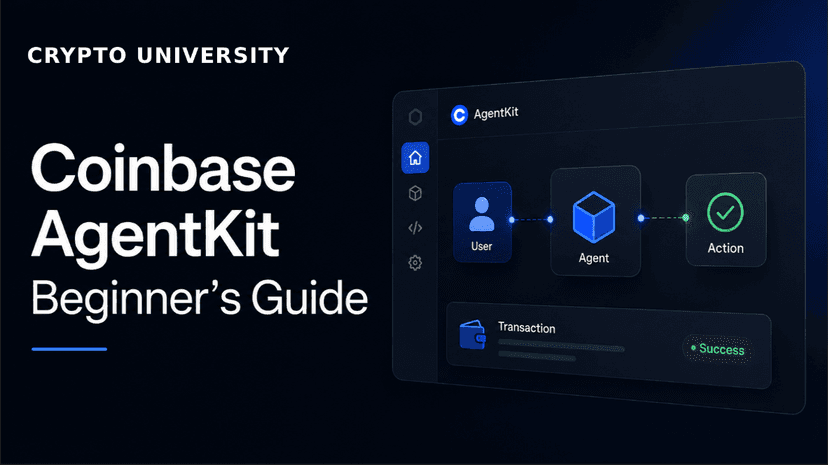
1. Coinbase AgentKit is an open-source developer toolkit that gives AI agents the ability to take actions on a blockchain. Coinbase Agentic Wallets is the separate wallet infrastructure launched in February 2026 that sits underneath it, providing the actual signing, custody, and spending-policy layer. |
2. Every Agentic Wallet uses MPC key management inside an AWS Nitro Enclave, meaning the private key is never reconstructed in full on any single machine and not even Coinbase can read it. |
3. Agents can transact gaslessly on Base using USDC, with programmable session caps, transaction limits, and an activity log that operators can review at any time through the Coinbase Developer Platform portal. |
First, Let's Clear Up the Naming
If you have searched for information about Coinbase's AI agent wallet products, you have probably seen the name 'AgentKit' used to describe several different things. This is one of the most common sources of confusion for new users. Here is a clear breakdown.
Name | What It Actually Is | Launched |
|---|---|---|
Coinbase AgentKit | An open-source developer framework (a toolkit) that gives AI agents the ability to take actions on a blockchain. It defines agent skills like Authenticate, Fund, Send, Trade, and Earn. Think of it as the instruction book and toolbox for building onchain agents. | Originally January 2025; ongoing |
Coinbase Agentic Wallets | The wallet infrastructure layer launched specifically for autonomous AI agents. It provides the actual wallet address, key management (MPC), spending policy controls, and x402 payment support. This is what actually holds and moves funds. | February 11, 2026 |
CDP Server Wallets v2 | The underlying signing infrastructure that Agentic Wallets are built on. Reached general availability in July 2025. Handles key storage, signing speed (under 200ms), and availability. | July 24, 2025 (GA) |
cb-mpc | Coinbase's open-source cryptographic library that implements the MPC key-splitting math used in all Coinbase wallet products. Available on GitHub. | Open source, ongoing |
In plain English: AgentKit is the code that teaches an AI agent how to use a wallet. Agentic Wallets is the actual wallet the agent uses. You need both. Most people use 'AgentKit' to mean the whole stack, which is technically imprecise but widely understood in the developer community. |
How Coinbase Agentic Wallets Work
Understanding the technical architecture helps you make better decisions about what to delegate to an agent and how much to trust the system. This section breaks it down without unnecessary jargon.
The Key Security Layer: MPC Inside a Nitro Enclave
Every Agentic Wallet is secured using two overlapping technologies:
Technology | What It Means in Plain English | Why It Matters |
|---|---|---|
MPC (Multi-Party Computation) | The wallet's private key is split into multiple mathematical shares. No single machine, including Coinbase's servers, ever holds the full key at one time. A valid signature can only be produced when enough shares work together. | If one part of the system is compromised, an attacker still cannot steal funds because they only have part of the key. |
AWS Nitro Enclave (TEE) | The signing computation happens inside a hardware-isolated processor environment. No one, including system administrators at Coinbase or AWS, can log in and read what is happening inside the enclave. | Even a fully compromised server cannot expose the raw key material, because the key is never in plaintext outside the enclave. |
The Policy Engine: How Spending Rules Are Enforced
Before any transaction reaches the signing enclave, it passes through a policy engine. The policy engine checks the transaction against rules the operator (you) set at wallet-creation time.
Rule Type | What It Controls | Example |
|---|---|---|
Session Caps | Total spending limit across an entire agent session or time window | Agent may not spend more than $500 USDC total in one session |
Transaction Limits | Maximum value of any single transaction | No single transfer may exceed $50 USDC |
Per-Token Allowances | Which tokens the agent is permitted to touch | Agent may only use USDC; no ETH or other tokens |
Counterparty Allowlist | Which wallet addresses the agent is permitted to send to | Agent may only interact with approved DeFi contracts |
Activity Logging | Every transaction is logged with timestamp, signer identity, and counterparty address | Full audit trail visible in the CDP portal |
Gasless Trading on Base
When an agent uses Agentic Wallets on the Base network, it can transact without holding ETH for gas fees. Coinbase routes the transaction through its Paymaster service, which pays the gas on the agent's behalf. The operator settles the cost later through the CDP portal.
This matters for practical reasons: an autonomous agent making many small payments, for example micropayments using the x402 protocol, cannot stop every few minutes to top up its ETH balance. Gasless operation makes continuous, low-value transactions practical.
Session Keys: How the Agent Signs Without the Master Key
The agent never holds the master private key. Instead, the operator provisions a session key: a short-lived, scoped signing credential that is bound to specific rules (maximum spend, allowed counterparties, expiry time). The agent uses this session key for the duration of a task.
If the agent behaves unexpectedly, the operator can revoke the session key immediately. This limits the damage from any single incident without requiring the entire wallet to be shut down.
What an Agent Can Do with AgentKit
AgentKit organises the actions an agent can take into five core skill categories. Think of these as the verbs the agent knows how to perform.
Skill Category | What the Agent Can Do | Example Use Case |
|---|---|---|
Authenticate | Prove identity and establish a verified connection to the wallet and relevant services | Agent logs into the CDP system and verifies it is operating under the correct policy |
Fund | Request test funds from a faucet (on testnets) or receive real funds sent to the wallet address | Developer funds the agent wallet with USDC before a test run |
Send | Transfer tokens (primarily USDC) to another wallet address or smart contract | Agent pays for an API service using x402 micropayments |
Trade | Swap tokens on supported decentralized exchanges | Agent exchanges USDC for another token as part of a DeFi strategy |
Earn | Interact with yield protocols, liquidity pools, or staking contracts | Agent deposits USDC into a yield vault and monitors returns |
Supported Networks
AgentKit and Agentic Wallets support both EVM-compatible chains and Solana. Base is the recommended starting network for most use cases due to its gasless transactions, low fees, and USDC liquidity.
Network | Type | Gasless on Agentic Wallets | Notes |
|---|---|---|---|
Base | EVM | Yes | Primary recommended network; fast, cheap, USDC-native |
Ethereum Mainnet | EVM | No | Supported but gas fees too high for micropayments |
Arbitrum | EVM | No | Supported; good for larger DeFi operations |
Optimism | EVM | No | Supported |
Polygon | EVM | No | Supported; low fees |
Avalanche | EVM | No | Supported |
BNB Chain | EVM | No | Supported |
Zora | EVM | No | Supported; NFT-focused chain |
Solana | SVM | No | Supported via the SVM wallet provider; separate setup |
What Is the x402 Protocol?
x402 is a payments standard developed by Coinbase (with Cloudflare) that embeds stablecoin micropayments directly into standard internet communications (HTTP requests). It is designed for machine-to-machine commerce: software paying other software, without a human in the loop.
The name comes from HTTP status code 402, which was originally reserved for future payment requirements. x402 fulfils that long-unused code by allowing a server to respond to a request with a 402 status plus a payment specification, and an agent with a funded wallet can pay and retry the request automatically.
A simple example of x402 in action: |
|
|
|
|
|
x402 by the numbers (as of April 2026): The x402 protocol had reportedly processed over 165 million transactions, supported around 69,000 active agents, and reached roughly $50 million in cumulative volume, according to figures cited by Coinbase. These are widely reported estimates and may have changed significantly since.
x402 Coalition Members (as of mid-2026): Google, Visa, AWS, Circle, Anthropic, Vercel, Coinbase, and Cloudflare, among others. x402 is being positioned as a foundational web standard, not a crypto-specific niche tool. |
Before You Begin: What You Need
AgentKit is primarily a developer tool. Setting it up requires some comfort with a terminal and basic programming concepts. Coinbase provides a beginner flag (--beginner) in the CLI to simplify the setup for first-time users. The full public version of Agentic Wallets is available now through the Coinbase Developer Platform.
Requirement | Details | Where to Get It |
|---|---|---|
Coinbase Developer Platform (CDP) account | Free account at portal.cdp.coinbase.com | |
CDP API Key | A key ID and secret generated in the CDP portal. Required to authenticate any wallet or agent action. | CDP Portal > API Keys section |
Node.js 18+ (for TypeScript path) | JavaScript runtime required for the TypeScript CLI | |
Python 3.10 or 3.11 (for Python path) | Required for the Python CLI and coinbase-agentkit package | |
pipx (Python path only) | Tool for running Python applications in isolated environments | |
An LLM API key | AgentKit supports OpenAI (GPT-4), Anthropic (Claude), and others. You need at least one. | |
USDC or testnet funds | For testing, use the Base Sepolia testnet faucet (free test tokens). For production, fund via Coinbase or bridge USDC to Base. | CDP faucet or coinbase.com |
Start on testnet. Coinbase provides a Base Sepolia testnet where you can run the full AgentKit setup with free test tokens before touching real funds. Always test there first. Testnet funds have no monetary value and cannot be lost in any financially meaningful way. |
Step-by-Step Setup Guide
There are two paths: TypeScript (recommended for full-stack or web app projects) and Python (recommended for chatbot or script-based agents). The steps below cover both. The beginner Python path is the fastest to get a first result.
STEP 1 Create a Free Coinbase Developer Platform Account |
|
|
|
|
STEP 2 Generate Your CDP API Key |
|
|
|
|
|
STEP 3 Create Your AgentKit Project (TypeScript path) |
|
npm create onchain-agent@latest |
The CLI will ask you to choose: |
|
|
|
|
STEP 3 Create Your AgentKit Project (Python path) |
|
# Basic setup pipx run create-onchain-agent # Or with the beginner flag for simplified defaults pipx run create-onchain-agent --beginner |
The Python CLI will ask you to choose: |
|
|
|
STEP 4 Configure Your Environment Variables |
|
|
|
|
|
# Example .env contents (do not share these values) CDP_API_KEY_ID=your-key-id-here CDP_API_KEY_SECRET=your-key-secret-here OPENAI_API_KEY=your-openai-key-here NETWORK_ID=base-sepolia |
STEP 5 Run Your First Agent |
|
|
|
|
|
STEP 6 Set Your Spending Policy (Agentic Wallets) |
|
|
|
|
|
|
|
|
STEP 7 Optional: Use the Agentic Wallets CLI Directly (npx awal) |
|
|
npx awal |
The awal CLI will: |
|
|
|
|
Supported AI Frameworks and Wallets
AgentKit is designed to be framework-agnostic and wallet-agnostic. This means you can use it with a wide range of AI models and wallet providers.
Category | Supported Options |
|---|---|
AI Frameworks (TypeScript) | LangChain (JS), Vercel AI SDK, Model Context Protocol (MCP) |
AI Frameworks (Python) | LangChain (Python), OpenAI Agents SDK |
LLM Providers | OpenAI (GPT-4), Anthropic (Claude), Meta Llama, Google Gemini, and others via LangChain |
Wallet Providers (CDP) | CDP Smart Wallets, CDP Server Wallets (Agentic Wallets) |
Wallet Providers (Other) | Viem (local private key), Privy Server Wallets, Privy Delegated Embedded Wallets, EthAccount |
MCP Compatibility | Claude Desktop, OpenAI Codex, Google Gemini, and any MCP-compatible agent runtime |
Security Rules for Beginners
Because AgentKit gives software access to real funds, security habits matter more here than in almost any other developer context. These rules are not optional.
Rule | Why It Matters |
|---|---|
Never commit API keys to a code repository | If your CDP API key or LLM API key ends up in a public GitHub repo, bots scan for these within seconds. Revoke the key immediately in the CDP portal and generate a new one if this happens. |
Always start on the testnet | The Base Sepolia testnet is free, fully functional, and uses tokens with no real value. There is no reason to test with real funds until your agent is working correctly on testnet. |
Set the smallest spending limits that work | Your session cap and transaction limit should be the minimum that allows the agent to do its job. Do not set 'unlimited' or very high caps because it feels convenient. |
Fund the agent wallet with only what you need | Do not preload a large balance because it feels safer or more convenient. Keep only what the agent needs for its immediate tasks. |
Review your activity log regularly | The CDP portal shows every transaction the agent has made, including timestamps and counterparty addresses. Check this weekly at minimum. |
Use a token allowlist | If your agent only needs USDC, restrict it to USDC. An agent that cannot touch ETH or other tokens cannot be tricked into moving them. |
Do not share wallet secrets | The CDP API key, wallet secrets, and any private keys are credentials. Treat them like passwords. Do not paste them into chat tools, screenshots, or support tickets. |
Revoke and rotate keys if you suspect compromise | If you think any credential may have been exposed, revoke it immediately in the CDP portal and issue a new one before starting the agent again. |
Key Terms Glossary
If you are new to crypto, AI agents, or developer tools, the following definitions will help you follow the tutorial and documentation.
Term | Plain-English Definition |
|---|---|
AgentKit | Coinbase's open-source developer framework for giving AI agents the ability to take actions on a blockchain. It provides the code, skill modules, and CLI tools. |
Agentic Wallets | The wallet infrastructure Coinbase launched in February 2026 specifically for AI agents. Provides actual wallet addresses, MPC key management, spending policies, and x402 payment support. |
CDP (Coinbase Developer Platform) | The suite of developer tools and services offered by Coinbase for building onchain applications. Includes wallets, APIs, AgentKit, and the developer portal. |
MPC (Multi-Party Computation) | A cryptographic method of splitting a private key into multiple shares. No single party holds the full key. Signatures are produced only when enough shares cooperate. |
TEE (Trusted Execution Environment) | A hardware-isolated computing area where operations happen invisibly to the surrounding system. Coinbase uses AWS Nitro Enclaves as their TEE. |
AWS Nitro Enclave | Amazon Web Services' hardware isolation technology, used by Coinbase to run MPC signing without exposing key material to any operator or administrator. |
Session Key | A short-lived, scoped signing credential given to an agent for a specific task. Bound by rules (spend limit, expiry, allowed counterparties). Revokable without shutting down the full wallet. |
Session Cap | A policy rule that limits the total amount the agent can spend across an entire session or time window. |
x402 Protocol | A payments standard co-developed by Coinbase and Cloudflare. It embeds stablecoin micropayments into HTTP requests so agents can pay for services automatically. |
USDC | USD Coin. A stablecoin pegged to the US dollar, issued by Circle. The primary payment token used in Agentic Wallets and the x402 protocol. |
Base | An Ethereum Layer 2 blockchain built by Coinbase. Faster and cheaper than Ethereum mainnet. The primary network for Agentic Wallets due to gasless transaction support. |
Gasless Transaction | A transaction where the user or agent does not need to hold ETH to pay the network fee. Coinbase's Paymaster service covers the fee, which is settled through the CDP account. |
Paymaster | A service that pays blockchain transaction fees on behalf of an agent or user. Coinbase provides a Paymaster for Base, enabling gasless agent transactions. |
Testnet | A practice version of a blockchain that uses tokens with no real monetary value. Used for testing before deploying to the live network (mainnet). |
Base Sepolia | The testnet version of the Base network. Used to test AgentKit and Agentic Wallet integrations for free before using real funds. |
CLI | Command-Line Interface. A text-based way to interact with software using typed commands in a terminal window. |
MCP (Model Context Protocol) | An emerging standard that lets AI agents communicate with external tools over a standardised interface. Used to connect agent runtimes like Claude Desktop to Coinbase Agentic Wallets. |
KYT (Know Your Transaction) | A compliance screening process that checks transactions against databases of flagged activity. Built into Coinbase Agentic Wallets automatically. |
DeFi (Decentralised Finance) | Financial services that run on blockchains via smart contracts, without banks or central intermediaries. Includes lending, swapping tokens, and earning yield. |
Frequently Asked Questions
Is Coinbase AgentKit free to use?
AgentKit itself is open-source and free to use. The CDP portal has a free tier. You will pay standard blockchain gas fees when making real transactions, and any LLM API calls (OpenAI, Anthropic) will be billed by that provider at their standard rates. Gasless transactions on Base are covered by Coinbase's Paymaster, but operators settle the cost through their CDP account.
Does Coinbase hold my private keys?
No single party holds the full private key. The Agentic Wallets system uses MPC, which splits the key into shares. Coinbase holds one share; the CDP project holds another. Neither can produce a signature alone. The signing computation happens inside an AWS Nitro Enclave where no administrator, including Coinbase staff, can access the raw key material.
What is the difference between AgentKit and a regular Coinbase wallet?
A regular Coinbase wallet is designed for humans. It has a user interface, a recovery phrase, and requires human approval for transactions. AgentKit and Agentic Wallets are designed for software agents. There is no UI for the end user. Instead, spending rules are programmed into the system and enforced by a policy engine before any transaction is signed.
What happens if my AI agent goes rogue or makes a mistake?
Spending caps and transaction limits are your primary defences. If the agent attempts to exceed them, the transaction is rejected. Session keys can be revoked immediately through the CDP portal, stopping the agent from making further transactions. The activity log lets you see exactly what happened. No security system is perfect, so it is important to only fund the agent with what you can afford to lose.
Which AI model works best with AgentKit?
AgentKit is model-agnostic. It works with GPT-4 (OpenAI), Claude (Anthropic), Llama (Meta), Gemini (Google), and others through LangChain. The choice depends on your use case and budget. For beginners, starting with whichever LLM you already have access to is the practical approach.
What is the x402 protocol and do I need it?
x402 is a payment standard that lets an AI agent pay for services (like API data) automatically using USDC micropayments. You do not need to implement x402 to get started with AgentKit. It is an advanced use case for agents that need to pay for external services autonomously. For a first AgentKit project, focus on the basic wallet setup and skill modules first.
Is this suitable for a complete beginner with no coding experience?
AgentKit requires some familiarity with a terminal and basic programming concepts. The Python path with the --beginner flag is the most accessible option. If you have no coding experience at all, Coinbase's documentation and the Replit template (which lets you run the code in a browser without installing anything) are good starting points. General availability of more user-friendly interfaces may arrive later in 2026.
Can I use AgentKit with Solana?
Yes. AgentKit supports Solana via the SVM wallet provider. The setup path is slightly different from EVM chains and requires selecting Solana during the CLI setup process. The gasless transaction feature is not available on Solana through Agentic Wallets; it is currently specific to Base.
What is Agent.market?
Agent.market is an app store for AI agents launched by Coinbase on April 21, 2026. It allows developers to publish agents built on AgentKit, and users can discover and deploy them. It is designed to work natively with Agentic Wallets and the x402 payment protocol.
Disclaimer: This content is for educational and informational purposes only and is not financial advice. Nothing here is a recommendation to buy or sell any asset or use any platform. Do your own research and manage your risk.
Read More
AI Agents and Crypto: A Beginner's Guide to Autonomous On-Chain Payments
How to Verify a Smart Contract on Etherscan: A Beginner's Walkthrough
AI + Crypto Convergence in 2026: What It Means for Web3 Developers and Users
AI Agents in Crypto Wallets: The Technical Foundations and Security Considerations